


1
/
5
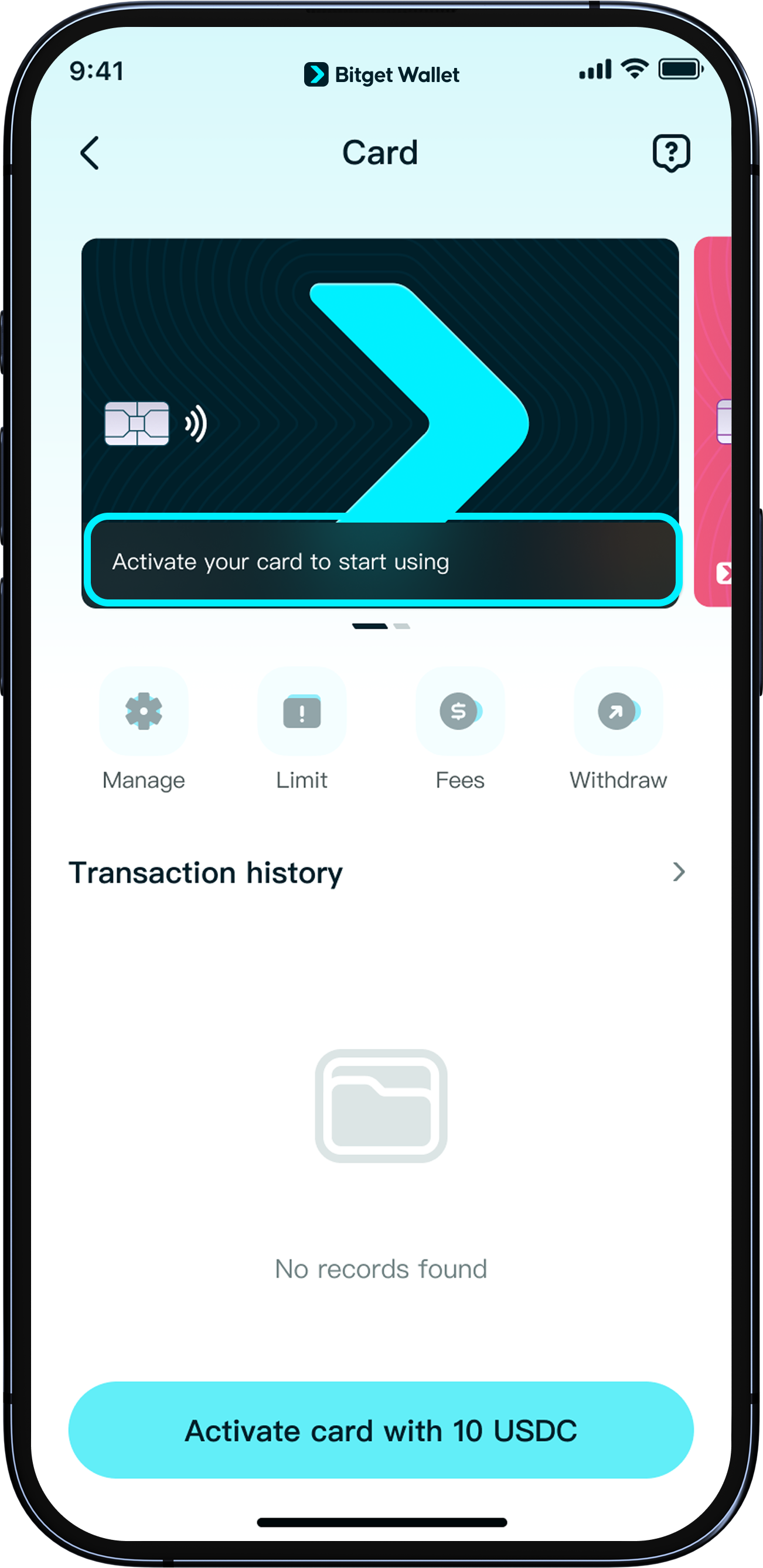
How to activate your Bitget Wallet Card
To activate your card, you’ll need to top up at least 10 USD.
The card requires a USDC deposit on the Arbitrum network.
Because there is a 1% top-up fee, <b>we recommend depositing at least 12 USDC</b>. The deposited amount can be used for future spending.
Tap “Activate now” to begin.
To activate your card, you’ll need to top up at least 10 USD.
The card requires a USDC deposit on the Arbitrum network.
Because there is a 1% top-up fee, <b>we recommend depositing at least 12 USDC</b>. The deposited amount can be used for future spending.
Tap “Activate now” to begin.
1
/
5
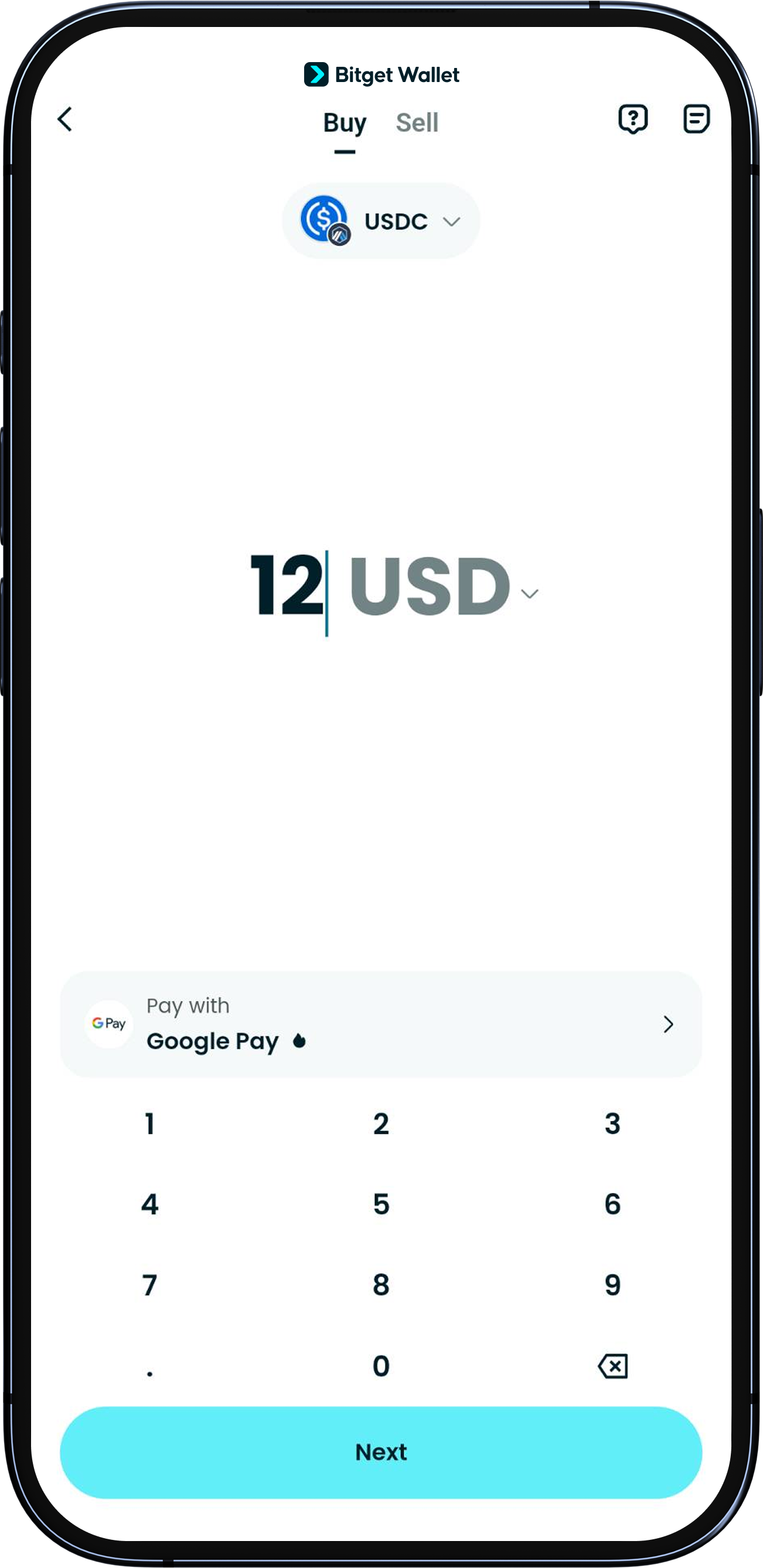
Top up with USDC on Arbitrum network
<b>Please Swap or Buy at least 12 USDC on the Arbitrum network beforehand. This token must be in the same wallet you are using to apply for the card. Only this token is accepted as your activation fee.</b>
Then return to "Wallet" > "Card" and tap “Activate now” to begin.
1
/
5
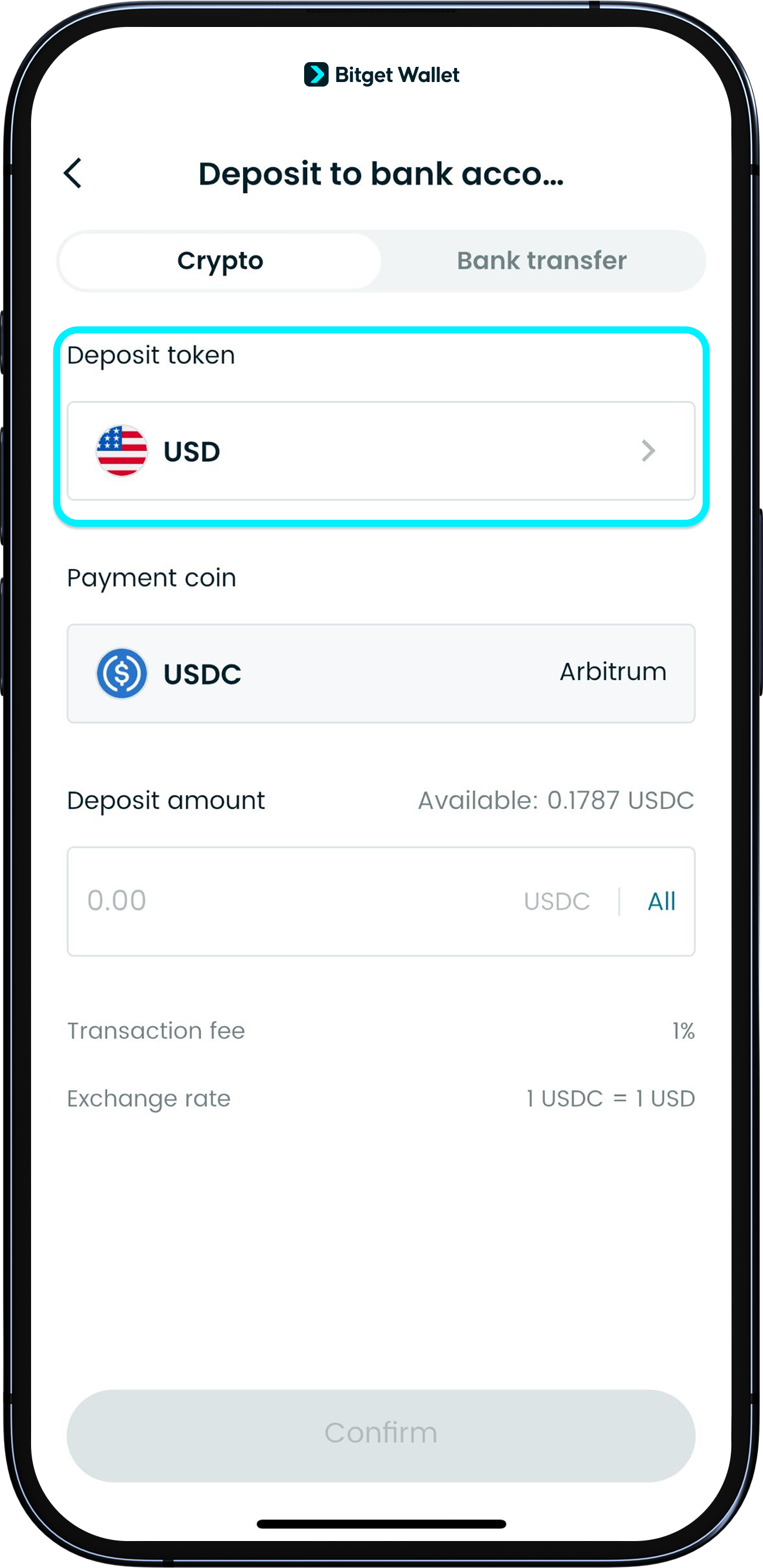
Set USD as deposit token
<b>Only USDC (USD) deposits are supported for activation.</b>
Please make sure the "Deposit" currency is set to “USD” before you transfer funds. Deposits in other cryptocurrencies will not activate the card.
1
/
5
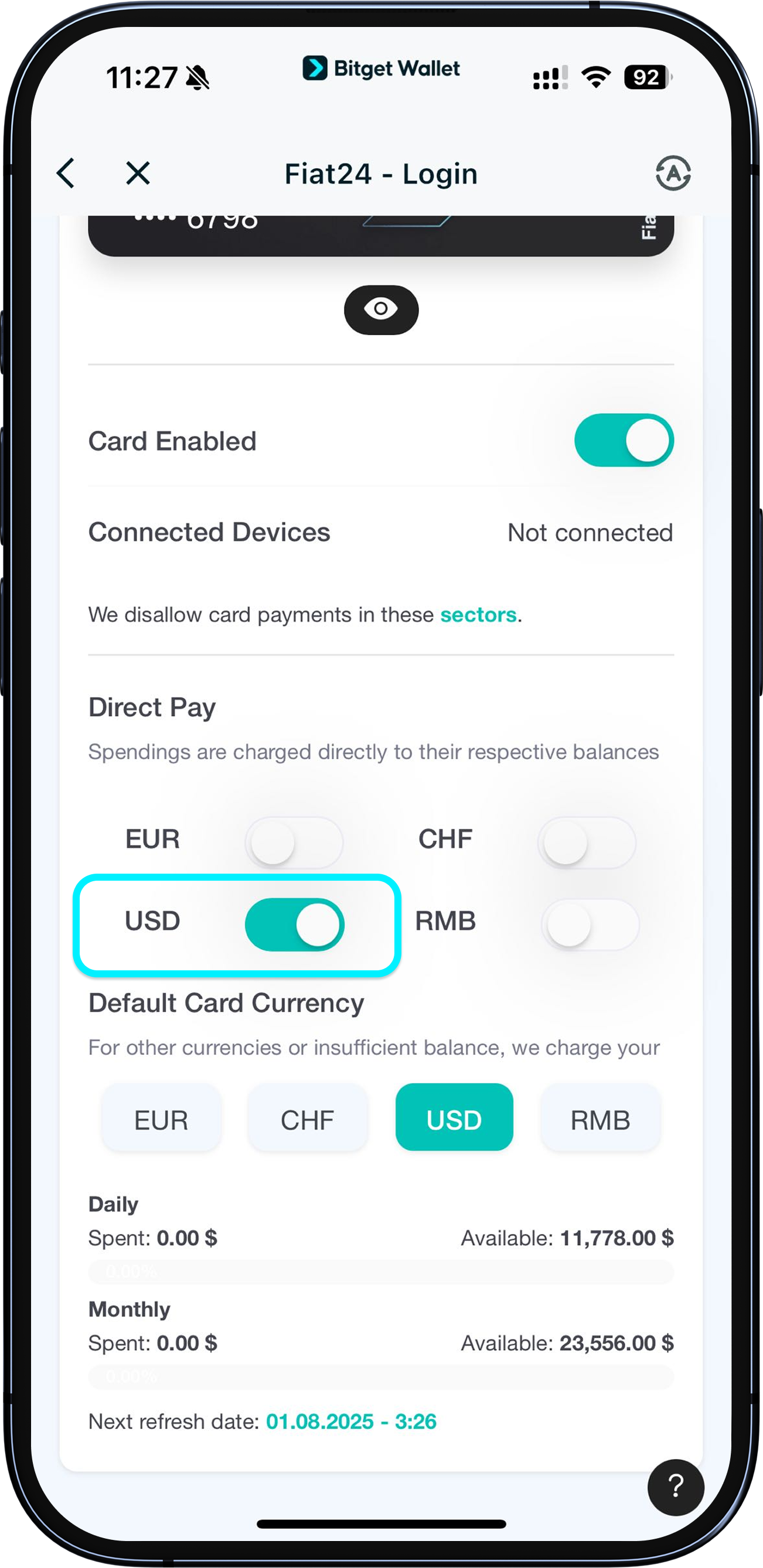
Authorize currency
After successful activation, if you’d like to spend in USDC, go to "Card" > "More" > "Manage" and check if USDC spending authorization is enabled.
If it’s not enabled, tap the button next to the currency and follow the prompts.
For more details, see section: Authorizing and selecting spending currencies.
1
/
5
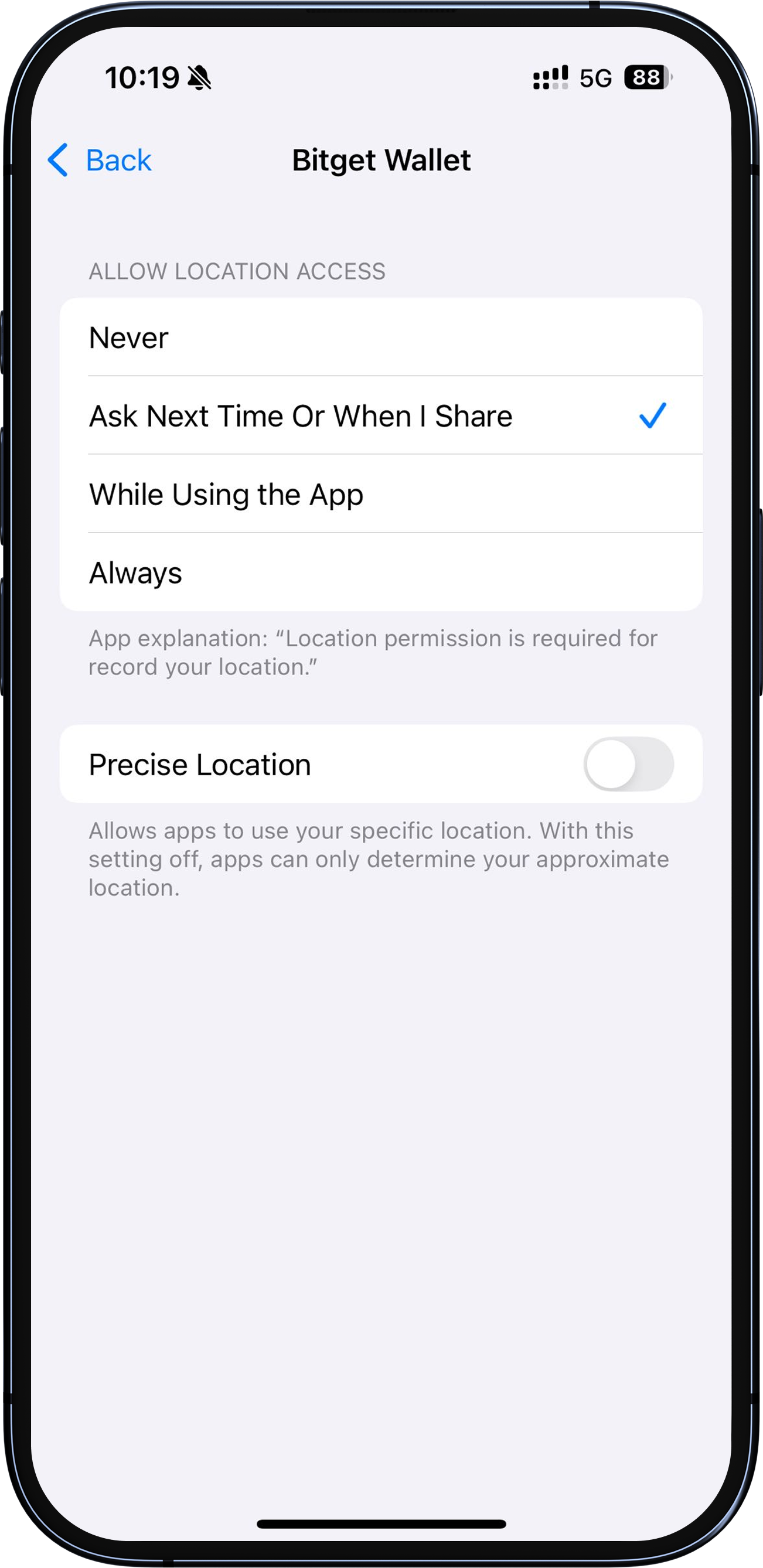
Prompt: “GPS not allowed”
If you see a prompt about GPS during the process, please go to your device's settings to authorize Bitget Wallet App to access your location.