


1
/
4
Turning off payments / freezing your card
To turn off card payments, you can remove authorization for your payment currencies.
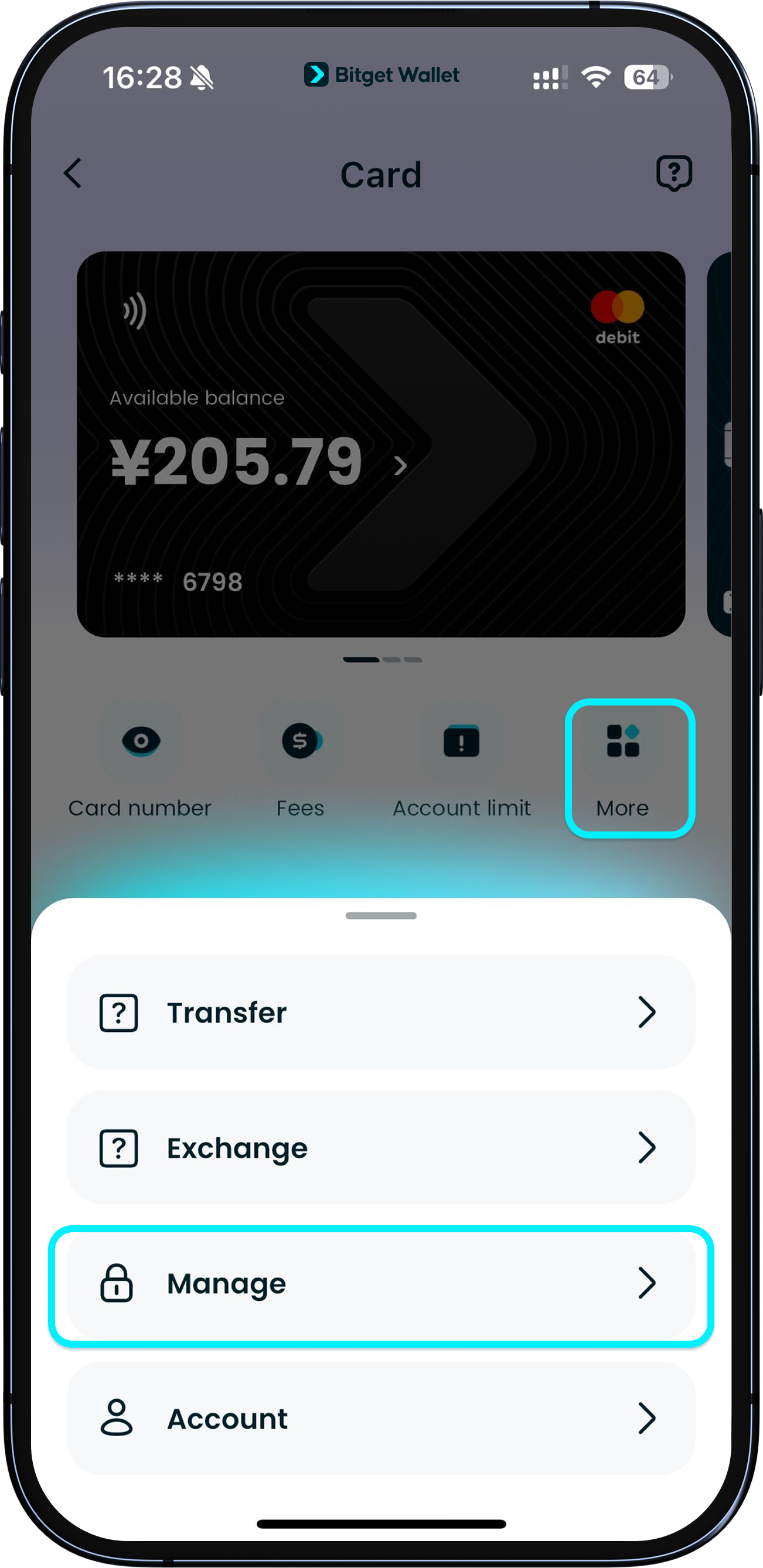
Go to "Card" > "More" > "Manage" to access the currency authorization page.
To turn off card payments, you can remove authorization for your payment currencies.
Go to "Card" > "More" > "Manage" to access the currency authorization page.
1
/
4
Turning off payments / freezing your card
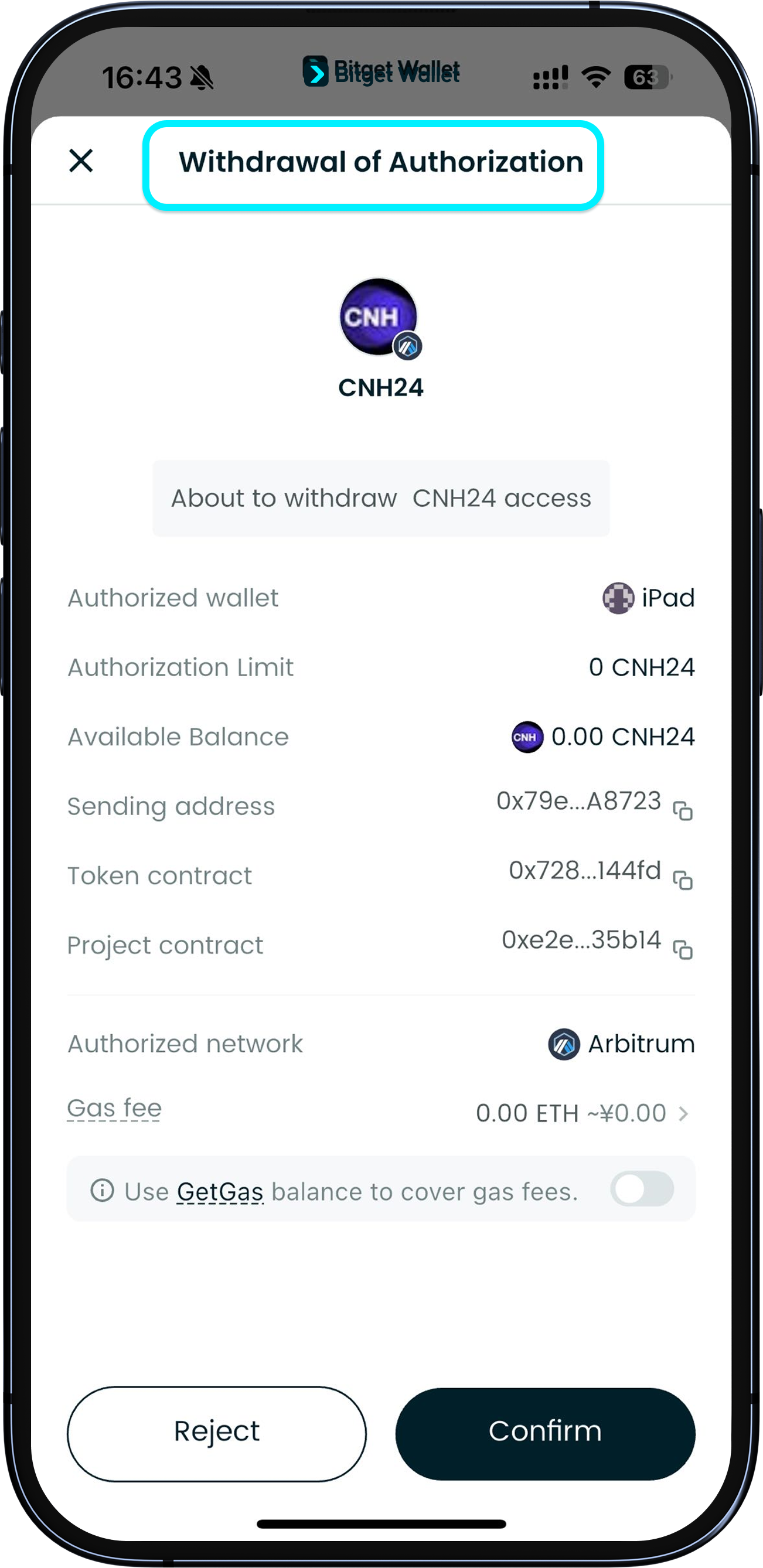
Tap the toggle next to any authorized currency (such as "USD") and confirm "Cancel authorization."
1
/
4
Turning off payments / freezing your card
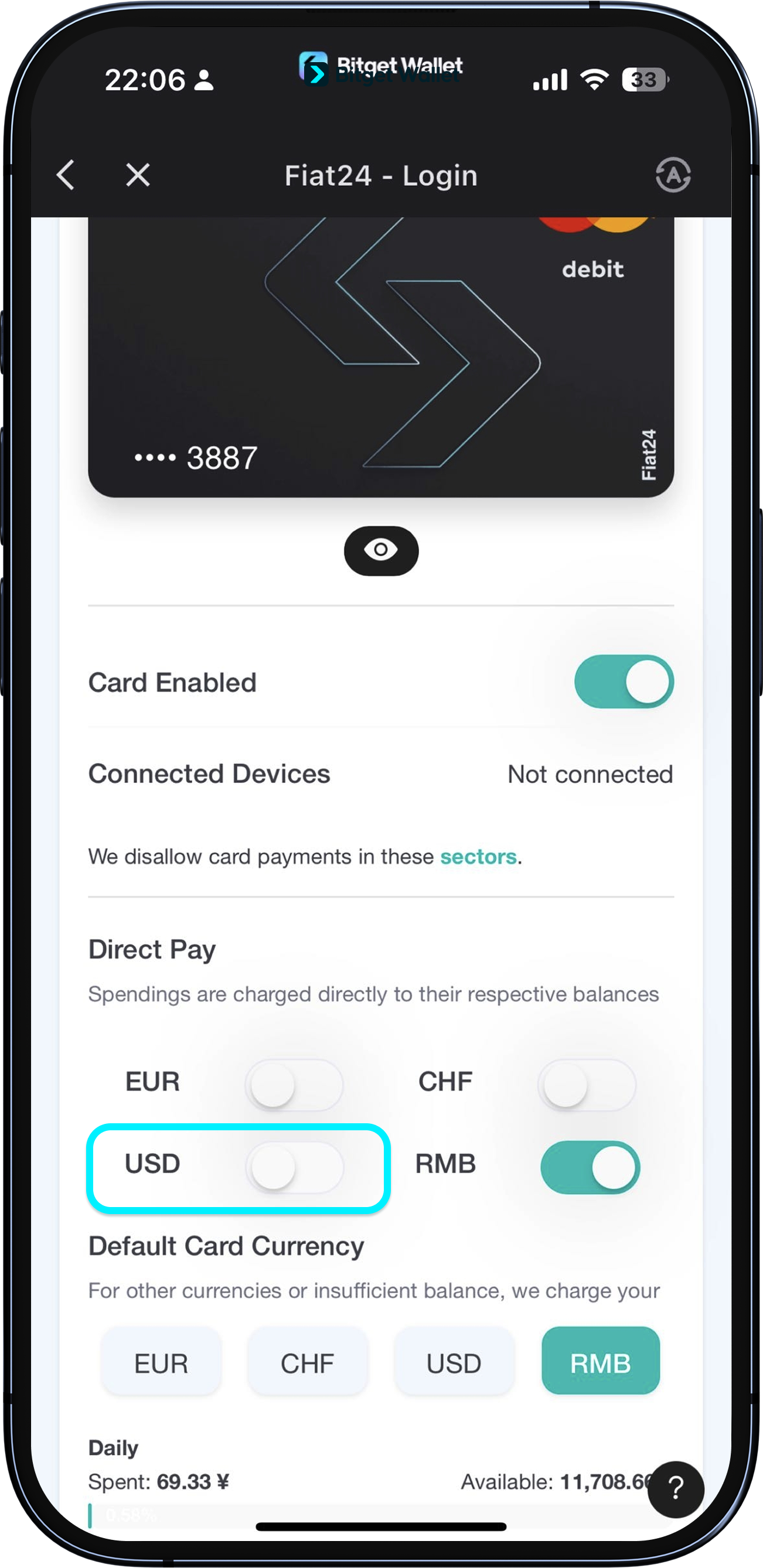
Once canceled, the toggle next to "USD" will appear off and you will not be able to use that currency for payments.
To re-enable, simply tap the toggle again.
1
/
4
Turning off payments / freezing your card
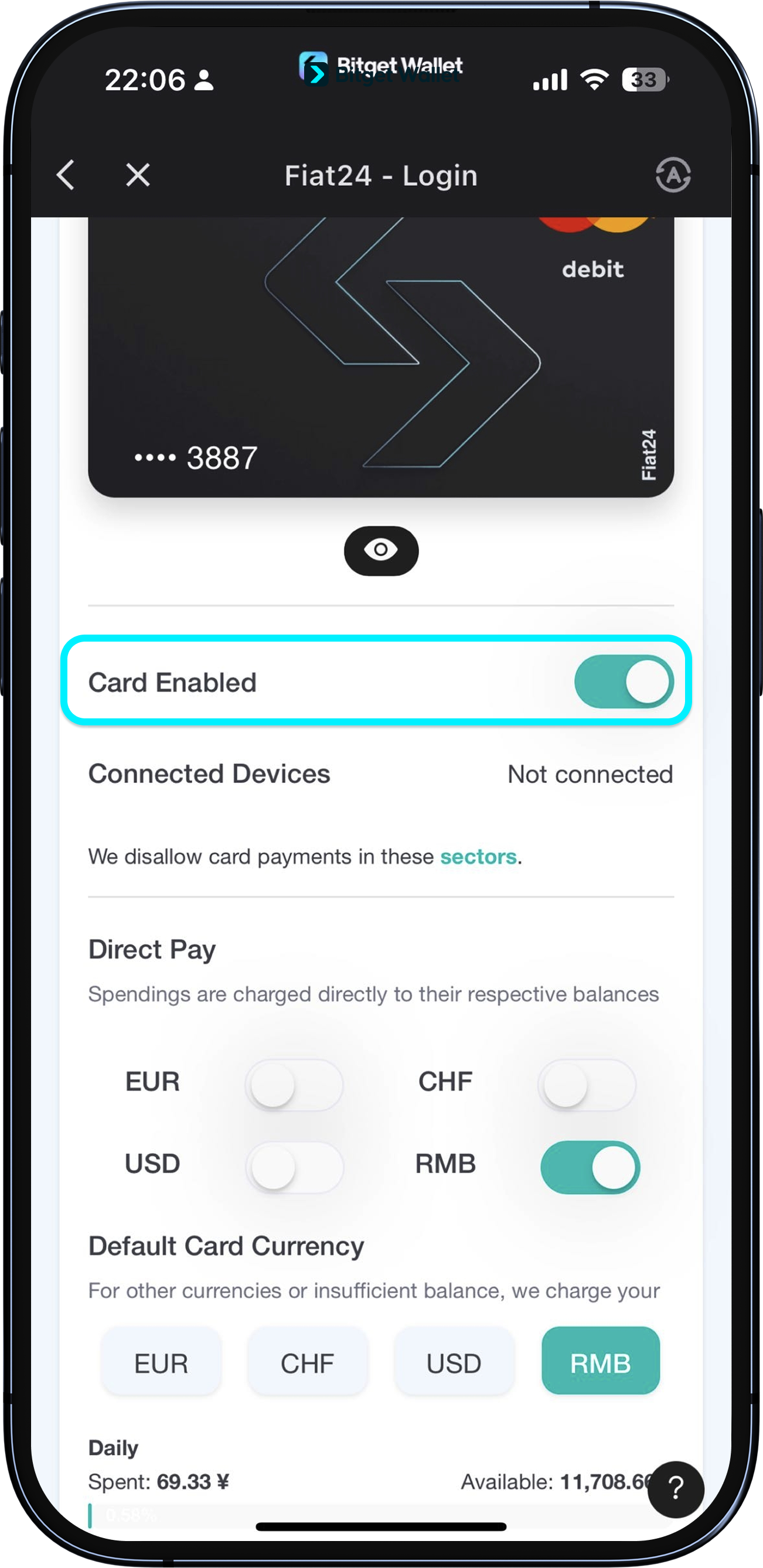
Your card must always have at least one authorized currency. To fully turn off card payments, tap the toggle next to "Card Enabled." After you turn this off, your card will be frozen.
To reactivate, just return to this page and turn the toggle back on.
<b>Note: This card cannot be closed or canceled, it can only be frozen.</b>