


1
/
5
How to see the candlestick (K-line) chart
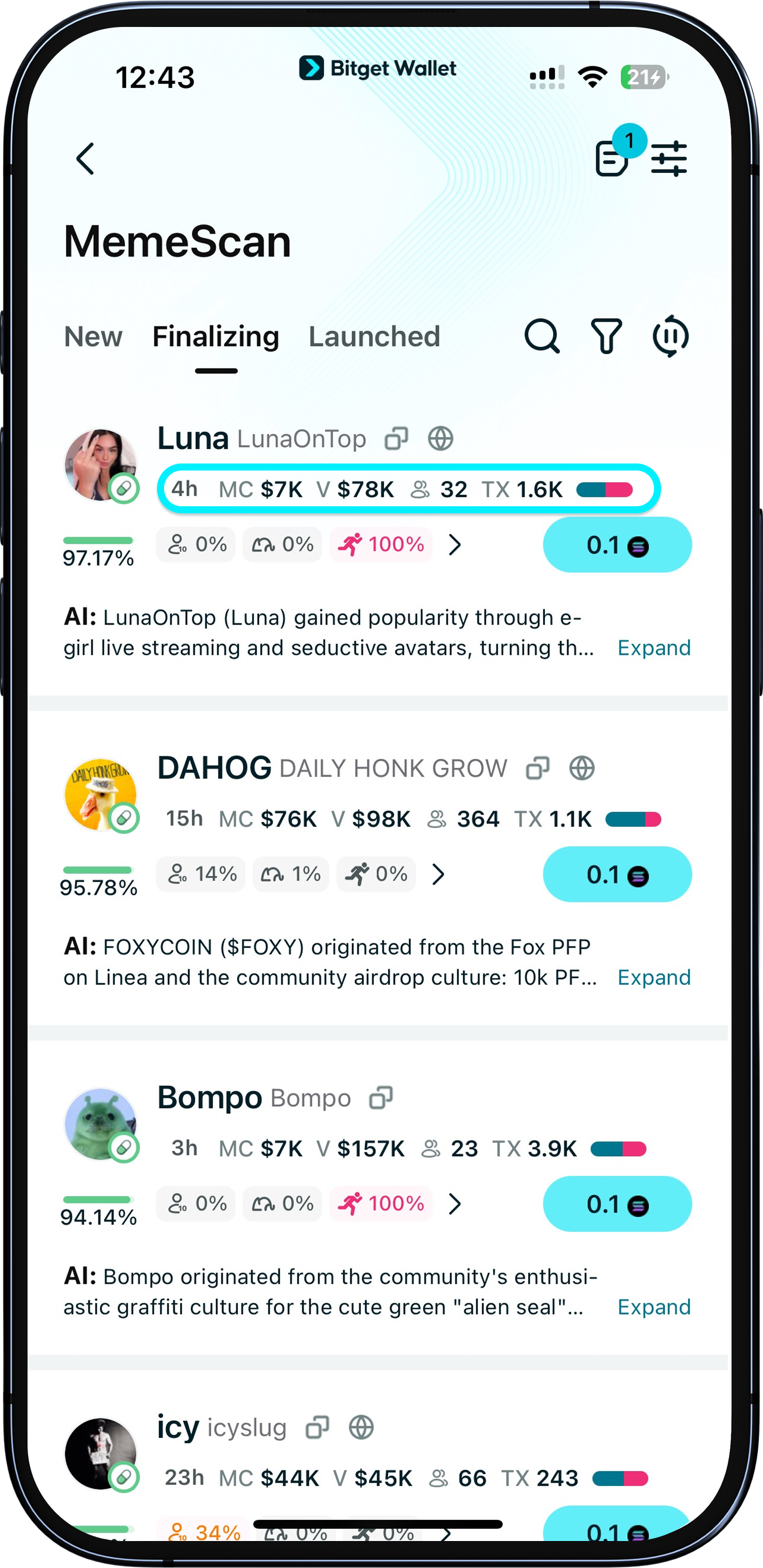
Make use of MemeScan's millisecond-level updates for both token prices and candlestick charts for more precise trading. Tap the market cap or holder volume numbers to open the real-time candlestick chart.
Make use of MemeScan's millisecond-level updates for both token prices and candlestick charts for more precise trading. Tap the market cap or holder volume numbers to open the real-time candlestick chart.
1
/
5
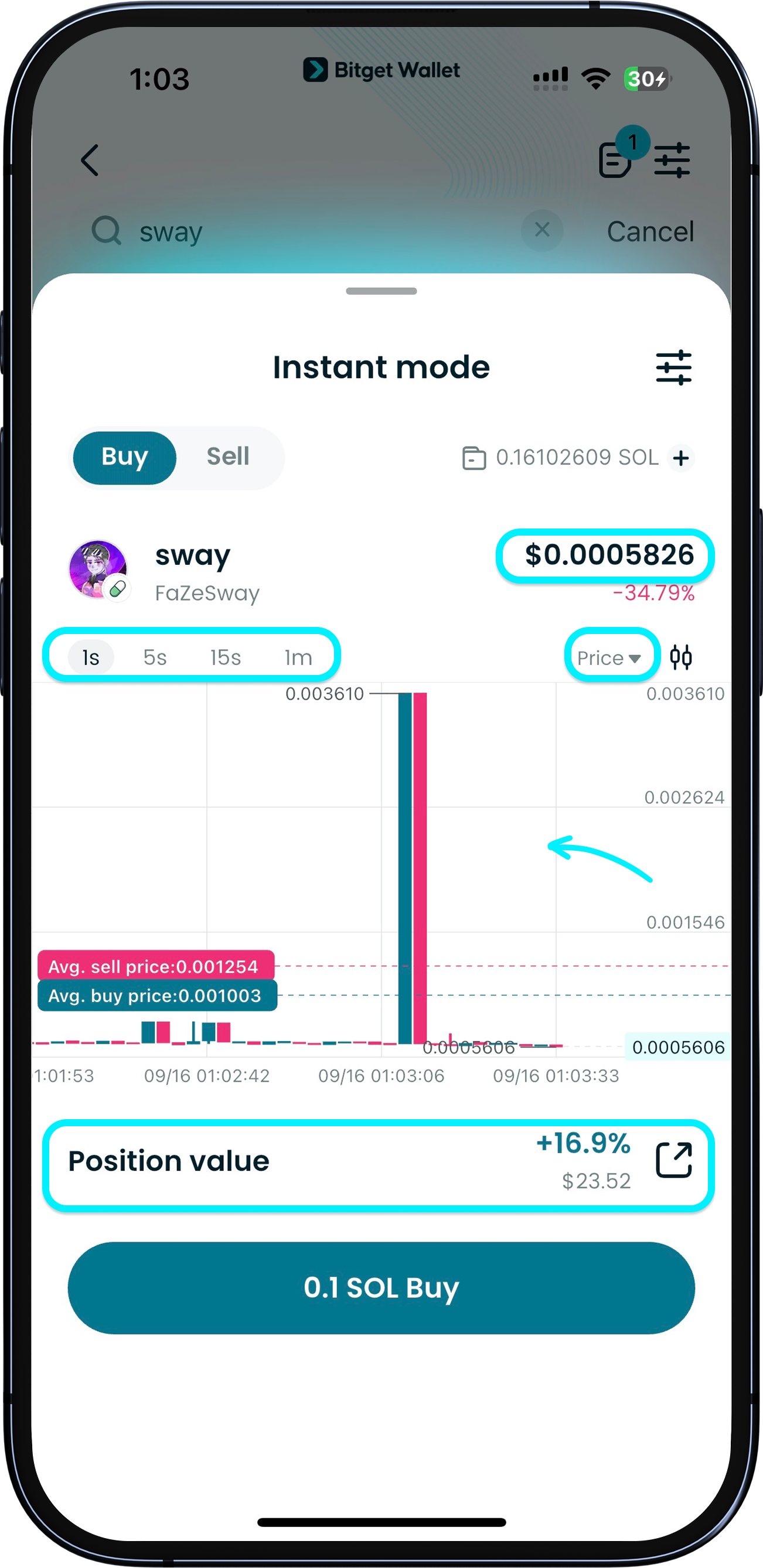
Candlestick chart information
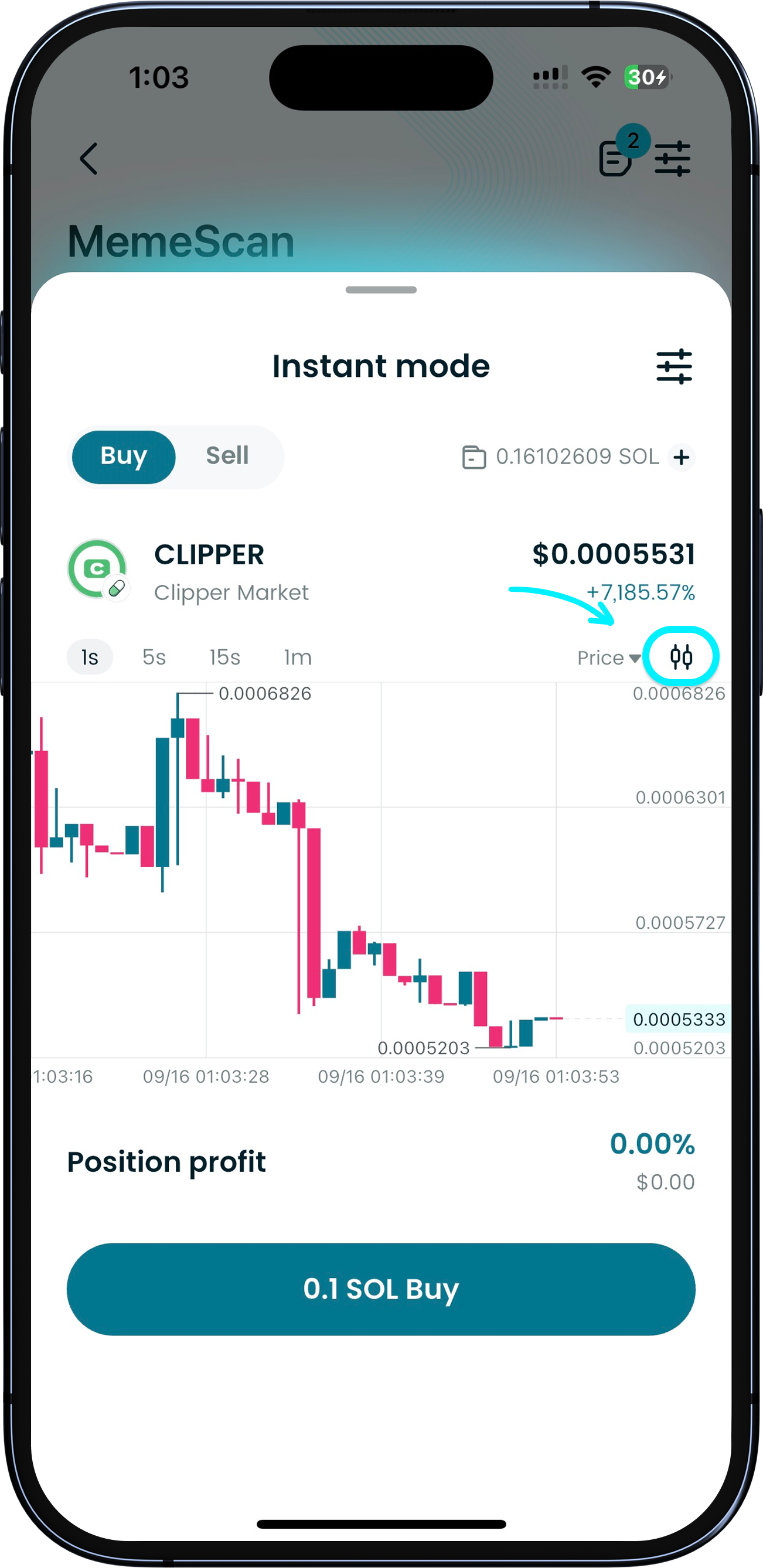
Here, you can view token prices, adjust the time frame, switch the candlestick chart base, and check your current holdings.
1
/
5
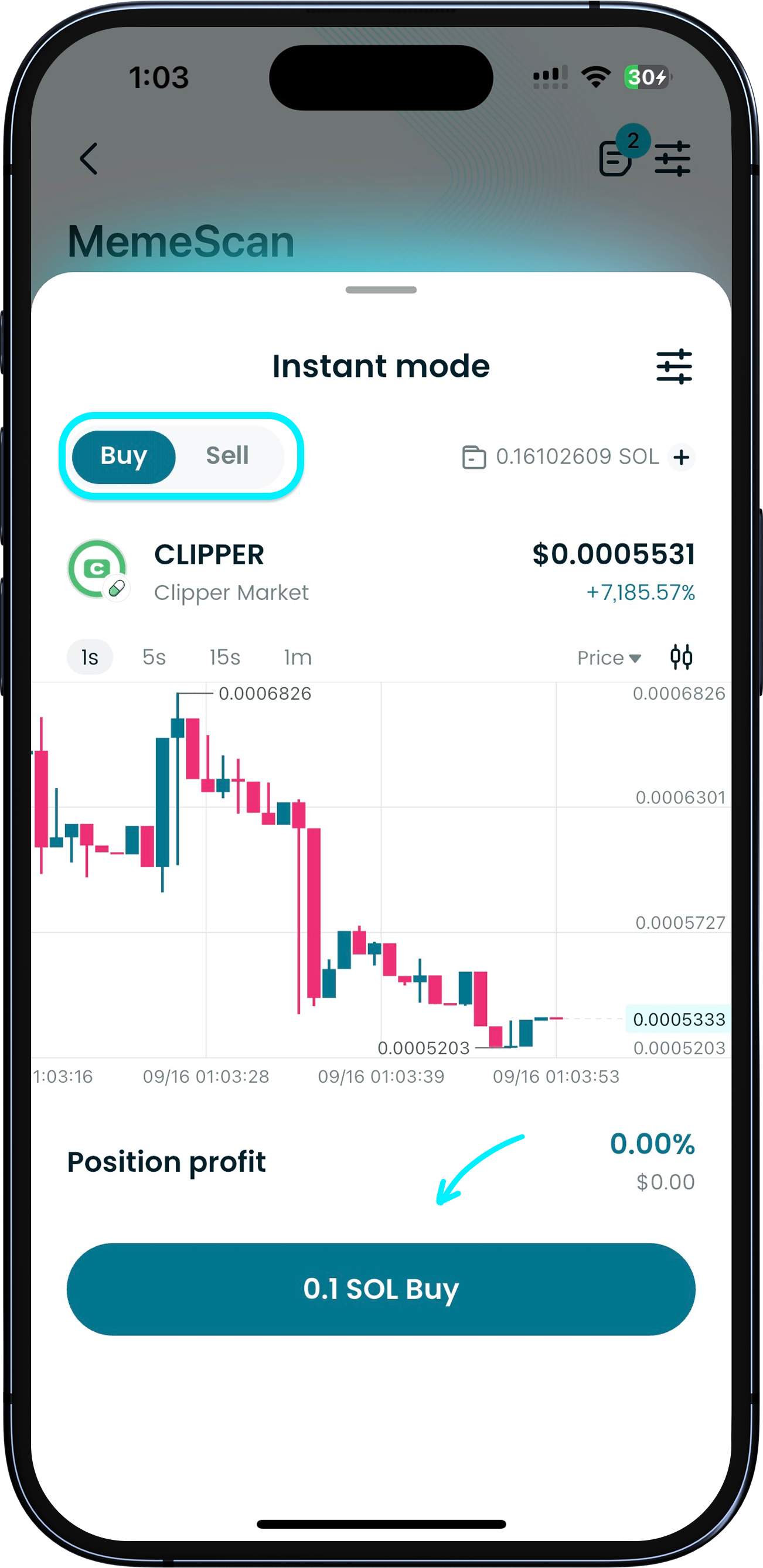
Quick buy and sell
You can also buy and sell quickly – all with just one tap.
1
/
5
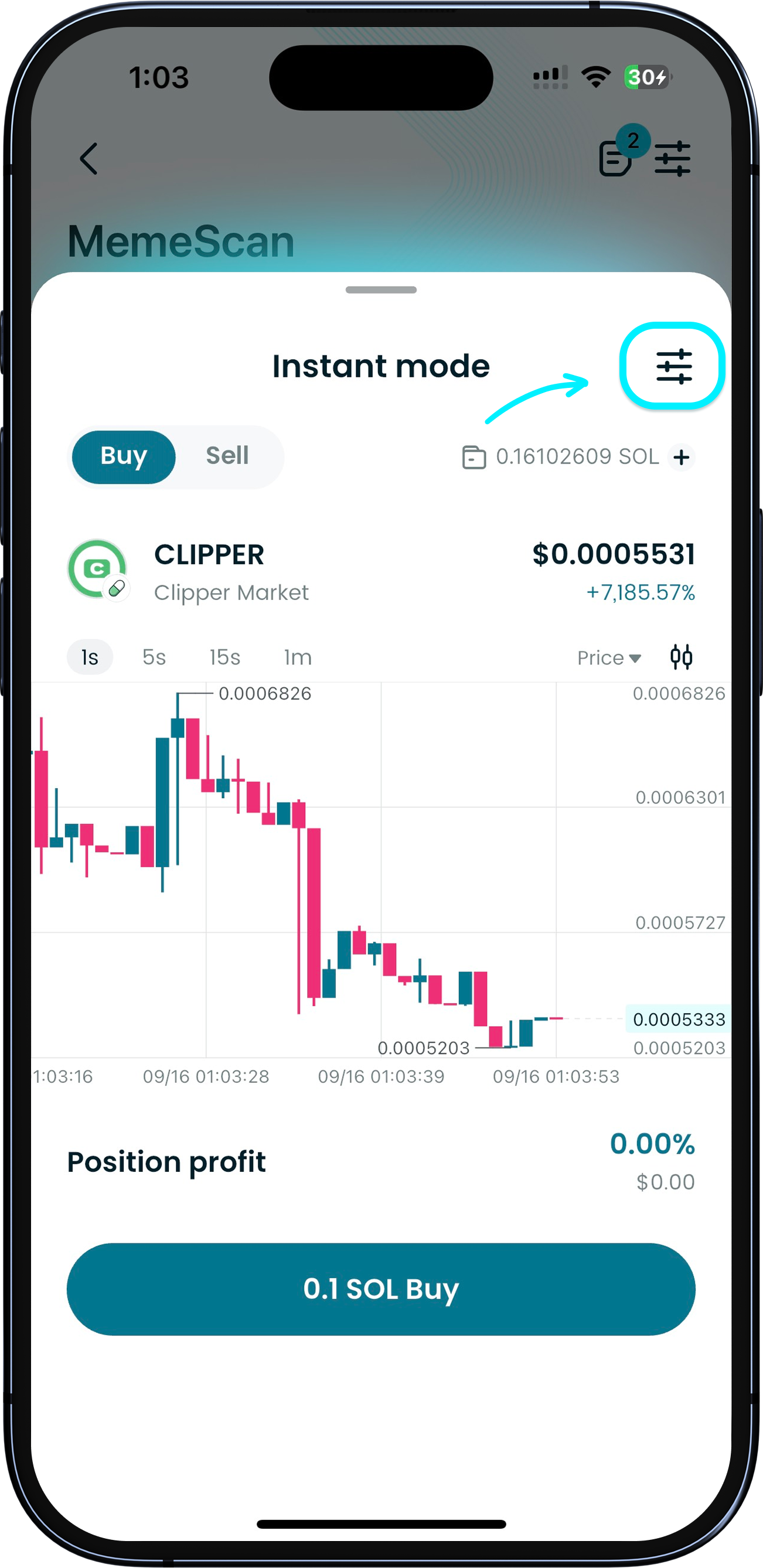
Set custom trading preferences
To set custom trading preferences, tap "Settings" to adjust parameters like buy amount, slippage, and gas fees. Click "Save" and your preferences will be applied by default next time.
1
/
5
Detailed token page
For more details about a token, tap the icon to enter the token detail page, where you can see in-depth candlestick charts, token security check, and more.