


1
/
8
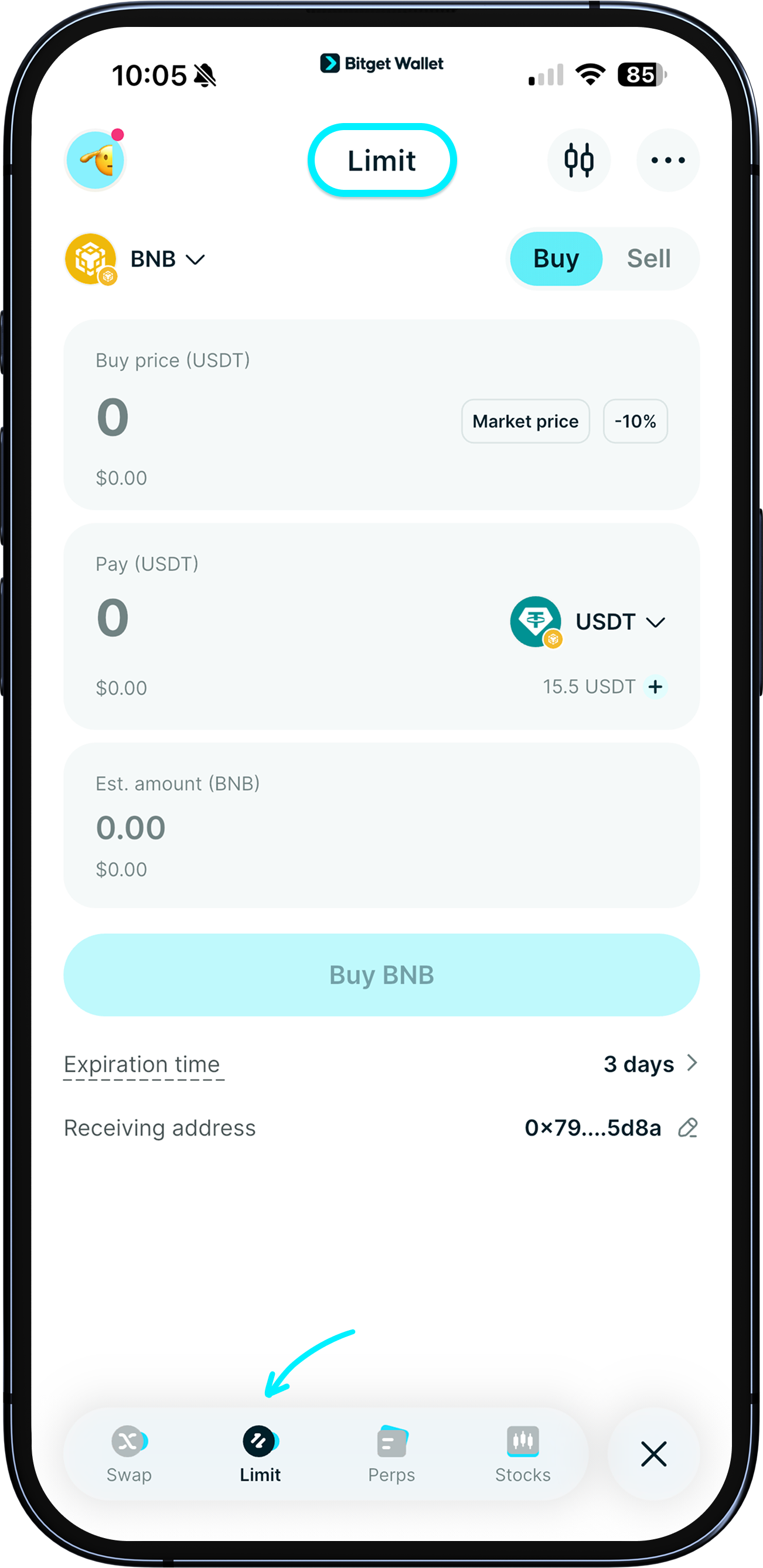
Placing a limit buy order
In the app, tap "Trade" > "Limit".
In the app, tap "Trade" > "Limit".
1
/
8
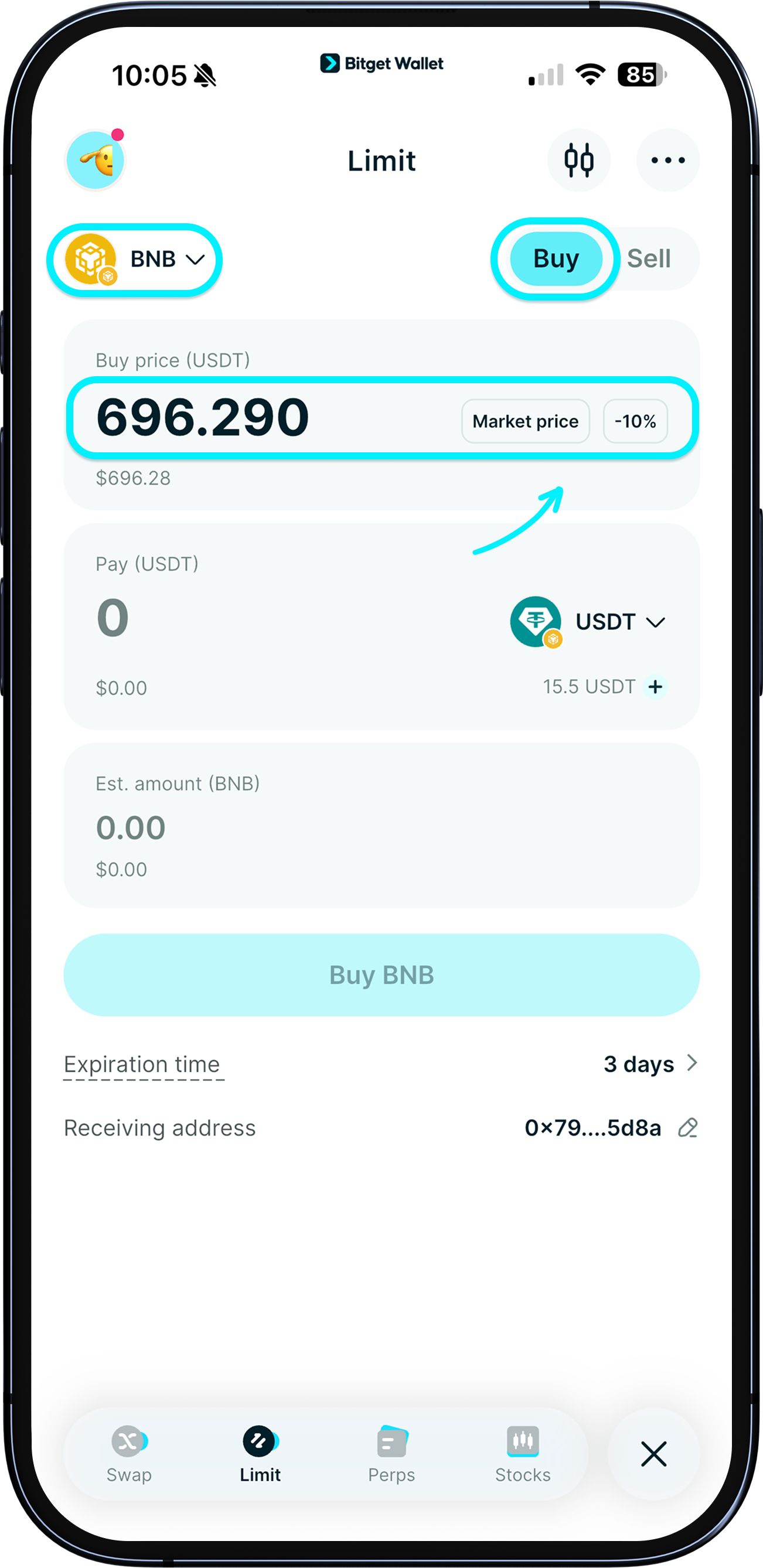
Choose the token to buy
On the top of the page, choose which network you would like to create the limit order on, then tap "Buy".
Tap "Market price" to autofill the current price.
Tap "-10%" to buy at a price 10% cheaper than the current market price (you can adjust this by tapping the button).
1
/
8
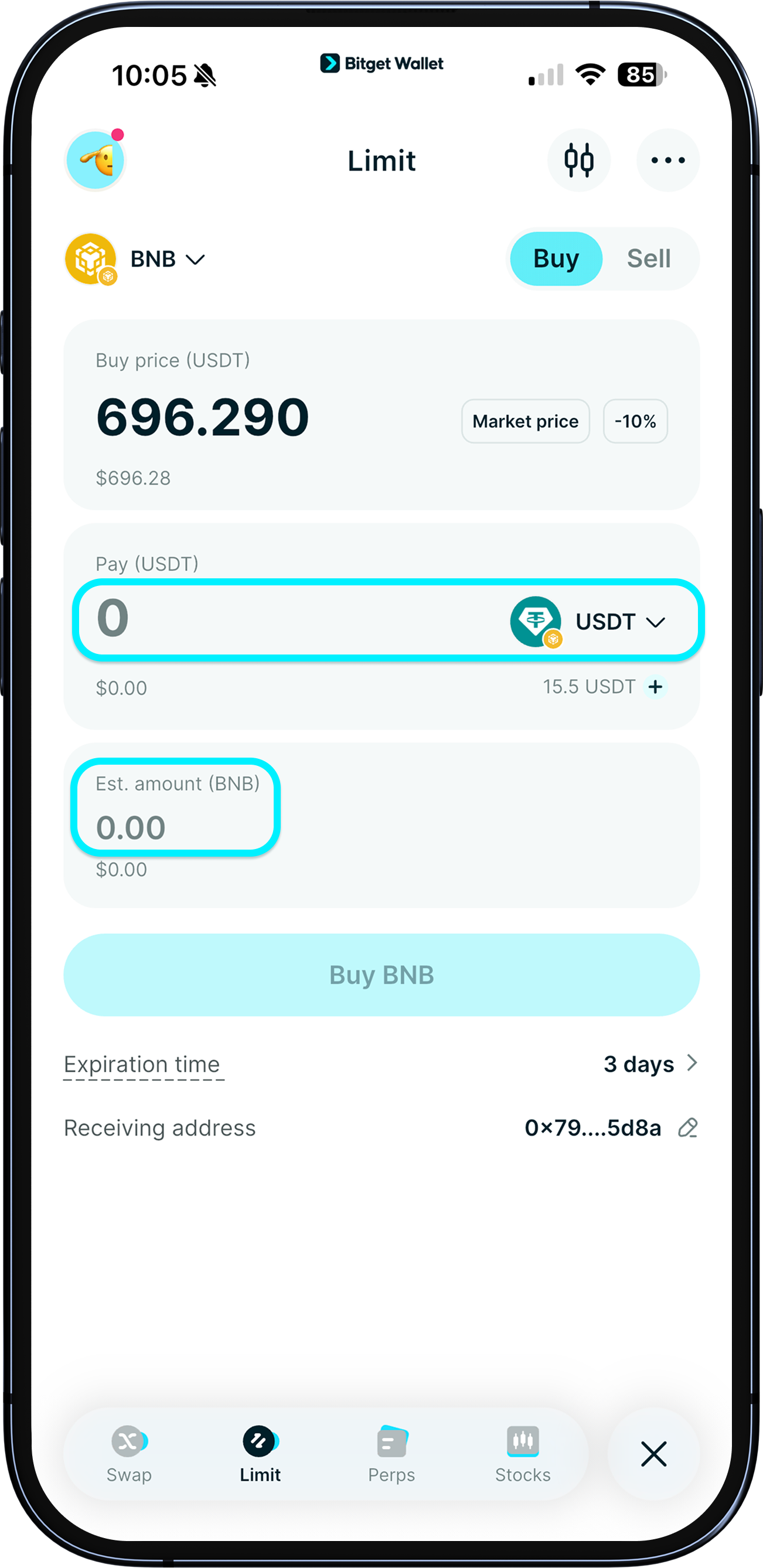
Choose the payment token
After setting the price, choose the payment token and amount. The app will automatically show how many tokens you’ll receive.
Note: <b>You can only create limit orders for tokens on the same network</b>.
1
/
8
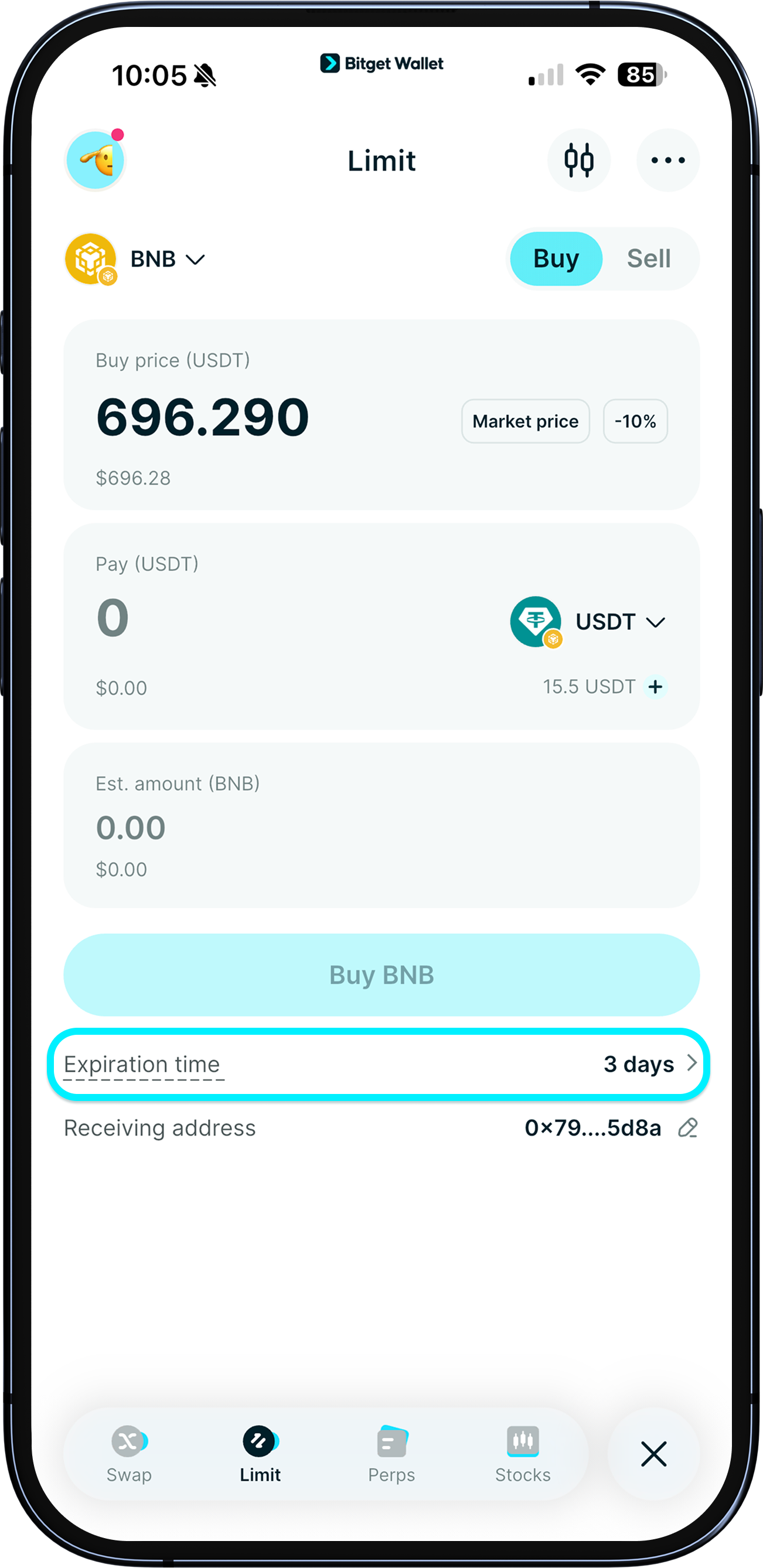
Set an expiration time
Once everything looks good, set how long your order stays active. If it's not filled in time (the preset price is not reached), it will simply expire.
To view the token's price chart, tap the "candlestick" button in the top right corner and the following popup will appear.
1
/
8
Review and confirm
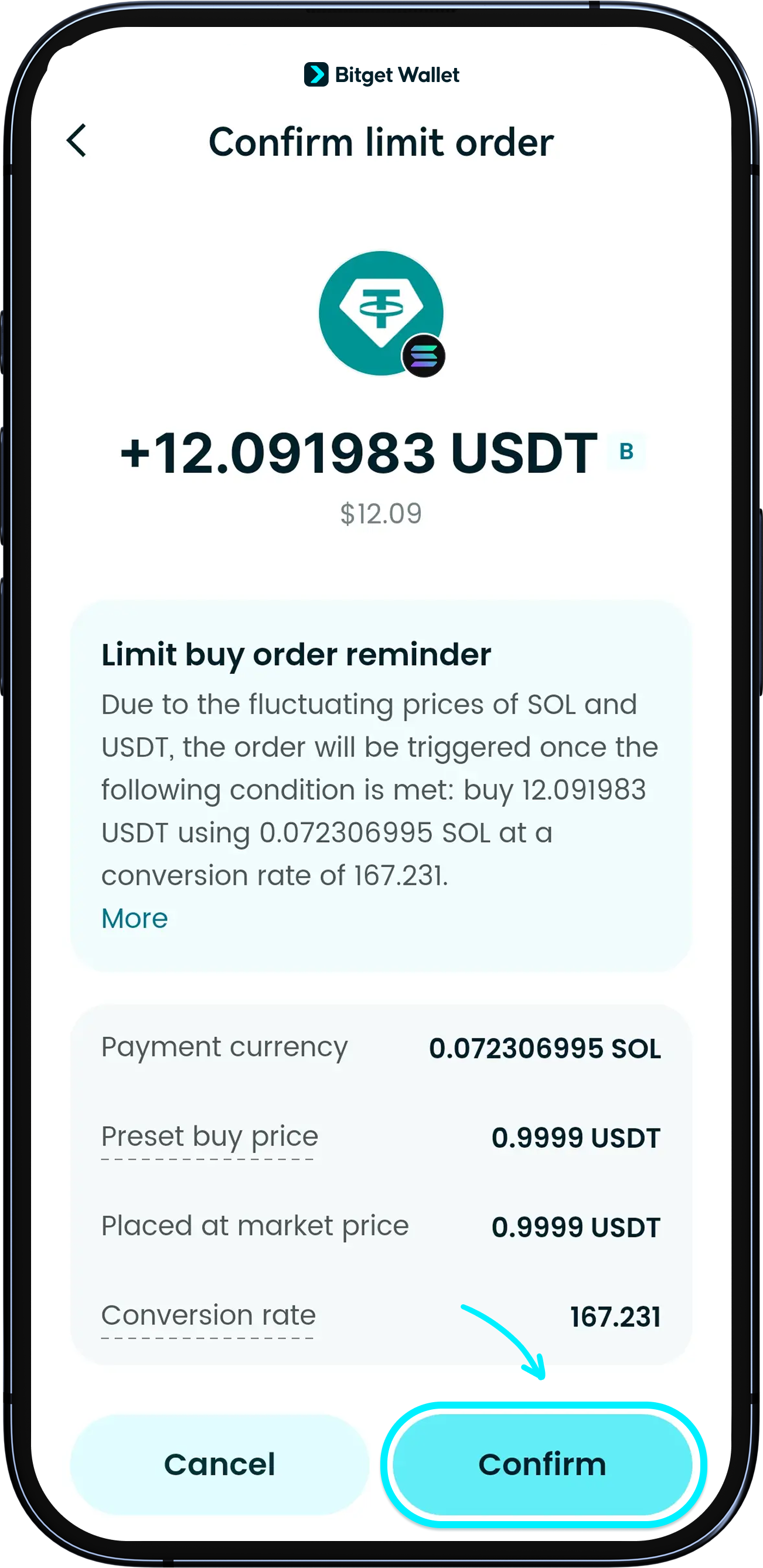
Tap "Buy" to review your order details, then tap "Confirm" again to place the order.
The "Preset buy price" is for reference only, since prices change constantly. <b>Your order will be filled only when the preset price is met</b>.
If you’re unsure about any term on the page, tap on the underlined text for a quick explanation.
1
/
8
Submitting your order
Limit-order quotes from third-party providers 1inch or Jupiter may deviate significantly from the market price, so your asset value could incur losses after the order is filled. <b>Please double-check before placing an order and pay attention to spread alerts (update your app to version 9.22 or newer).</b> You will be responsible for any resulting losses.
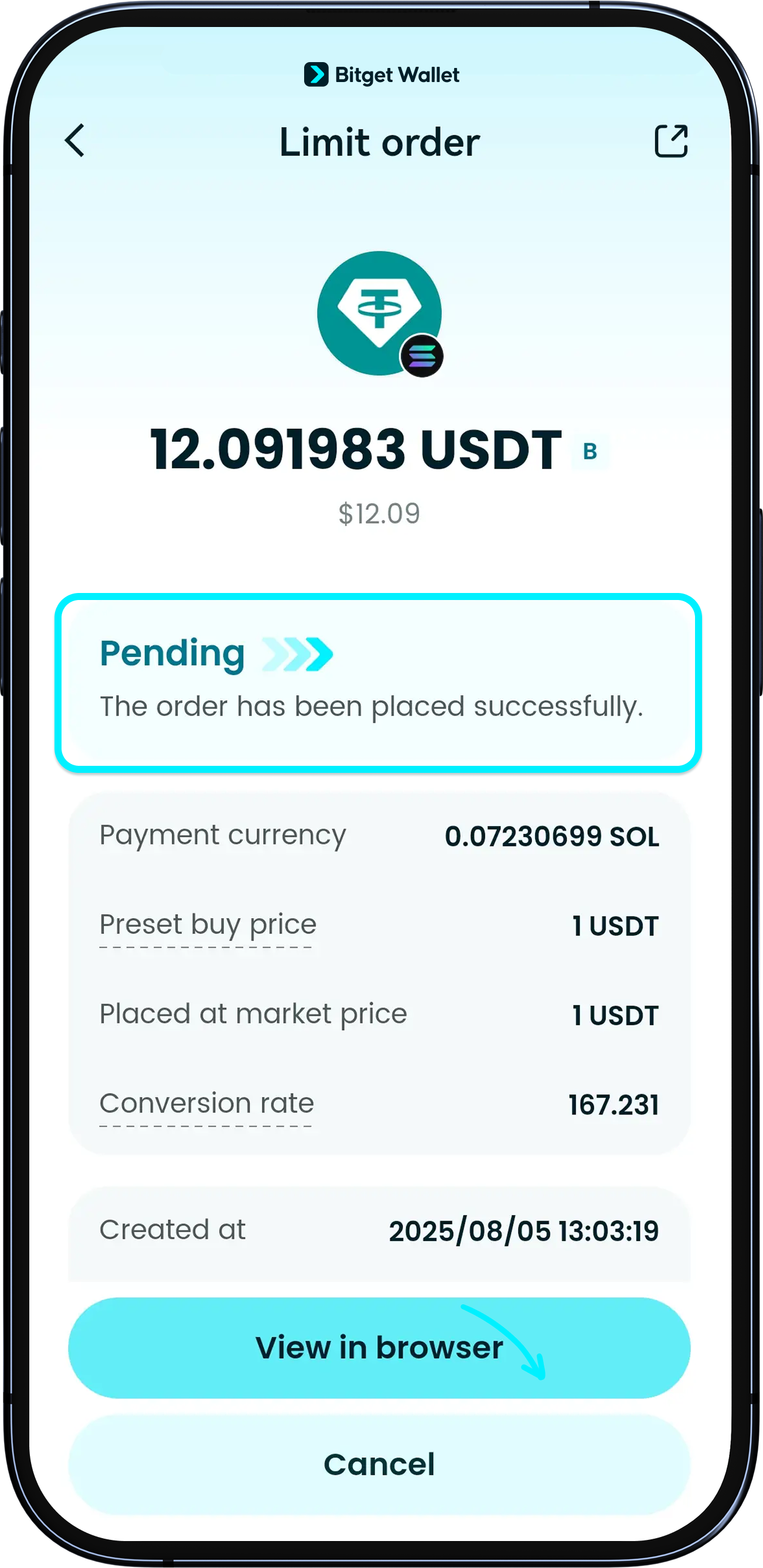
Once submitted, your order will show as “Pending.”
You’ll get a notification and see the status update when the order is filled.
Note: If the token has low liquidity, your order may not be filled even when your price is met.
1
/
8
Where do my assets go after I submit my order?
<b>On Solana</b>: assets are temporarily held by the service provider after you place your order.
<b>On EVM networks, such as Ethereum, BNB Chain etc.</b>: assets stay in your wallet until the order is filled. Please make sure you have enough funds to fulfill the order – otherwise, your order won’t go through.
1
/
8
Are there any fees for submitting an order?
On Solana, submitting a limit order puts it on-chain, so there is a gas fee.
On EVM networks, you don’t pay a gas fee just for submitting the order.
All orders require a gas fee when they actually fill.