


1
/
5
"Device not unlocked"
Enter your PIN on the Ledger device to unlock it, then tap <b>"Retry"</b>.
Enter your PIN on the Ledger device to unlock it, then tap <b>"Retry"</b>.
1
/
5
"App not opened"
Open the correct app on your Ledger for the network you want to use (e.g., the Ethereum app for EVM networks, or the Bitcoin app for Bitcoin), then try again.
1
/
5
Connection failed with no specific error
Try the following steps:
1. Check that your USB cable is securely connected.
2. Make sure your Ledger is unlocked.
3. Confirm the correct app is open on your device.
4. Unplug the USB, reconnect, and tap "Retry". <b>If the issue persists, please contact our customer support.</b>
1
/
5
"Connection lost" during signing
Reconnect your Ledger via USB, unlock it, then tap <b>"Reconnect"</b> in the pop-up and try again.
1
/
5
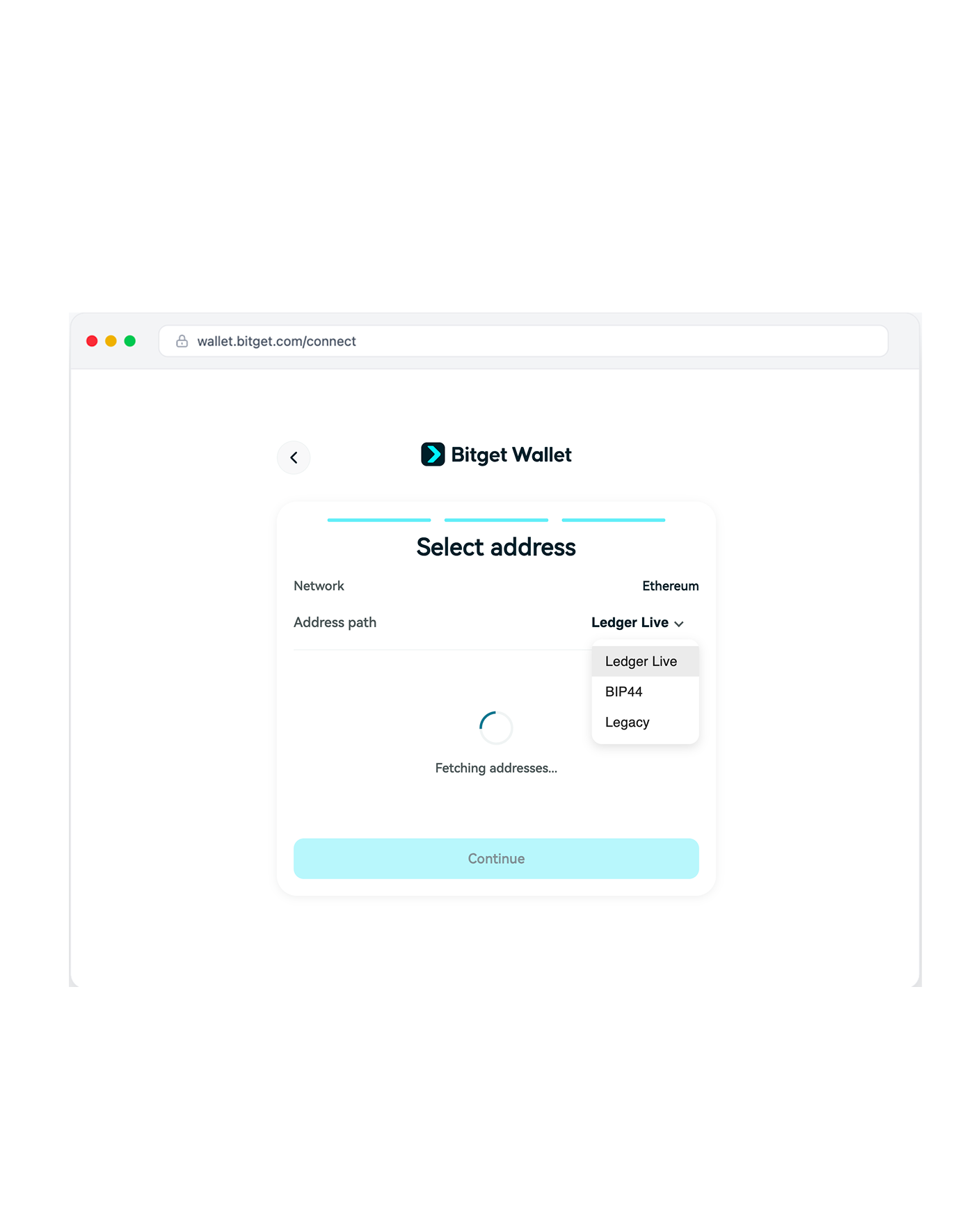
My assets don't appear after connecting
You may have selected the wrong derivation path. Try switching to a different HD path in your wallet settings.
For example, if you chose Ledger Live but your wallet was originally created with a different tool, try BIP 44 Standard or Legacy instead.