


1
/
6
Bitget Wallet Card는 어떻게 신청하나요?
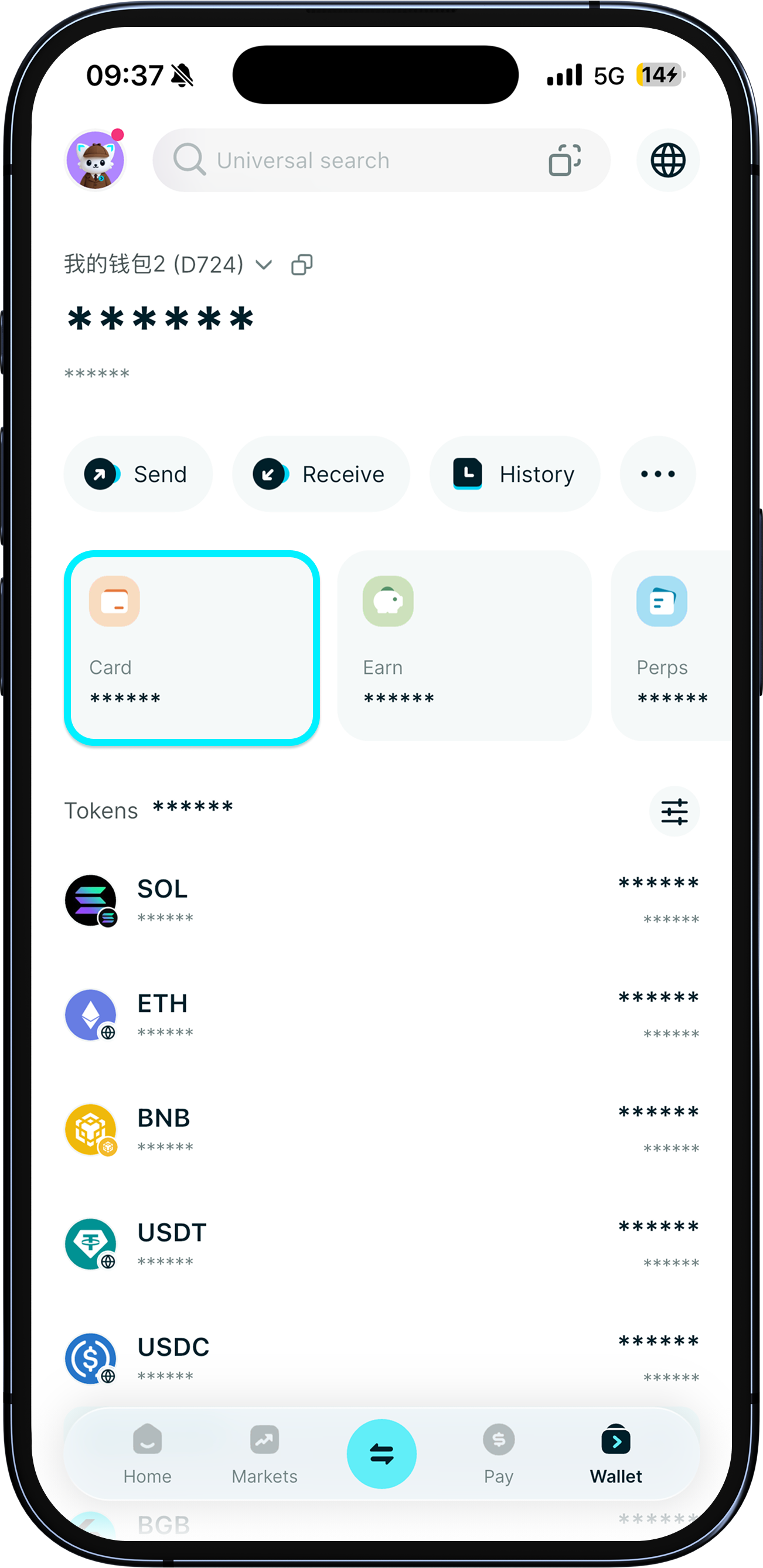
Bitget Wallet Card lets you use your crypto for everyday spending, anytime, anywhere.<br><br>To apply for the card, simply update your Bitget Wallet app to the latest version. Then, go to “Wallet” > “Card” and tap “Apply now”. <b>Only seed phrase wallets or MPC wallets are supported. Private key wallets are not currently supported.</b>
Bitget Wallet Card lets you use your crypto for everyday spending, anytime, anywhere.<br><br>To apply for the card, simply update your Bitget Wallet app to the latest version. Then, go to “Wallet” > “Card” and tap “Apply now”. <b>Only seed phrase wallets or MPC wallets are supported. Private key wallets are not currently supported.</b>
1
/
6
누가 신청할 수 있나요?
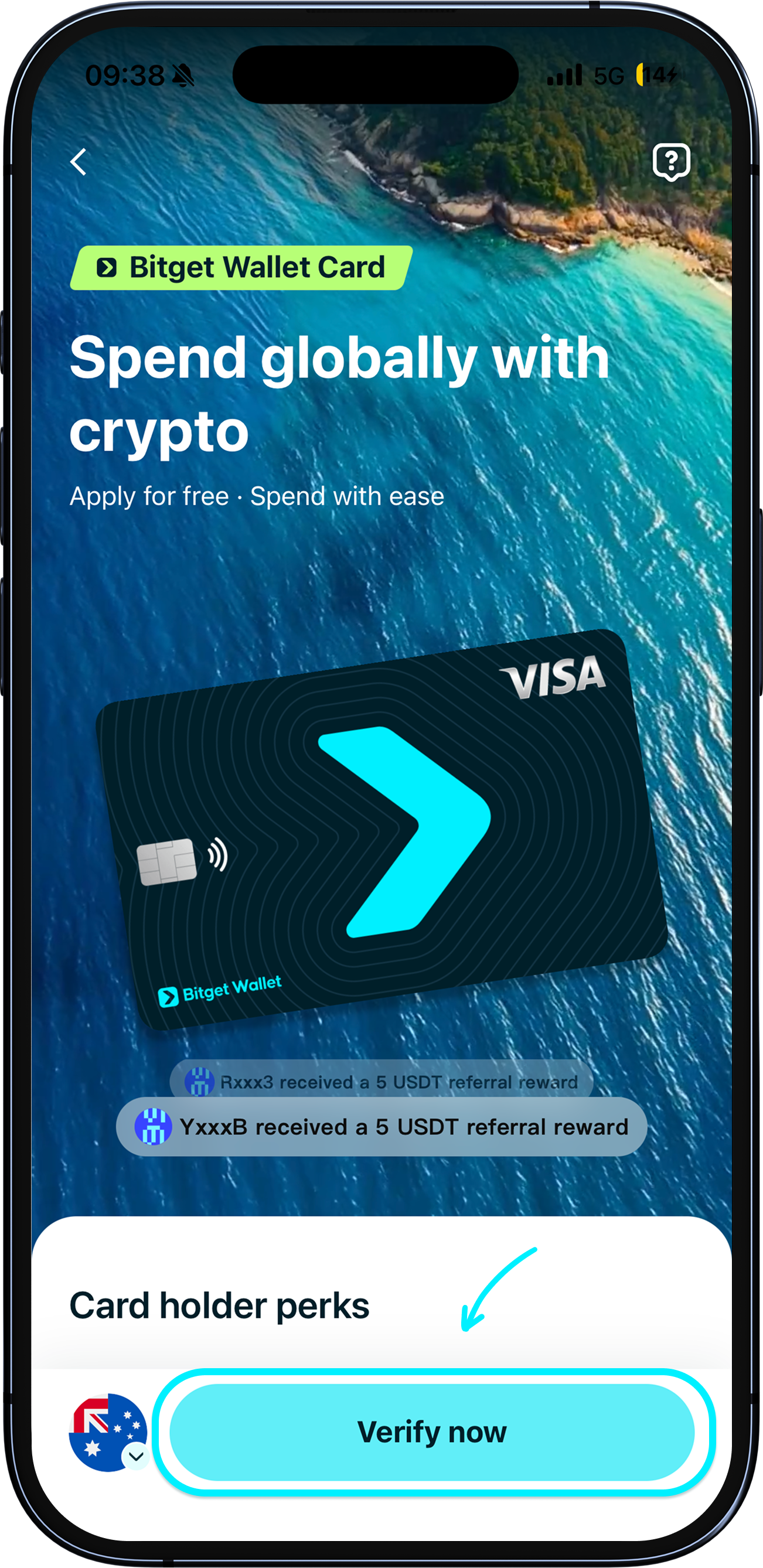
Application is now open to citizens or residents (have an employment pass and proof of address) of South Korea, Japan, Vietnam, Malaysia, Taiwan, Australia, Thailand, and the Philippines.
1
/
6
신청 및 본인 인증 방법
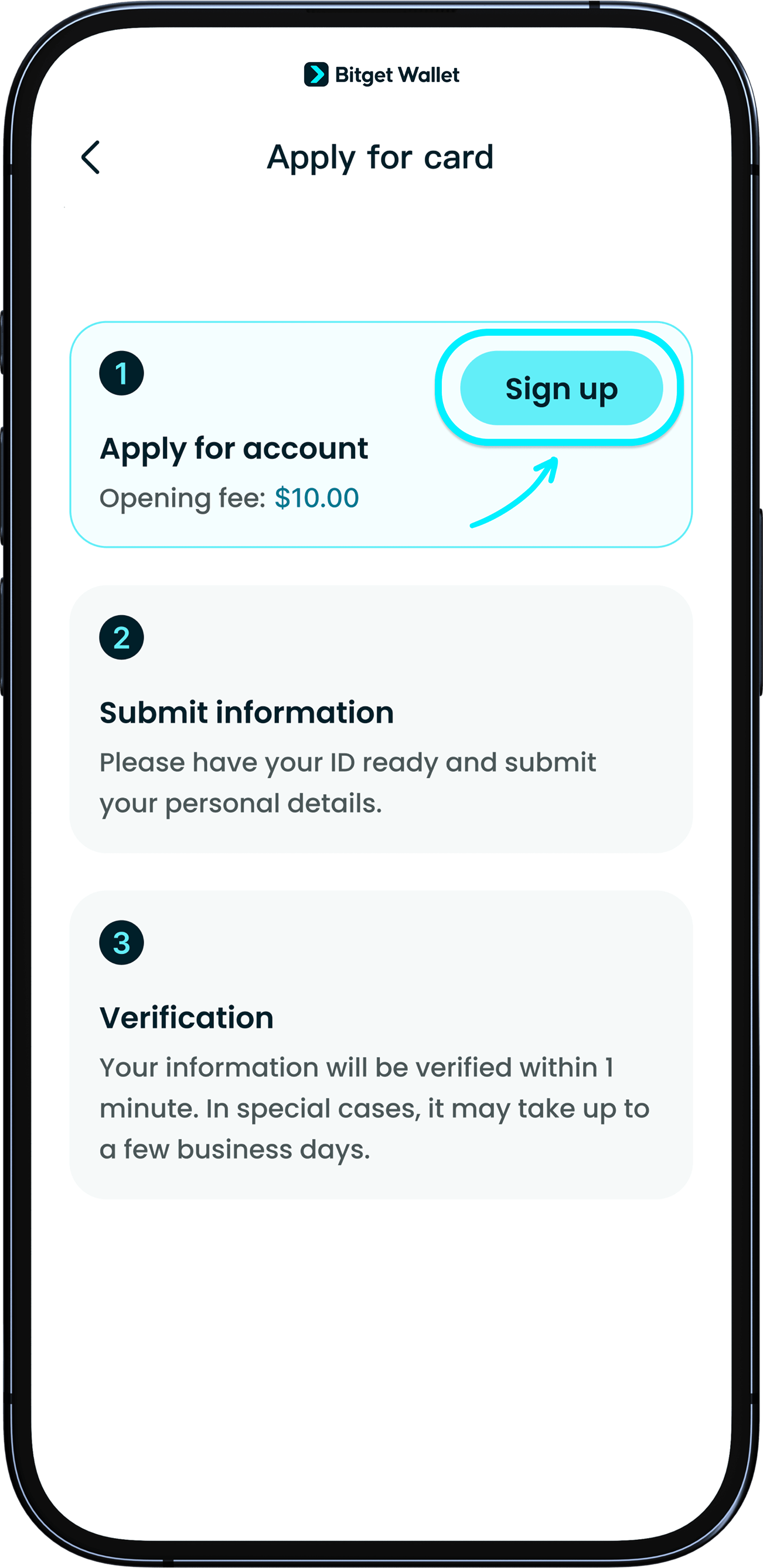
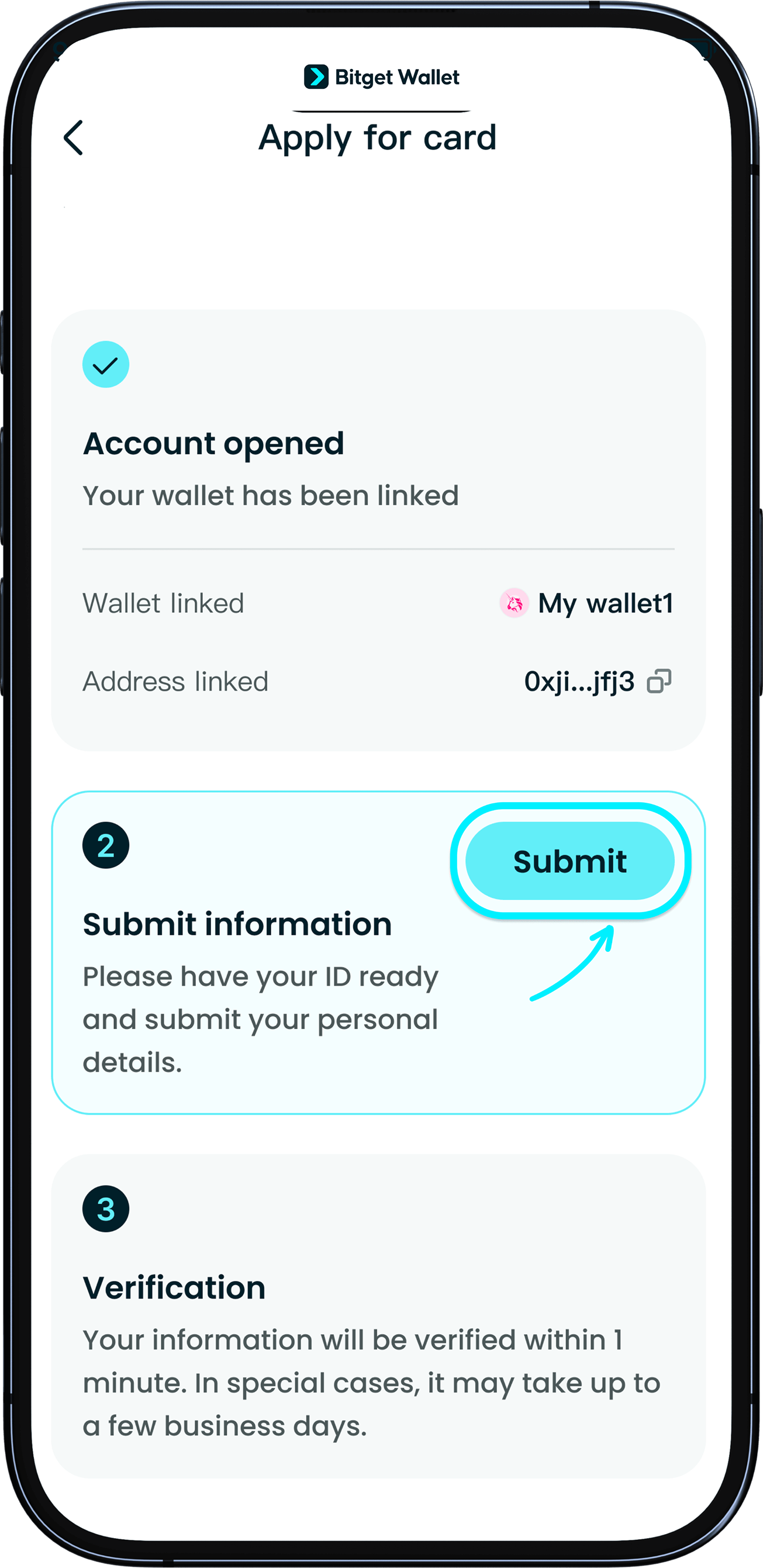
Tap “Apply now” to start your card application. Follow the instructions to register your account and submit your identification. <b>Please use an ID card, passport, or driving license with at least three months of validity.</b>
If you receive a prompt saying your document can't be used, it may be expiring soon. Please use a document with a longer validity period.
1
/
6
본인 인증 문제 해결 방법
신청서를 제출하면 보통 1~2분 이내에 승인됩니다. 추가 정보가 필요한 경우 며칠이 더 소요될 수 있으며, 이메일 안내를 발송해드립니다. <b>처리가 지연되는 경우 우선적인 지원을 위해 고객센터에 문의해 주세요.</b> 본인 인증에 실패한 경우, 정보를 다시 제출할 수 있습니다.
1
/
6
How do I make changes to my application?
Please send the changes you require with the accompanying documents to our customer support. We will take 1–3 days to help you process your changes.

1
/
6
What do I do when identity verification has taken more than 5 days?
If your information requires a manual review, or if we need more information from you, we will notify you by email within 1–3 business days from dcscorporate@dcscc.com. If you have any questions, you can also contact our customer support.
