


1
/
5
"Unable to make a purchase" notification
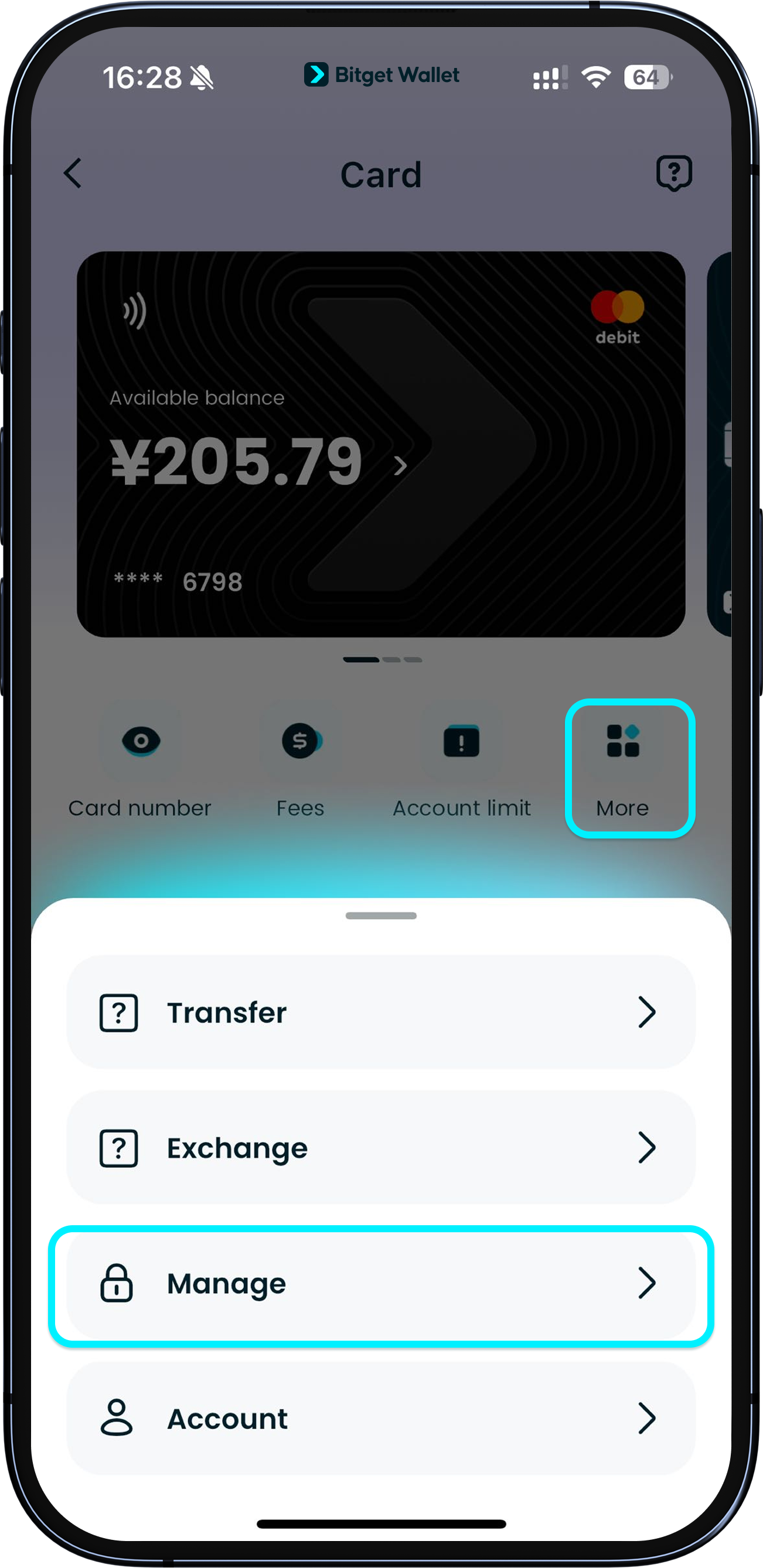
If your card account has assets but you receive a "Unable to make a purchase" message, it may be because that currency has not been authorized on-chain.
Please go to "Card" > "More" > "Manage".
If your card account has assets but you receive a "Unable to make a purchase" message, it may be because that currency has not been authorized on-chain.
Please go to "Card" > "More" > "Manage".
1
/
5
"Unable to make a purchase" notification
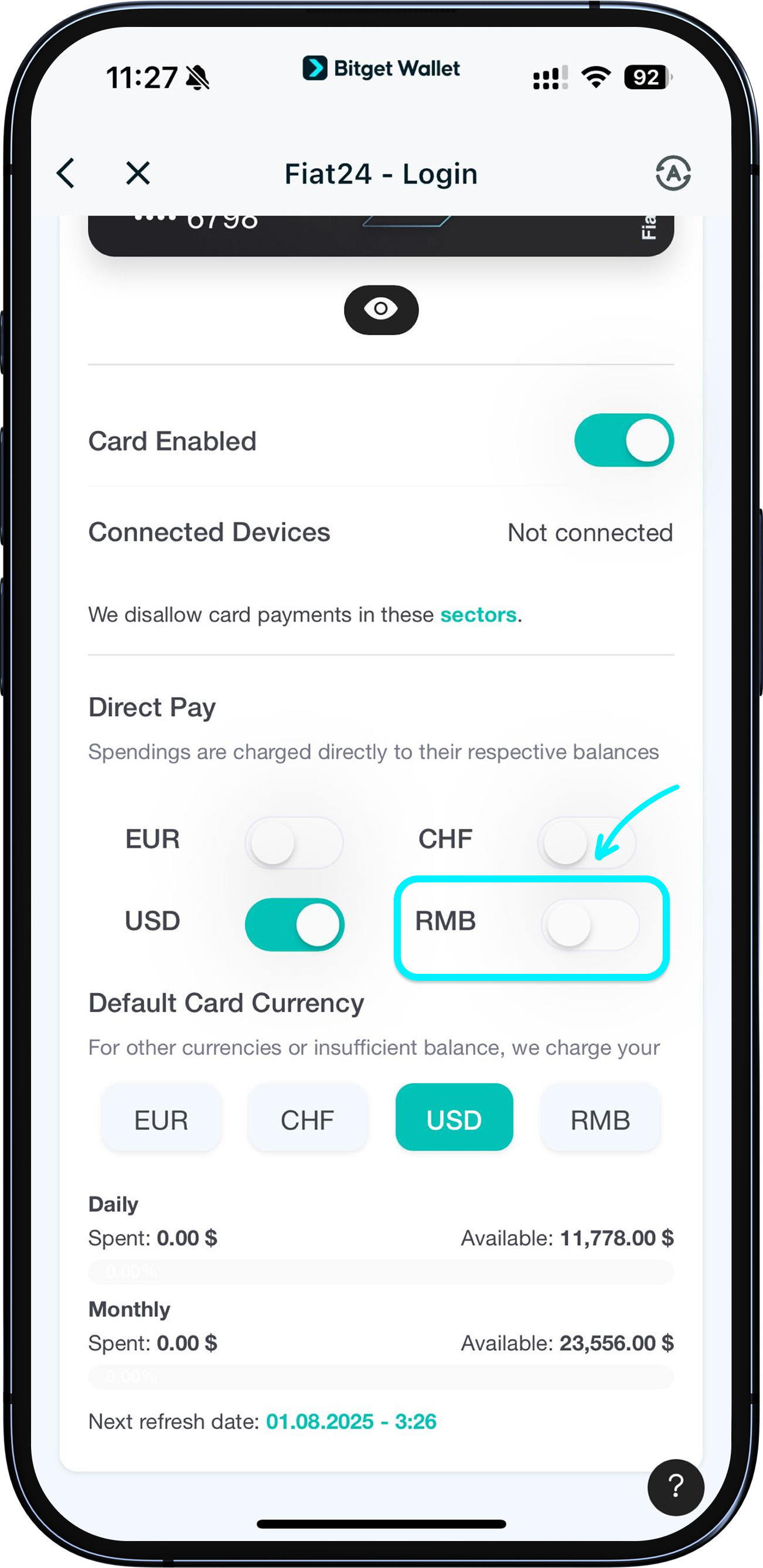
Here, check if the currency is authorized. If not, simply tap the toggle next to the currency to authorize it. Once the authorization is complete, you’ll be able to use that currency for purchases.
For more details, see section " Authorizing and selecting currencies".

1
/
5
What if there are wrong duplicate charges on my card?
Please send the relevant order details or screenshots to our Customer Support. We will investigate these charges and get back to you within 1–3 days to process the refund.
1
/
5
Checking your refunds
7 business days: refunds. If longer, please contact Customer Support.
30–45 business days: special cases. We will support you throughout the entire process.
A small refund handling fee applies: $1 per USD refund / 7 RMB per RMB refund / €1 per EUR refund / 1 CHF per CHF refund. Settled at the real-time exchange rate. May involve minor forex difference.

1
/
5
Cash withdrawals or POS purchases
Currently, this card does not support POS purchases, ATM withdrawals, or over-the-counter cash withdrawals.