



1
/
6
Creating your first wallet
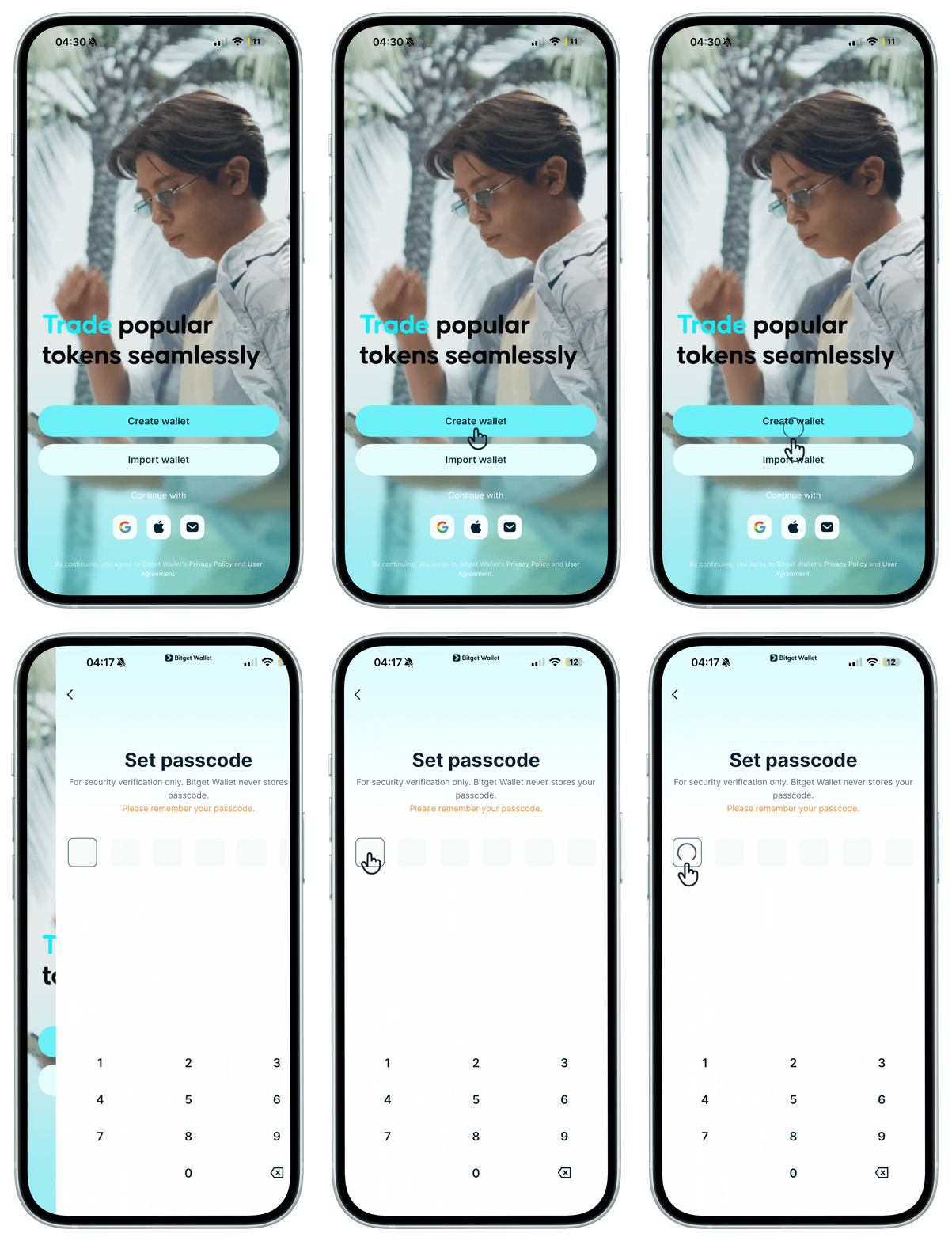
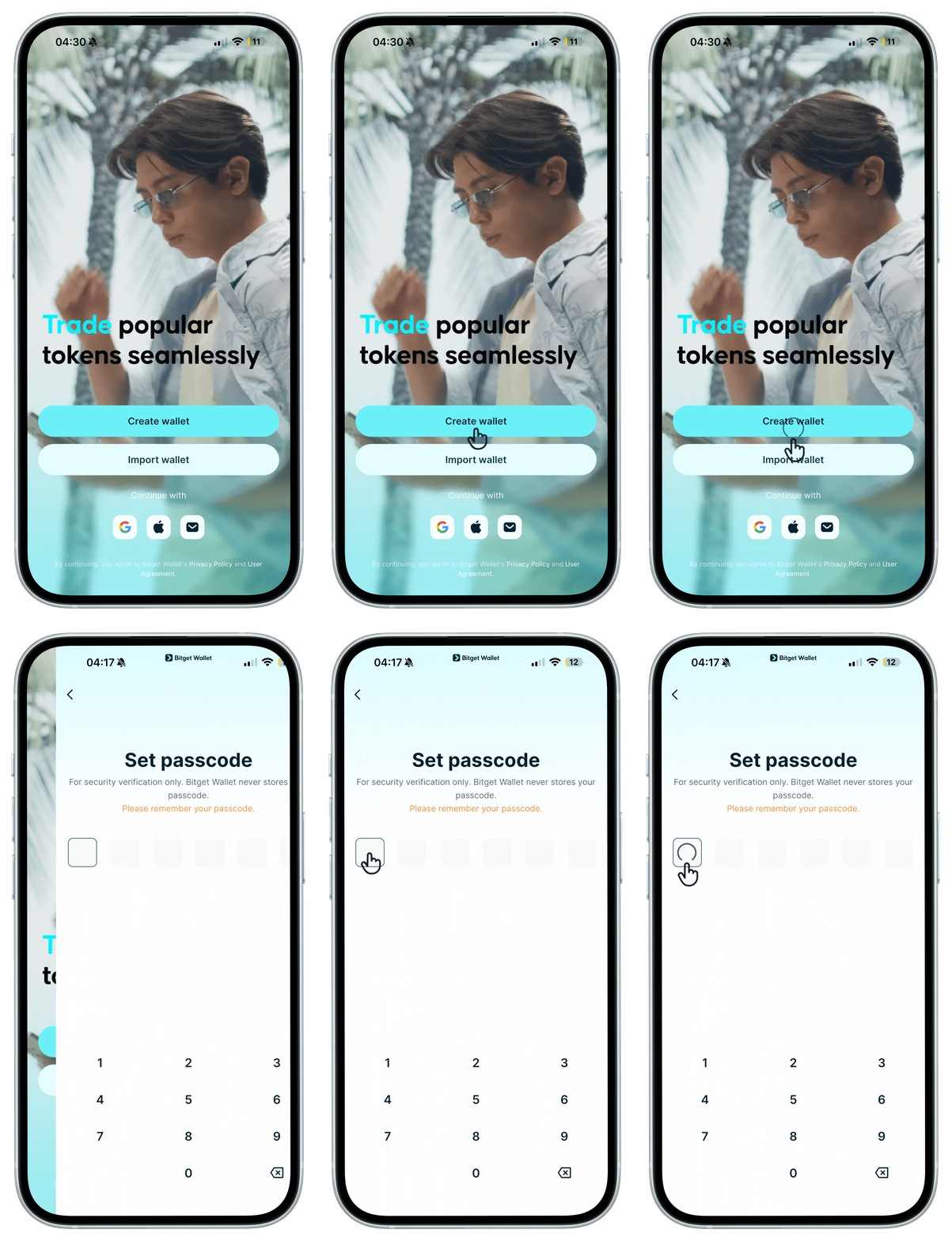
When you first open the Bitget Wallet app, you can create a wallet and set a passcode. <b>This passcode is used to verify your identity or approve (sign) transactions. Please remember it – if you forget it, it cannot be recovered.</b>
When you first open the Bitget Wallet app, you can create a wallet and set a passcode. <b>This passcode is used to verify your identity or approve (sign) transactions. Please remember it – if you forget it, it cannot be recovered.</b>
1
/
6
Backing up your seed phrase
After your first <b>seed phrase wallet</b> is created, follow the prompts to back up your seed phrase immediately to keep your wallet secure. If you lose the seed phrase, it cannot be recovered.
1
/
6
अधिक Wallet बनाना
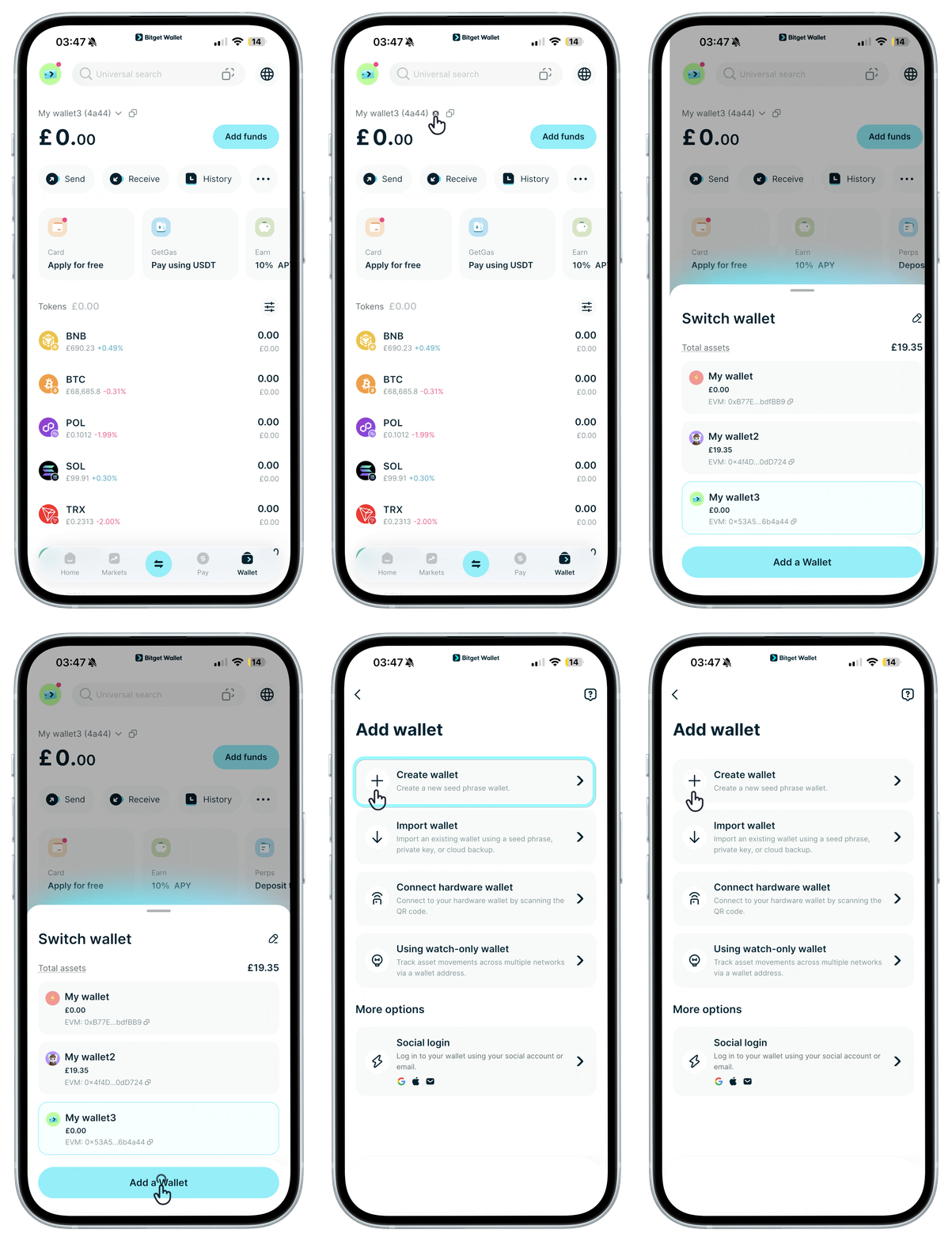
You can create more seed phrase wallets and get a unique seed phrase for each one. <b>Be sure to back up every wallet's seed phrase promptly.</b>
1
/
6
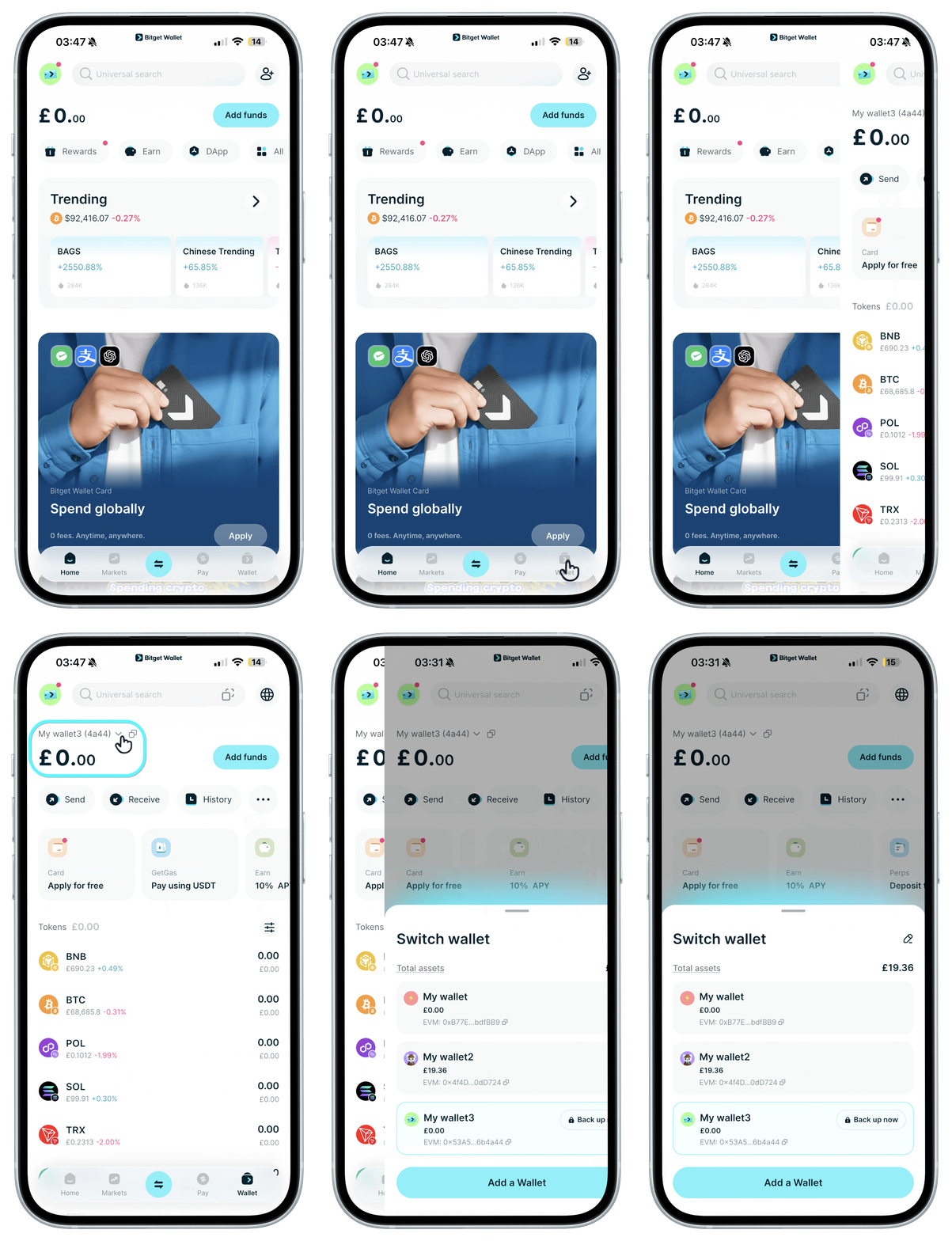
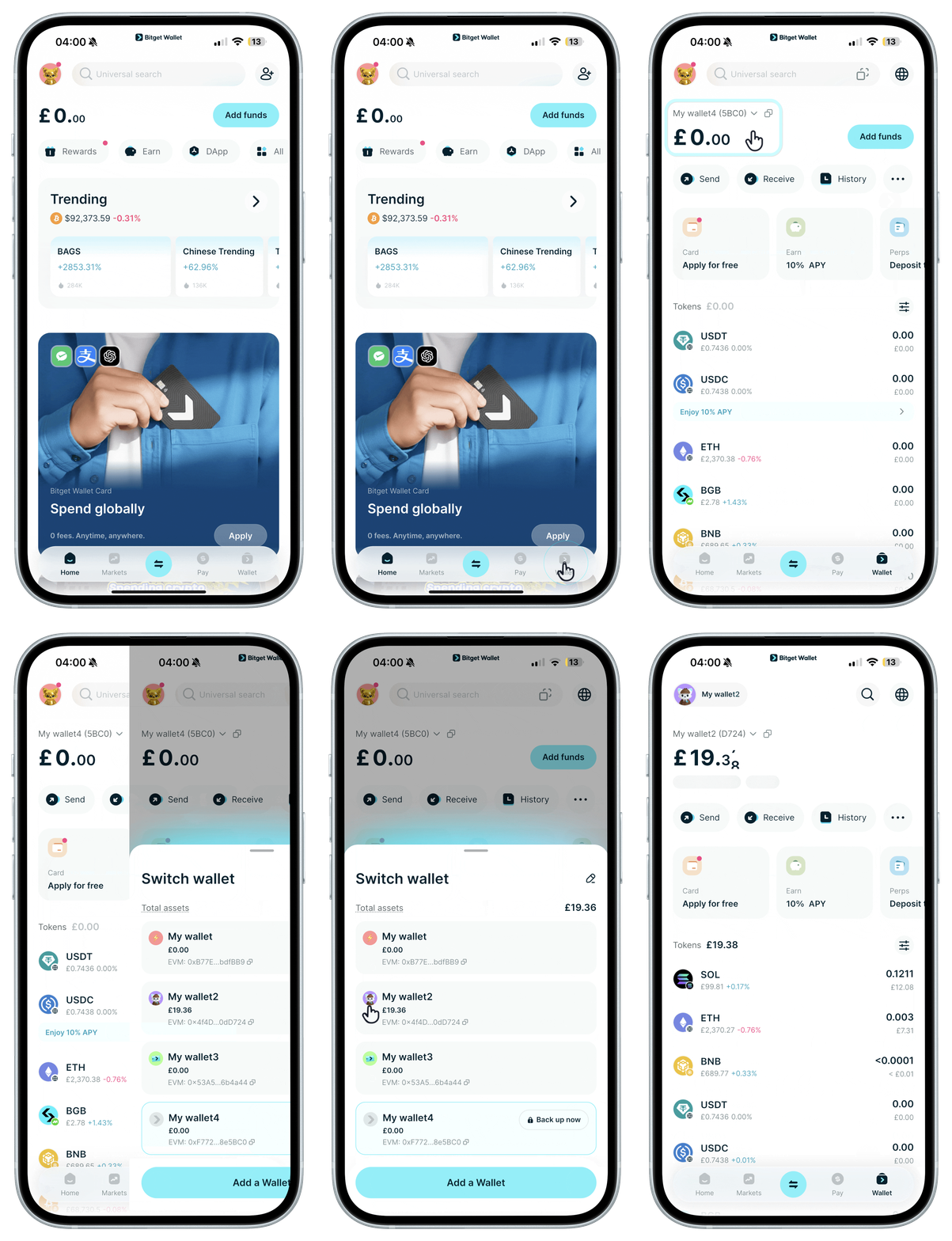
Switching wallets
Tap to switch between your wallets.
1
/
6
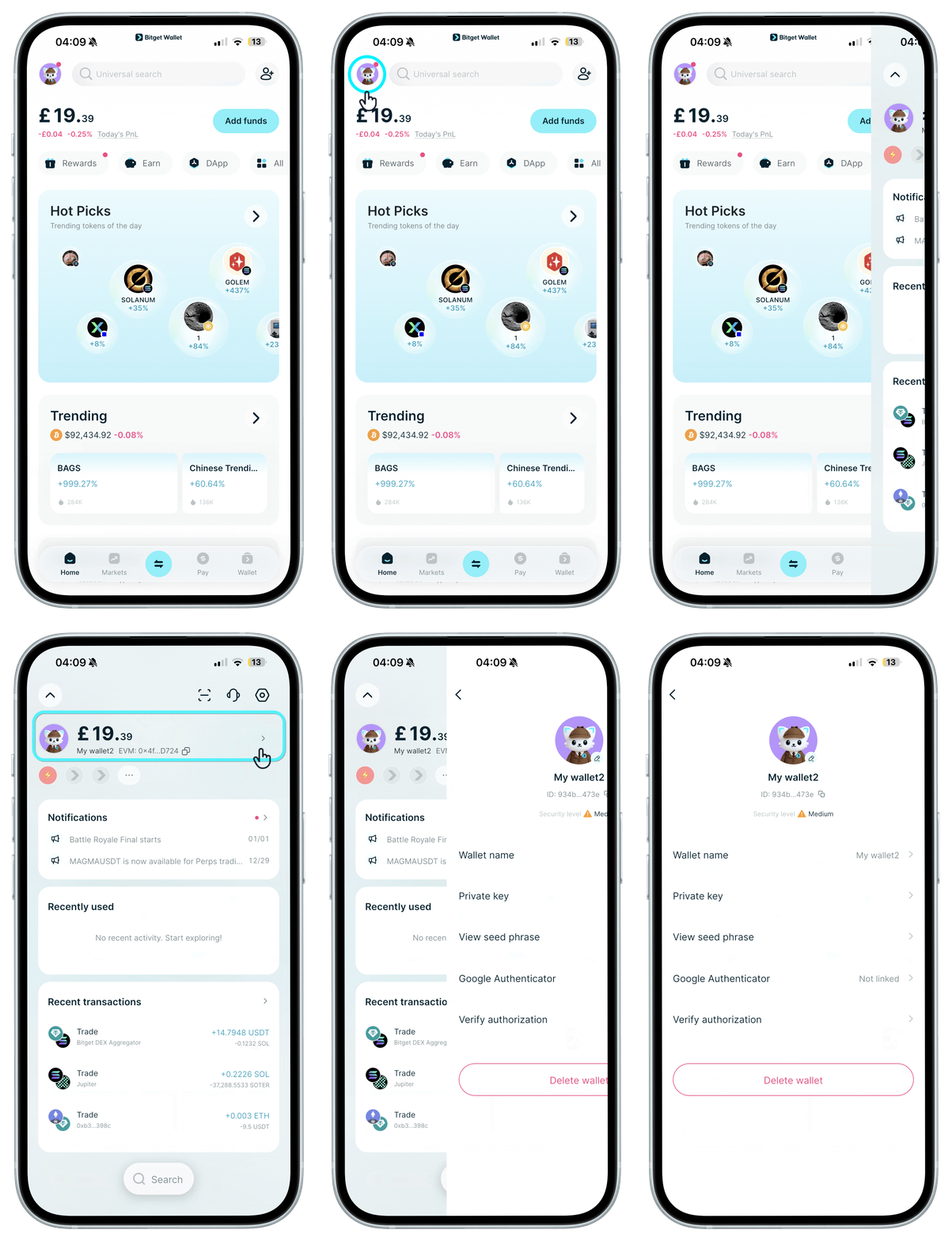
Wallet सेटिंग्स देखें
“होम” पर अपने अवतार पर टैप करें. इसके बाद, अगली स्क्रीन पर फिर से अपने अवतार पर टैप करके वॉलेट का नाम, प्रोफ़ाइल फ़ोटो को बदला जा सकता है, और प्राइवेट कुंजी देखी जा सकती हैं. इसके अलावा, और भी बहुत कुछ किया जा सकता है.
1
/
6
Forgot your passcode?
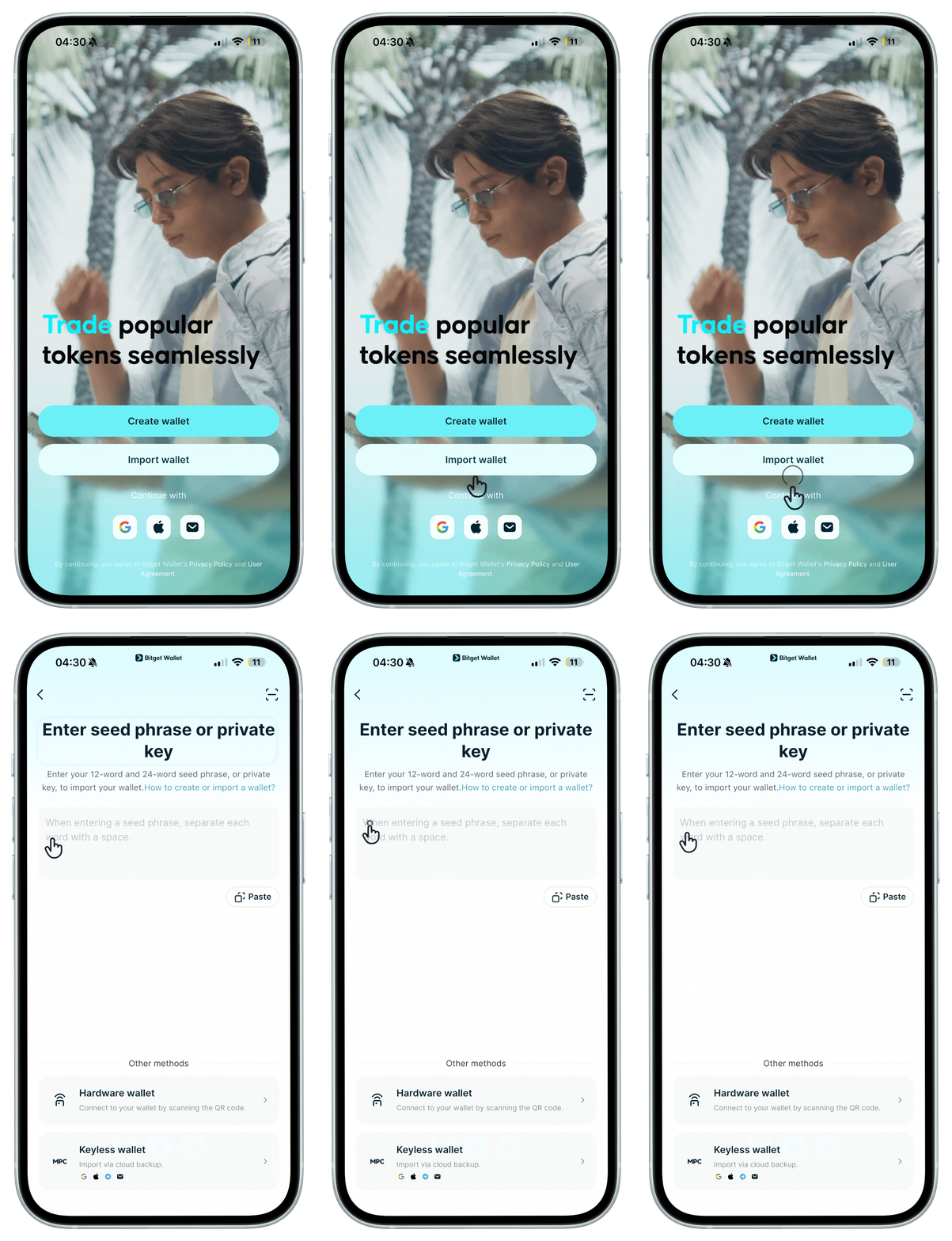
Your wallet passcode cannot be recovered. If you forget it, you'll need to reinstall the Bitget Wallet app, set a new one, then restore your wallet by importing your seed phrase or private keys.