


What is a shaka Wallet?
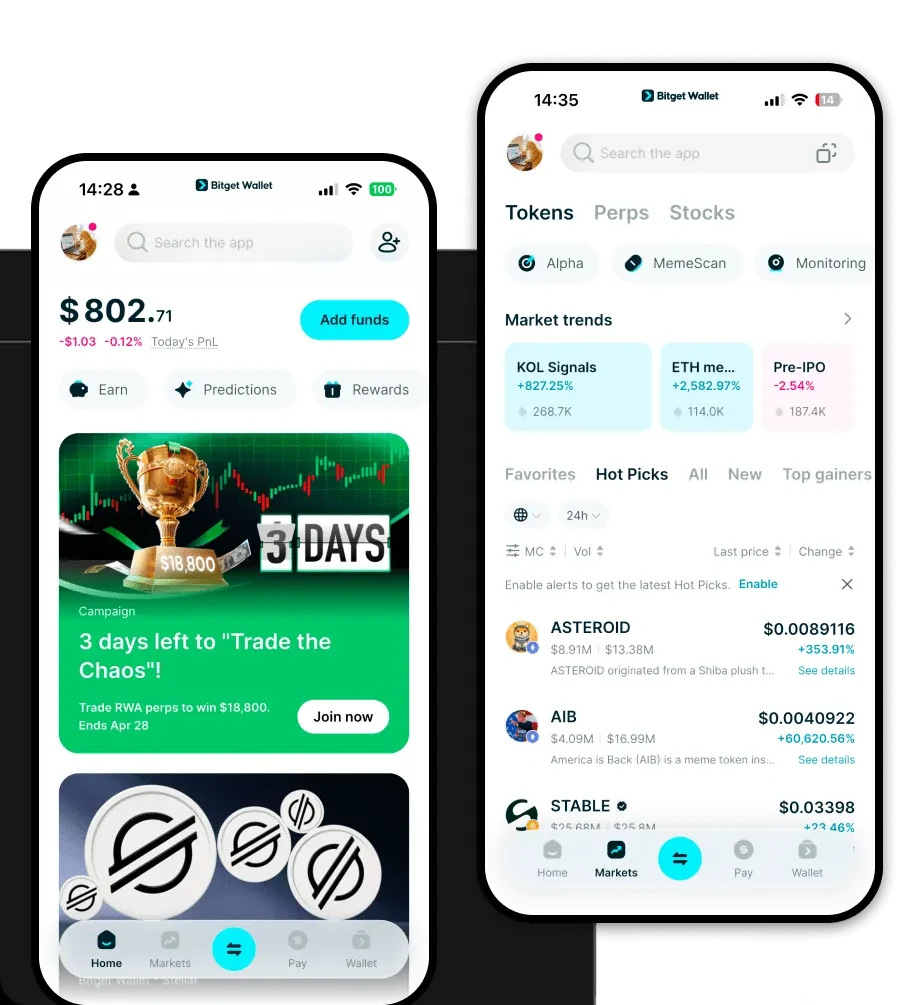
A shaka wallet is a digital interface that allows you to securely store, send, and manage your shaka tokens. Because shaka operates on the Solana blockchain, your wallet needs to be fully compatible with Solana's unique architecture to ensure your assets are accessible and safe. Are you looking for a reliable and secure crypto wallet for your shaka? Bitget Wallet will be your best choice. Trusted by 40 million users, you can freely explore Web3 on Bitget Wallet. Start your journey now!
Download Bitget shaka Wallet
Getting started with your shaka journey requires a robust tool that keeps up with the fast-paced nature of the Solana ecosystem. Bitget Wallet provides a seamless bridge into the Web3 world, ensuring you maintain full control over your private keys while enjoying a user-friendly interface. Whether you are using an iOS device, an Android smartphone, or a desktop browser, you can easily download Bitget Wallet to get started. Its multi-chain support means that while you manage your shaka, you can also keep all your other digital assets in one unified, self-custody dashboard.
Why Choose Bitget shaka Wallet?
Choosing the right wallet for a meme coin like shaka is critical, especially when dealing with the high-velocity Solana network. Here is why Bitget Wallet stands out:
- Optimized for Solana Performance: Built to leverage Solana’s high transaction speed and low latency, ensuring your trades execute instantly during volatile market swings.
- Seamless Meme Coin Management: Dedicated support for the latest trending tokens, making it easy to track community-driven assets and viral social sentiment.
- Enhanced Security Infrastructure: Backed by a $300 million protection fund and advanced multi-layer encryption, providing enterprise-grade safety for your self-custody assets.
- Intuitive DApp Integration: Connect directly to decentralized exchanges and NFT marketplaces within the Solana ecosystem without leaving your wallet app.
How to Create a shaka Wallet
Setting up your shaka wallet on Bitget is a straightforward process designed to get you into the market quickly:
- Download and Install: Visit the official website or your mobile app store to download the Bitget Wallet application.
- Create a New Wallet: Open the app and select 'Create a Wallet'. You will be prompted to set a strong password for your local device security.
- Backup Your Seed Phrase: The app will generate a 12-word recovery phrase. Write this down on paper and store it offline—never take a screenshot or share it with anyone.
- Add Solana Network: Bitget Wallet supports Solana by default, so you simply need to search for 'shaka' in the token list and toggle it on to make it appear on your home screen.
- Receive Tokens: Tap on your shaka token entry and select 'Receive' to display your unique Solana wallet address for incoming transfers.
What Can You Do With a shaka Wallet?
Holding shaka in a capable wallet like Bitget unlocks a variety of on-chain activities that go beyond simple storage:
- Trading: Execute lightning-fast swaps on Solana-based decentralized exchanges directly through the wallet’s integrated swap aggregator.
- Speculative Holding: Securely store your tokens for the long term, taking advantage of cold-storage features to keep your portfolio safe from online threats.
- Community Participation: Use your wallet to connect to community-led governance platforms or exclusive token-gated social groups.
- Liquidity Provision: Provide liquidity to decentralized pools to earn potential yield, directly managing your positions from the app's DeFi dashboard.
How shaka Wallets Are Different from Other Crypto Wallets
Not all wallets are built the same, particularly when comparing Solana-based wallets to those focused on EVM chains like Ethereum. While EVM wallets often deal with complex gas fee structures and smart contract interactions, a shaka wallet on Solana is designed for high-throughput performance. Solana uses a unique 'Proof of History' consensus, which means your Bitget Wallet does not need to handle the complex gas estimation issues common in Ethereum wallets. Furthermore, unlike UTXO-based chains (like Bitcoin), which require different address types, Bitget Wallet simplifies the Solana account model, ensuring that transaction fees remain minimal and latency is virtually non-existent, even during peak network traffic.
