Bitget Wallet, a best crypto wallet
Download now
loading
How to withdraw my assets
1
/
8

How to withdraw my assets

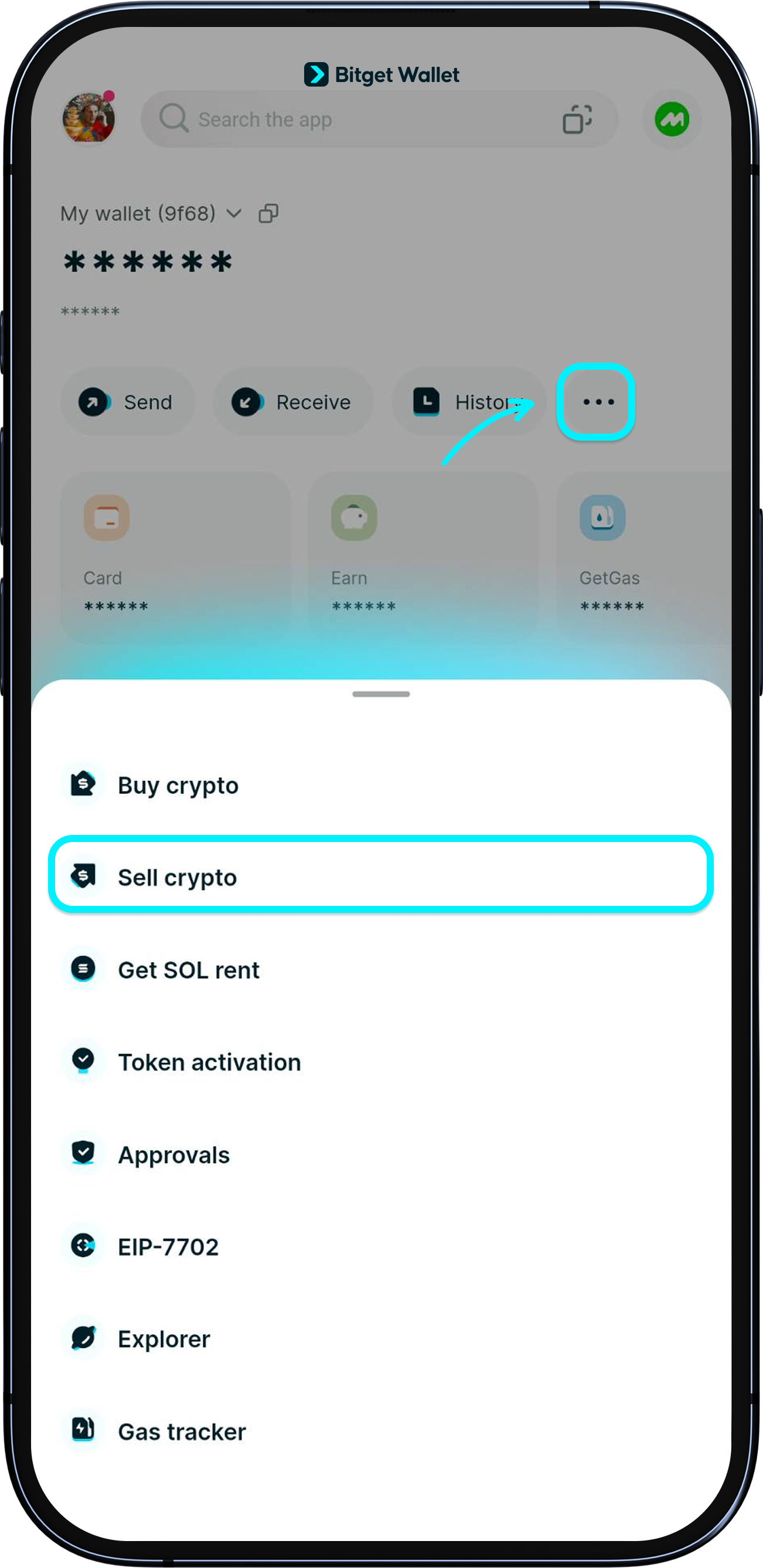
Bitget Wallet now supports fiat withdrawal by partnering with MoonPay, a secure and EU-licensed provider. You can easily convert USDT or USDC from multiple chains into over 25 fiat currencies, including USD, EUR, and GBP. Receive funds quickly via Apple Pay, Google Pay, or bank card – fast and simple! After updating your Bitget Wallet App to the latest version, go to "Wallet", tap "...", then select "Sell crypto".

loading
How to withdraw my assets
1
/
8
How to withdraw my assets
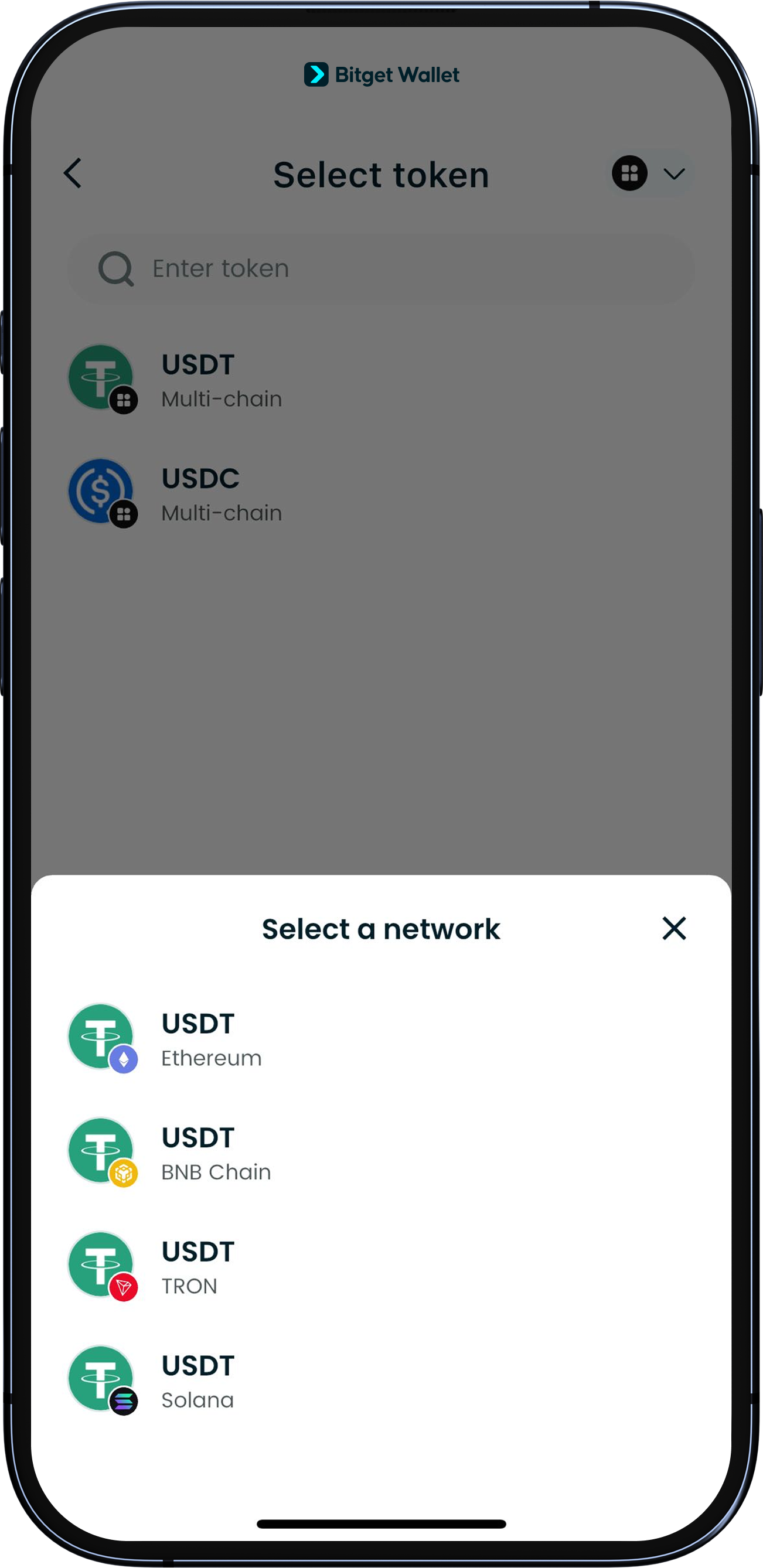
Choose the network and token you want to sell. Currently, we support selling USDT and USDC on Ethereum, Solana, BNB Chain, Base, and Tron.
loading
How to withdraw my assets
1
/
8
How to withdraw my assets
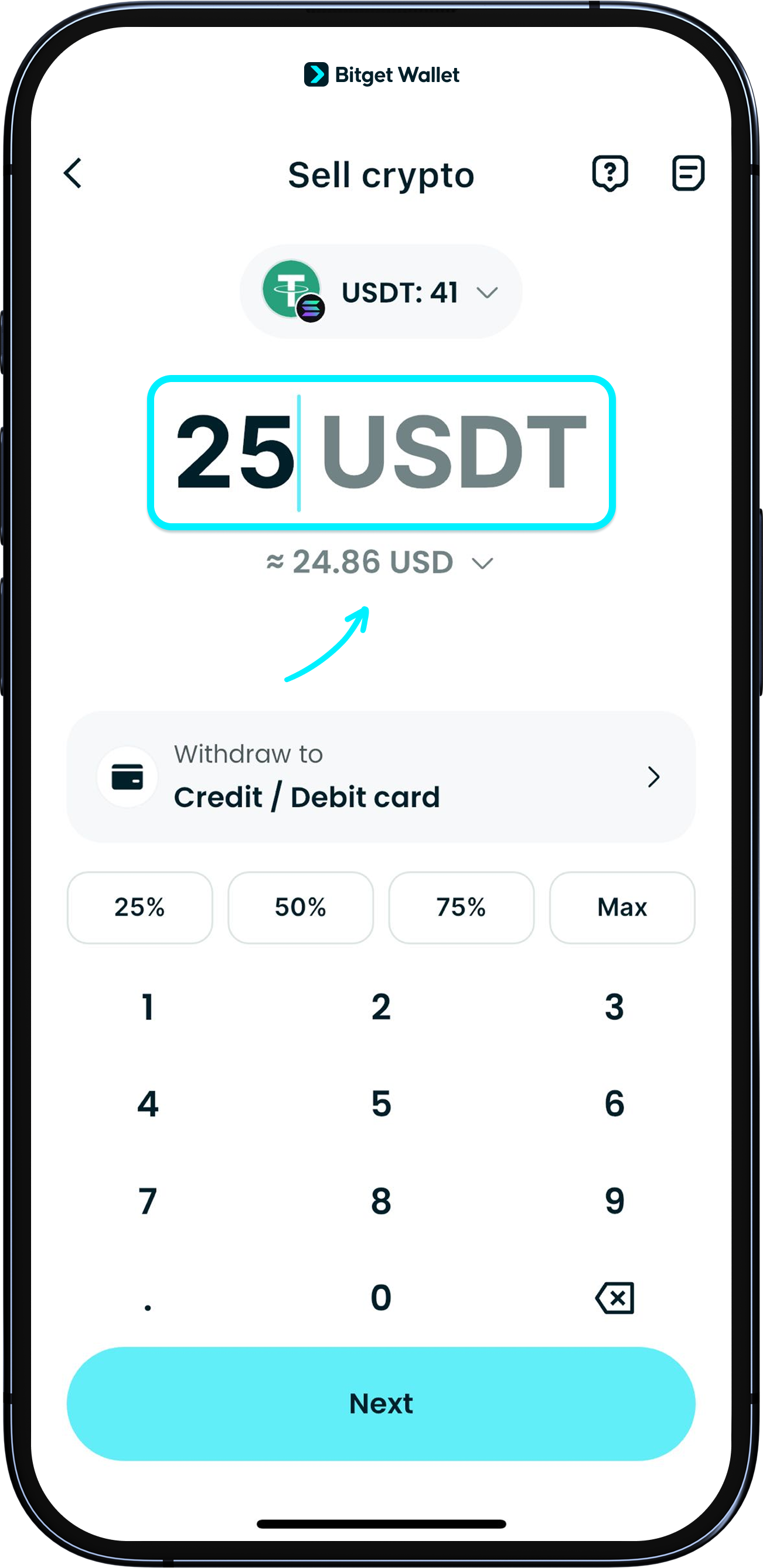
Enter the amount you’d like to sell and you’ll see an estimate of how much you’ll get in your chosen fiat currency. Tap to switch between different fiat options. Right now, we support 25 major currencies such as GBP, EUR, USD, AUD, and MXN. We’re working on adding even more tokens, currencies, and coverage for more countries, so stay tuned!
loading
How to withdraw my assets
1
/
8
How to withdraw my assets
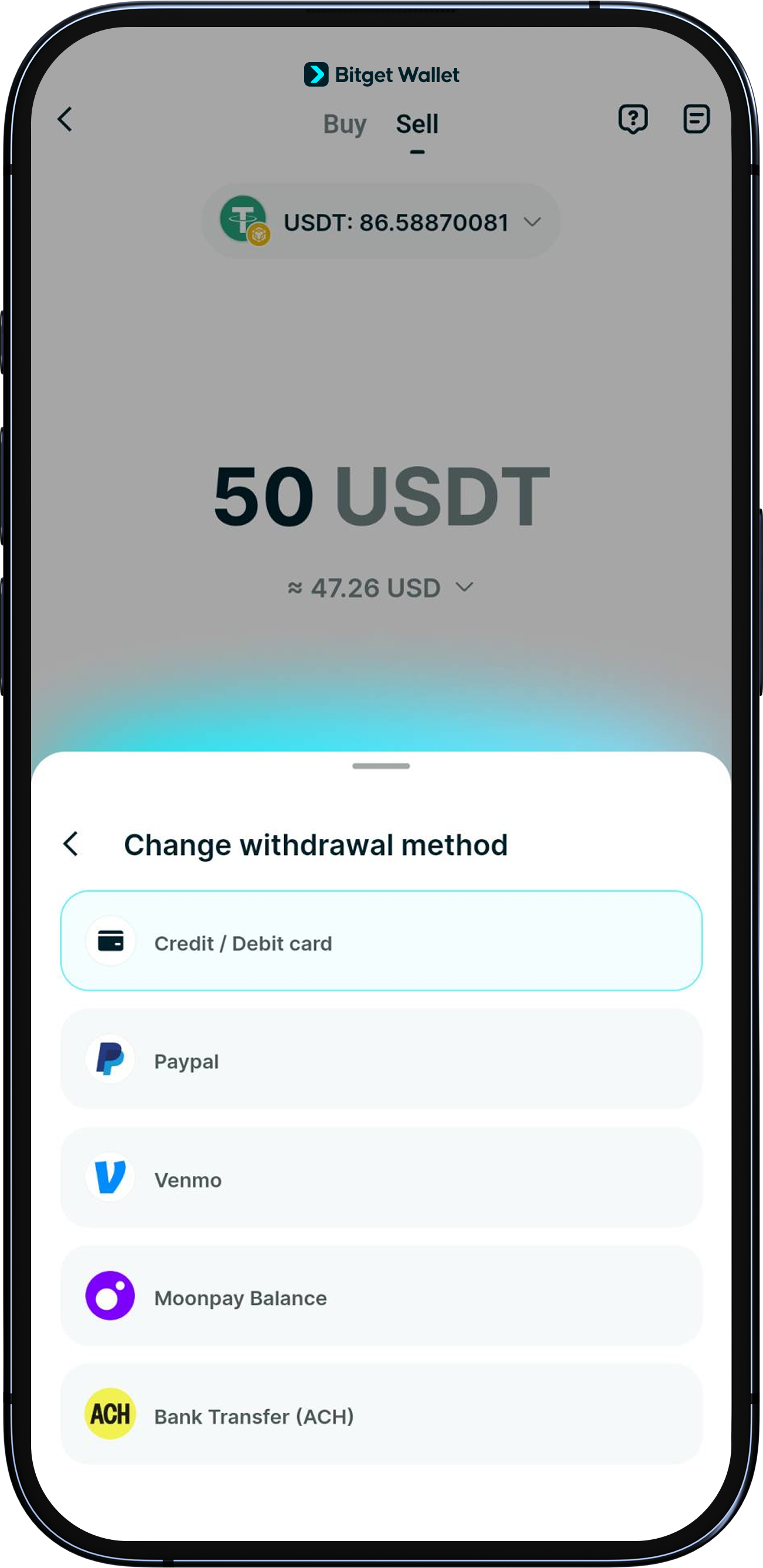
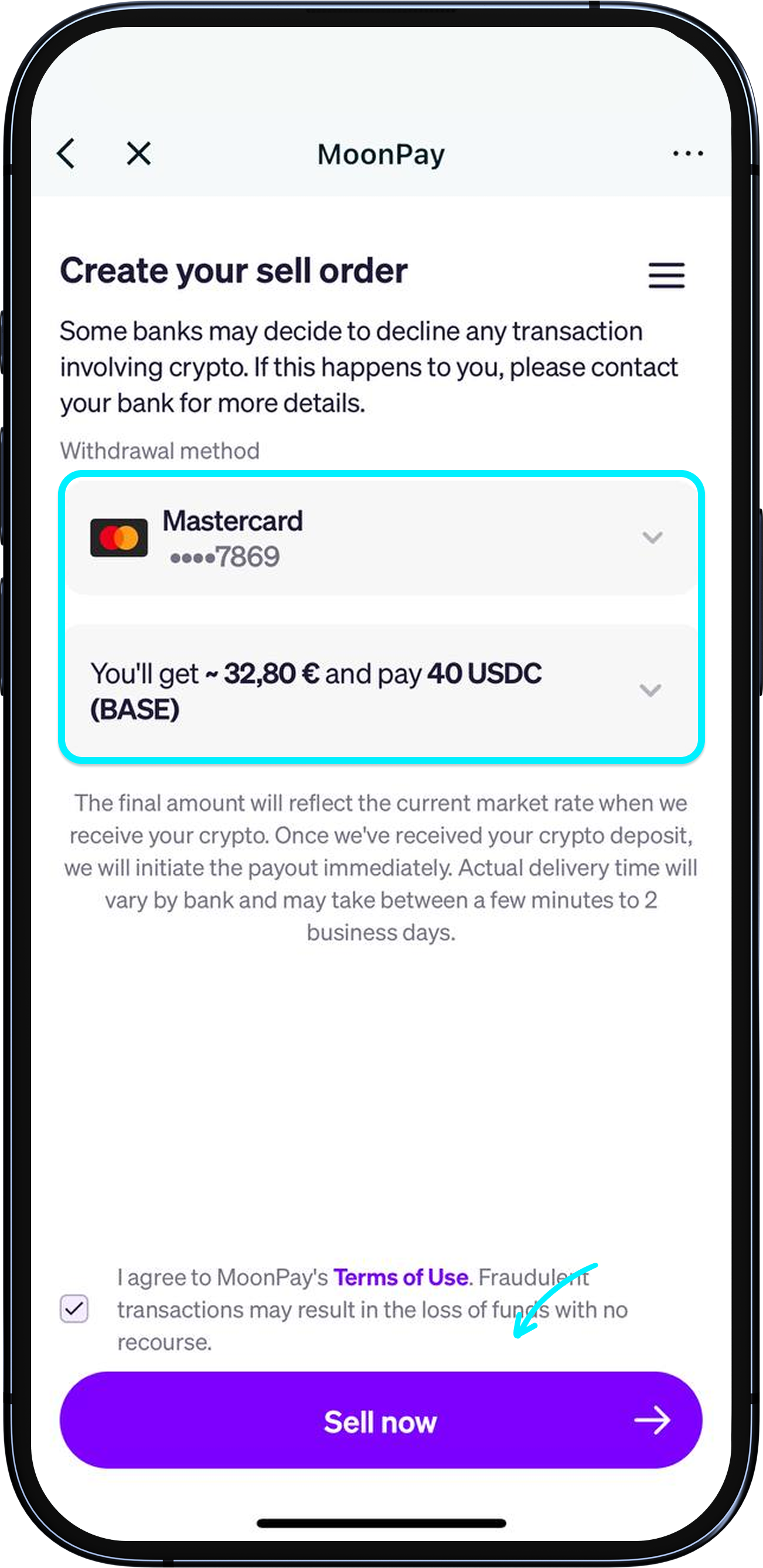
Once you’ve confirmed the withdrawal amount and your chosen fiat currency, select your payout method. You can withdraw to a Mastercard or Visa debit/credit card, PayPal, Venmo, MoonPay balance, and bank transfer (ACH). 출금 금액과 선택한 법정화폐를 확인한 후 지급 방식을 선택하세요. Mastercard, Visa 체크카드/신용카드, PayPal, Venmo, MoonPay 및 은행 송금(ACH)으로 출금할 수 있습니다. Sau khi bạn xác nhận số tiền rút và loại tiền fiat đã chọn, hãy chọn phương thức thanh toán. Bạn có thể rút tiền về thẻ ghi nợ/thẻ tín dụng Mastercard hoặc Visa, PayPal, Venmo, số dư MoonPay và chuyển khoản ngân hàng (ACH). После подтверждения суммы вывода и выбранной фиатной валюты укажите способ выплаты. Вы можете вывести средства на дебетовую/кредитную карту Mastercard или Visa, PayPal, Venmo, баланс MoonPay и банковский перевод (ACH). Una vez que hayas confirmado el importe del retiro y la moneda fiat elegida, selecciona el método de pago. Puedes retirar fondos a una tarjeta de débito/crédito Mastercard o Visa, PayPal, Venmo, saldo de MoonPay y transferencia bancaria (ACH). Para çekme tutarını ve seçtiğiniz fiat para birimini onayladıktan sonra ödeme yönteminizi seçin. Paranızı Mastercard veya Visa banka/kredi kartınıza, PayPal, Venmo, MoonPay bakiyenize ve banka transferi (ACH) ile çekebilirsiniz. Dopo aver confermato l'importo del prelievo e la valuta fiat desiderata, scegli il tuo metodo di pagamento. I prelievi sono supportati verso carte di debito/credito Mastercard o Visa, PayPal, Venmo, saldo MoonPay e bonifico bancario (ACH). Une fois que vous avez confirmé le montant du retrait et la devise fiat choisie, sélectionnez votre mode de paiement. Vous pouvez effectuer un retrait vers une carte de débit/crédit Mastercard ou Visa, PayPal, Venmo, votre solde MoonPay et un virement bancaire (ACH). Sobald Sie den Auszahlungsbetrag und die von Ihnen gewählte Fiat-Währung bestätigt haben, wählen Sie Ihre Auszahlungsmethode. Sie können Auszahlungen auf eine Mastercard- oder Visa-Debit-/Kreditkarte, PayPal, Venmo, MoonPay-Saldo und per Banküberweisung (ACH) vornehmen. 确认好提现金额和法币种类后,请选择收款方式,目前支持提现到万事达或 Visa 的借记卡或信用卡、PayPal、Venmo、MoonPay balance 及银行转账(ACH)。 確認好提領金額和法幣類型後,請選擇收款方式,目前可支援提領到萬事達或 Visa 的簽帳金融卡或信用卡、PayPal、Venmo、MoonPay balance 及銀行轉帳(ACH)。 Depois de confirmar o montante de levantamento e a sua moeda fiat de eleição, selecione o método de pagamento. Pode levantar o seu saldo para um cartão de débito/crédito Mastercard ou Visa, conta PayPal, Venmo, saldo MoonPay e transferência bancária (ACH). เมื่อคุณได้ยืนยันยอดถอนและสกุลเงิน Fiat ที่คุณเลือกแล้ว ให้เลือกวิธีการจ่ายเงินของคุณ คุณสามารถถอนไปยังบัตรเดบิต/เครดิต Mastercard หรือ Visa, PayPal, Venmo, ยอดคงเหลือ MoonPay และโอนเงินผ่านธนาคาร (ACH) بمجرد تأكيد مبلغ السحب والعملة الورقية التي اخترتها، حدد طريقة الدفع الخاصة بك. يُمكنك السحب إلى بطاقة الخصم/الائتمان من Mastercard أو Visa وPayPal وVenmo ورصيد MoonPay والتحويل البنكي (ACH). Una vez que hayas confirmado el monto del retiro y la moneda fiat seleccionada, selecciona el método de pago. Puedes retirar fondos a una tarjeta de débito/crédito Mastercard o Visa, PayPal, Venmo, balance de MoonPay y transferencia bancaria (ACH). Após confirmar o valor da retirada e da moeda fiduciária escolhida, selecione a forma de pagamento. Você pode enviar a retirada para um cartão de débito/crédito Mastercard ou Visa, PayPal, Venmo, saldo MoonPay e transferência bancária (ACH). Setelah kamu mengonfirmasi jumlah penarikan dan mata uang fiat yang dipilih, pilih metode penarikan. Kamu dapat melakukan penarikan ke kartu debit/kredit Mastercard atau Visa, PayPal, Venmo, saldo MoonPay, dan transfer bank (ACH). 出金額と選択した法定通貨を確認後、出金方法を選択します。MastercardまたはVisaのデビットカード / クレジットカード、PayPal、Venmo、MoonPayの残高、銀行振込(ACH)へ出金可能です。 Una vez que hayas confirmado el monto del retiro y la moneda fiat seleccionada, selecciona el método de pago. Puedes retirar fondos a una tarjeta de débito/crédito Mastercard o Visa, PayPal, Venmo, balance de MoonPay y transferencia bancaria (ACH). एक बार जब आप निकासी राशि और अपनी चुनी हुई फिएट मुद्रा की पुष्टि कर लेते हैं, तो अपना भुगतान विधि चुनें। आप Mastercard या Visa डेबिट/क्रेडिट कार्ड, PayPal, Venmo, MoonPay बैलेंस, और बैंक ट्रांसफर (ACH) में निकासी कर सकते हैं। একবার আপনি উত্তোলনের পরিমাণ এবং আপনার নির্বাচিত ফিয়াট মুদ্রা নিশ্চিত করার পরে, আপনার পেআউট পদ্ধতি নির্বাচন করুন। আপনি মাস্টারকার্ড বা ভিসা ডেবিট/ক্রেডিট কার্ড, PayPal, Venmo, MoonPay ব্যালেন্স এবং ব্যাংক ট্রান্সফার (ACH)-এ টাকা উত্তোলন করতে পারবেন।
loading
How to withdraw my assets
1
/
8
How to withdraw my assets
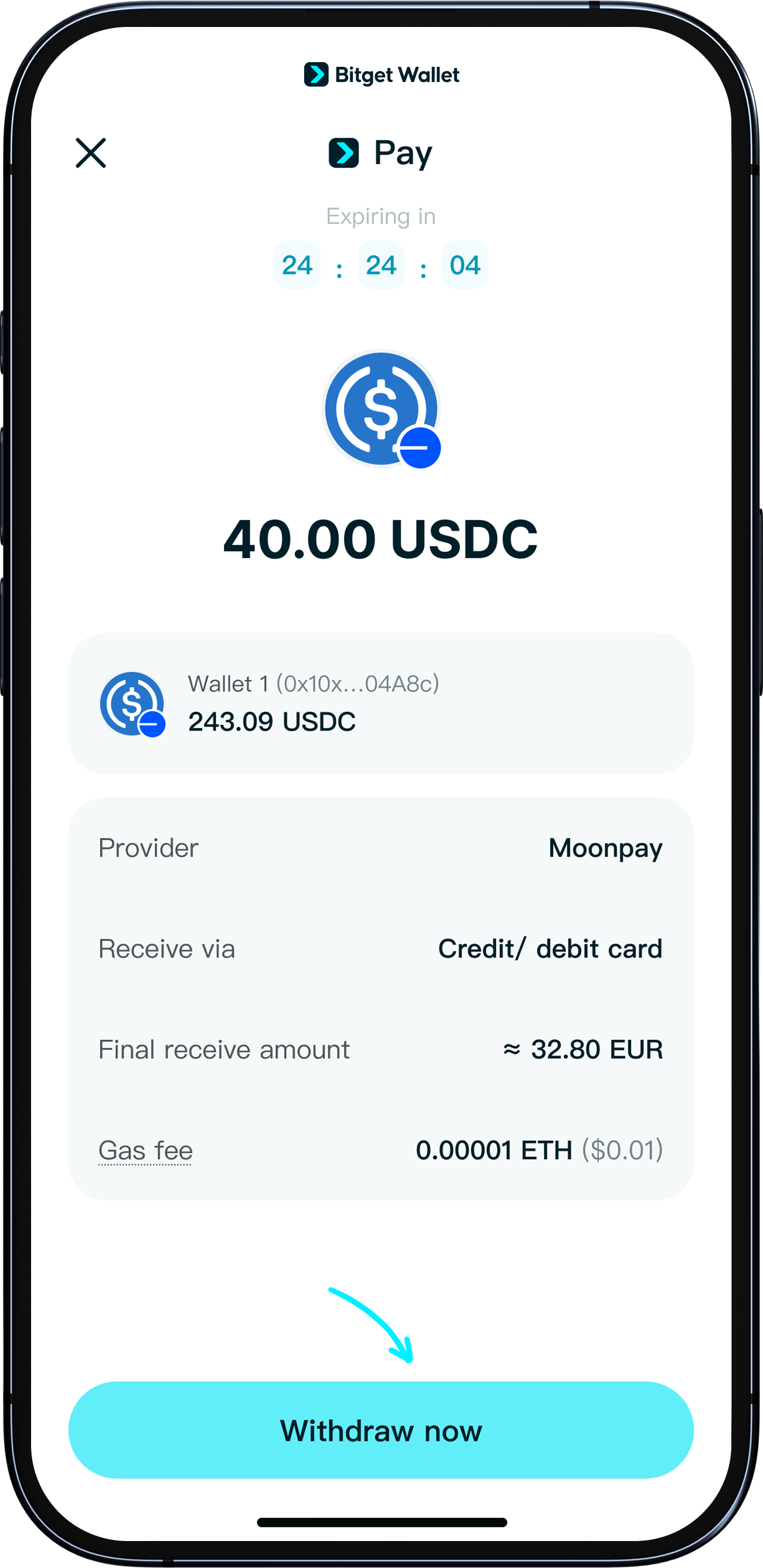
Tap "Next" to go to the MoonPay transaction page and double-check your withdrawal details. If this is your first time using MoonPay, you’ll need to register and complete identity verification (KYC) by submitting your ID and doing a quick face scan – this is usually a quick process. Once verified, you can start using the withdrawal feature. If your KYC takes longer than expected, please contact MoonPay support: https://support.moonpay.com/
loading
How to withdraw my assets
1
/
8
How to withdraw my assets
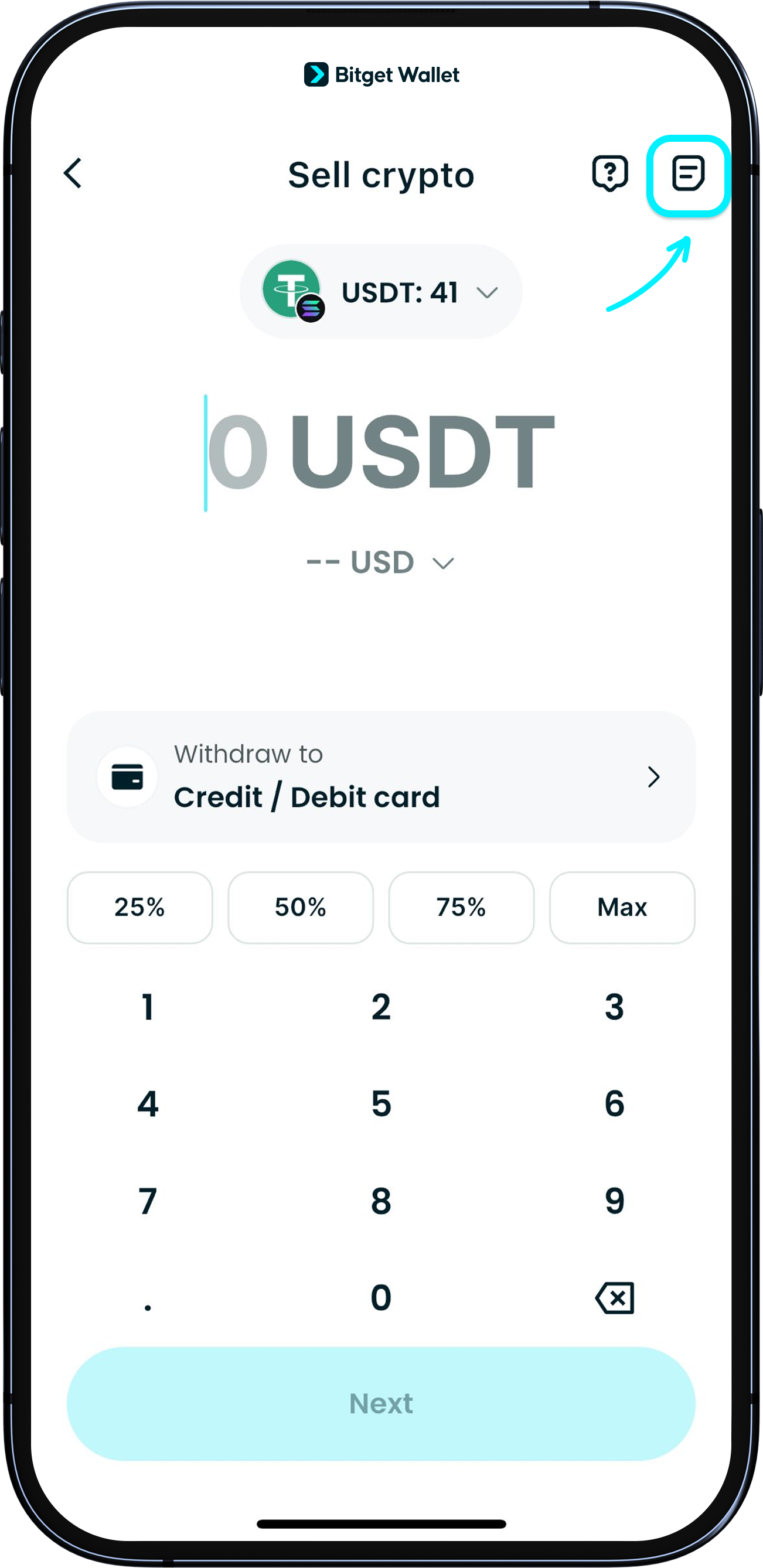
After confirming on the previous page, you'll return to Bitget Wallet app. Tap "Withdraw now" to submit your order. Withdrawals are usually completed within a few minutes, but in some cases, it may take up to 1~3 business days. You can check your actual deposit status through your chosen payout method. <b>You’ll also receive real-time email notifications throughout the process and when your funds arrive.</b>
loading
How can I track my withdrawal status?
1
/
8
How can I track my withdrawal status?
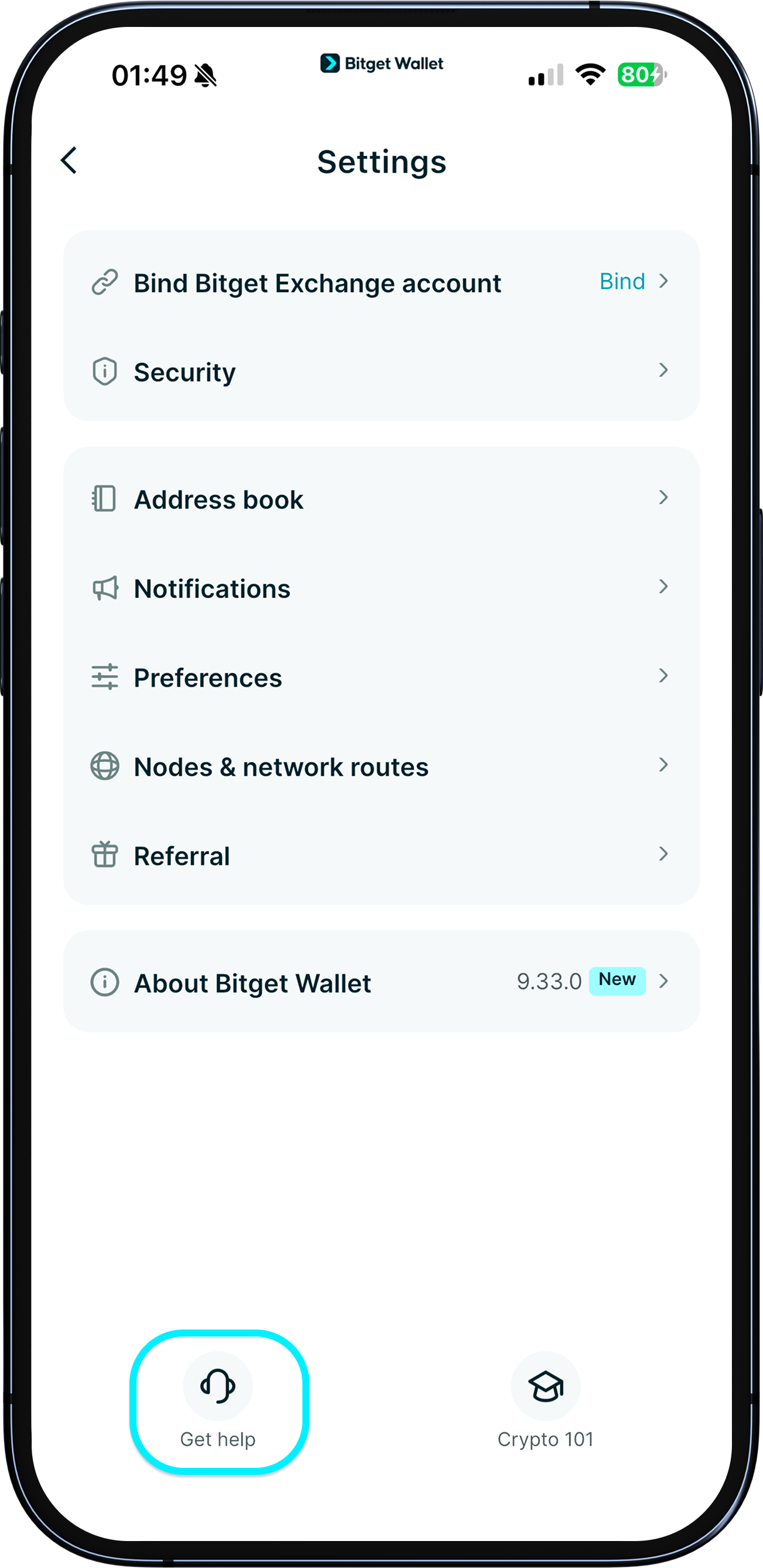
To check your withdrawal status, go to "Home" > "More" > "Sell crypto", then tap the "History" icon. Here, you'll see detailed information and the current status of each withdrawal.
loading
FAQ
1
/
8
FAQ
If your withdrawal to a bank card fails, it may be because the card doesn’t support this service—please try a different card. If your identity verification isn’t responding, try using a clearer photo or check your internet connection. For other issues during the transaction, please have your order ID and MoonPay registered email ready, and submit your information at the official support site: https://support.moonpay.com/ <b>If you don’t receive a reply within 2 business days, please submit feedback to our support team via "Help Center".</b>

Try it now

Bitget Wallet, a best crypto wallet
About us
Bitget Wallet
Blog
Academy
Crypto news
Help Center
Contact us
Brand resources
Career
Official channel verification
Developer services
Documentation
Connect wallet
Bitget Wallet Pay
List a project
Security
Protection fund
Security technology
Tools
Buy crypto
Detect authorization
Contract scanner
Batch send
Assets
All
AI Coin Chain
Aptos (APT) Chain
Arbitrum
Arweave Wallet
Avalanche
Bitcoin
Bitget Huobi ECO Chain (HT) Chain
BitKeep Kava (KAVA) Chain
BNB Chain
BounceBit
Polygon
Resource
Privacy policy
User agreement
Risk Disclosure
© 2018-2026 Bitget Wallet All Rights Reserved