



1
/
4
Boost your Bitget Wallet security
Safe transactions are always our top concern. Here are some steps to better protect your wallet:
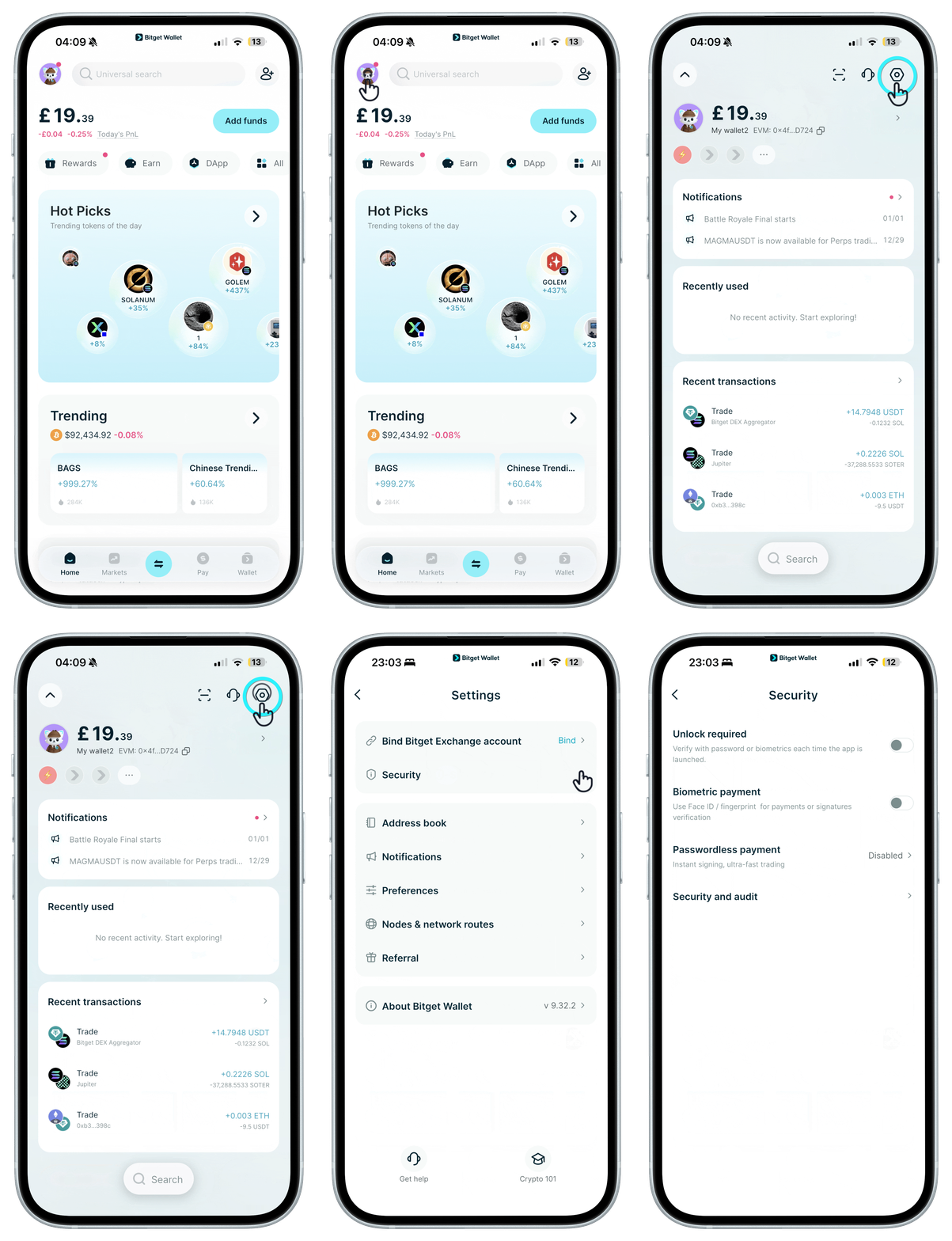
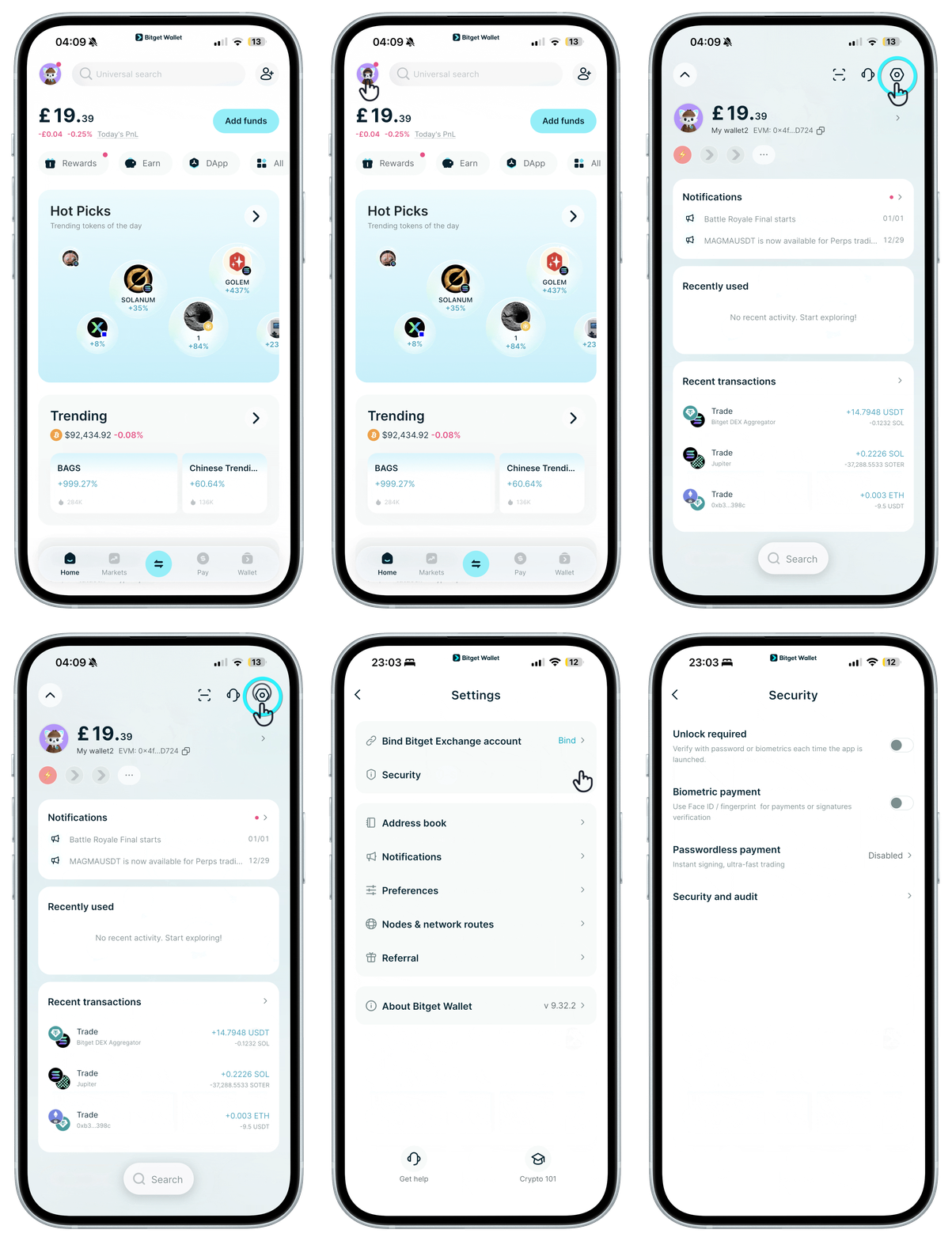
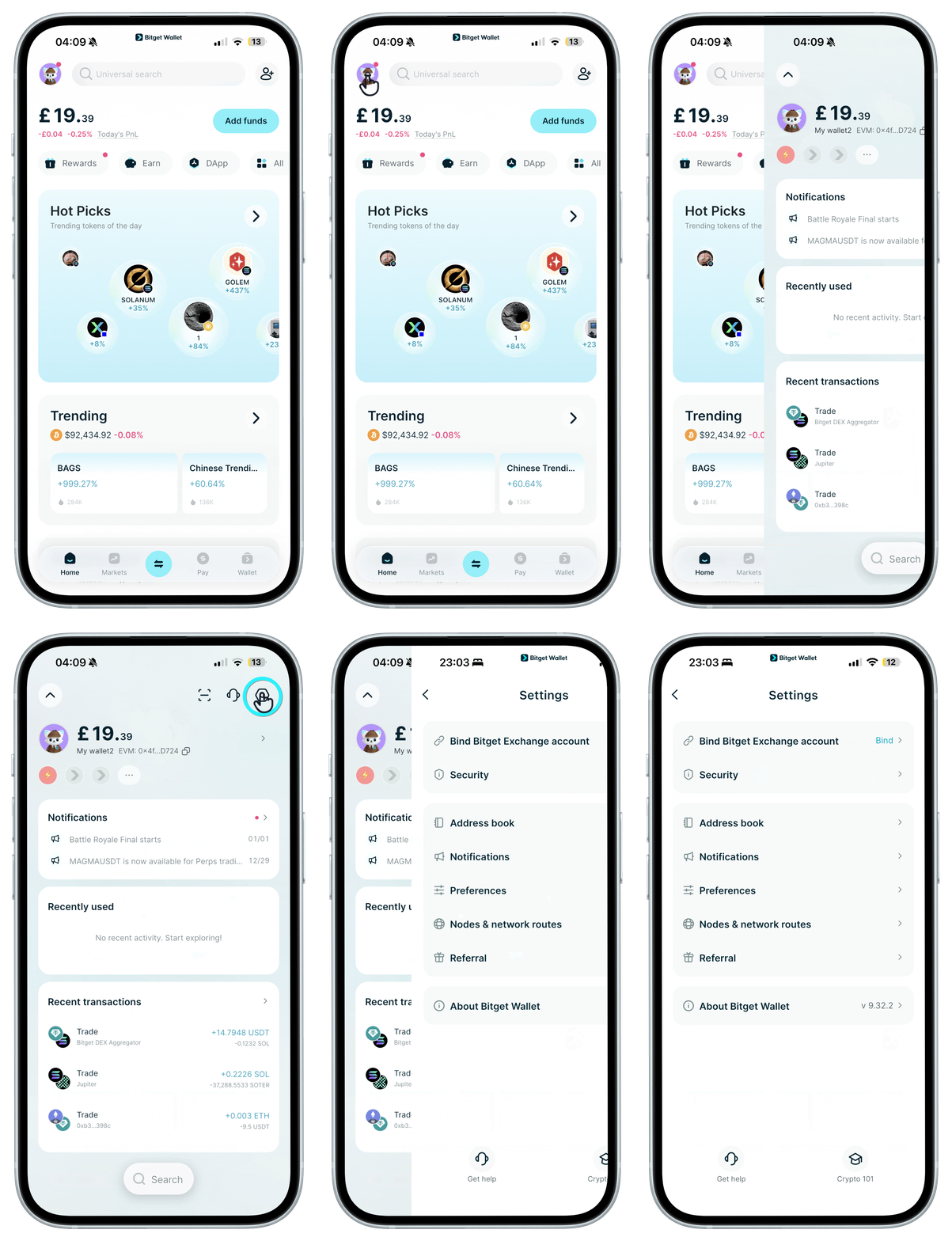
On "Home", tap your avatar, then tap the "Settings" icon in the top-right corner. Go to "Security" > "Biometric payment" to add facial or fingerprint verification.
Safe transactions are always our top concern. Here are some steps to better protect your wallet:
On "Home", tap your avatar, then tap the "Settings" icon in the top-right corner. Go to "Security" > "Biometric payment" to add facial or fingerprint verification.
1
/
4
Boost your Bitget Wallet security
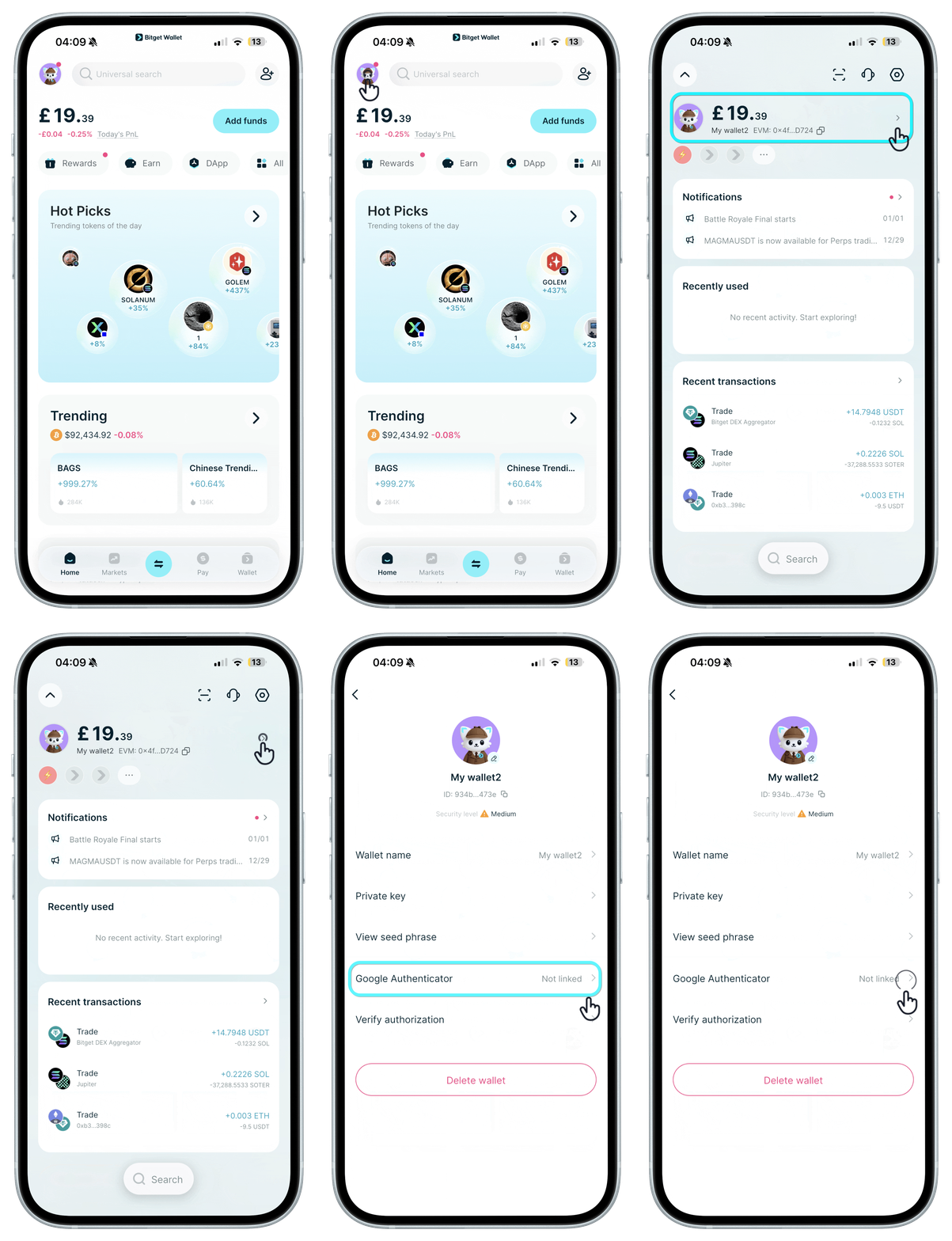
Adding an extra layer of security is always a good idea. On "Home", tap your avatar, then on the next screen tap your avatar again. Choose "Google Authenticator".
1
/
4
Boost your Bitget Wallet security
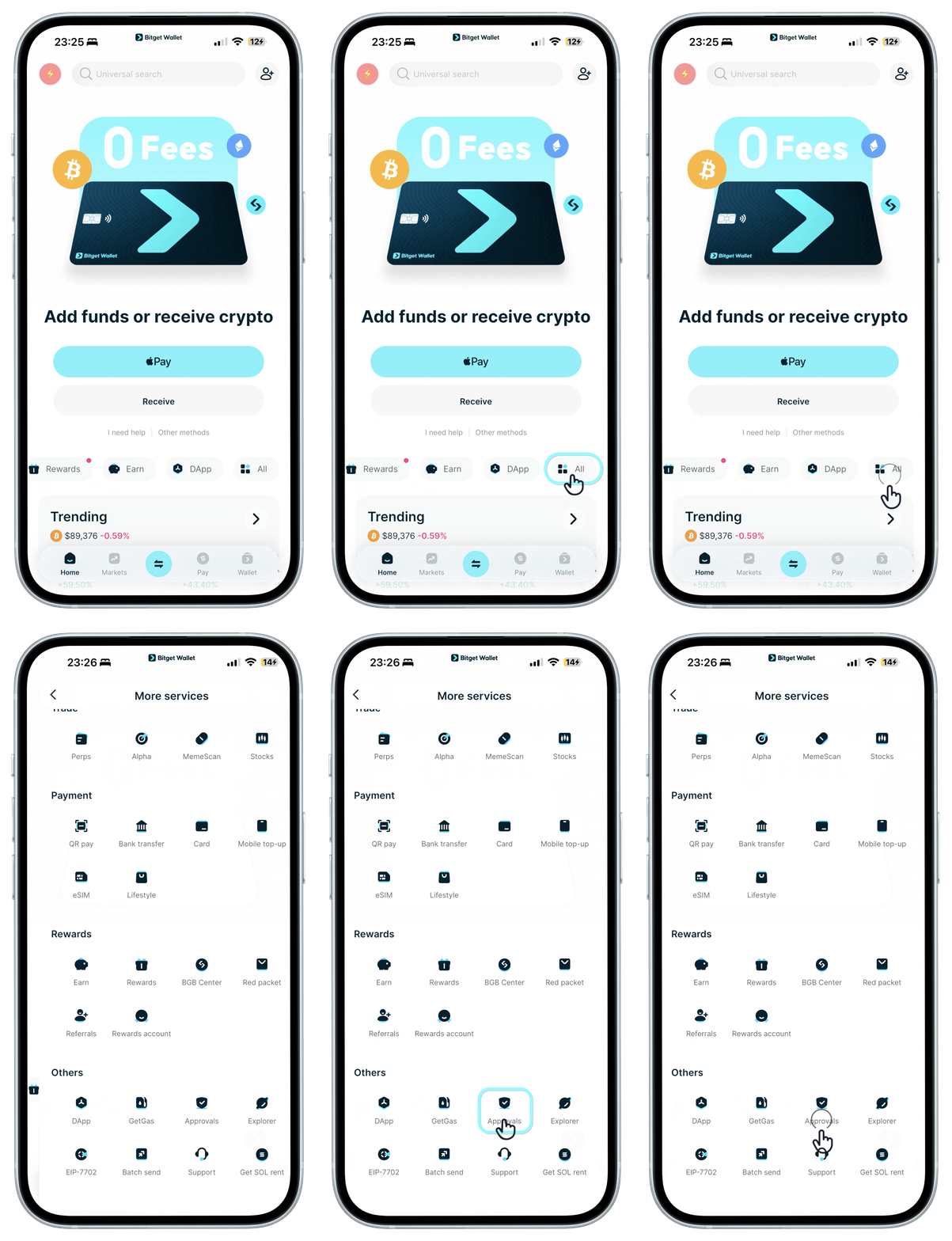
<b>Monitor your transactions</b>: Review your transaction records regularly to make sure only authorized activities are taking place. We can help you detect authorized projects and tokens in your wallet. Go to "Home", tap on "More", and under "Wallet Tools", choose "Approvals".
1
/
4
Boost your Bitget Wallet security
Staying updated means staying safe. Always use the latest Bitget Wallet app to get updated security patches and features. On "Home", tap your avatar, then tap the "Settings" icon in the top-right corner. Go to "About Bitget Wallet" to check for updates.
Avoid phishing attacks: Always make sure of your sources. Steer clear of fake websites and emails, and constantly confirm the accuracy of addresses and mainnets during transactions.