


1
/
6
How to add spending notifications
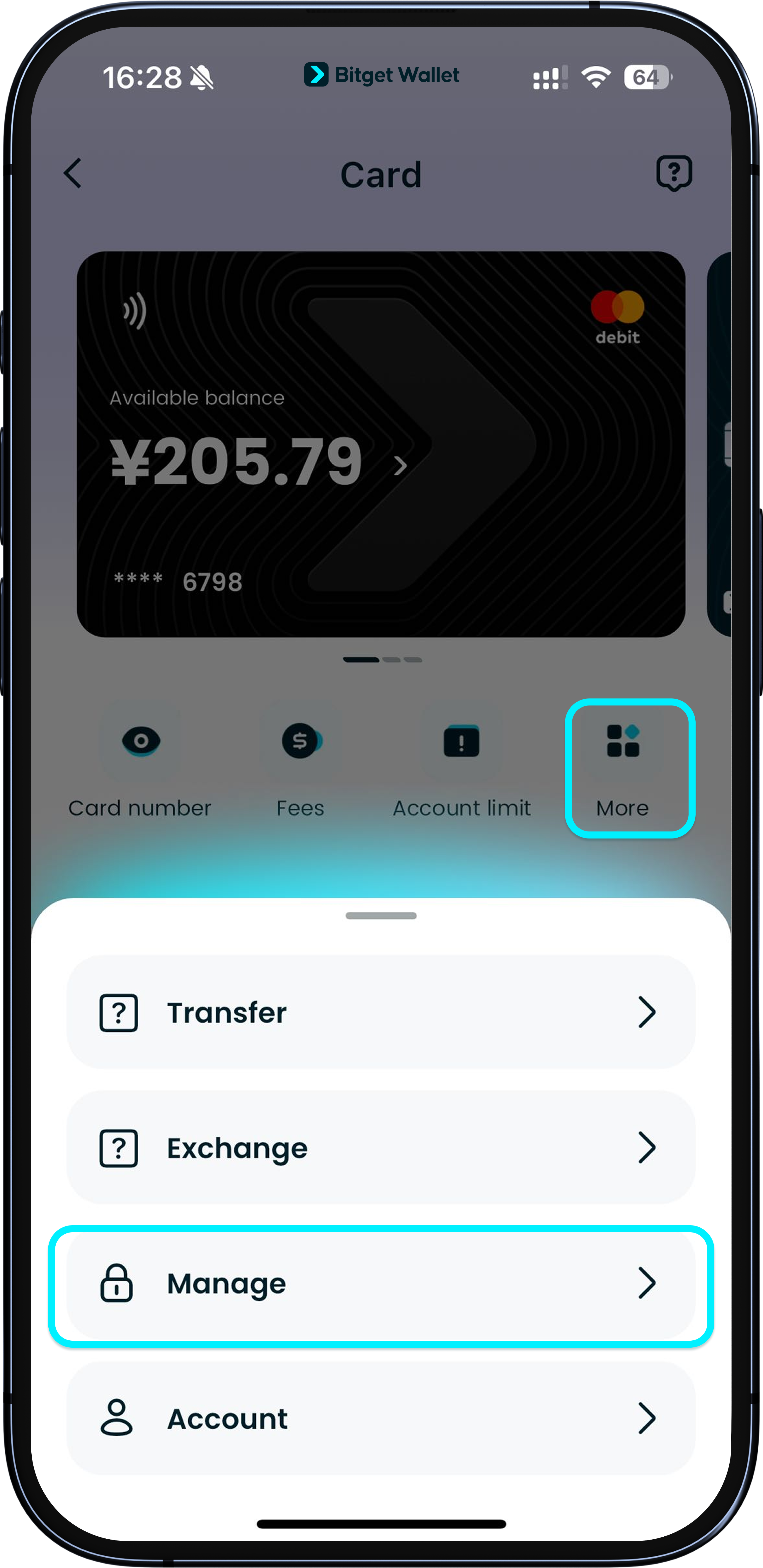
For the Bitget Wallet Card, each fiat currency you top up — such as USD, EUR, CHF, or RMB — is represented as a dedicated ERC-20 token: "USD24", "EUR24", "CHF24", and "CNH24". Before spending any of these, you’ll need to authorize the corresponding on-chain token and add it to your wallet.
Go to "Card" > "More" > "Manage" to see your authorized currencies.
For the Bitget Wallet Card, each fiat currency you top up — such as USD, EUR, CHF, or RMB — is represented as a dedicated ERC-20 token: "USD24", "EUR24", "CHF24", and "CNH24". Before spending any of these, you’ll need to authorize the corresponding on-chain token and add it to your wallet.
Go to "Card" > "More" > "Manage" to see your authorized currencies.
1
/
6
How to add spending notifications
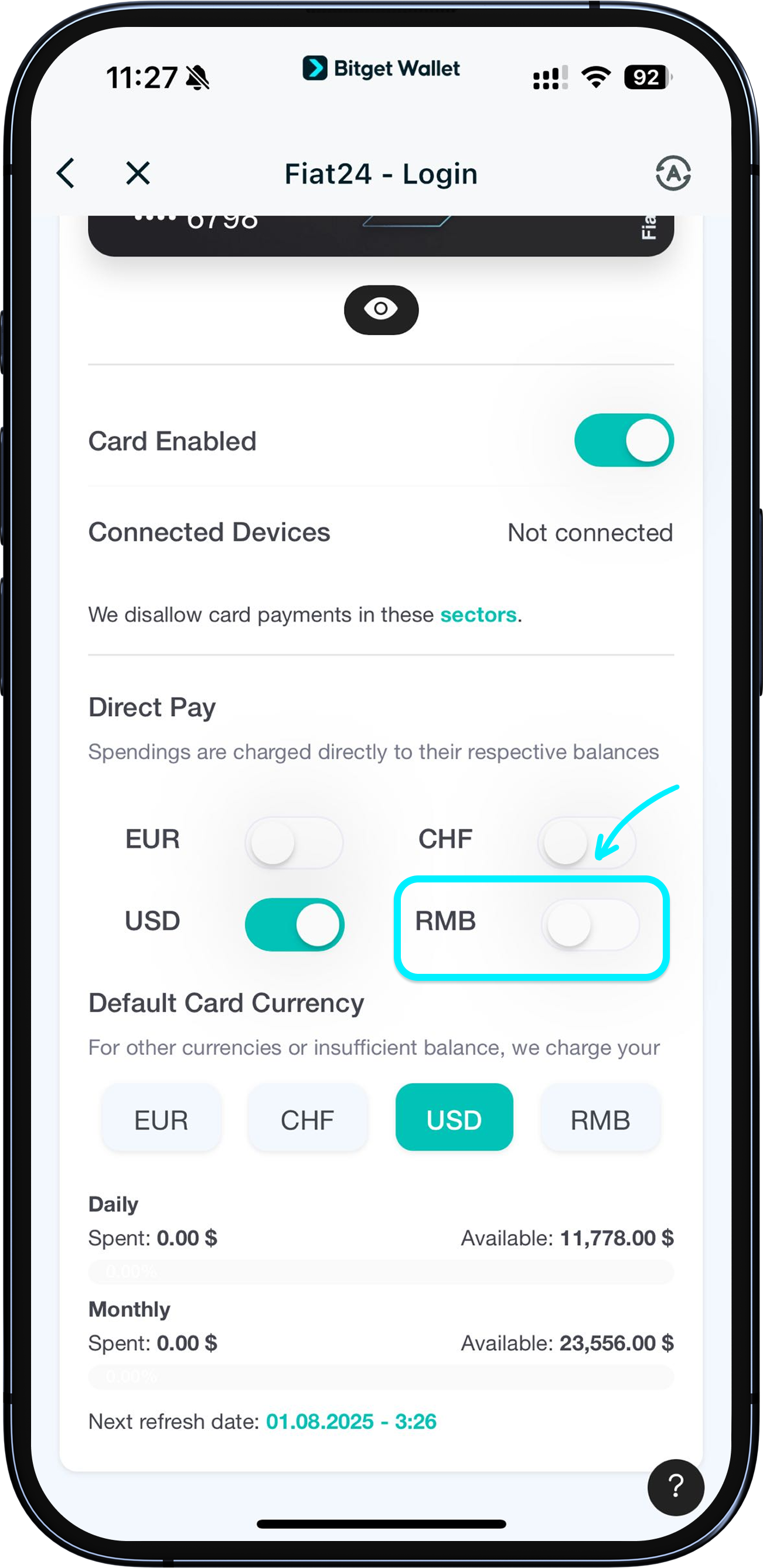
To enable a specific currency, tap the button next to it and follow the prompts to complete the authorization (see screenshot for enabling RMB).
1
/
6
How to add spending notifications
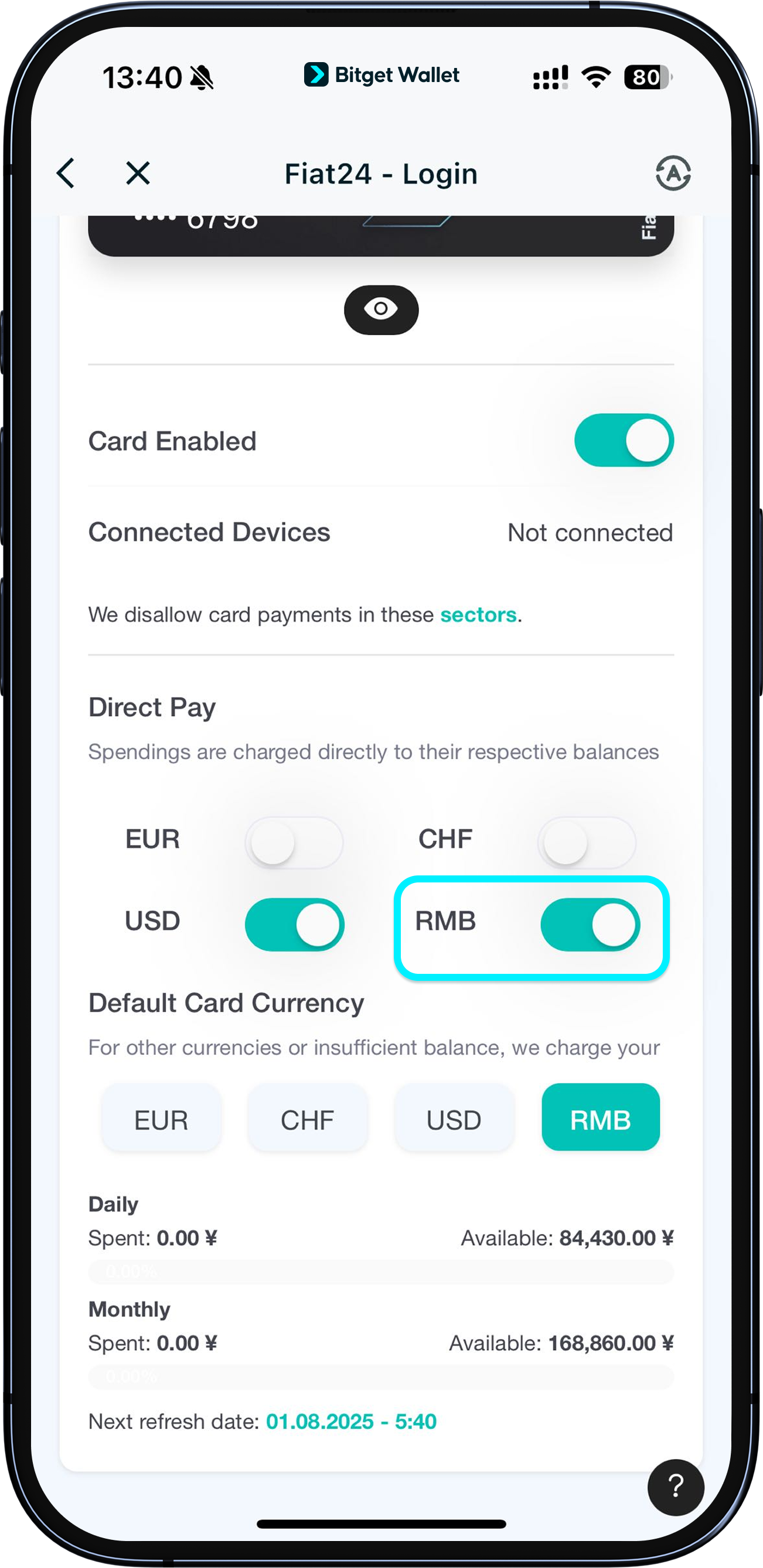
Once authorized, the toggle will be on and you can spend that currency.
1
/
6
How to add spending notifications
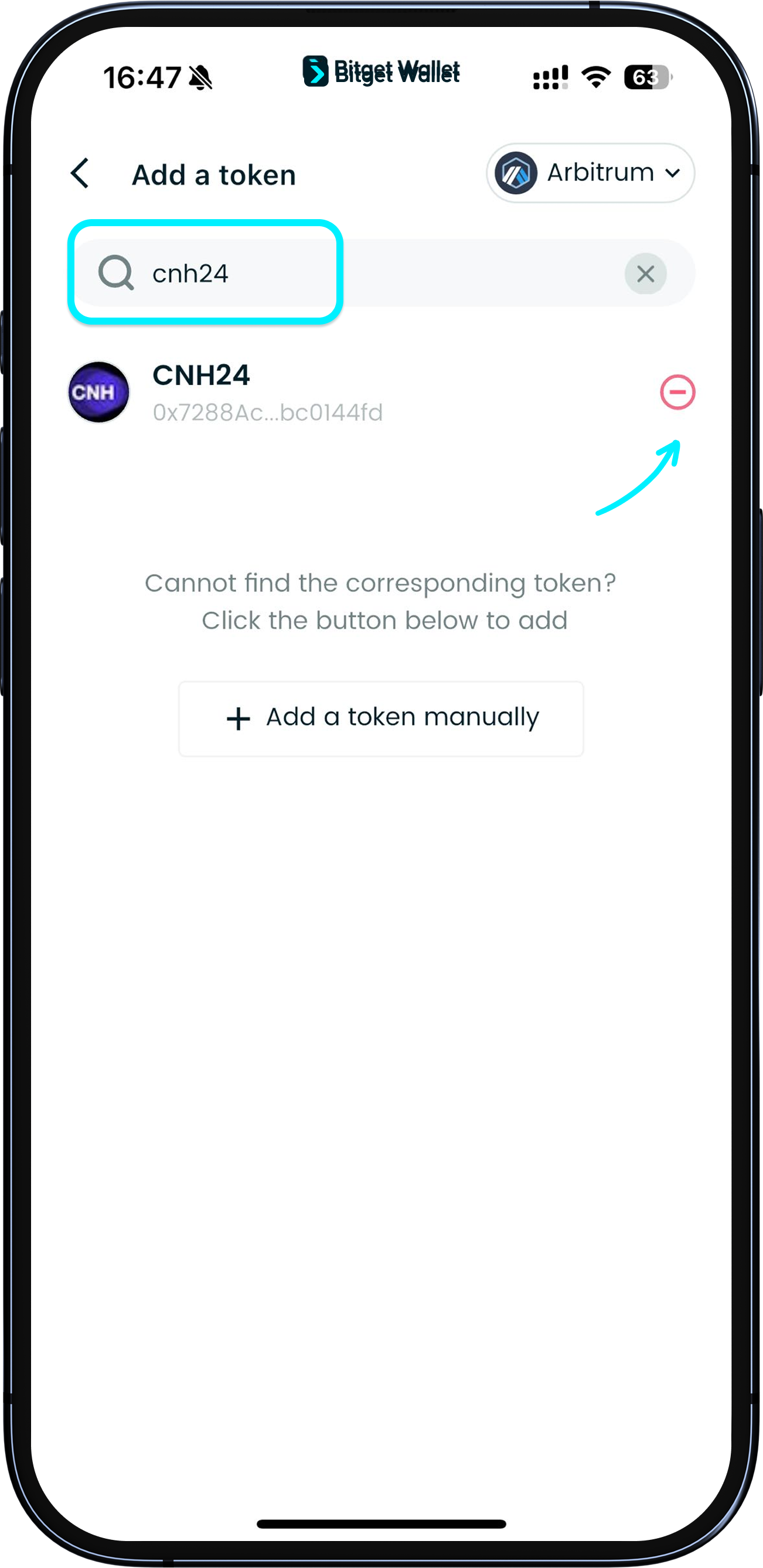
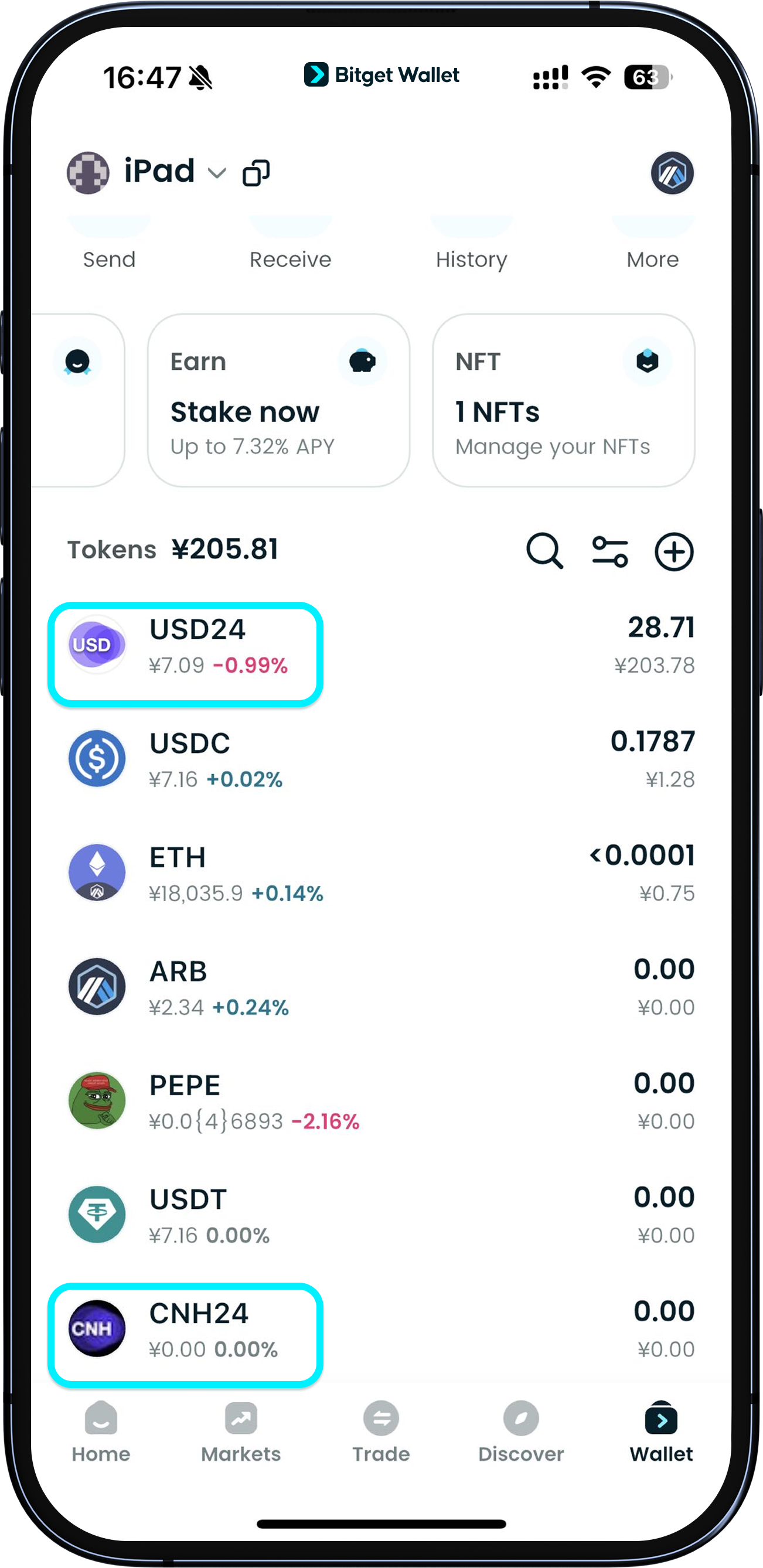
To receive spending notifications, add the corresponding token to your wallet so you get notified when your balance changes.
After enabling authorization, simply tap "+" in the token list on the "Wallet" page, search for the token name such as "CNH24", and add it.
1
/
6
How to add spending notifications
Once added, you’ll see the asset displayed in your wallet and you'll automatically receive notifications for spending and balance updates.
1
/
6
Card spending limits
Daily: 10,000 EUR (≈ 81,700 CNY)
Monthly: 20,000 EUR (≈ 163,500 CNY)