


1
/
7
Authorizing and selecting currencies
Bitget Wallet Card currently supports multiple currencies: US Dollar (USD), Euro (EUR), Swiss Franc (CHF), and Offshore Renminbi (displayed as RMB). You can freely top up, transfer, and exchange between these currencies in your account.
Bitget Wallet Card currently supports multiple currencies: US Dollar (USD), Euro (EUR), Swiss Franc (CHF), and Offshore Renminbi (displayed as RMB). You can freely top up, transfer, and exchange between these currencies in your account.
1
/
7
Authorizing and selecting currencies
As a crypto payment card, each fiat currency you deposit is represented on-chain as a special ERC-20 token. Before you can spend a specific currency, you’ll need to authorize that token on the blockchain.
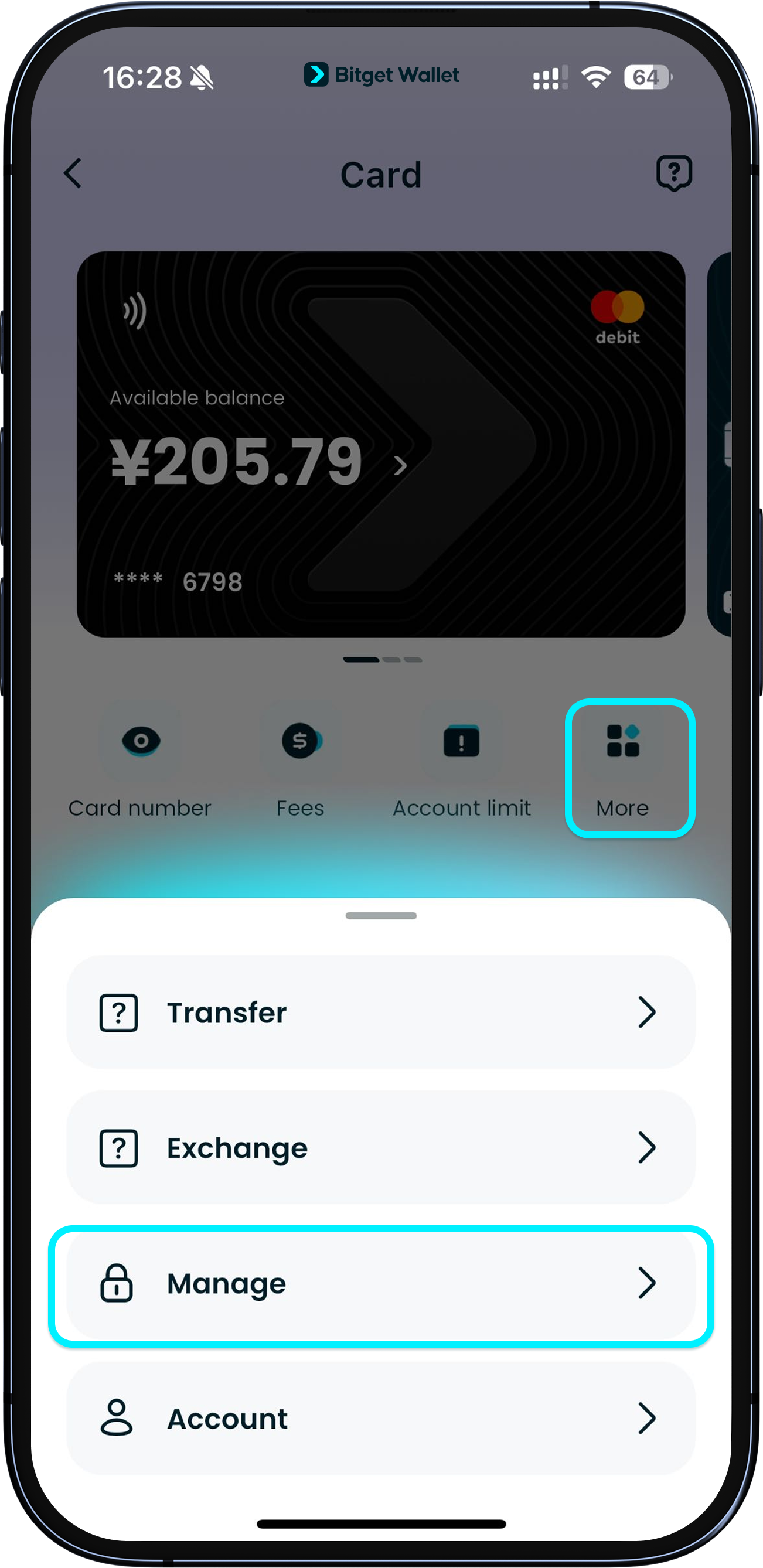
To manage authorized currencies, go to "Card" > "More" > "Manage".
1
/
7
Authorizing and selecting currencies
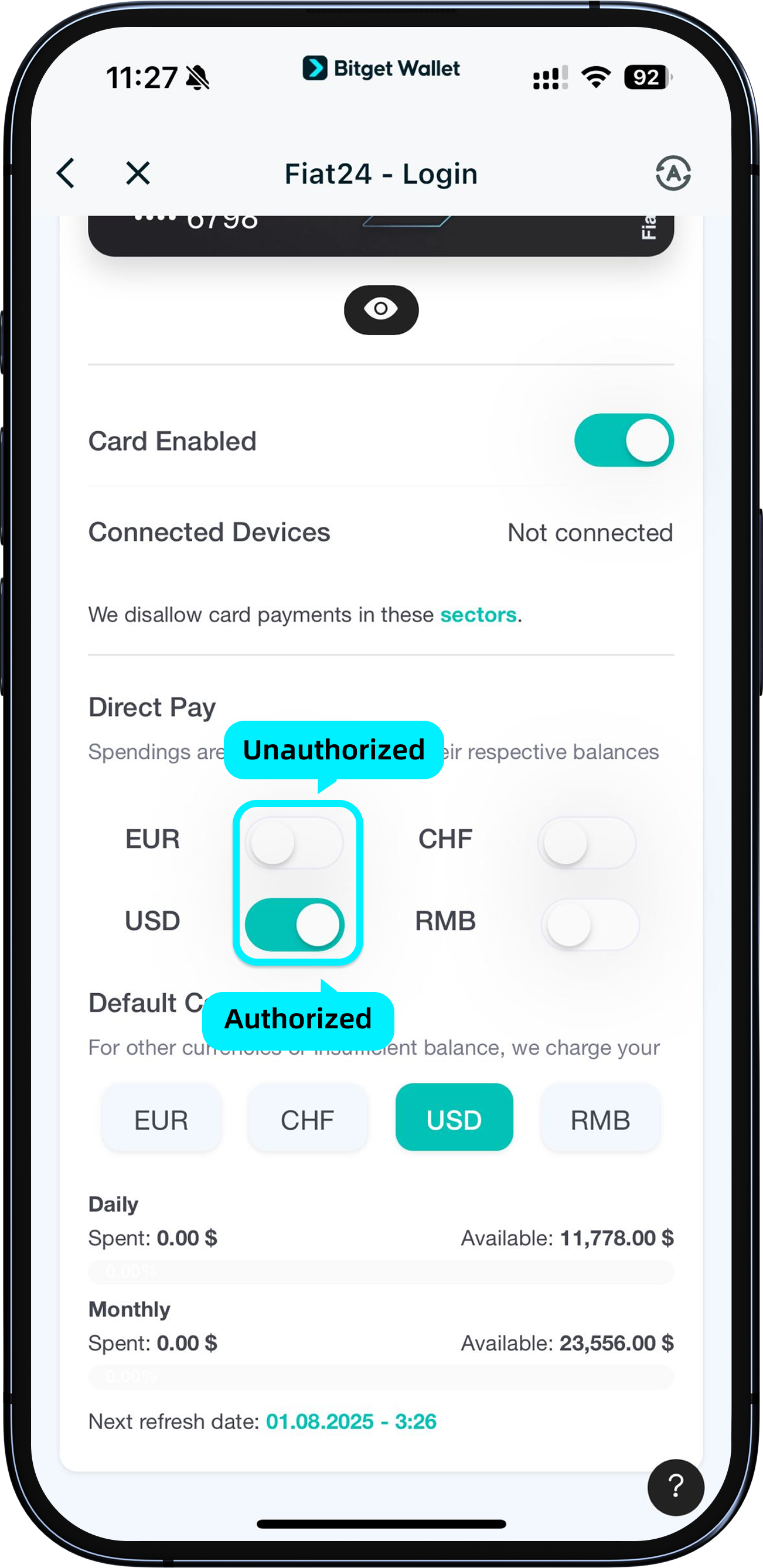
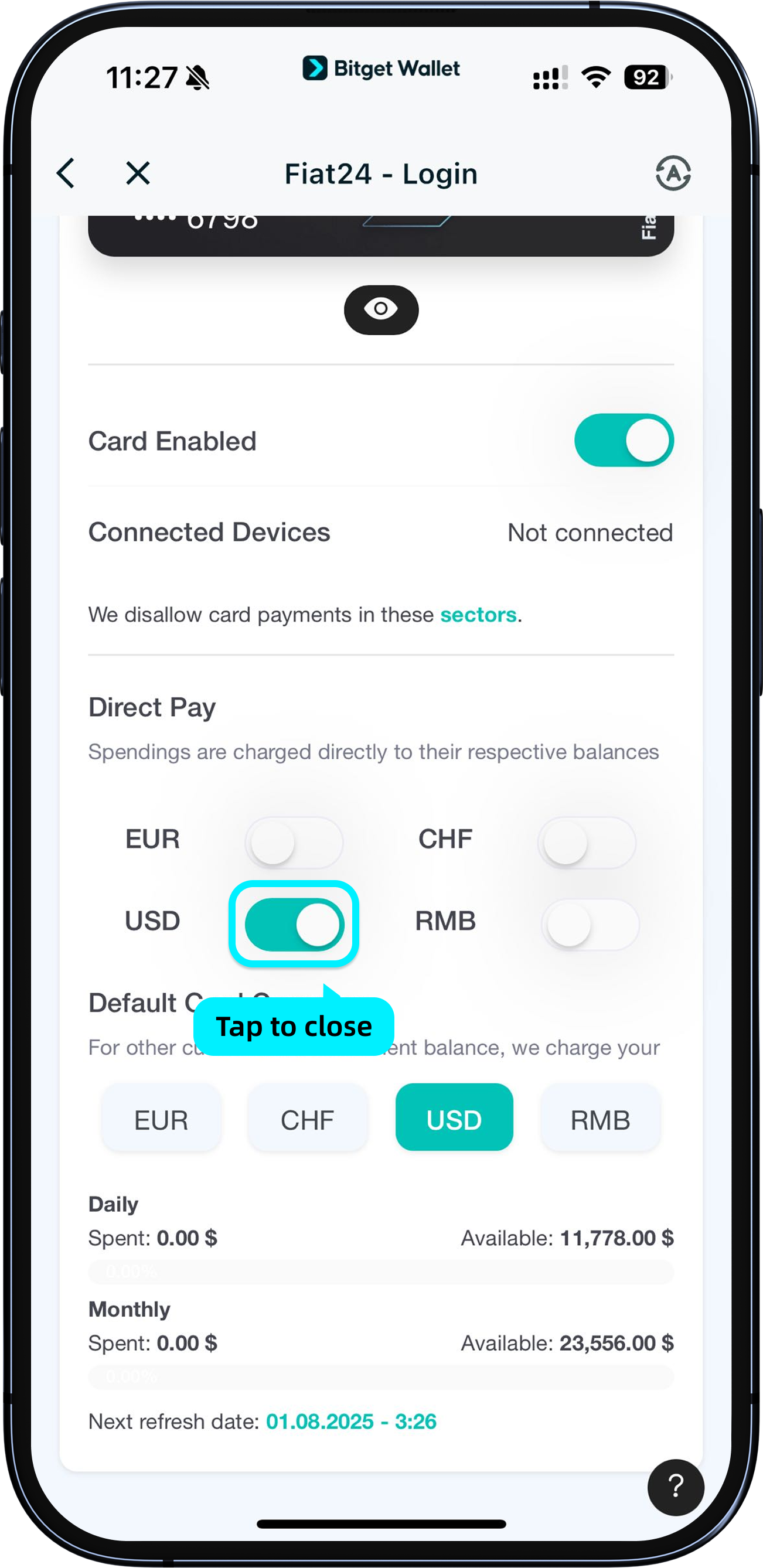
If the toggle next to a currency is enabled (green), that currency is authorized and available for payments.
For example: If the USD toggle is enabled, you can spend the USD balance on your card. If you only have EUR but haven’t authorized it yet, you will not be able to spend in EUR.
1
/
7
Authorizing and selecting currencies
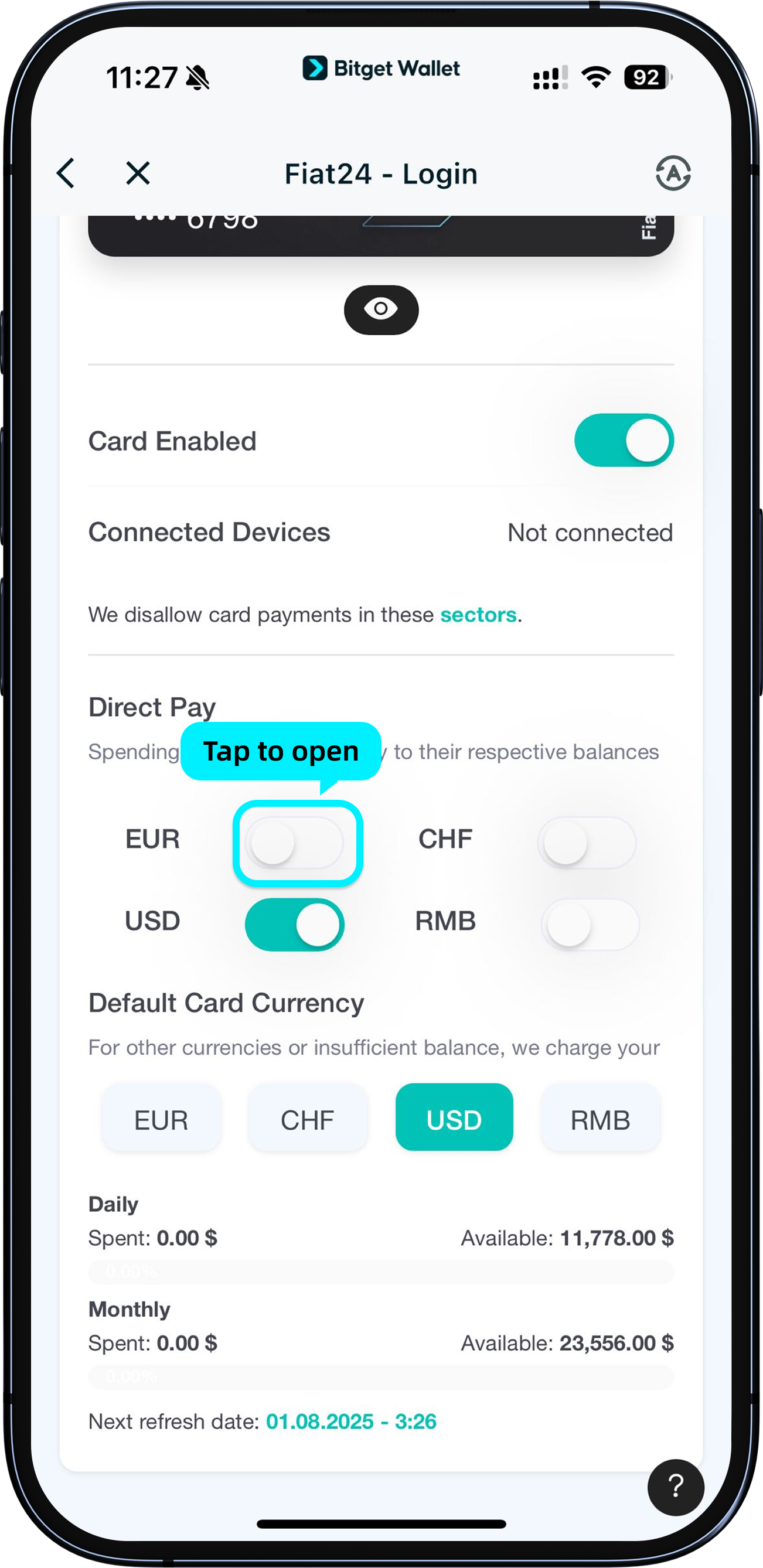
To authorize a new currency, simply tap the toggle beside it and confirm on the pop-up. Once authorized, the button will turn on.
1
/
7
Authorizing and selecting currencies
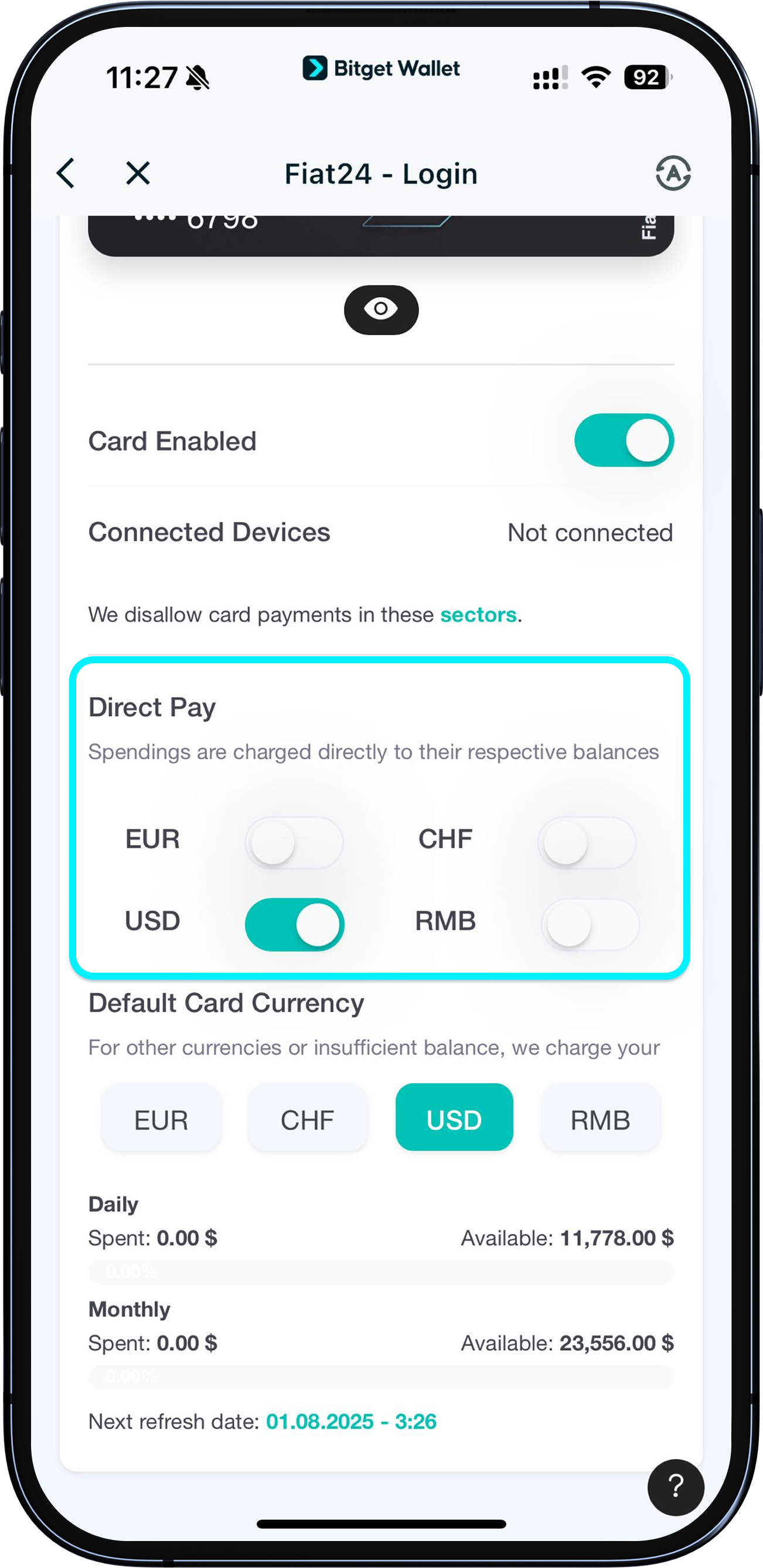
To revoke authorization for a currency, tap the button again and confirm "Cancel authorization."
<b>If a currency’s authorization is cancelled, you will not be able to use it for payments.</b>
At least one currency must remain authorized on your card.
1
/
7
Authorizing and selecting currencies
When making a purchase, your card will use the currency that matches the payment currency first (Direct Pay). E.g., if you’re making a 100 RMB purchase and your RMB balance is sufficient and authorized, it will be used directly.
1
/
7
Authorizing and selecting currencies
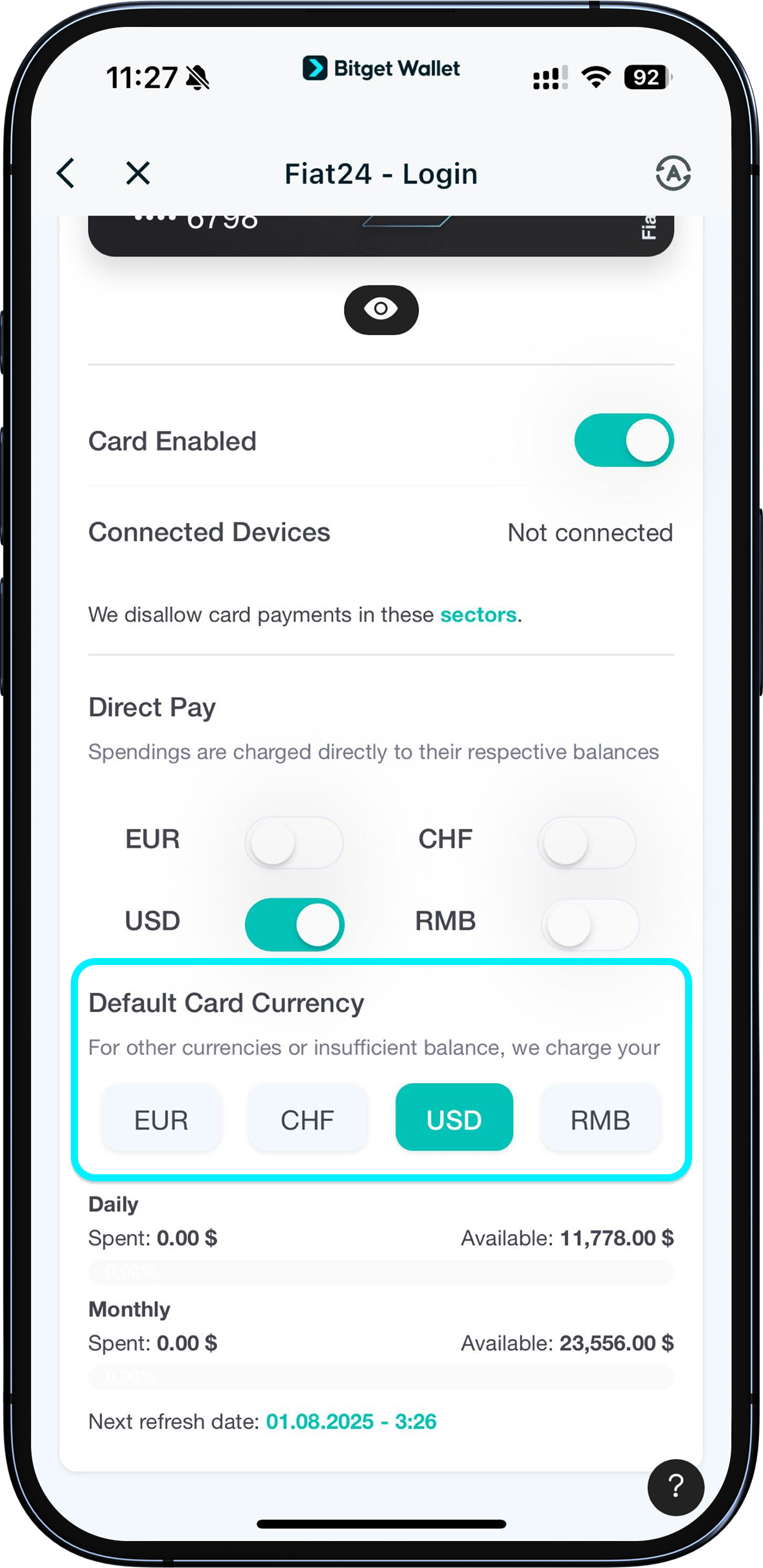
If the currency is not available (insufficient balance or not authorized), the card will use your default card currency instead. You can set your preferred default by selecting another authorized currency.
Important: You cannot directly cancel the current default currency authorization. To change it, switch your default to another currency first. For example, if USD is your default, first select RMB as your new default, then you can revoke authorization for USD.