


1
/
6
Sending funds
You can easily send funds from your card account. <b>Currently, we support only transfers in EUR and CHF.</b>
If you're transferring to a personal bank account, <b>you can only send funds to a European personal bank IBAN account that has previously transacted with this card</b>.
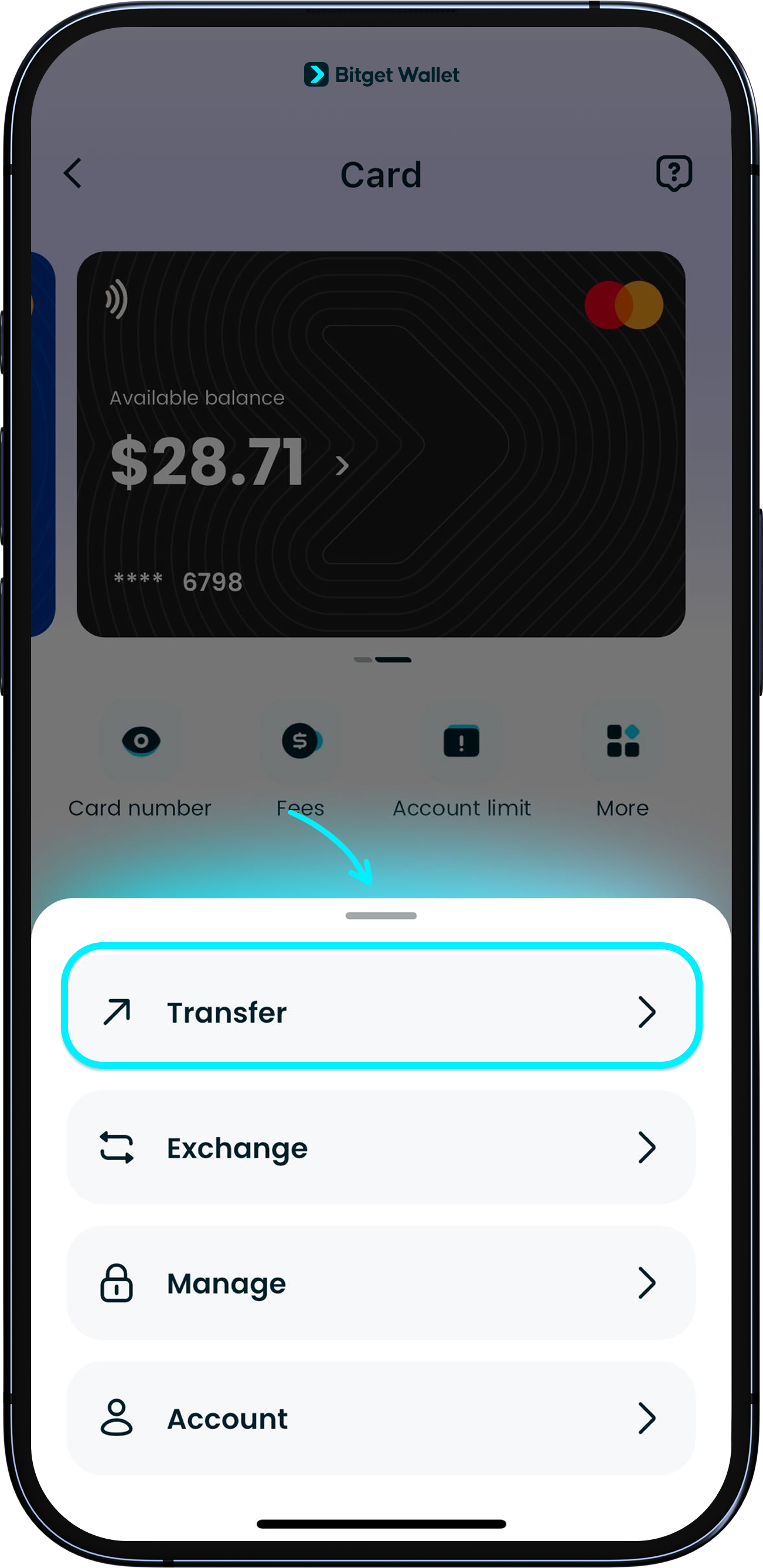
Go to your card's page, tap "More", then select "Transfer". You will then be redirected to the page of the card issuer, Fiat24.
You can easily send funds from your card account. <b>Currently, we support only transfers in EUR and CHF.</b>
If you're transferring to a personal bank account, <b>you can only send funds to a European personal bank IBAN account that has previously transacted with this card</b>.
Go to your card's page, tap "More", then select "Transfer". You will then be redirected to the page of the card issuer, Fiat24.
1
/
6
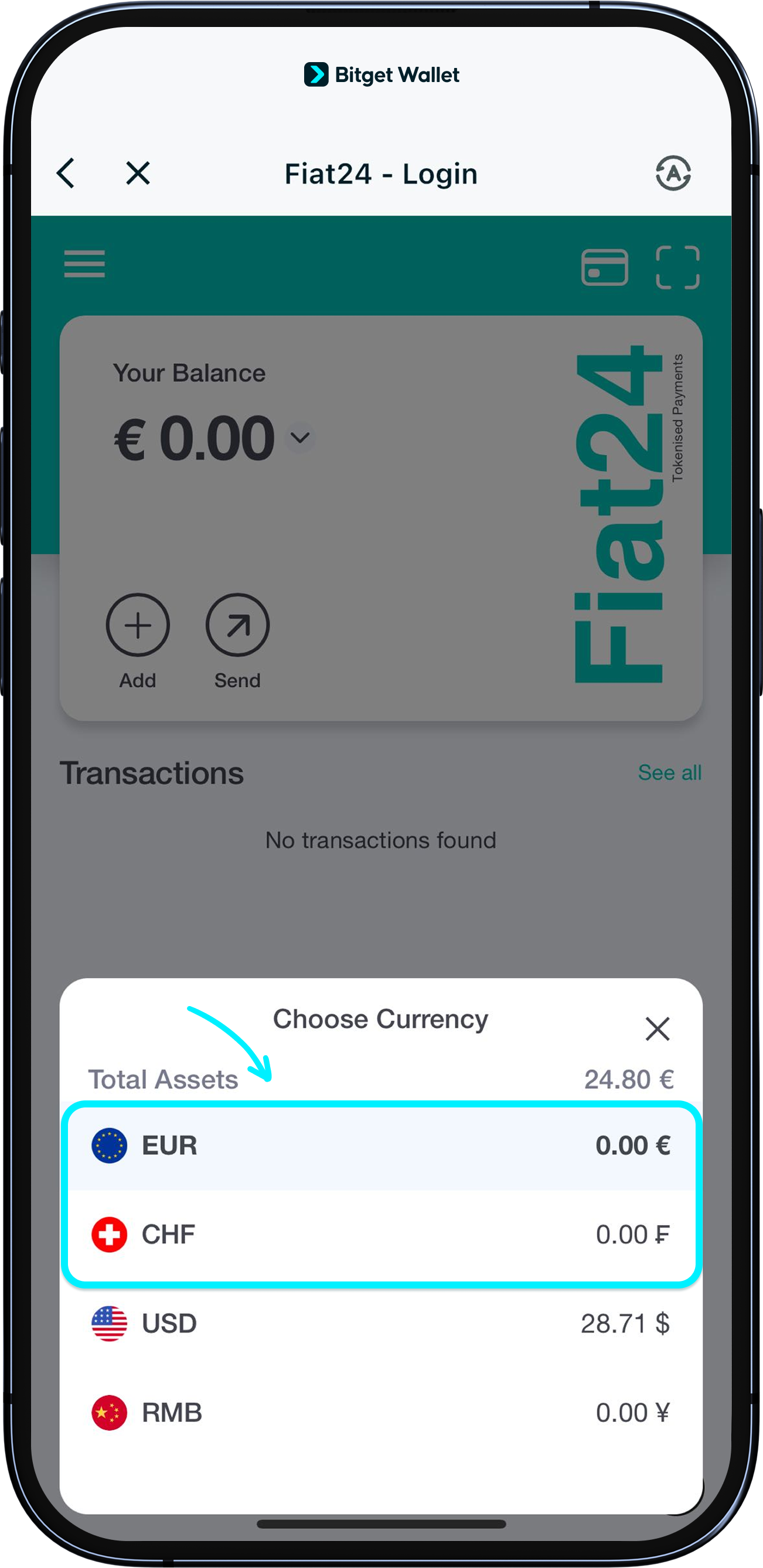
Confirm transfer currency
To start sending funds, tap on "Your Balance" and select EUR or CHF.<b>
Currently, we only support transfers in EUR and CHF.</b>
1
/
6
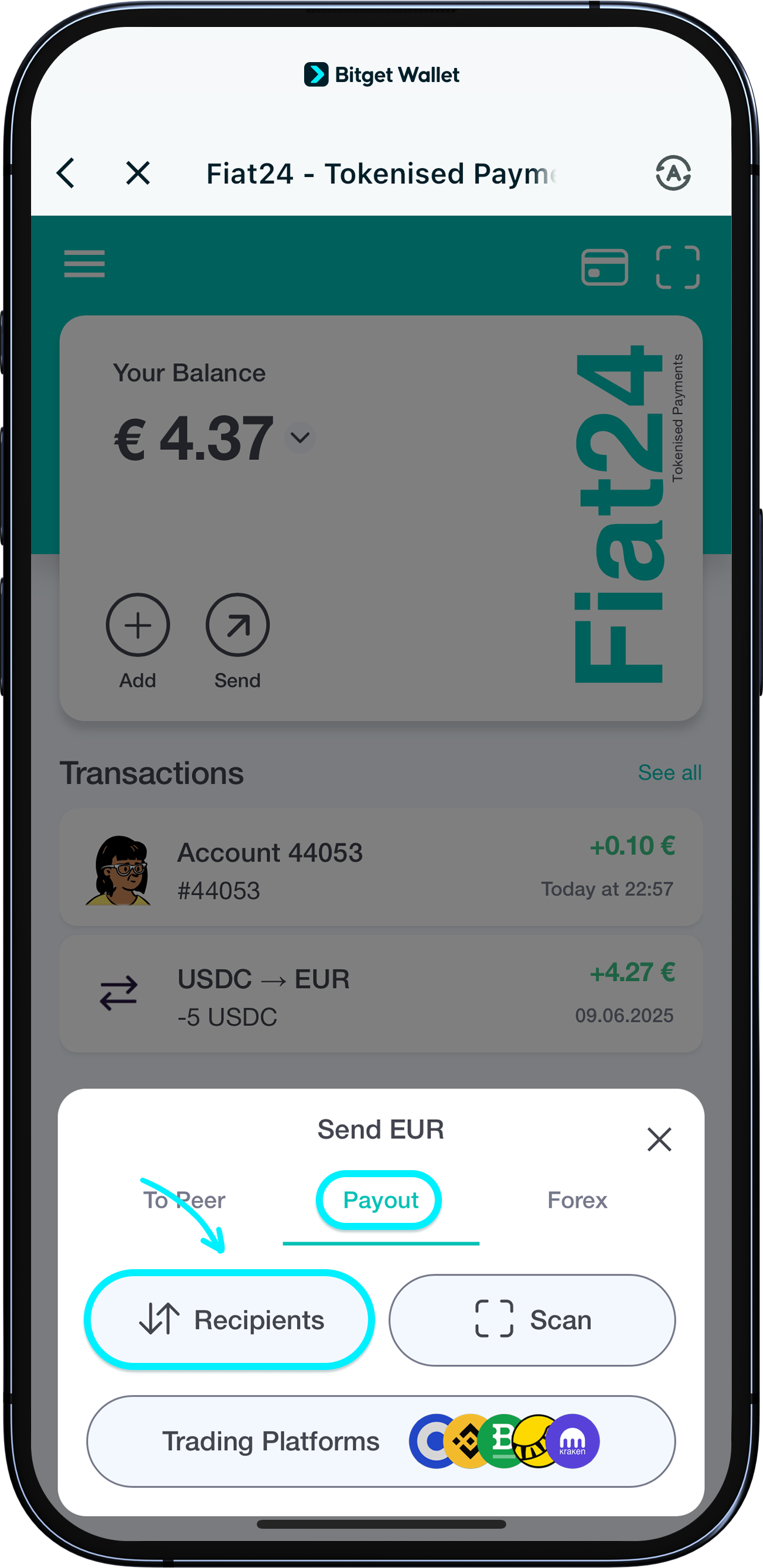
Start a transfer
Tap "Send" > "Payout" > "Recipients". If there are no recipients listed, tap "Add Recipients for EUR/CHF" to add one.
1
/
6
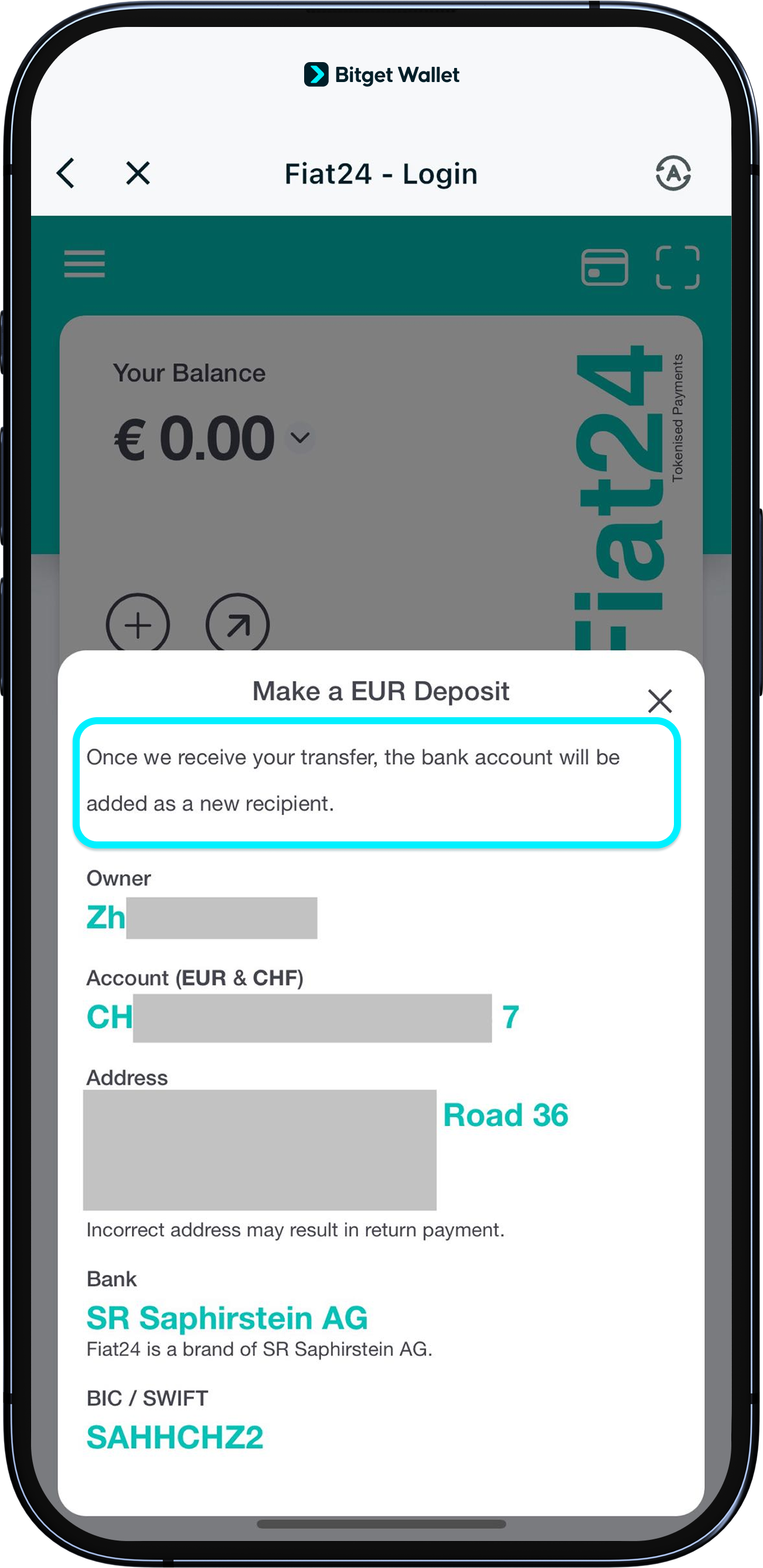
Receiving a transfer
At this point, you'll see a prompt saying that <b>you must first receive a transfer from the bank account before adding it as a new recipient</b>.
Please use a personal European bank account (IBAN) to send any amount (e.g., 0.1 EUR) to the IBAN shown for your card.
1
/
6
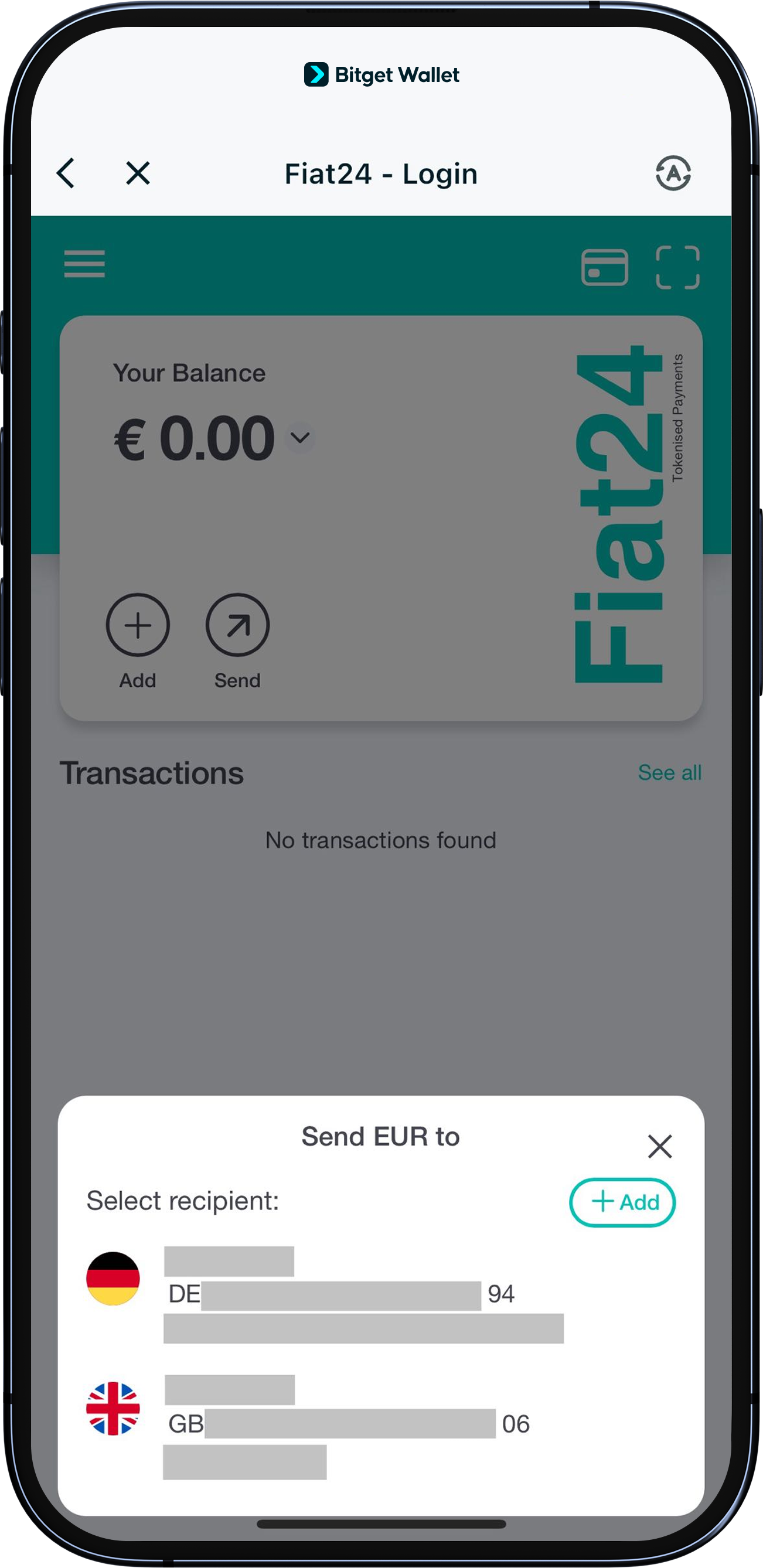
Add a recipient
After the transfer is successful, the bank account will be automatically added to your card's "Recipients". You can then send funds to this account by tapping "Send" > "Payout" > "Recipients".To add another recipient, just tap “Add.”
1
/
6
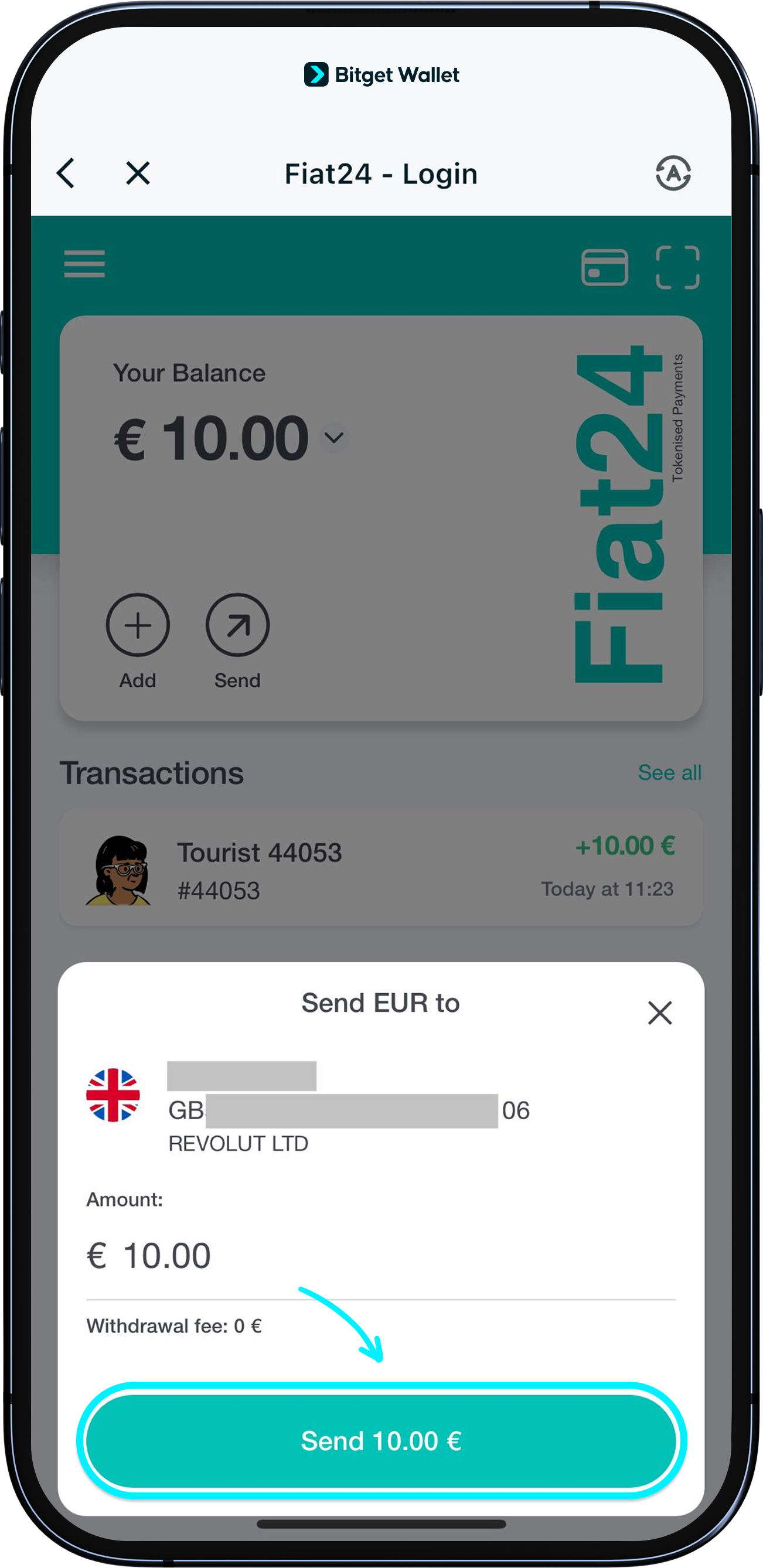
Enter the transfer amount
After selecting the recipient, enter the amount you want to send. The minimum is 10 EUR or 10 CHF. Then tap "Send" and confirm with your signature.
Note: A gas fee is required for transfers.
<b>Transfers may take up to 5 business days to arrive.</b> Thank you for your patience.