


1
/
6
Get account info from 3rd-party
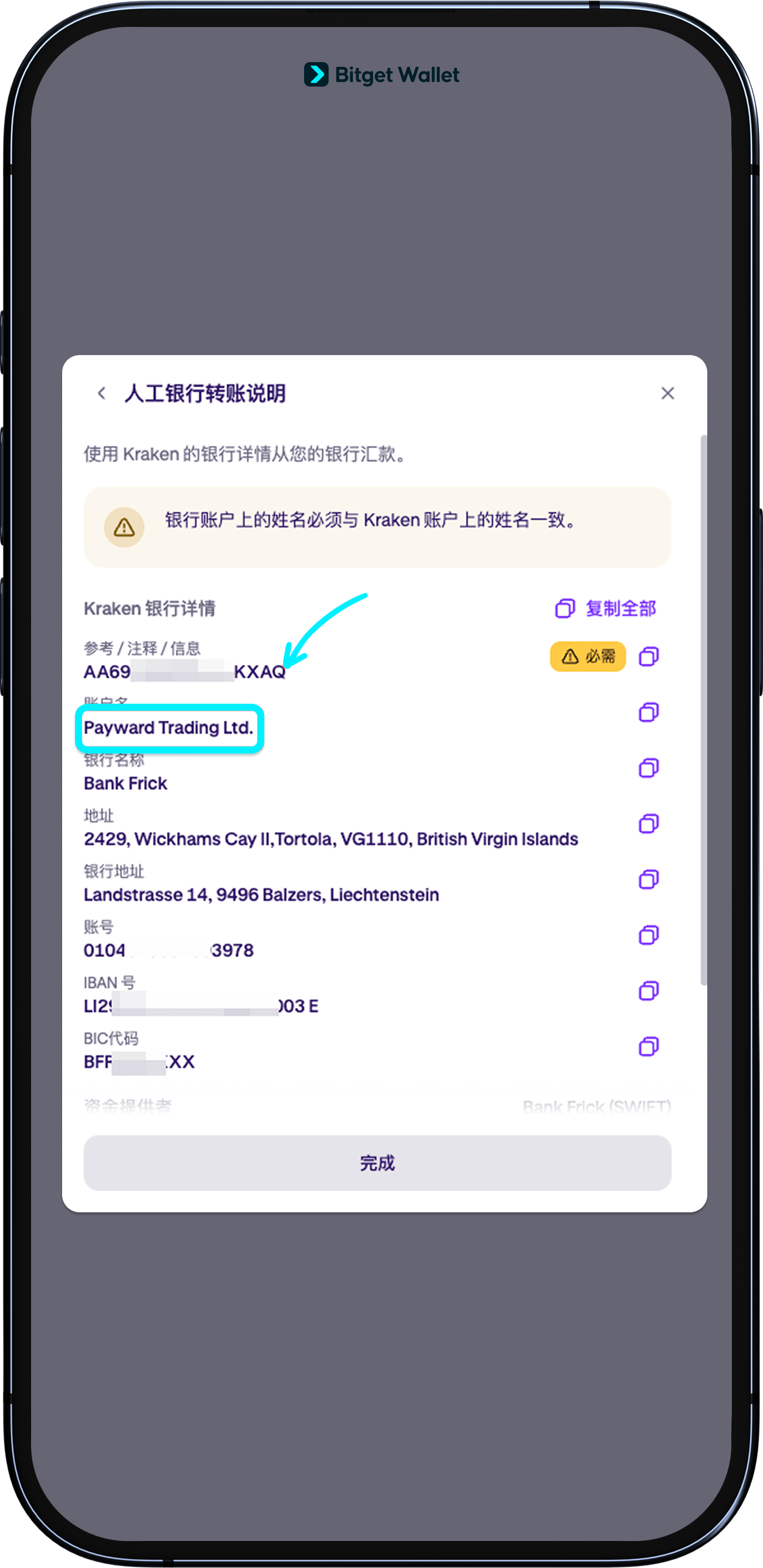
To send funds to a 3rd-party trading platform, such as cryptocurrency exchanges or securities companies, first log on to their app/website, select "Deposit" or equivalent, and copy the "Account name" and "Reference information".
<b>Note: The name you use to register an account on the 3rd-party platform must be exactly the same (case sensitive) as the name you use to register for your Fiat24 account (owner).</b>
To send funds to a 3rd-party trading platform, such as cryptocurrency exchanges or securities companies, first log on to their app/website, select "Deposit" or equivalent, and copy the "Account name" and "Reference information".
<b>Note: The name you use to register an account on the 3rd-party platform must be exactly the same (case sensitive) as the name you use to register for your Fiat24 account (owner).</b>
1
/
6
Navigate back to Bitget Wallet app
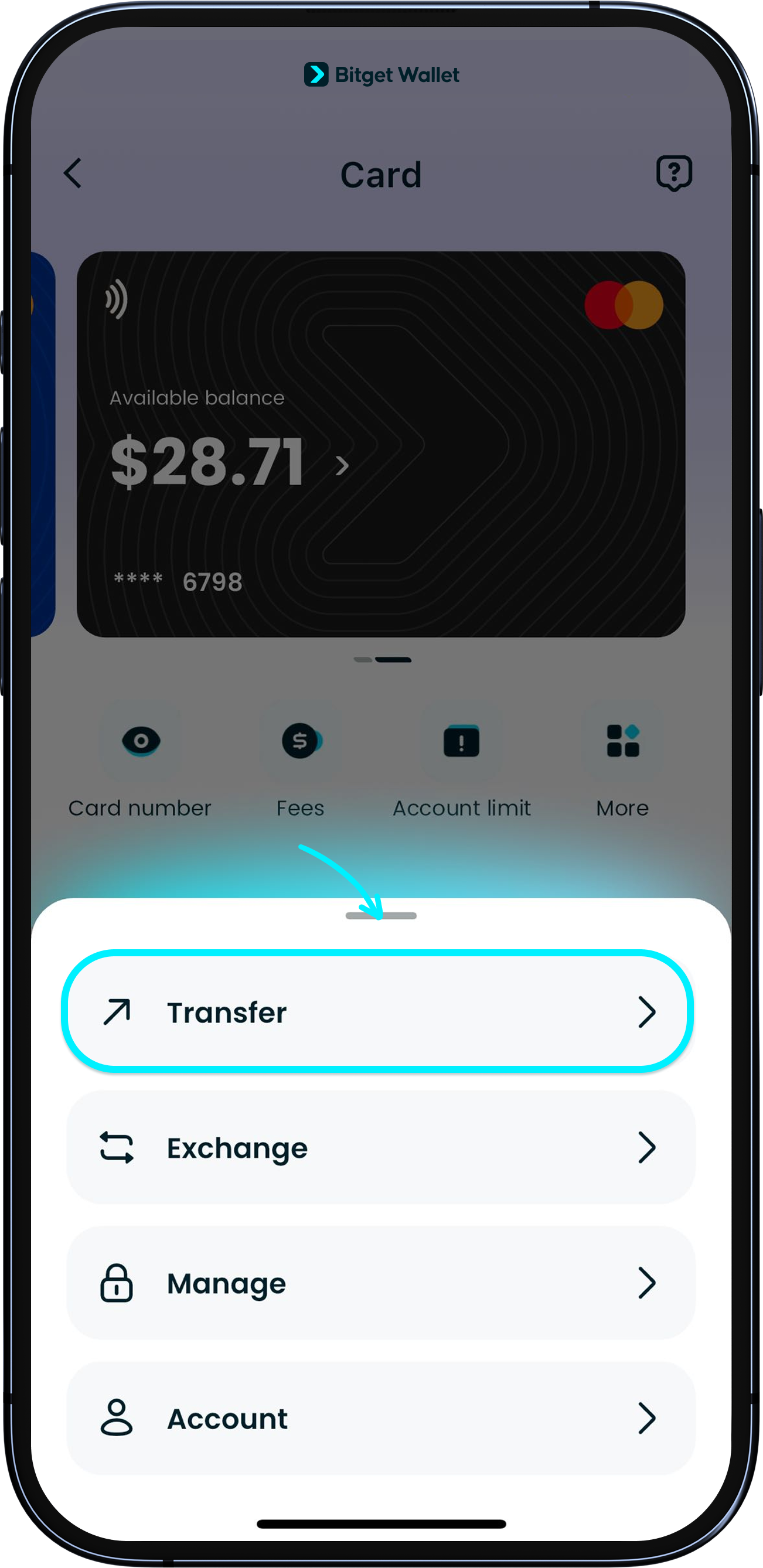
Go back to Bitget Wallet app, tap "Card" > "More" > "Transfer". You will then be redirected to the page of Fiat24, the card issuer.
1
/
6
Sending funds
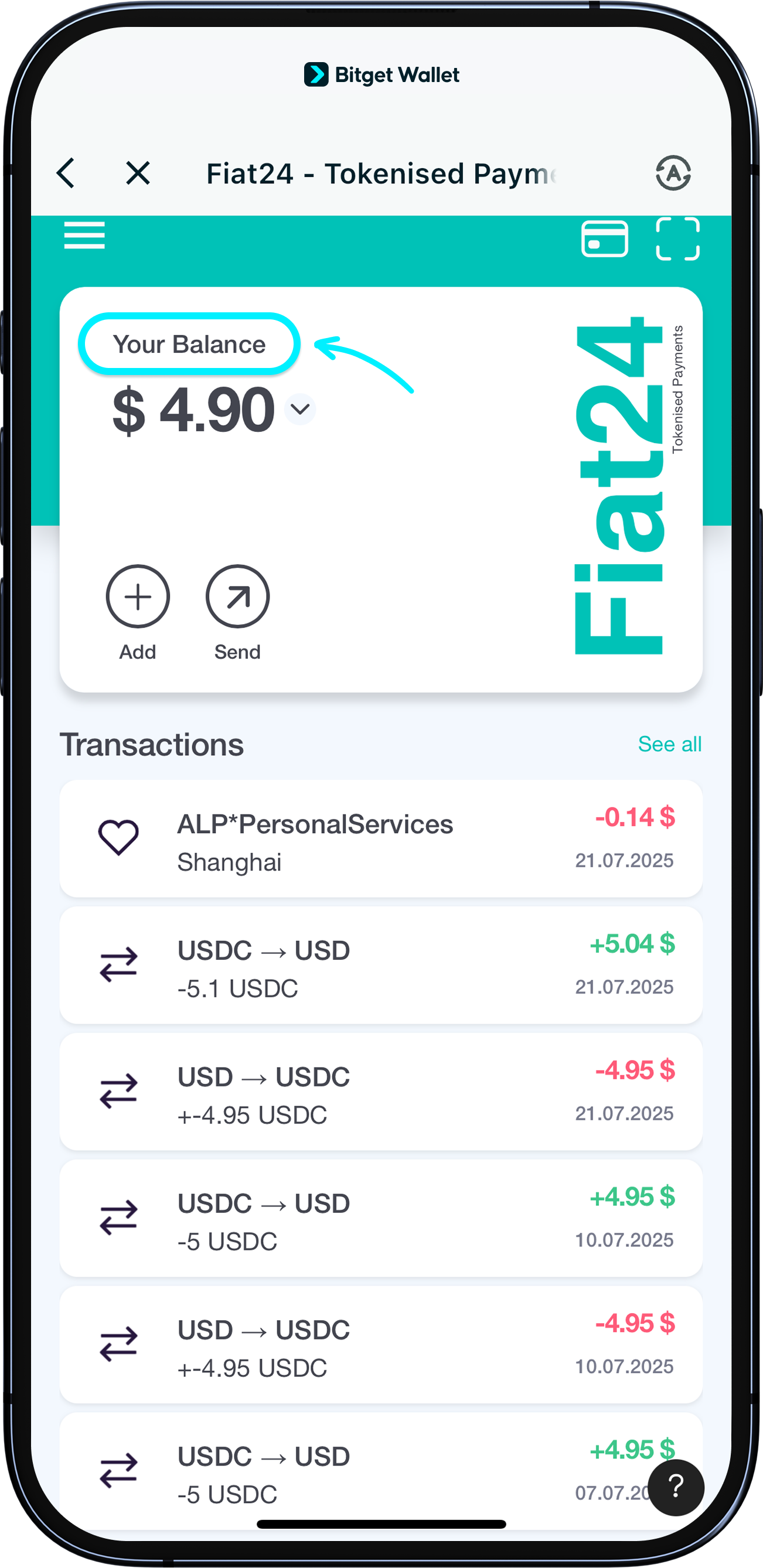
To start sending funds, tap on "Your Balance" and select EUR or CHF.
<b>Currently, we only support transfers in EUR and CHF.</b>
1
/
6
Payout to trading platform
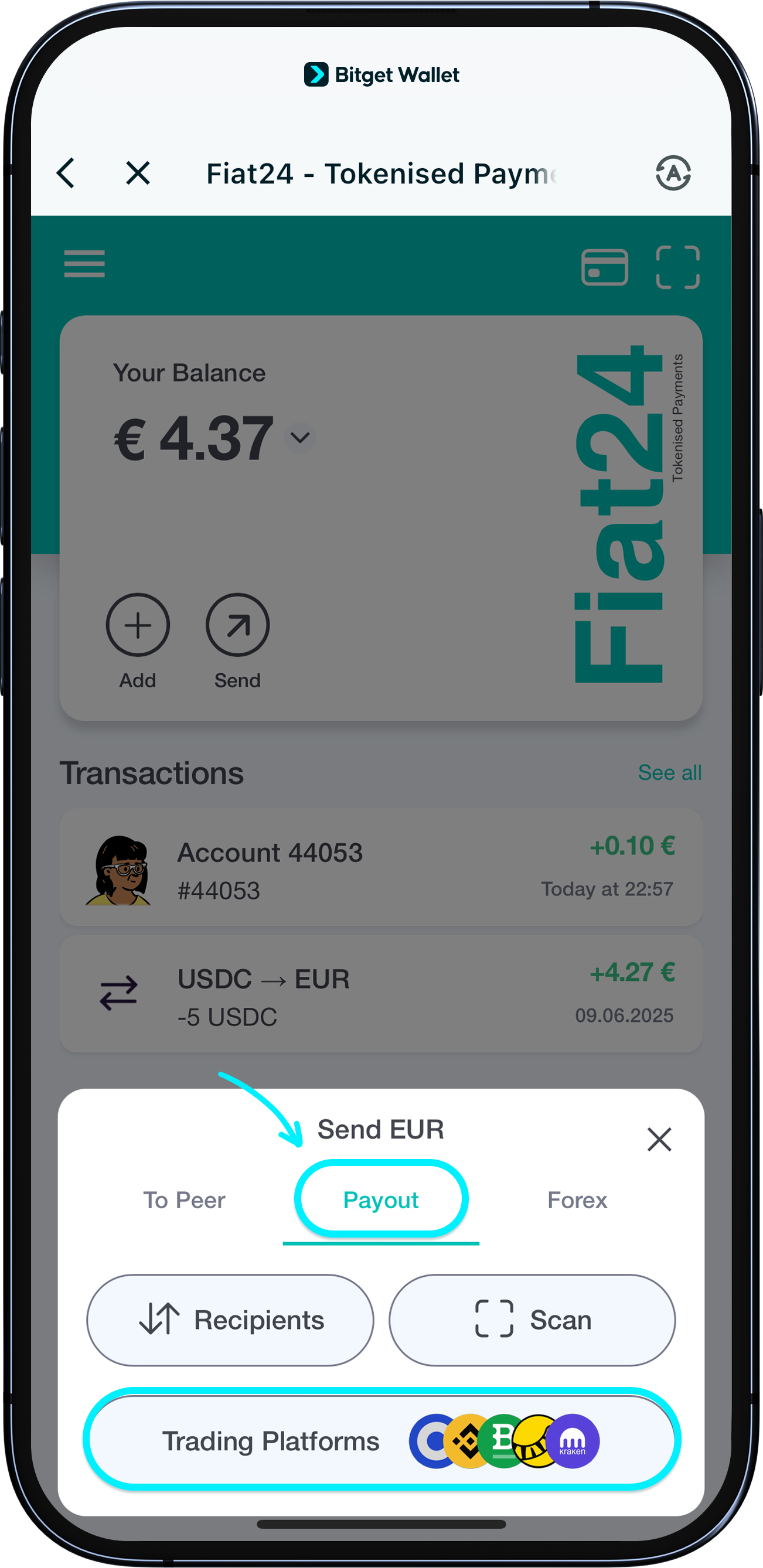
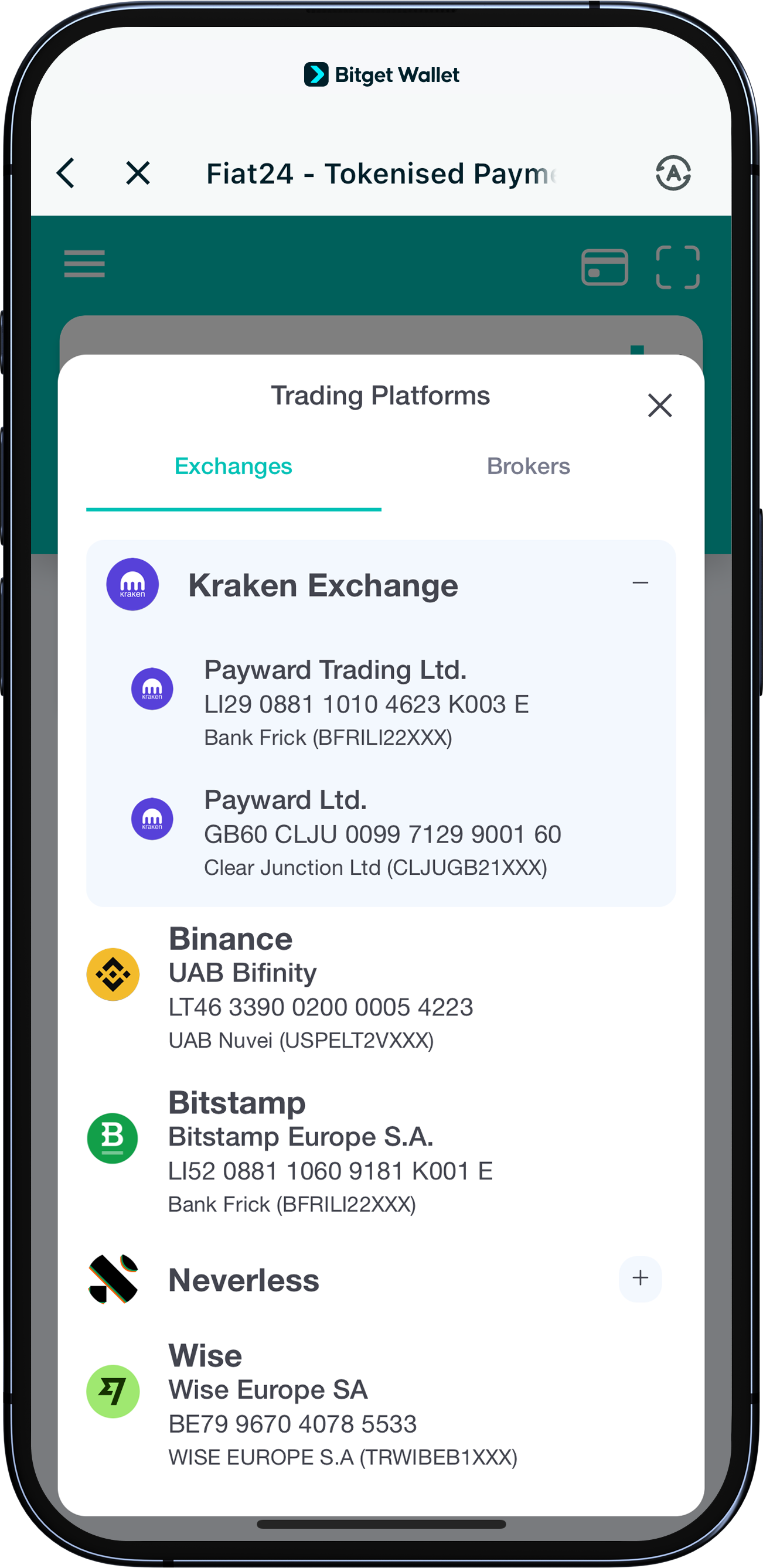
Tap "Send" > "Payout" > "Trading Platforms".
<b>You can only make transfers to the 3rd-party exchange platforms listed on the page. Other platforms are not supported at this time.</b>
1
/
6
Select transfer channel and recipient
Select the exact recipient account name you received in Step one. Some exchanges have multiple account names. <b>Be sure to double-check and choose the correct one.</b>
1
/
6
Enter reference
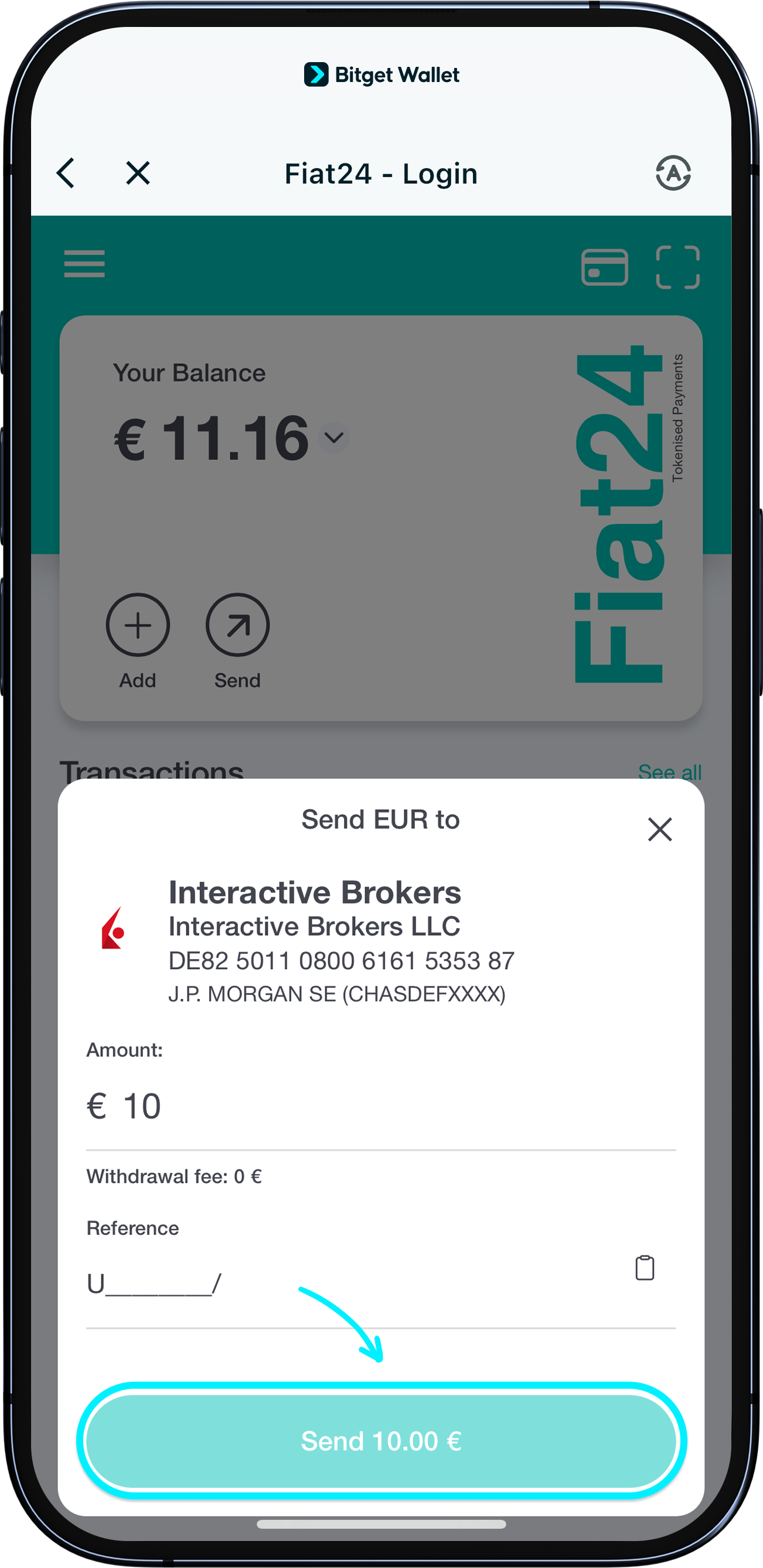
Then enter the "Reference" and transfer amount according to the information provided by the 3rd-party platform to initiate the transfer.
<b>Transfers take 5 business days to arrive after being initiated.</b> Thank you for your patience.