


1
/
8
Buy stock tokens
Update the app to the latest version, then go to <b>Trade > Stocks</b>.<br><br>All three protocols support both market and limit orders. Market orders execute immediately at the quoted price; limit orders execute only when the asset reaches your specified price.
Update the app to the latest version, then go to <b>Trade > Stocks</b>.<br><br>All three protocols support both market and limit orders. Market orders execute immediately at the quoted price; limit orders execute only when the asset reaches your specified price.
1
/
8
Choose the stock to buy
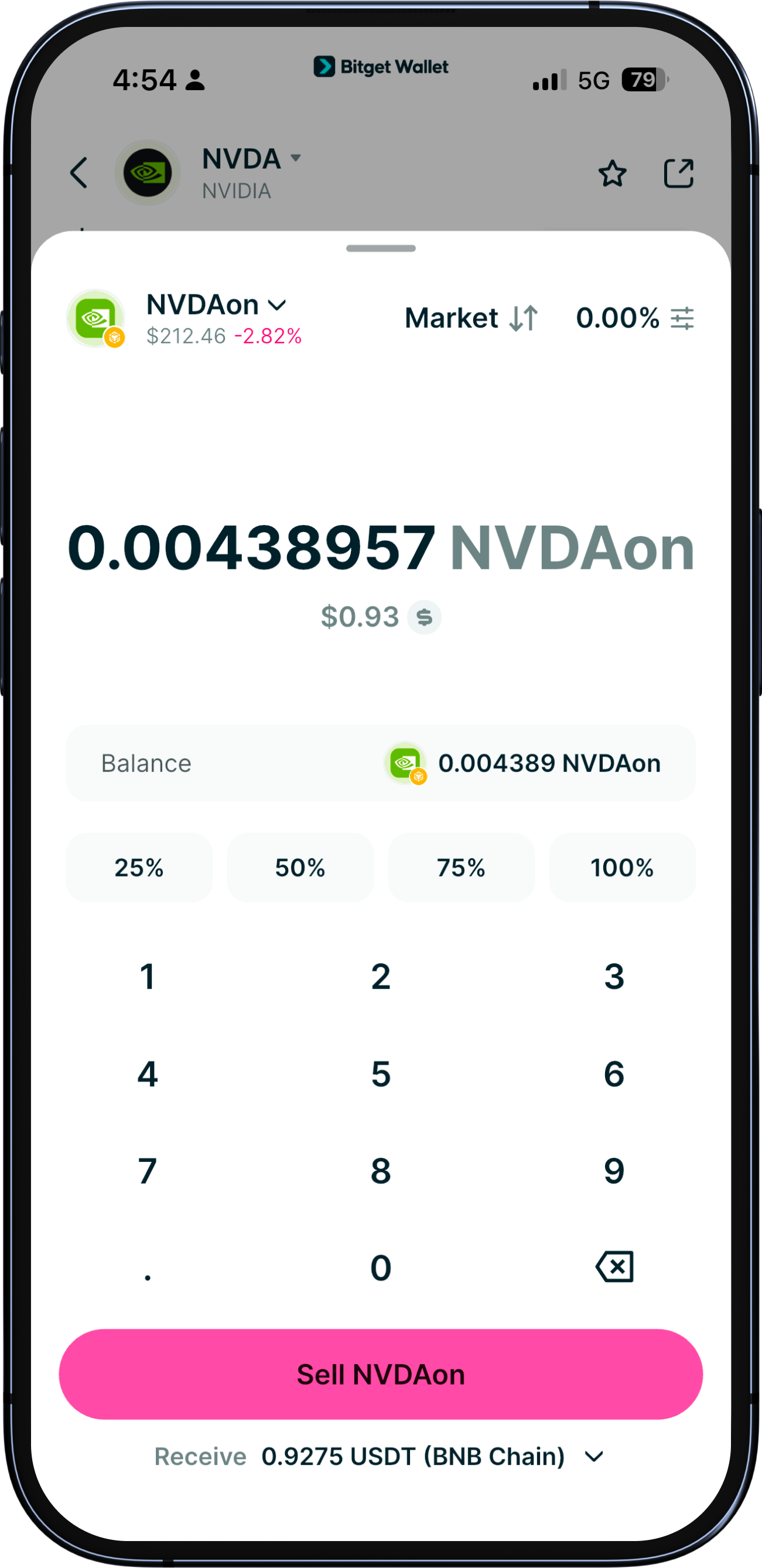
At the top of the page, select the stock token you want and set the order type to "Buy". Enter your buy price; tap "Market price" to auto-fill the current price. Then enter the quantity or the total amount you want to spend. You can also adjust the quantity using the slider below.
1
/
8
Set slippage and expiry
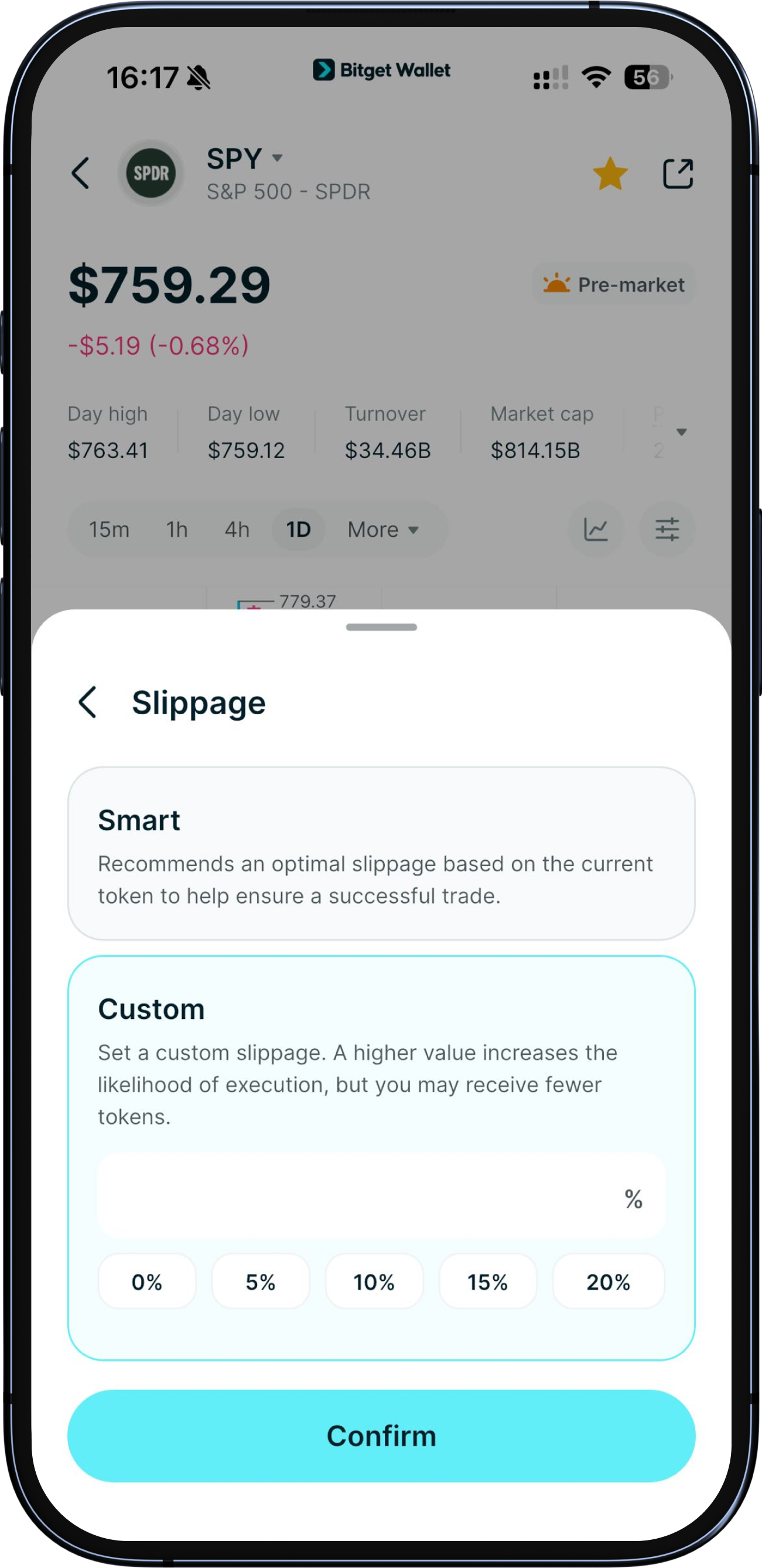
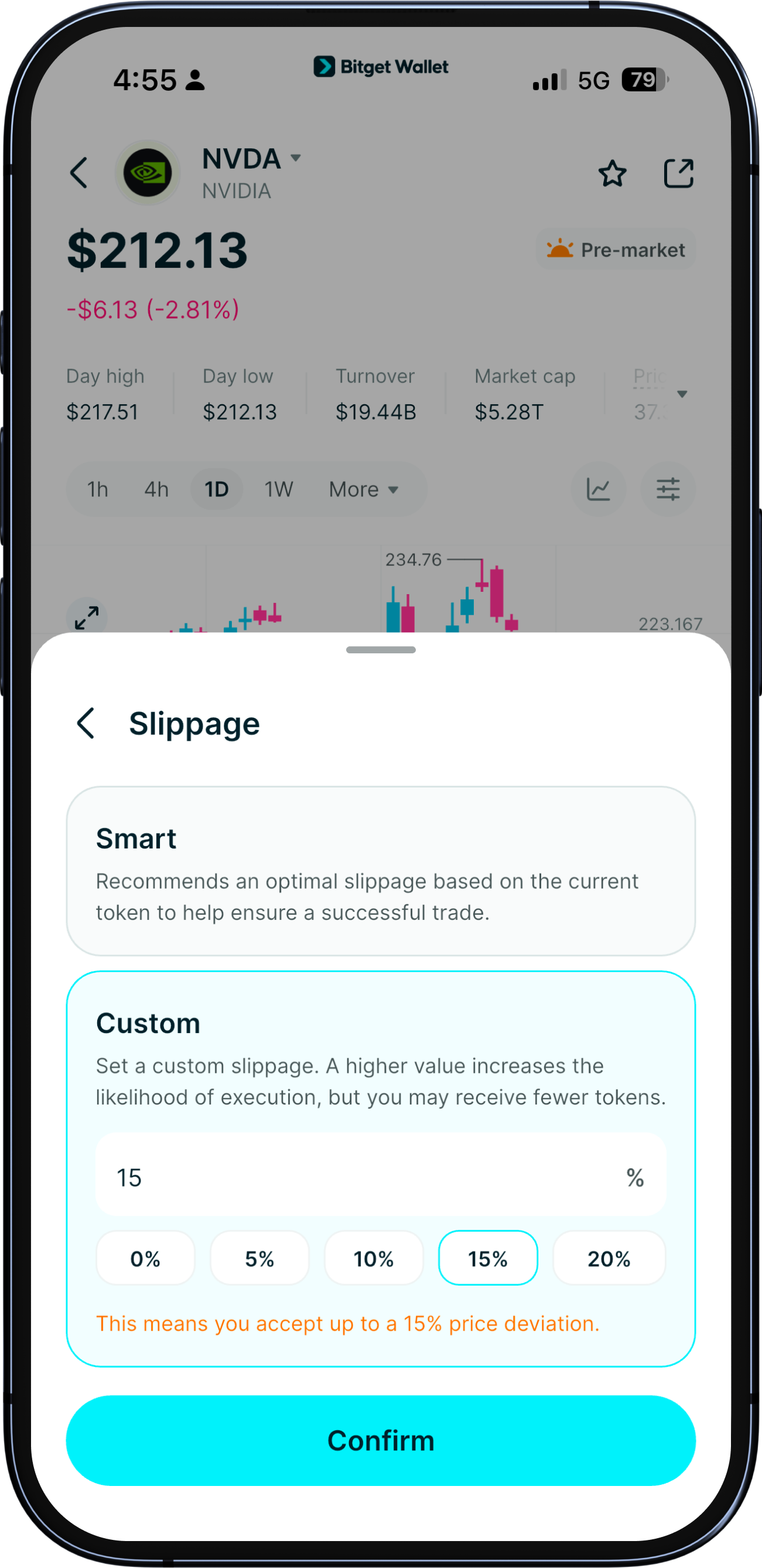
After confirming the amount, open "Settings" to adjust slippage tolerance and the order expiry time.
Slippage is the maximum price deviation you're willing to accept. Expiry means the order will automatically cancel if it isn't filled within the set time.
To view the stock's candlestick chart info, tap the info bar at the bottom.
1
/
8
Supported token
Market orders can be paid with tokens on the asset's network or another supported network. For cross-network payments, Bitget Wallet automatically swaps and bridges the funds using the most cost-efficient available route, so you do not need to move them first.<br><br>Limit orders use the asset's network and accept only the payment tokens shown on the order screen, which vary by protocol and network.<br><br>Your available balance appears on the order screen. Select the plus icon to add funds.
1
/
8
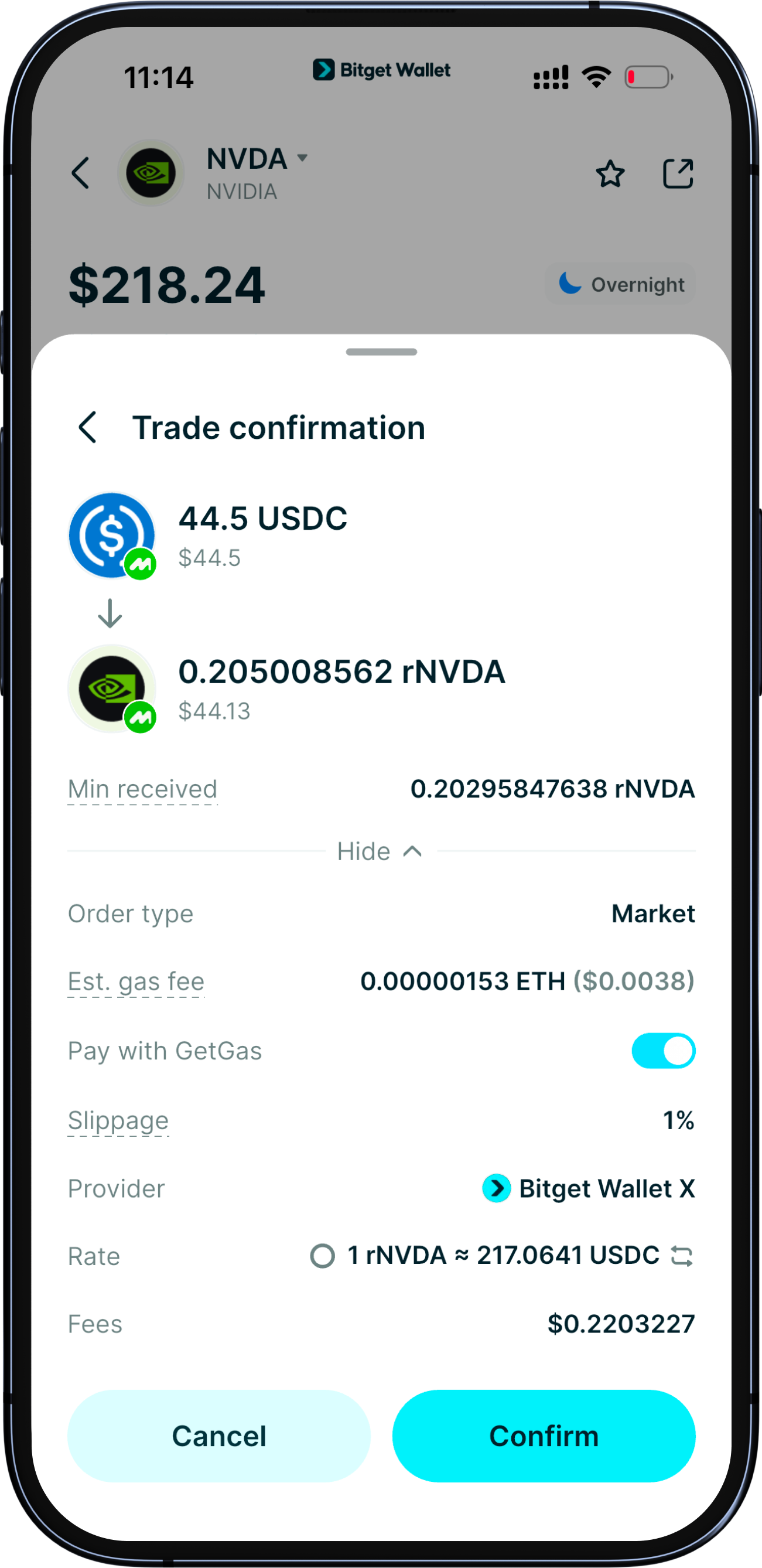
Review and submit
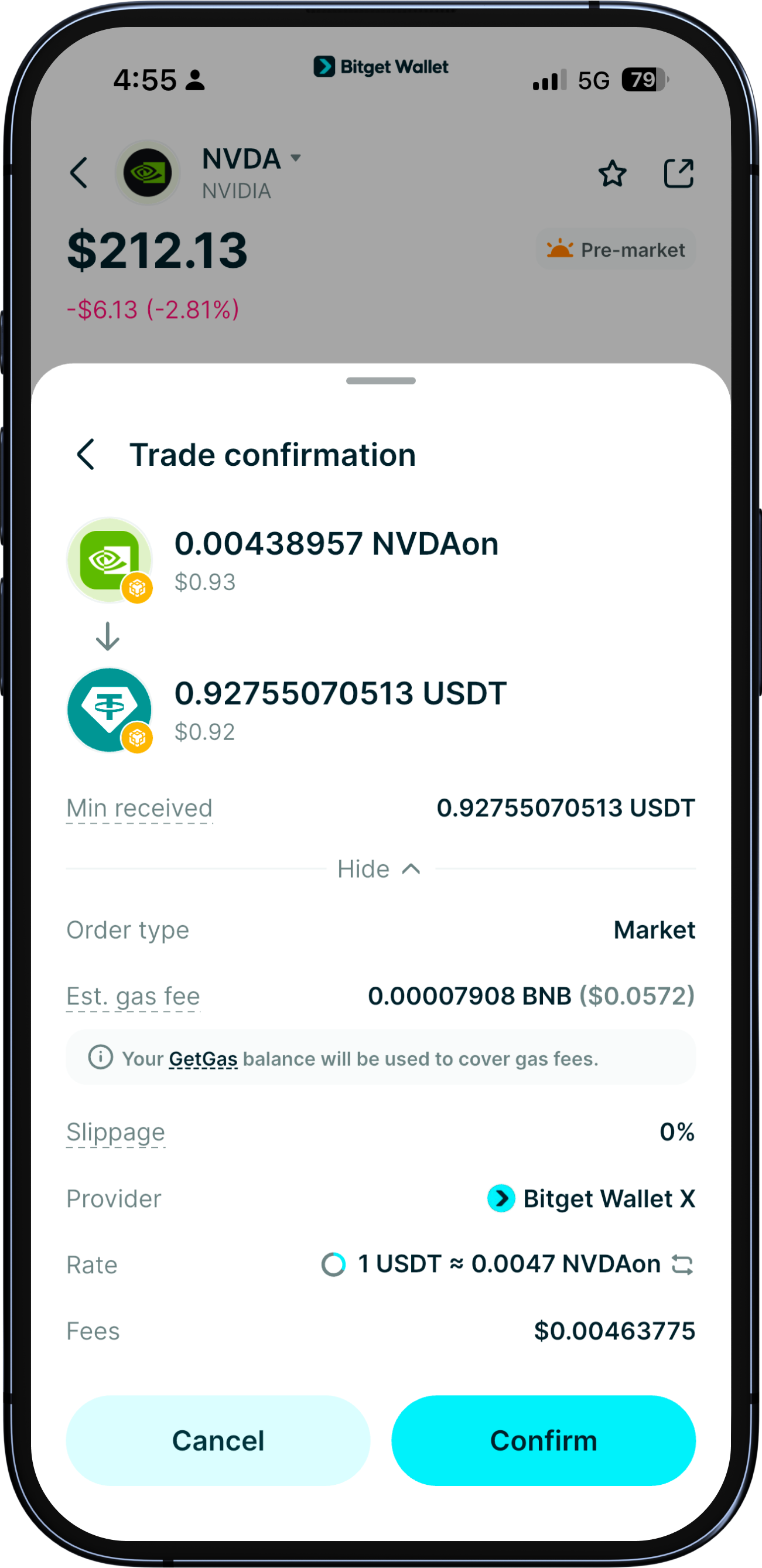
Tap "Buy" to see the order details. If everything looks correct, tap "Confirm" to place your order.
1
/
8
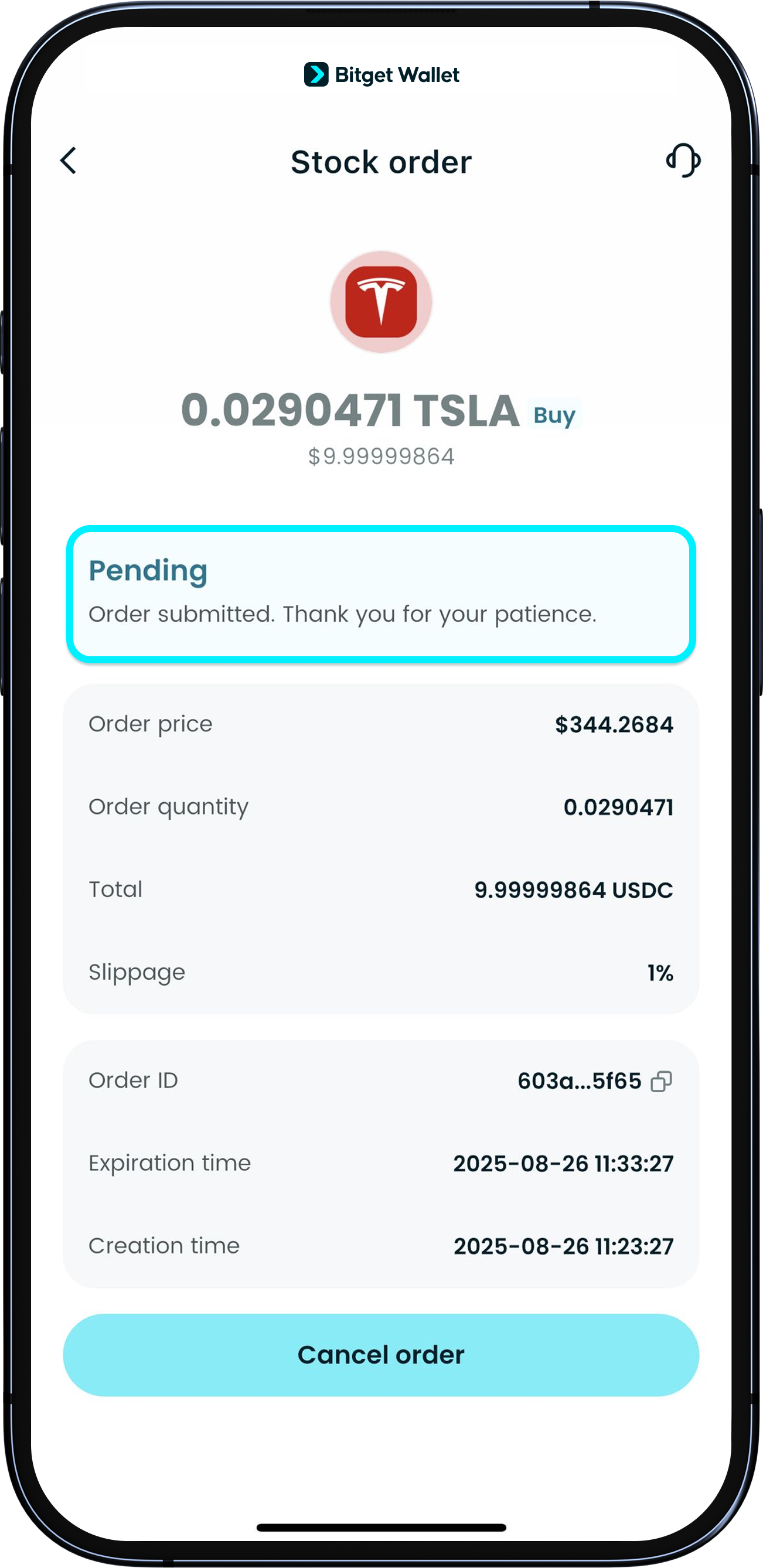
After you submit
The order status will show "Pending". You'll get a notification when your price condition is met and the order fills, and the status will update. You can also view your positions at the bottom portion of the "Stocks" page.
Note: if liquidity is low, the order might not fill even if the price condition is met.
1
/
8
Where are my funds after submitting
Your assets stay in your wallet until the order executes. Make sure you have enough balance, or the order won't fill.
1
/
8
Fees
A 0.5% trading fee and a network gas fee apply to every order, and a cross-routing fee may apply.<br><br>Review the final details and total cost on the confirmation screen before placing your order.
