



1
/
6
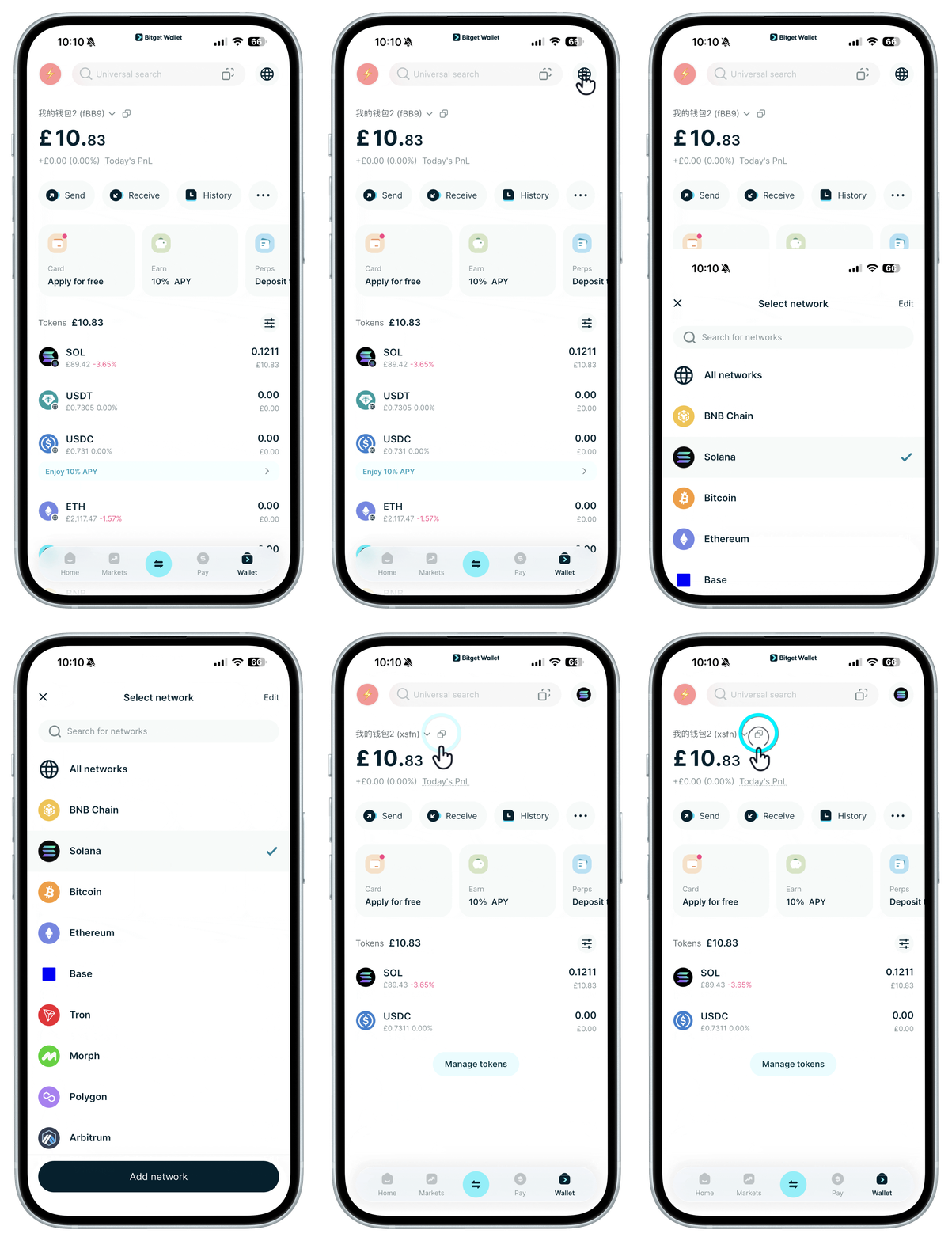
Find your receiving address in the wallet app
Method 1: Choose the correct receiving network and copy the matching wallet address.
<b>We recommend choosing the network you'll use most to reduce future fees and gas.</b> If you mainly trade meme coins, choose Solana.
Method 1: Choose the correct receiving network and copy the matching wallet address.
<b>We recommend choosing the network you'll use most to reduce future fees and gas.</b> If you mainly trade meme coins, choose Solana.
1
/
6
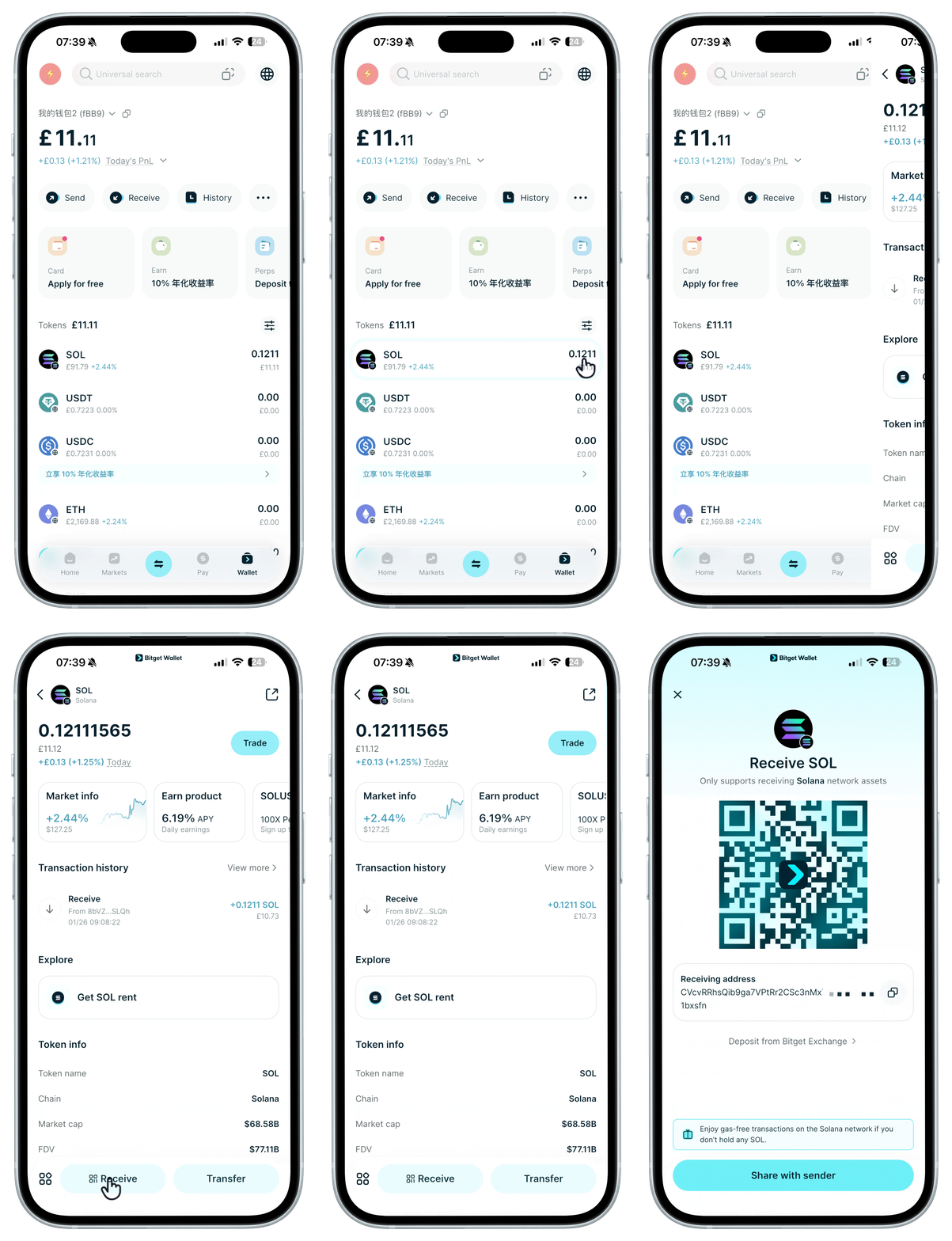
Find your receiving address in the wallet app
Method 2: Select the token and its network, then copy the wallet address.
1
/
6
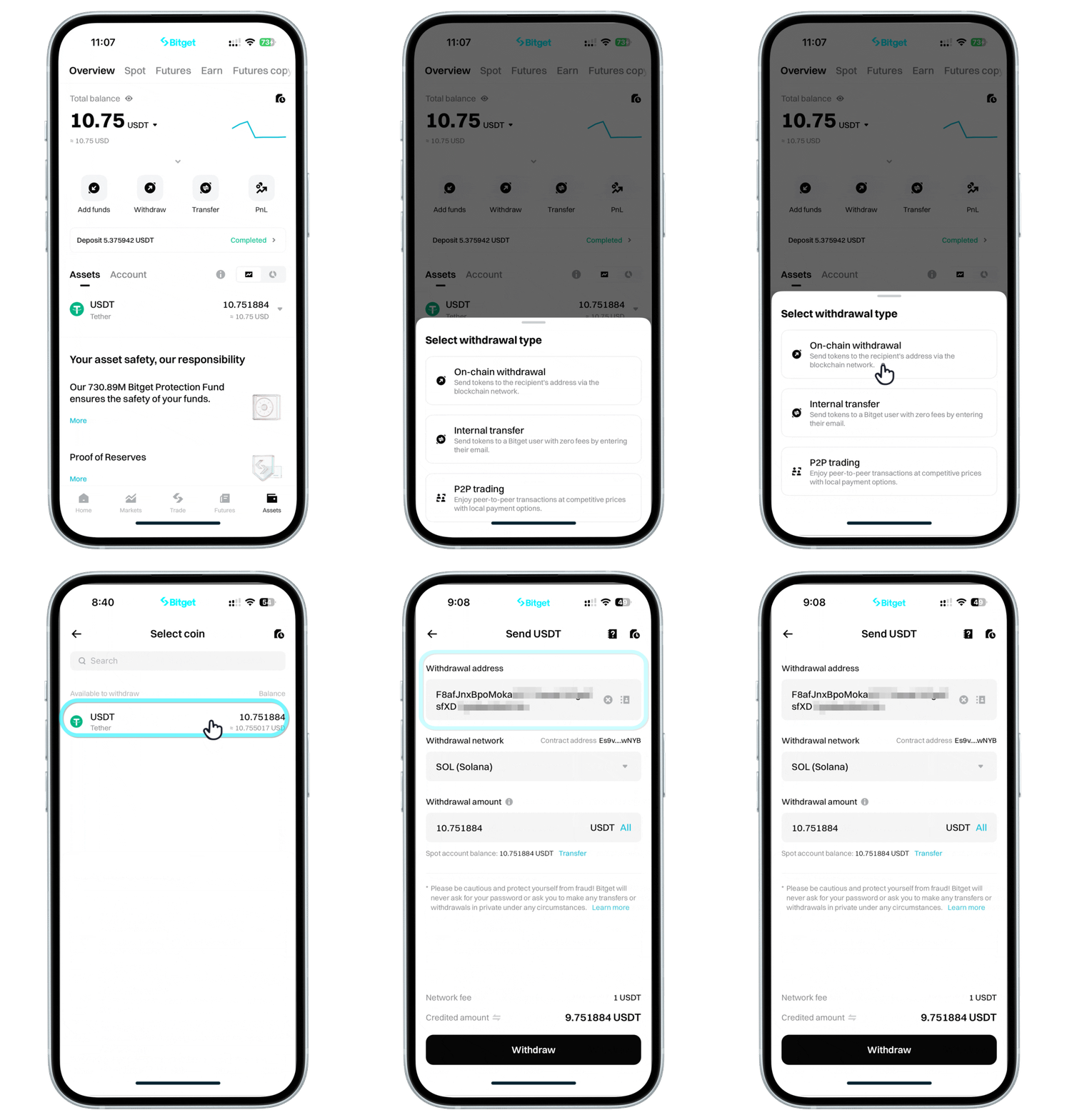
Withdraw in the exchange app
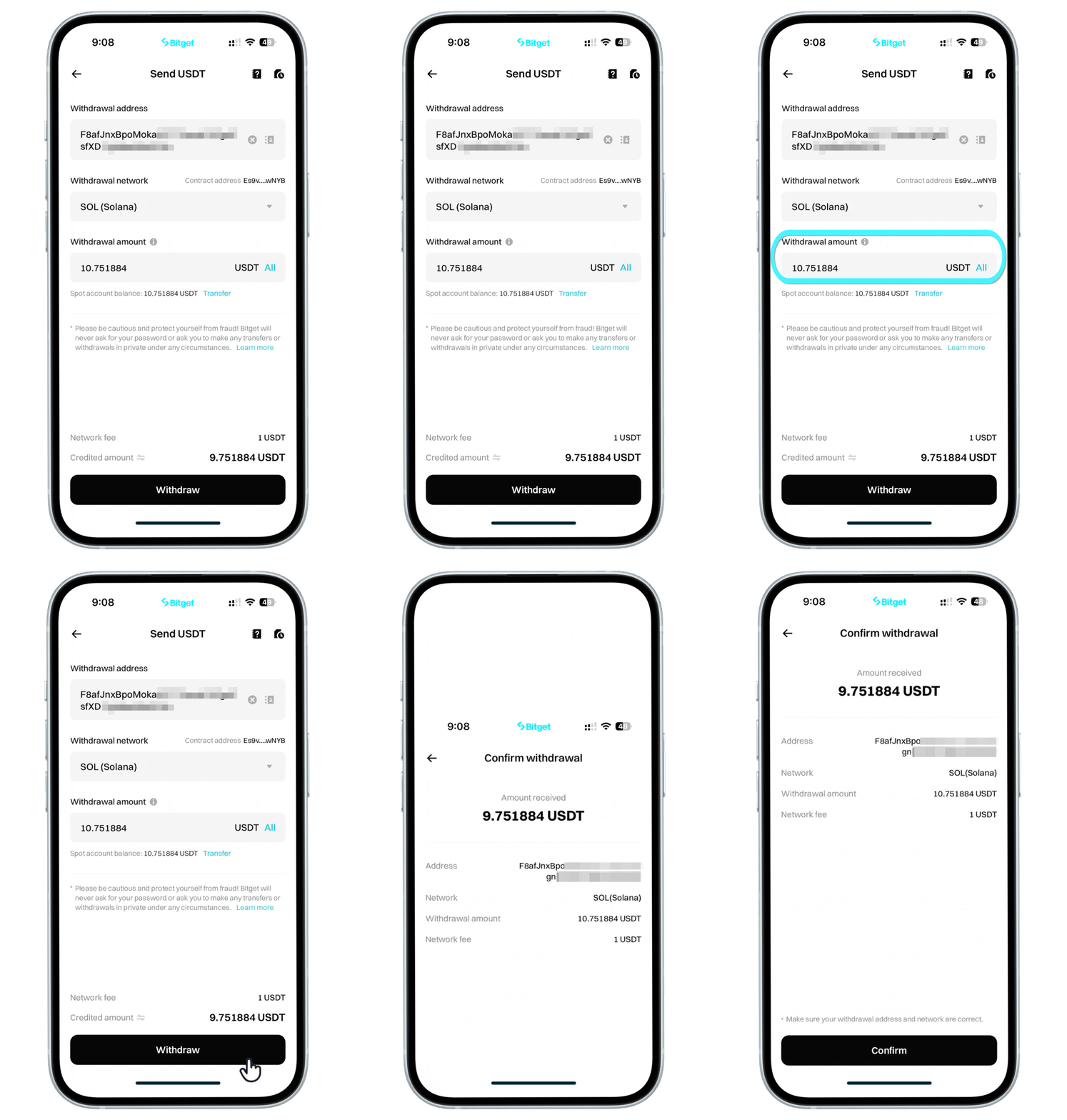
Open the exchange app and follow the steps to withdraw to your receiving wallet address. If you copied a Solana address, choose the Solana network.
<b>The withdrawal network must match the mainnet of the receiving address, or funds may be lost.</b>
1
/
6
Start withdrawal in the exchange
Withdrawals may incur fees (gas or network fees). We recommend withdrawing to the network where you plan to trade.
<b>Before placing order, double-check that the wallet address and the withdrawal network are correct and matching.</b>
1
/
6
Confirm and view withdrawal order
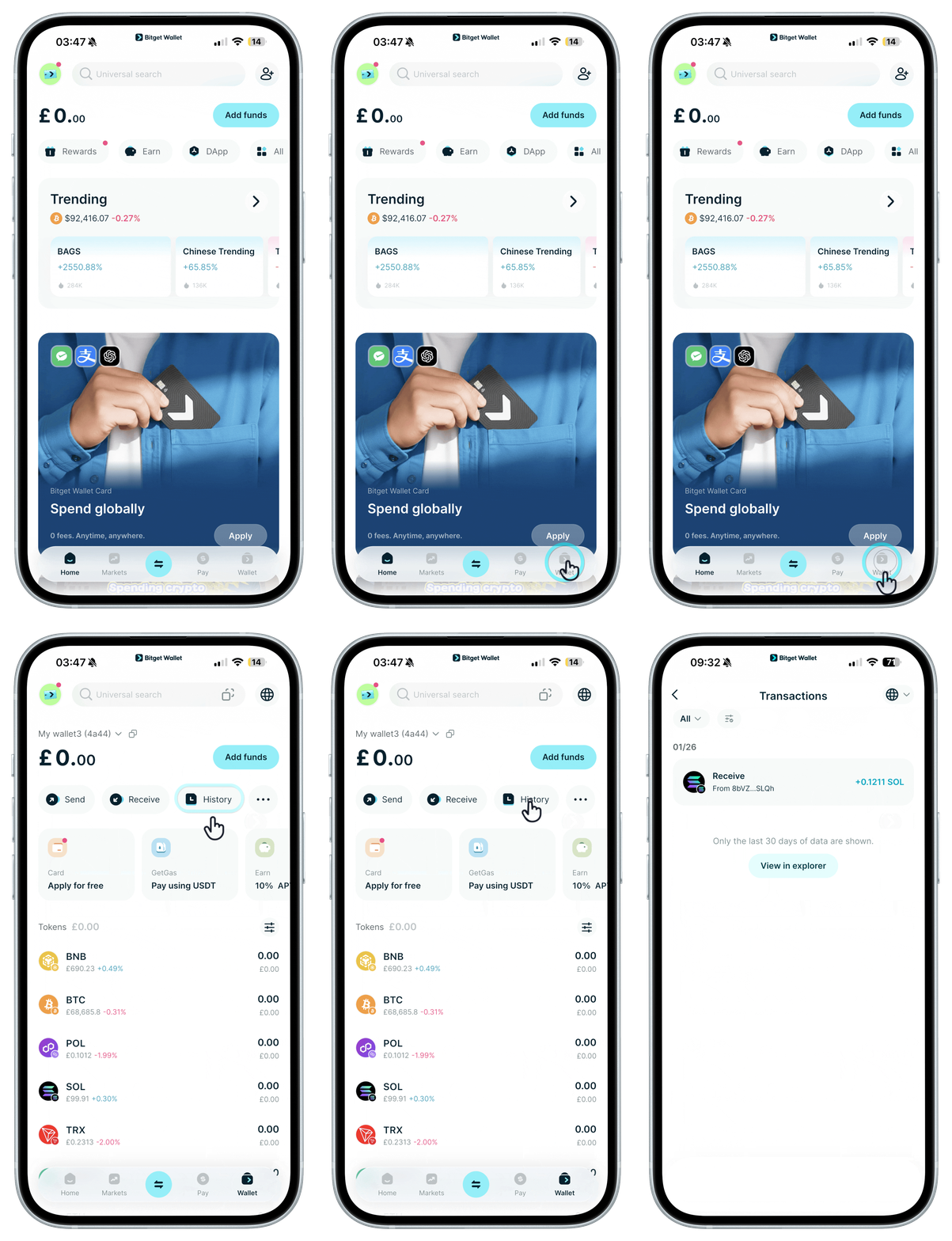
On-chain transfers usually arrive in 1–5 minutes. Once received, you'll get a notification and can view the order details in the Bitget Wallet App.
1
/
6
Confirm and view withdrawal order
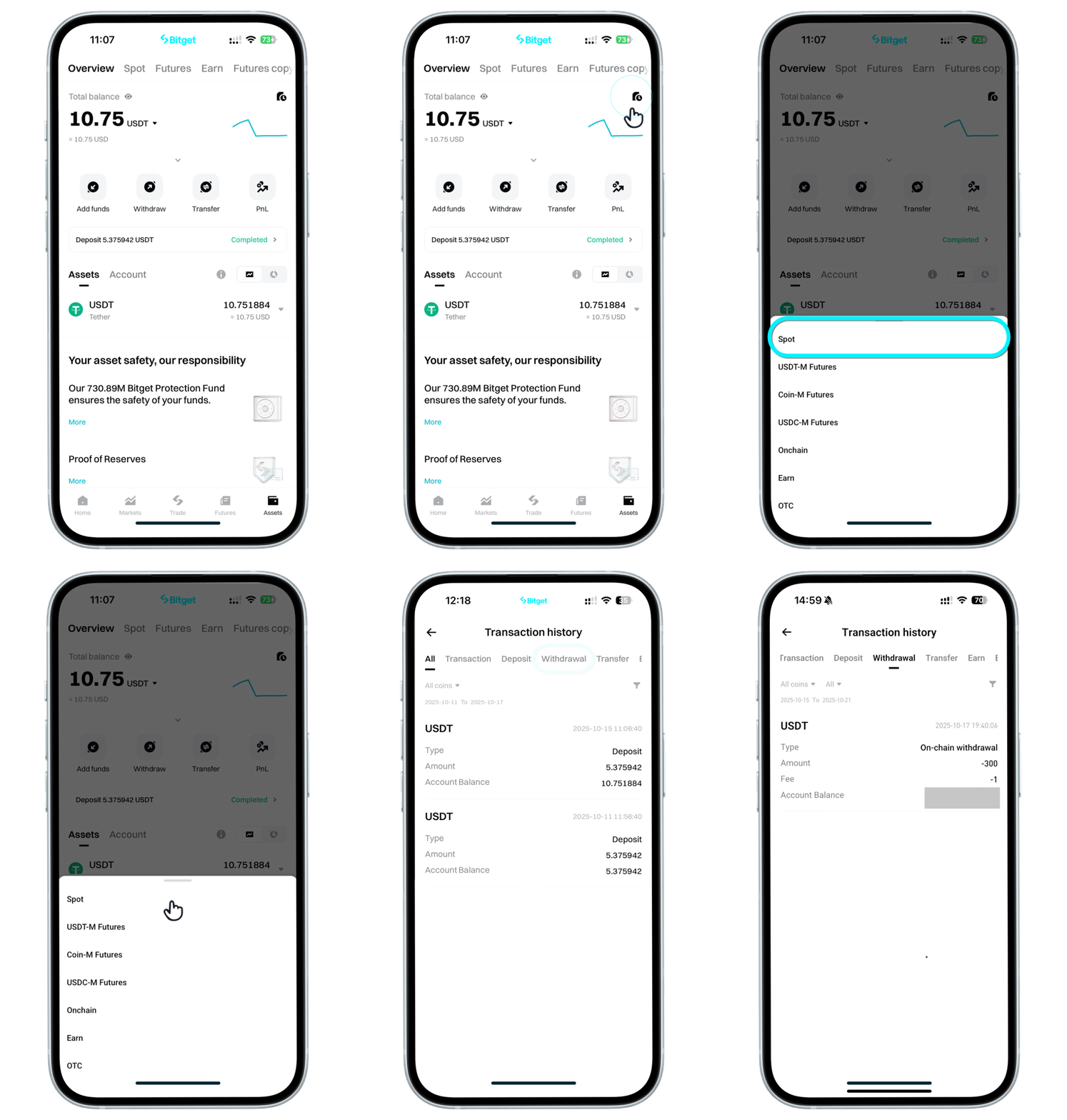
You can also view the order details in your exchange app. The example uses the Bitget app; other exchanges follow similar steps.