



1
/
6
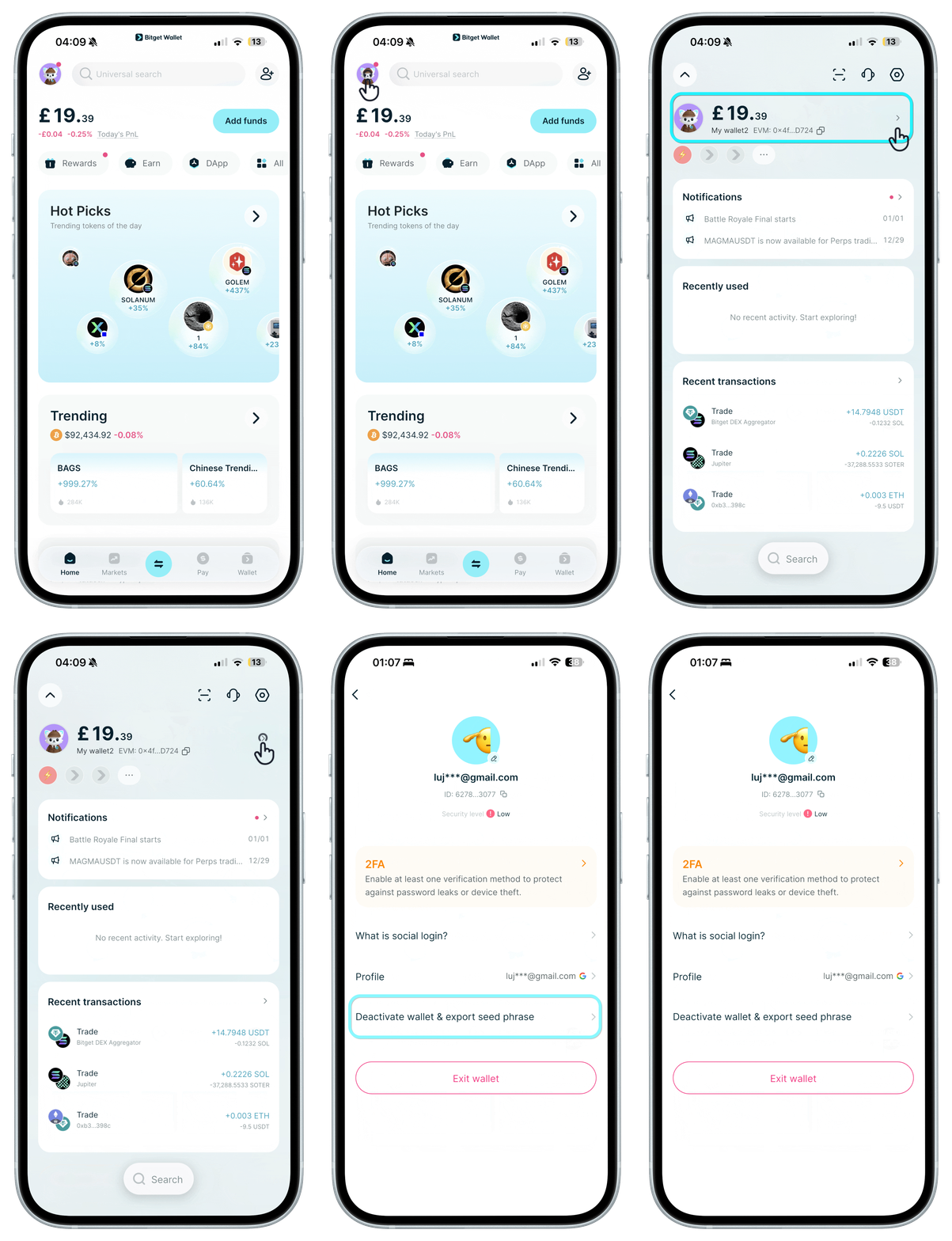
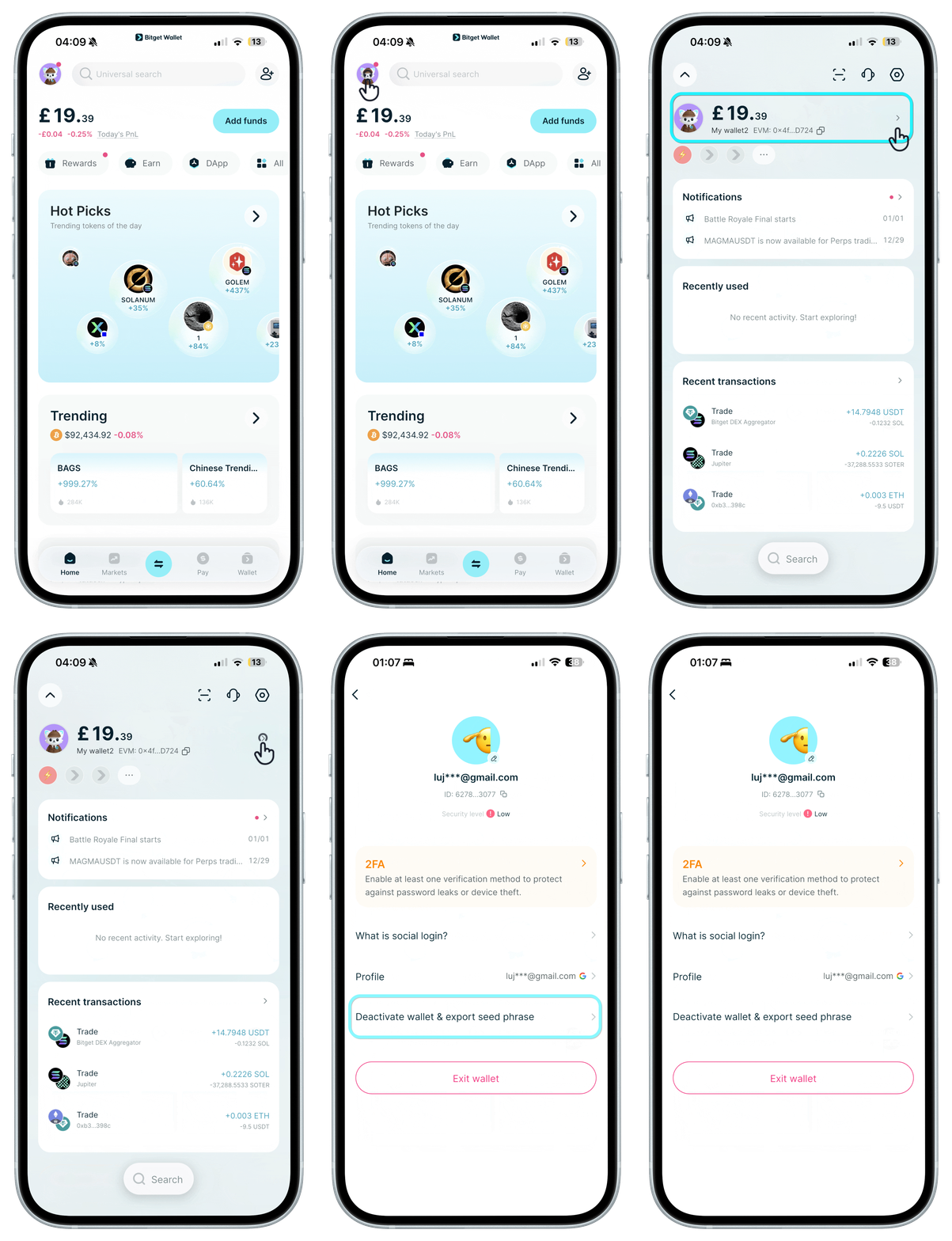
How to convert to a seed phrase wallet
On "Home", tap your avatar, then on the next screen tap your avatar again to access wallet settings. After converting, please back up your seed phrase immediately.
Note: This action is irreversible. Once converted, the original social login wallet will be deactivated. You can use that social account to create a new wallet again after 24 hours.
On "Home", tap your avatar, then on the next screen tap your avatar again to access wallet settings. After converting, please back up your seed phrase immediately.
Note: This action is irreversible. Once converted, the original social login wallet will be deactivated. You can use that social account to create a new wallet again after 24 hours.
1
/
6
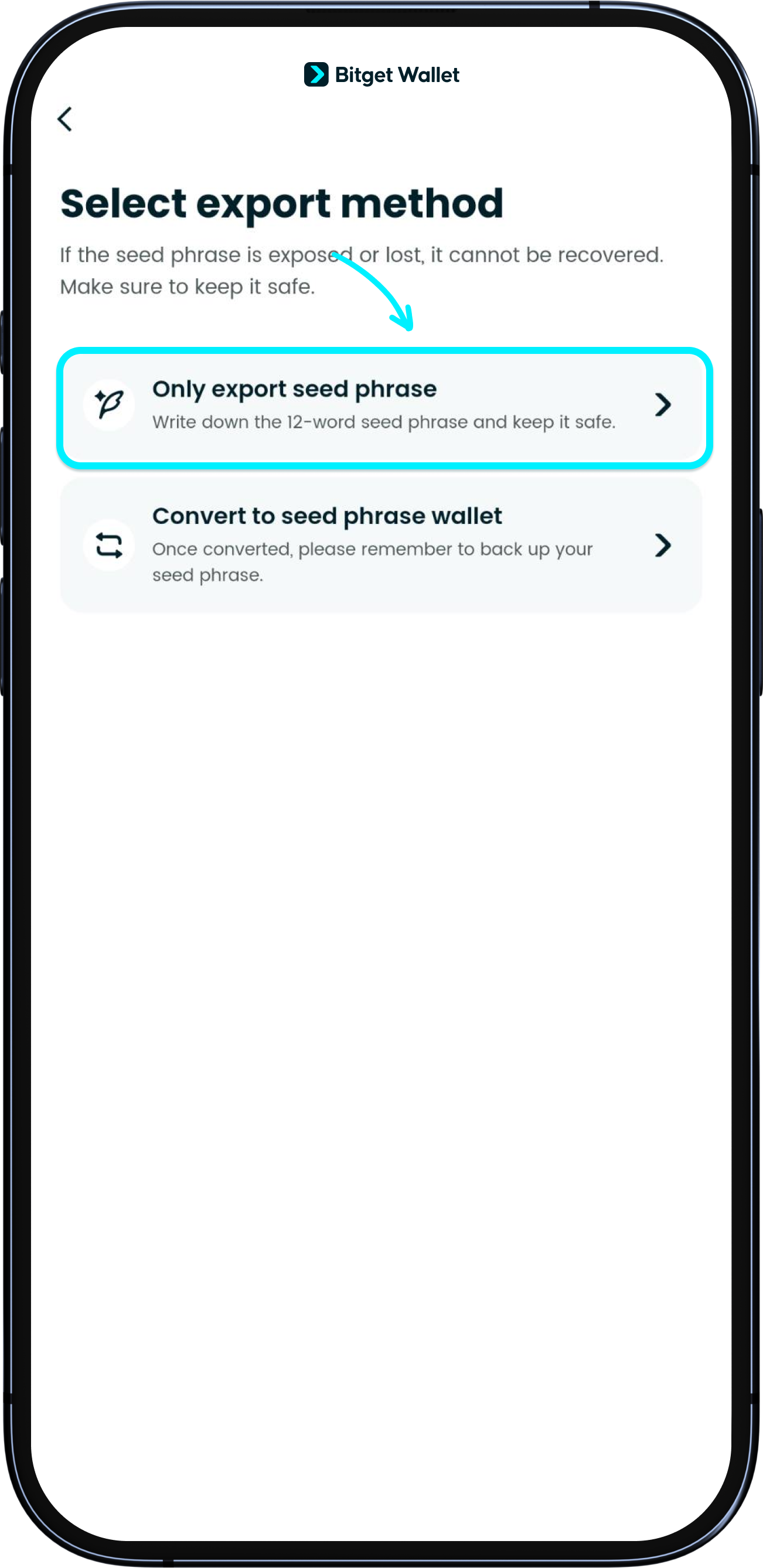
Only export seed phrase
When you choose this option, your <b>social login wallet will be deleted </b>. The seed phrase will be provided to you and will be <b>visible for only 24 hours. Please back up the seed phrase within this time</b>. You will have to use this seed phrase to restore and access your wallet yourself. If the seed phrase is lost, you may lose your assets.

1
/
6
Can I convert my seed phrase wallet to a social login wallet?
No. You can only convert a social login wallet to a seed phrase wallet.

1
/
6
Can I export the wallet to other apps?
Yes, once you have converted to a seed phrase wallet, you can use the seed phrase to import into other apps.
1
/
6
I deleted my wallet, but I can't create a new one immediately using the same social account
For security reasons, please wait 24 hours after deletion to create a new wallet linked with the same social account / email.
1
/
6
What happens to my Bitget Wallet Card after I switch?
Your Bitget Wallet Card is not affected. The card is bound to your wallet address, which remains the same after converting to a seed phrase wallet. No additional action is needed.