


1
/
4
Adding tokens to your wallet
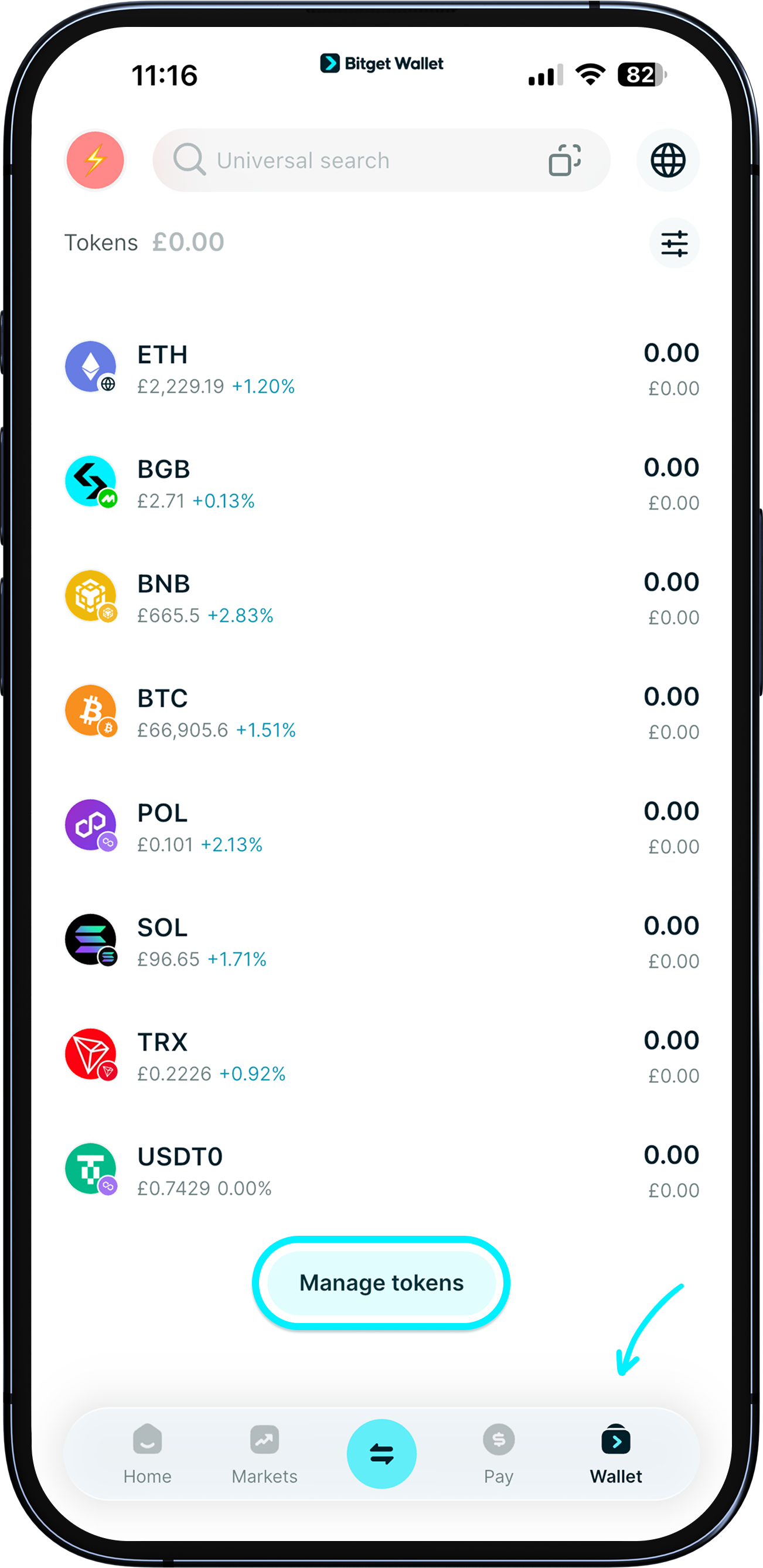
Our wallet supports millions of cryptocurrencies, which you can easily add and manage.
Go to "Wallet", tap on the "Token settings" icon > "Manage tokens" to add any token.
Our wallet supports millions of cryptocurrencies, which you can easily add and manage.
Go to "Wallet", tap on the "Token settings" icon > "Manage tokens" to add any token.
1
/
4
Adding tokens to your wallet
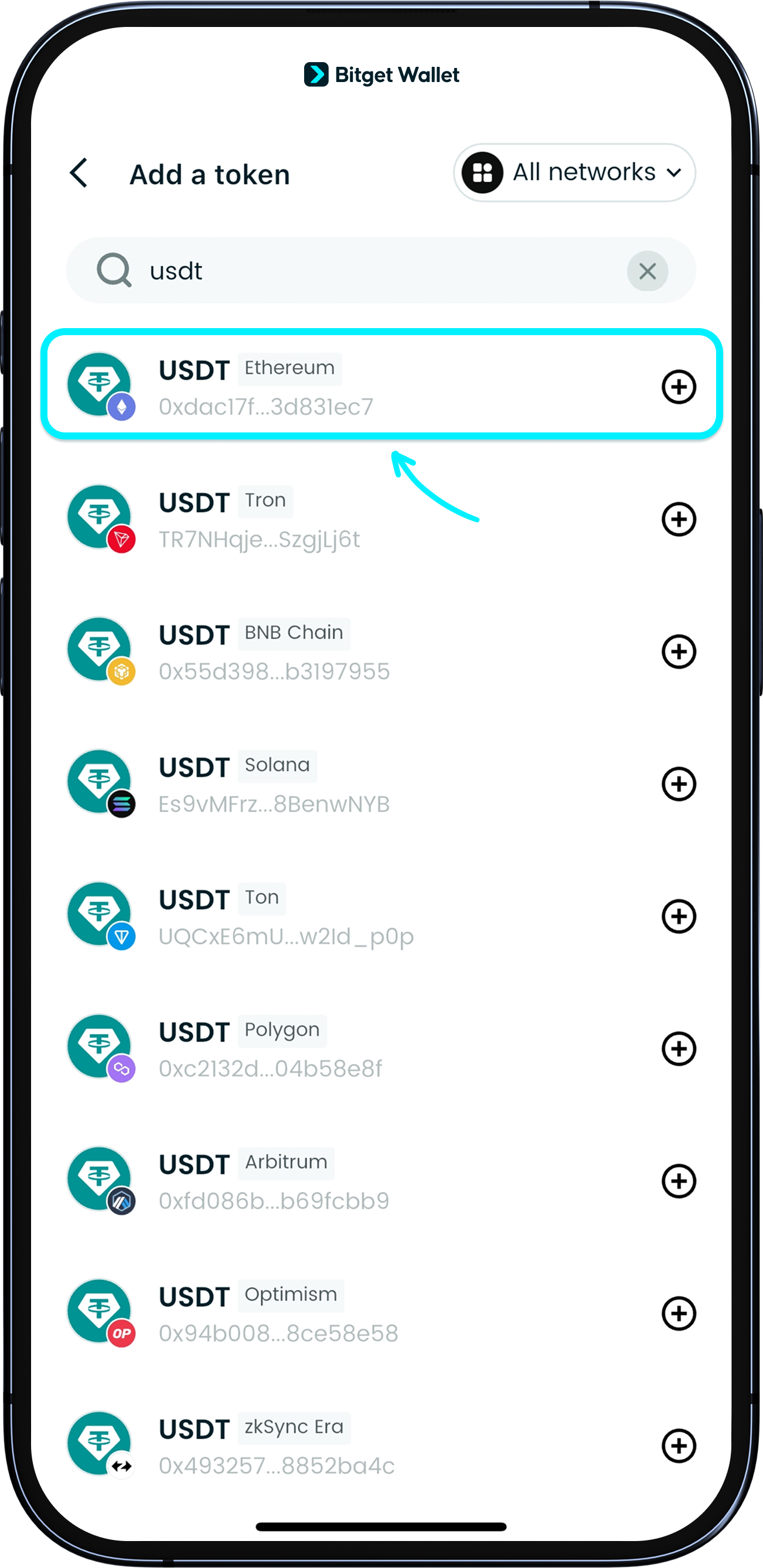
You can also search by token name or contract address (CA).
When adding popular meme coins, we recommend using the CA to avoid adding duplicate or fake tokens.
Some tokens are available on multiple networks. E.g., USDT (Ethereum), USDT (Solana), USDT (BNB Chain).
1
/
4
Adding tokens to your wallet
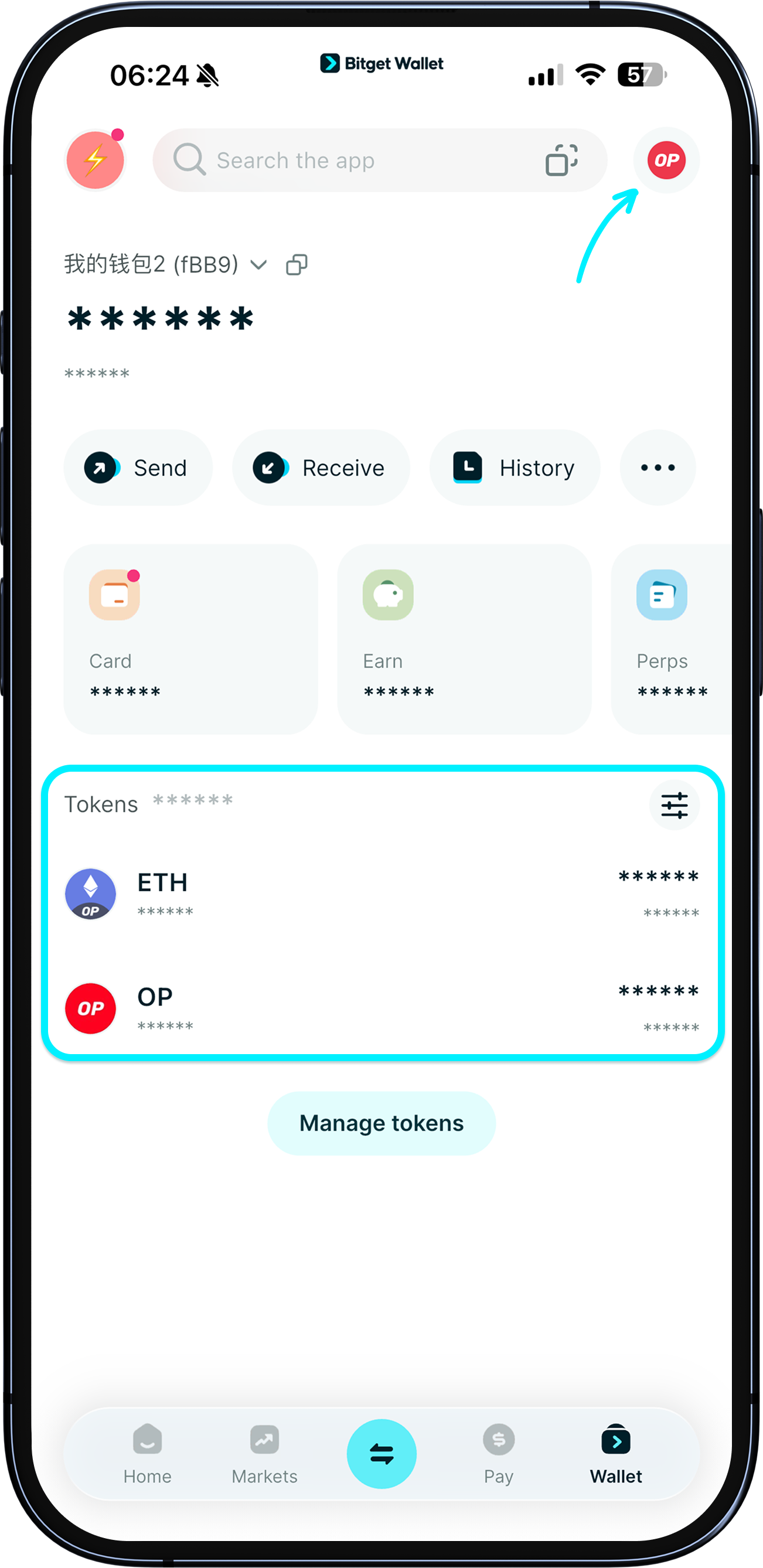
Once added, the token will appear in your wallet page.
1
/
4
Adding tokens to your wallet
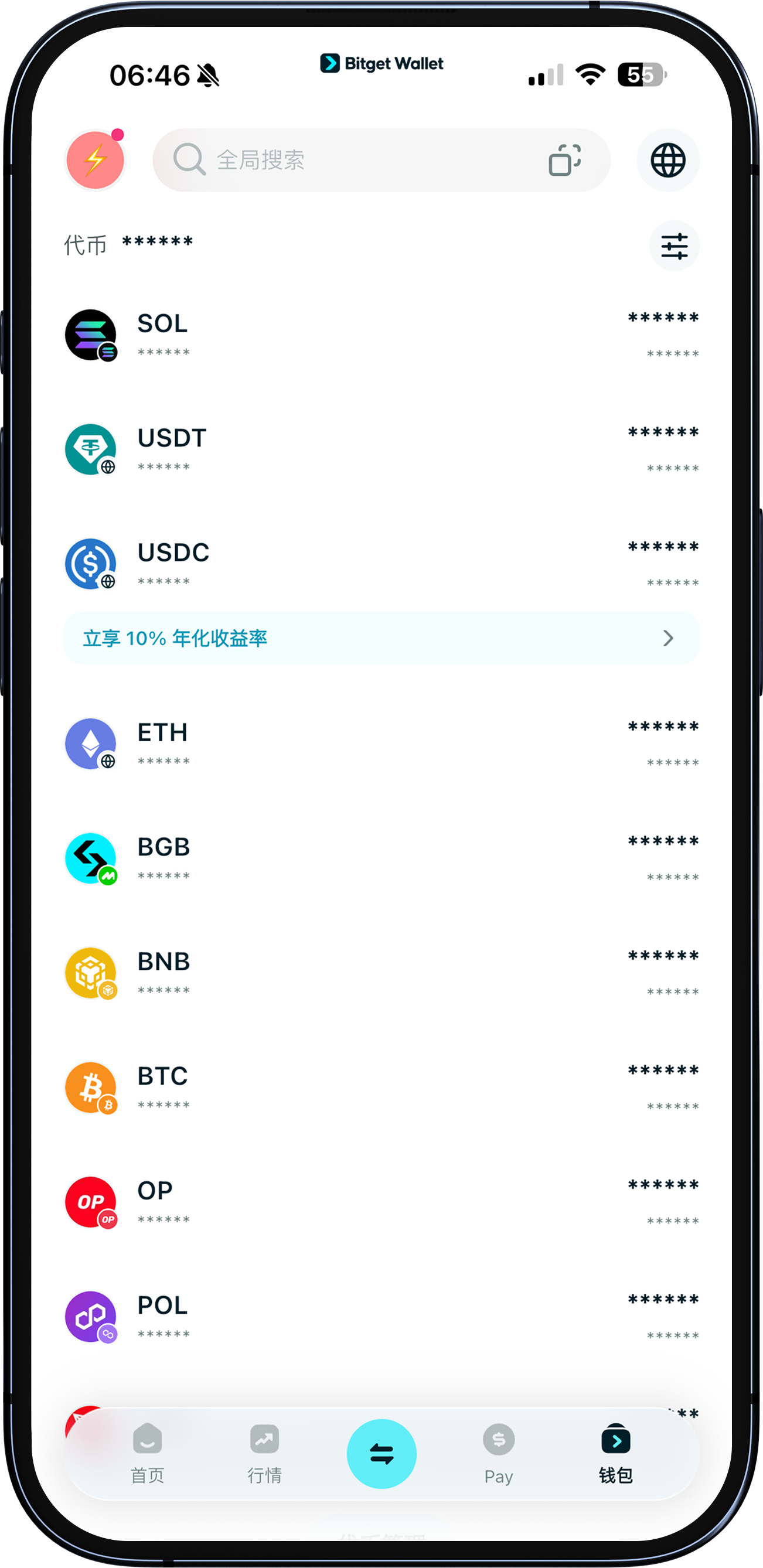
There are three common types of cryptocurrencies:
1. Native coins: Usually used to pay for gas fees and rewards. E.g., BTC for the Bitcoin network, and ETH for the Ethereum network.
2. Stablecoins: Typically pegged 1:1 to the USD, like USDT and USDC. They're issued on multiple networks, so be sure to choose the correct network address for transactions.
3. Meme coins: Inspired by internet culture, popular ones include DOGE, PEPE, and TRUMP.