


1
/
7
How do I apply for the Bitget Wallet Card?
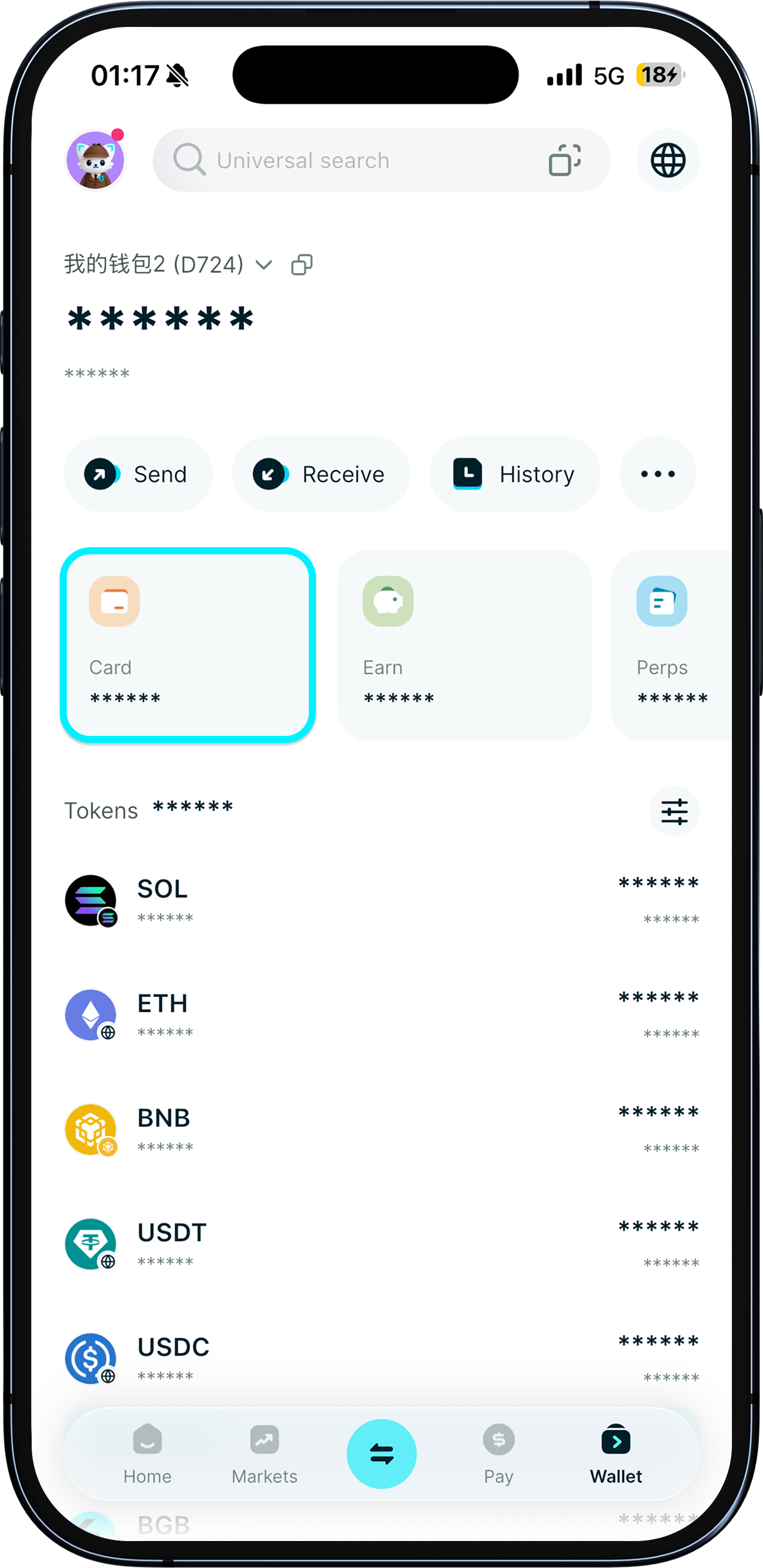
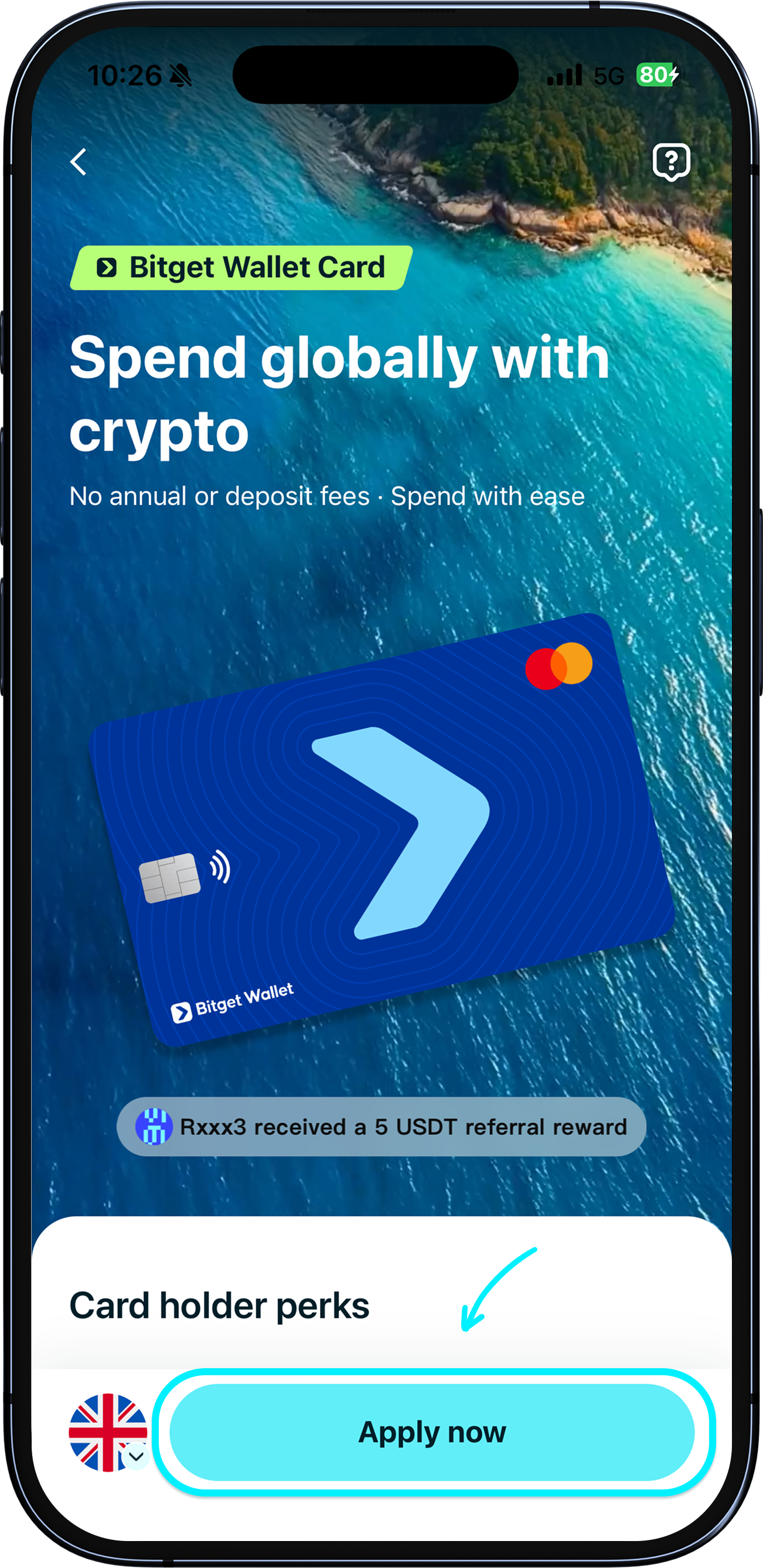
To apply for the Bitget Wallet Card, simply update your Bitget Wallet app to the latest version. Then, go to “Wallet” > “Card” and tap “Apply now”. Only seed phrase wallets or MPC wallets are supported. Private key wallets are not currently supported.
To apply for the Bitget Wallet Card, simply update your Bitget Wallet app to the latest version. Then, go to “Wallet” > “Card” and tap “Apply now”. Only seed phrase wallets or MPC wallets are supported. Private key wallets are not currently supported.
1
/
7
Who can apply?
Currently, the Bitget Wallet Card is available for residents of the European Economic Area (EEA), the UK, South Africa, select Latin American countries (Argentina, Brazil, Peru, Colombia, Mexico, Bolivia, Panama, Guatemala, Chile, Ecuador, Uruguay, and Paraguay), and Pakistan. <b>Please make sure your wallet holds at least $10 in crypto assets, and use an NFC-enabled phone for identity verification.</b>

1
/
7
Why do I need to hold assets in my wallet?
We aim to provide the card to users with genuine spending needs. Once you activate your card, it’s completely up to you whether you want to transfer assets to your card or withdraw them at any time. There are no mandatory holds or restrictions.
1
/
7
How to apply and verify identity
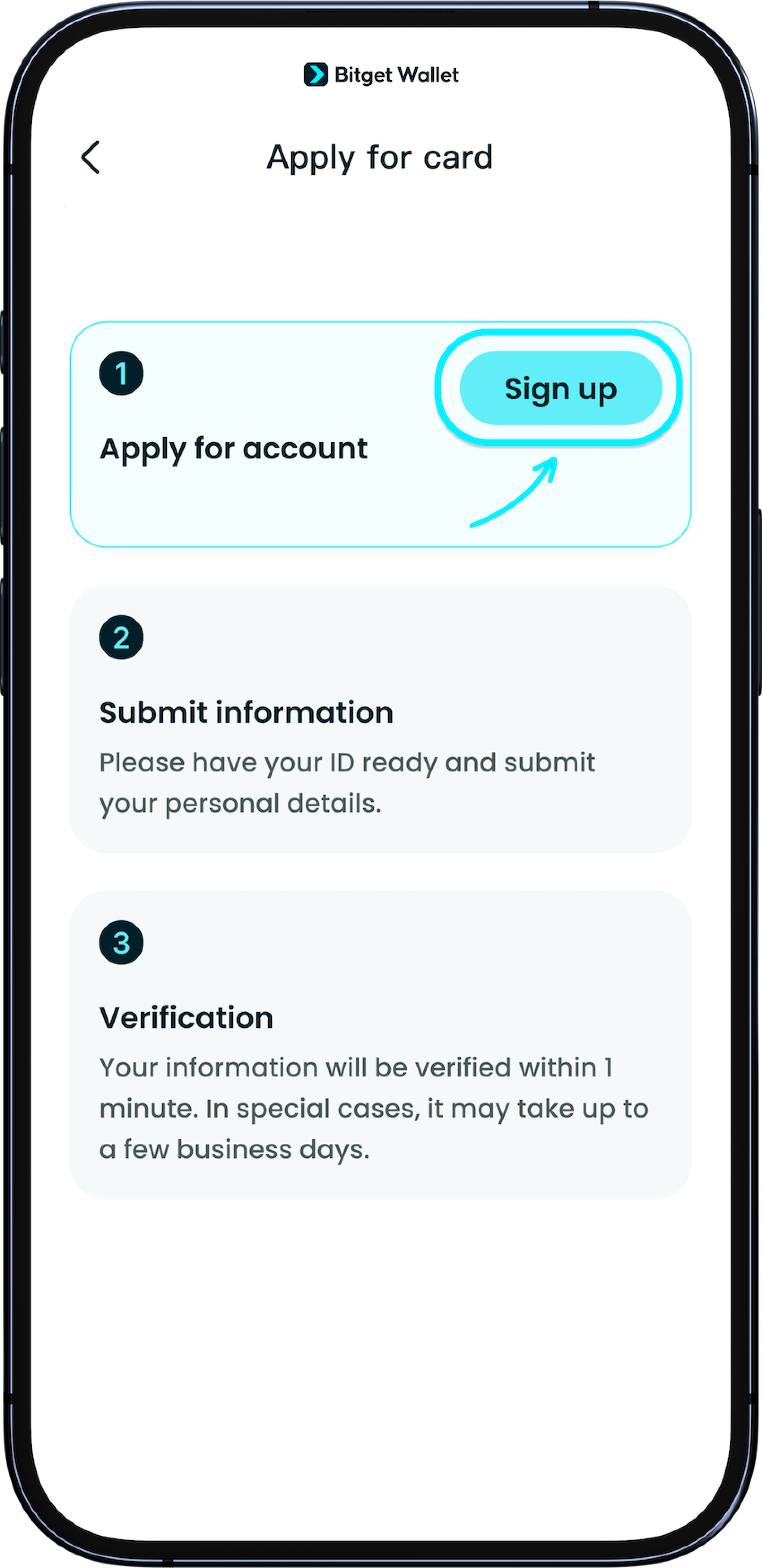
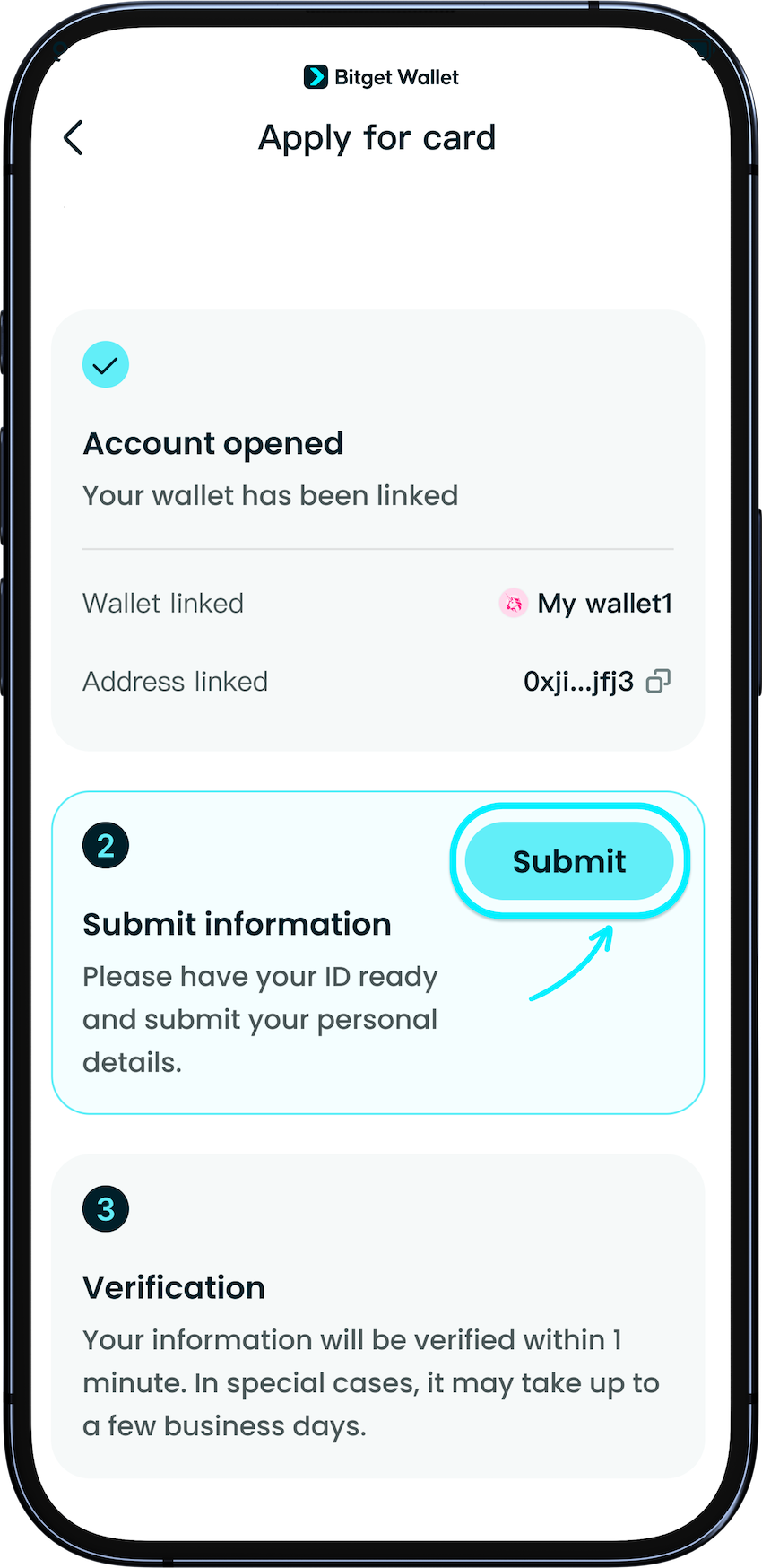
Tap “Apply now” to start your card application. Follow the instructions to register your account and submit your identification. <b>Please use an ID card, passport, or driving license with at least three months of validity.</b> If you receive a prompt saying your document can’t be used, it may be expiring soon. Please use a document with a longer validity period, or you may apply using a direct family member’s ID.
1
/
7
Identity verification problems
After submitting your application, approval should take 1–2 minutes. If identity verification fails, or if a manual verification is required, we’ll notify you by email. Please follow the instructions to provide any additional documents or resubmit your information. In such cases, verification would take 1–3 days.
<b>Note: If you wish to edit your particulars, or if you haven't received any notifications after a week, please contact our customer service for assistance.</b>

1
/
7
How do I make changes to my application?
Please send the changes you require with the accompanying documents to our customer support. We will take 1–3 days to help you process your changes.

1
/
7
Is there a physical card?
A physical card is currently in development – stay tuned!
