



1
/
9
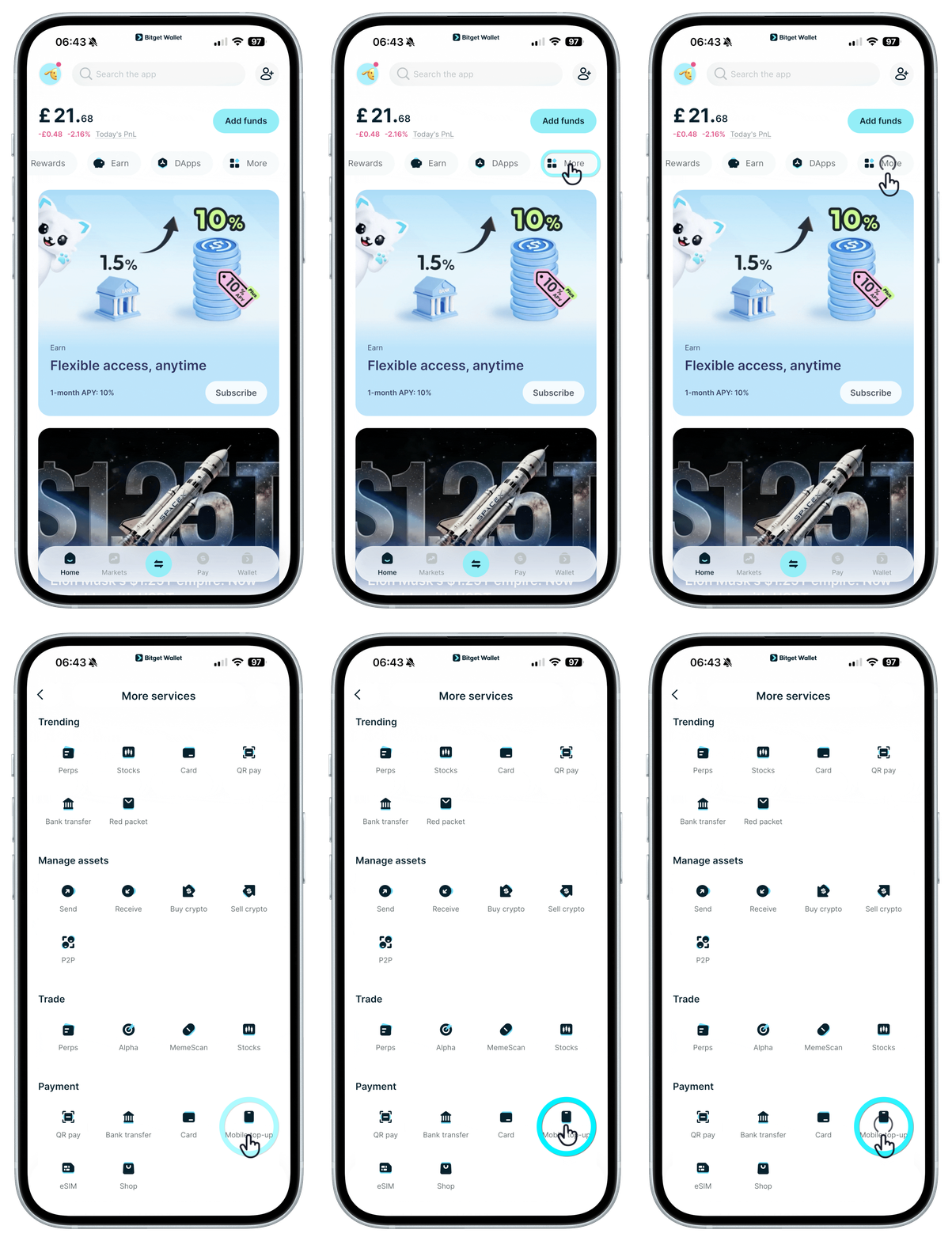
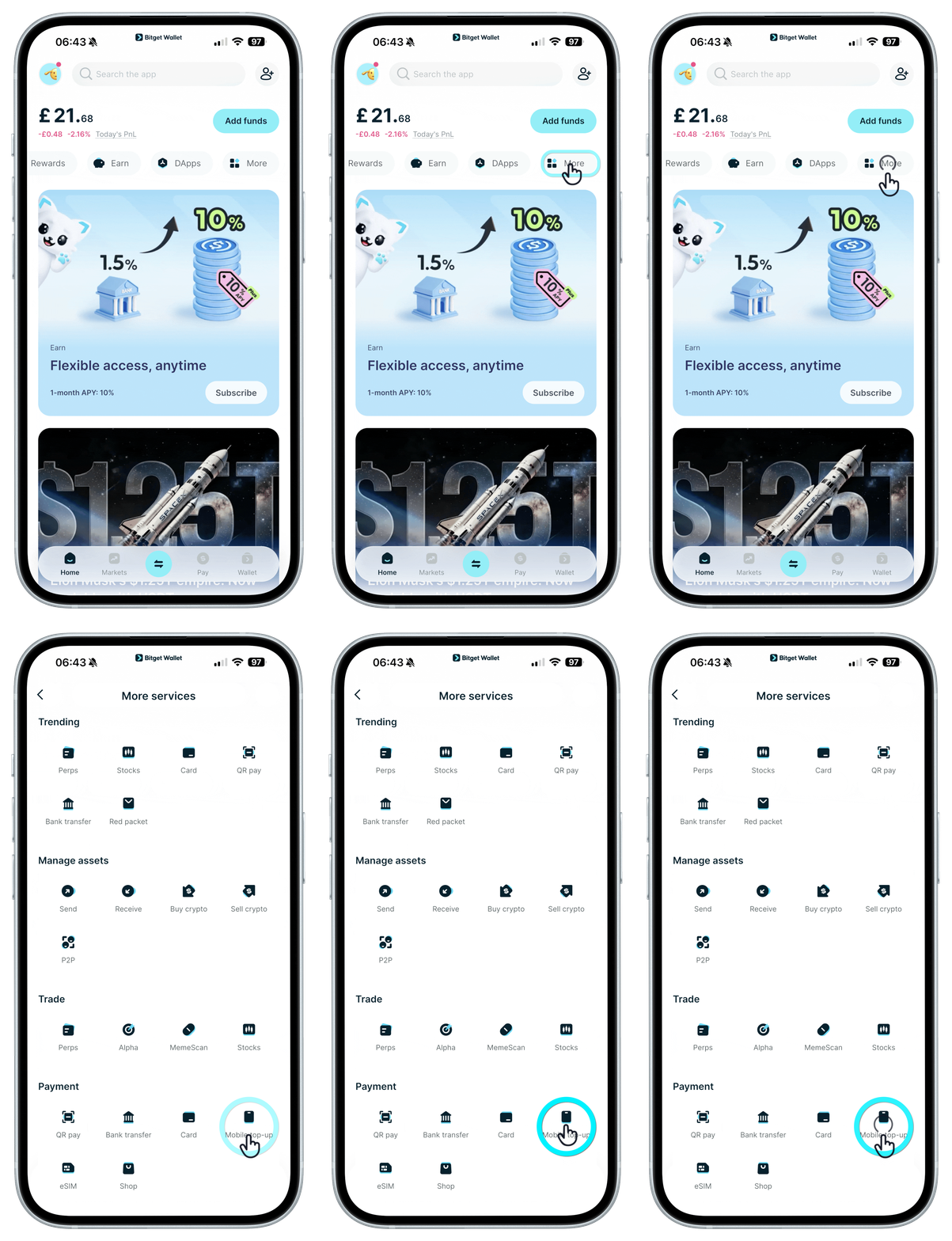
Top up your mobile with crypto
<b>Top up mobile phones worldwide instantly using only your crypto.</b> With Bitget Wallet, you can send airtime, data, or bundles to prepaid numbers across 150+ countries and 600+ operators. All you need is the phone number to top up to!
<b>We currently support top-ups using USDT and USDC on Ethereum, Solana, TRON, Base, TON, and BNB Chain.</b>
<b>Top up mobile phones worldwide instantly using only your crypto.</b> With Bitget Wallet, you can send airtime, data, or bundles to prepaid numbers across 150+ countries and 600+ operators. All you need is the phone number to top up to!
<b>We currently support top-ups using USDT and USDC on Ethereum, Solana, TRON, Base, TON, and BNB Chain.</b>
1
/
9
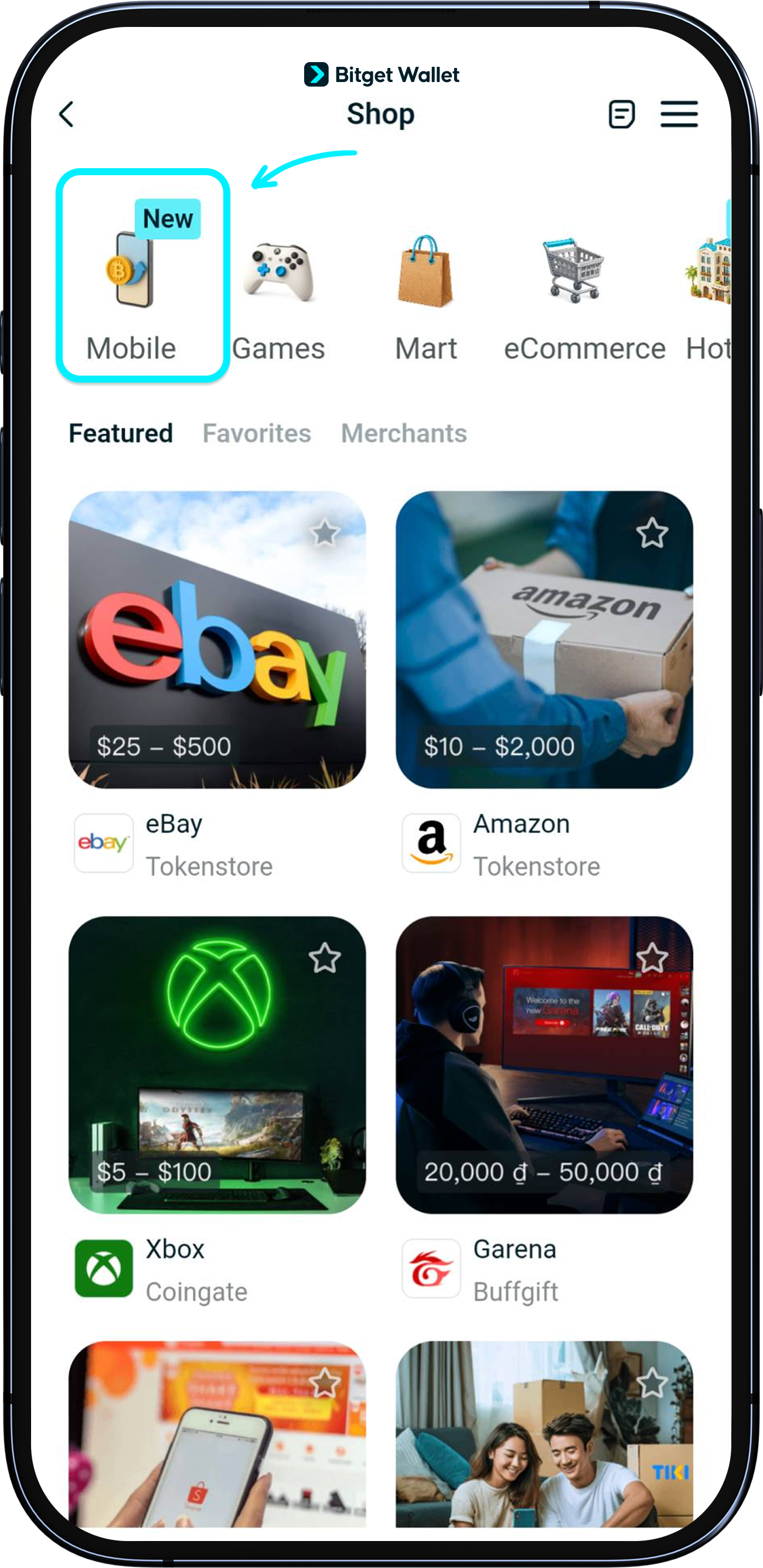
Go to the "Mobile top-ups" page
First, update your Bitget Wallet app to the latest version. Then visit "Shop" > "Mobile"
1
/
9
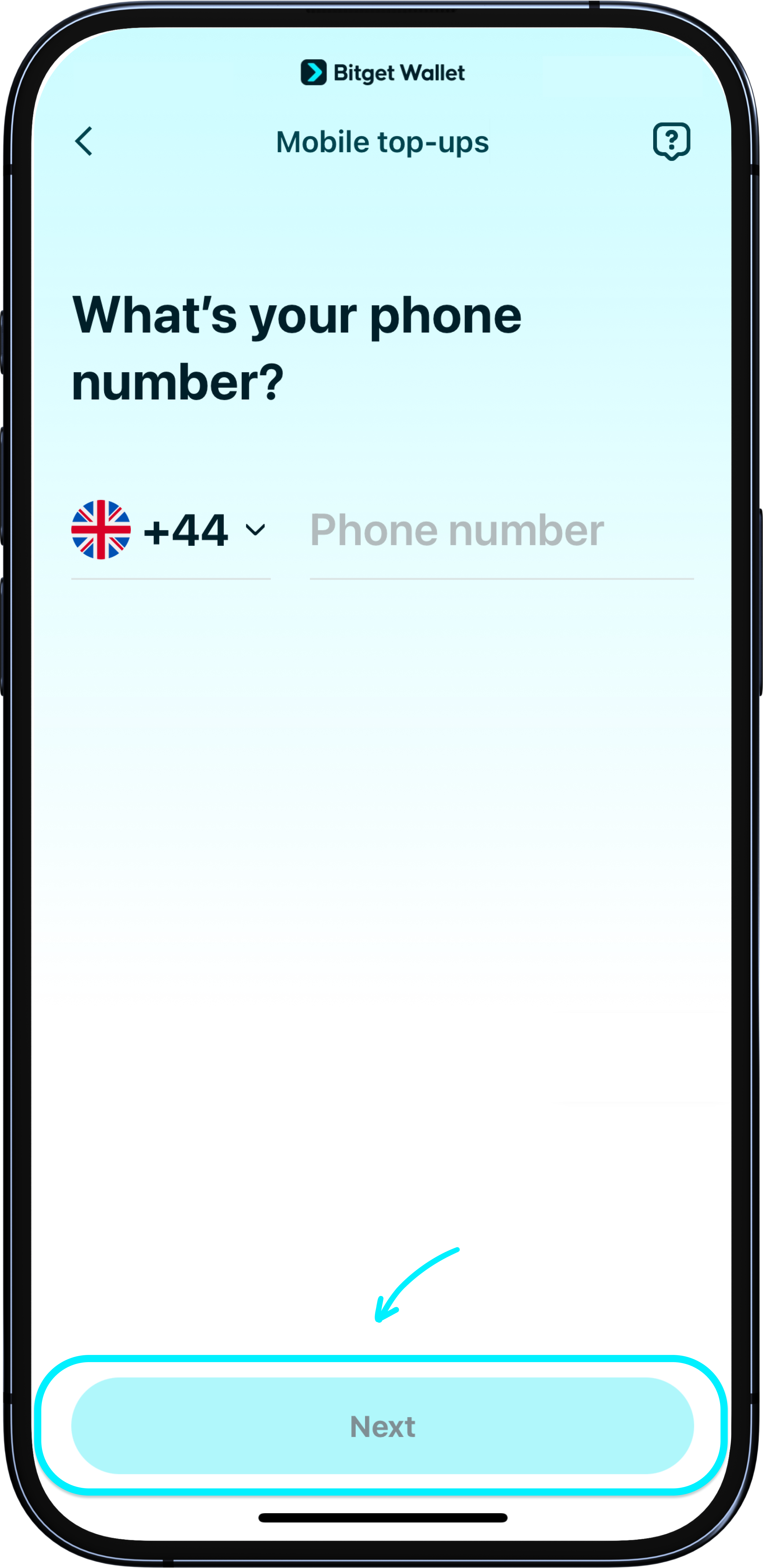
Enter prepaid mobile number
Enter the mobile number to top up to. <b>Only prepaid mobile numbers are accepted.</b> This can be your own number, or a friends' or family members', locally or globally.
<b>If you can't find your country code in the list, we're currently not supporting mobile top-ups in your country.</b>
Once you have entered a number, it will be saved under "Recently used". Tap "Next" to continue.
1
/
9
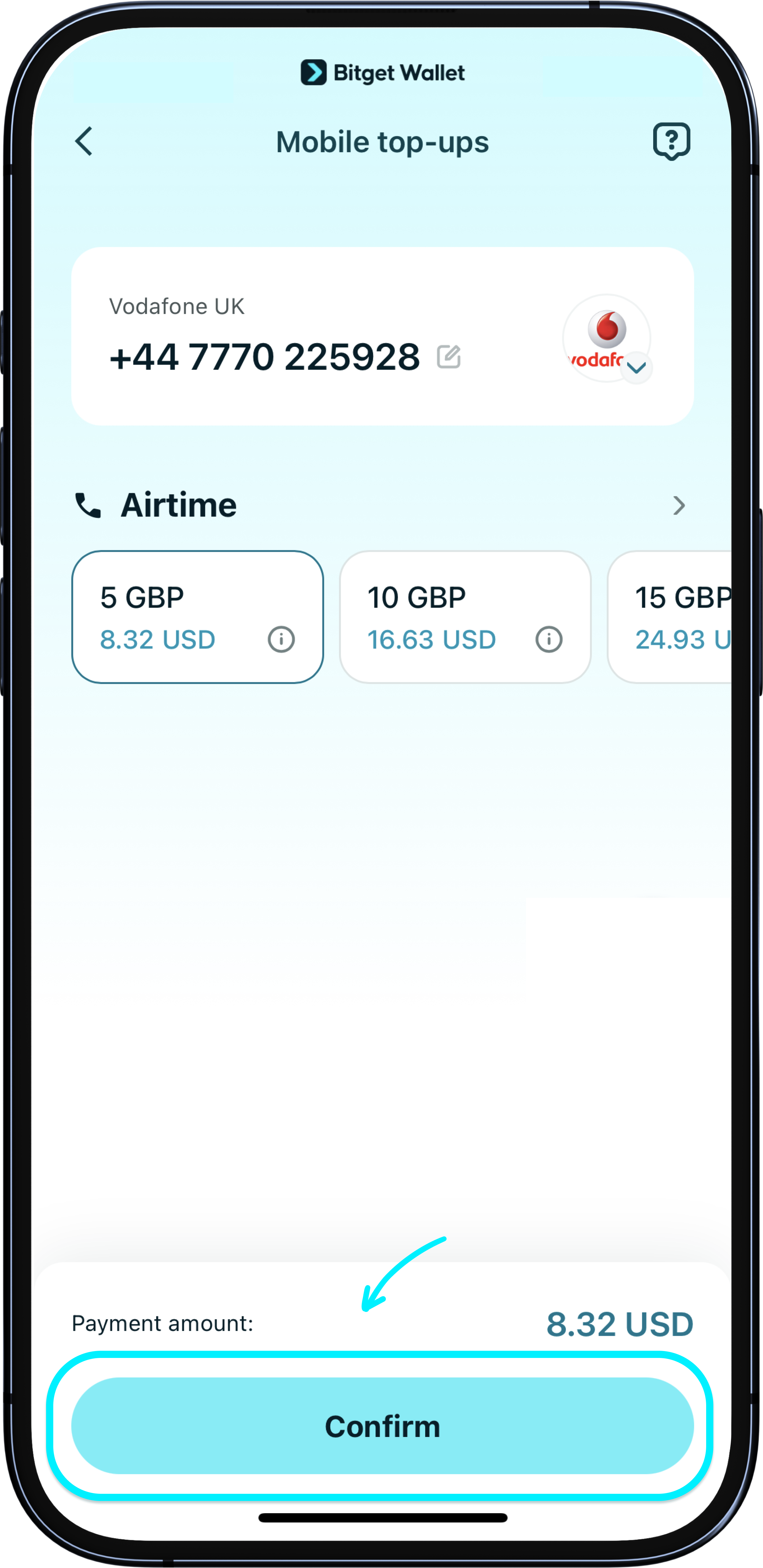
Pick a network provider and top-up package
We will automatically detect your mobile number's network provider. You can also switch providers by tapping the provider icon. Make sure your number and provider are correct before proceeding.
Here, you can also choose from the top-up packages offered by the provider. Tap "Confirm" to continue.
1
/
9
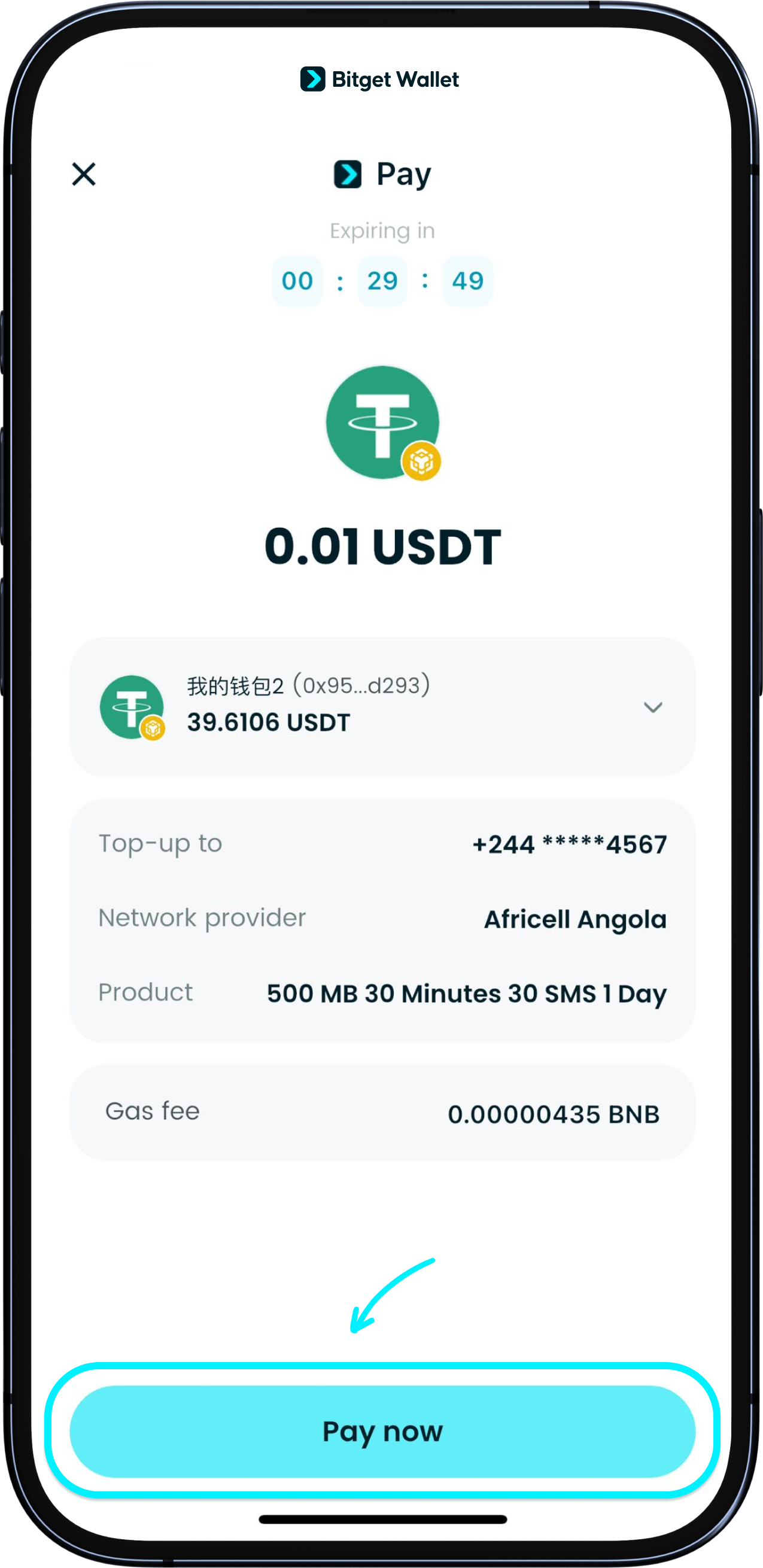
Choose payment token and prepare gas fees
The default payment token will be the one you have the most of. You can also tap on the arrow to change it.
A small amount of gas fee is required for this transaction. So make sure you have enough native coins of the network your payment token is on. You can also use GetGas for a more seamless gas payment. Tap "Pay now" to make the payment.
1
/
9
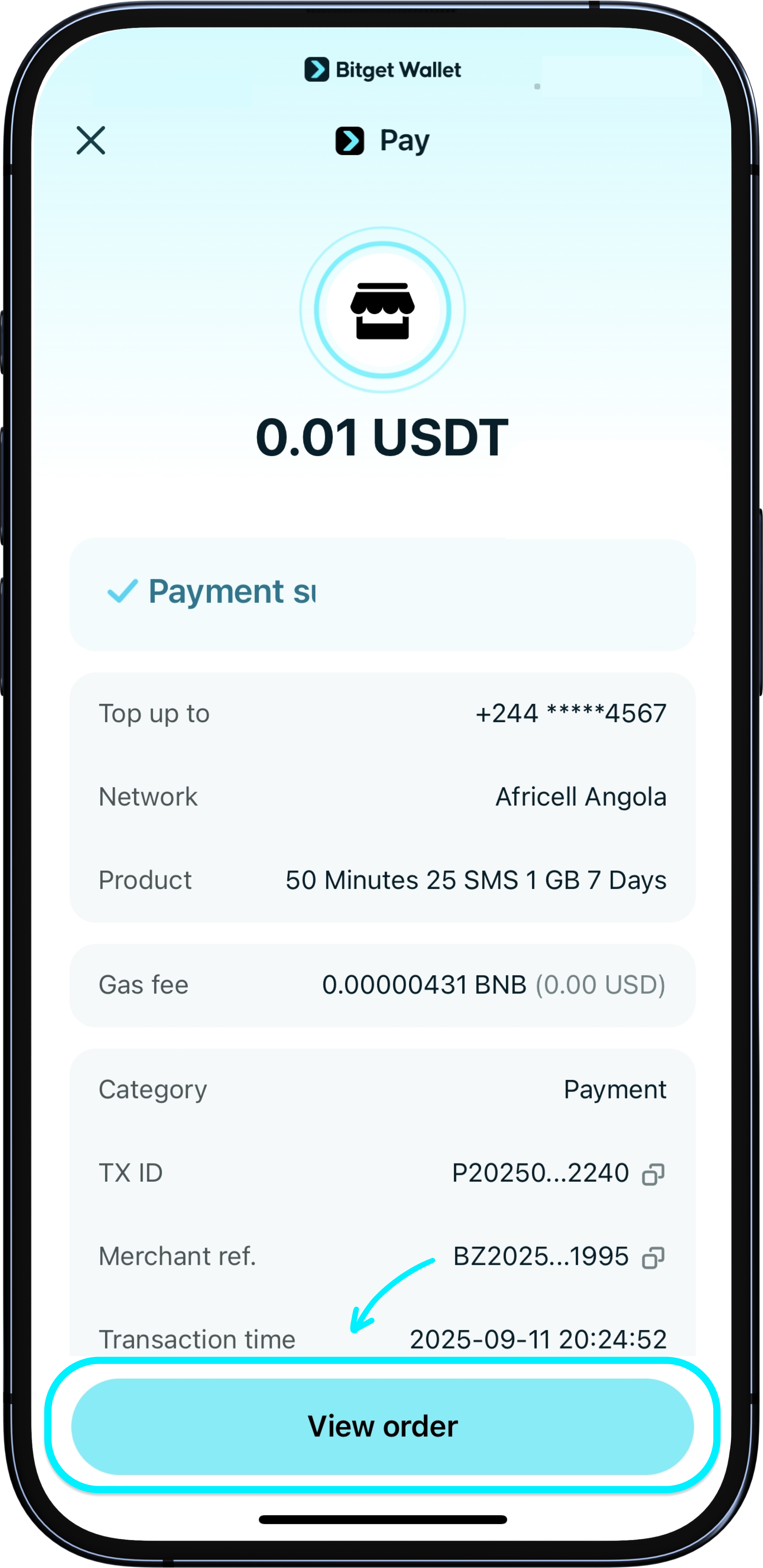
Mobile top-up complete
Once payment is confirmed, you'll see a success confirmation in the app. You may also get an SMS from your network provider. You can also check the status in "Recharge history".
<b>Your mobile phone will usually be topped up within seconds. Some providers may take up to 10 minutes.</b>

1
/
9
What do I do if payment fails?
The network provider may have rejected the payment, or there might have been an error. Bitget Wallet will refund the paid amount into your wallet within 24 hours.
1
/
9
Payment succeeded but my mobile was not topped up
First, check if the mobile number is correct, and that it is a prepaid number. Please wait for at least 10 minutes to see if the top-up is delayed.
If you still haven't received your top-up after 15 minutes, please contact our customer support and quote your "transaction ID".
1
/
9
I entered the wrong number. Can I cancel or refund?
<b>Once a top-up is processed, it cannot be reversed or refunded. Always double-check the number and network provider before confirming.</b>