



1
/
5
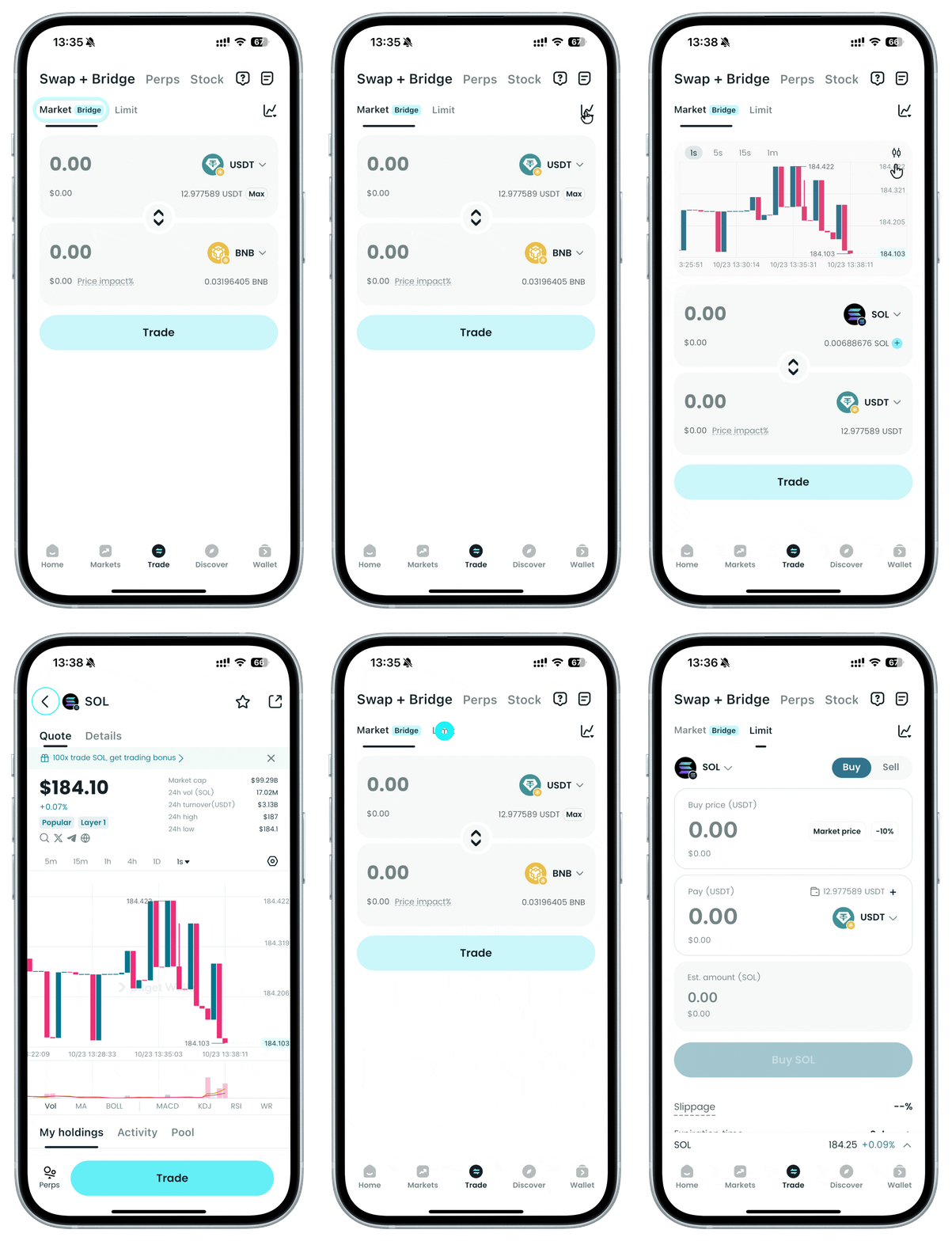
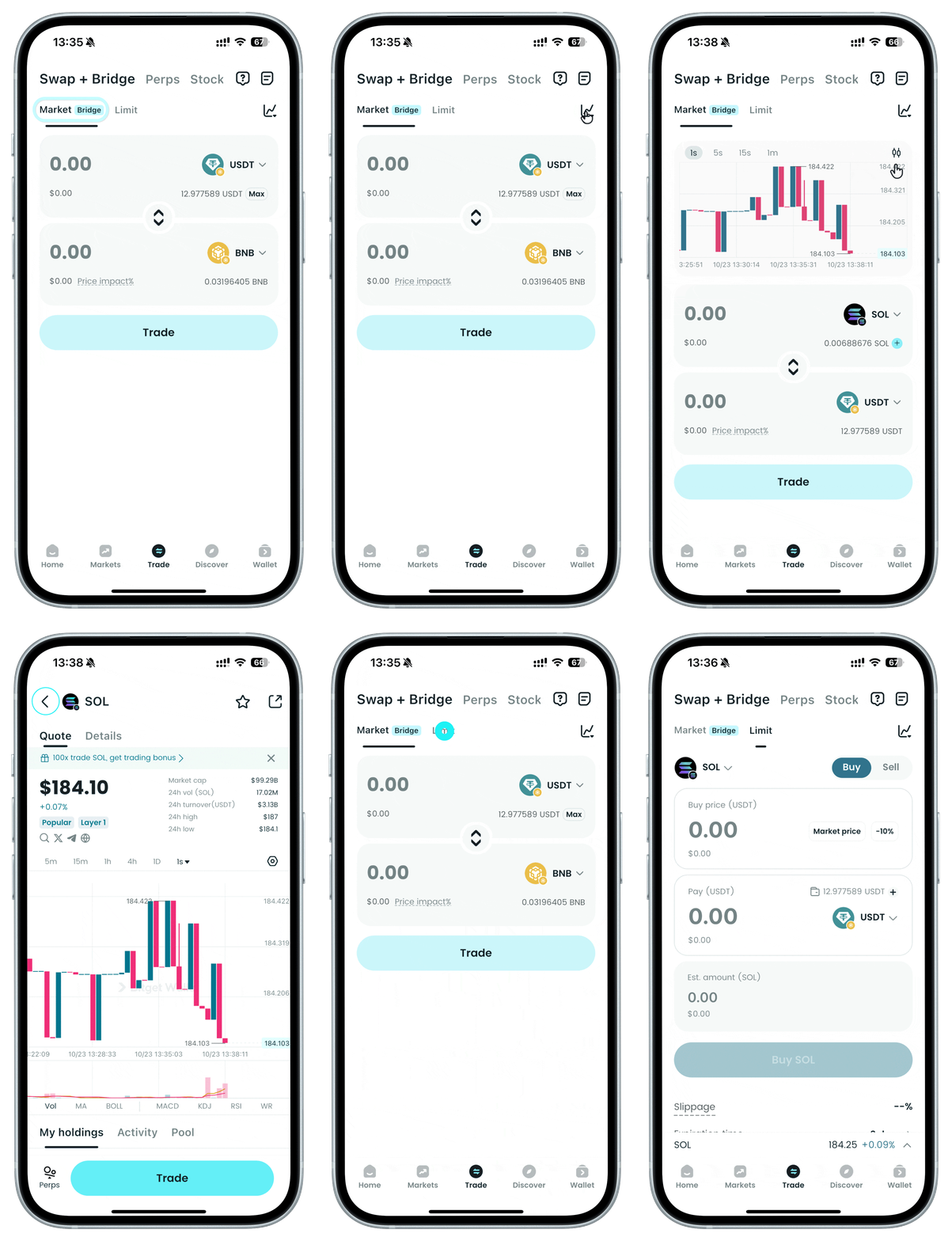
Toggle to initiate a Market or Limit order
Tap the "Market/Limit" section to switch the order type, and tap the chart icon to view the basic candlestick (K-line).
Tap the "Market/Limit" section to switch the order type, and tap the chart icon to view the basic candlestick (K-line).
1
/
5
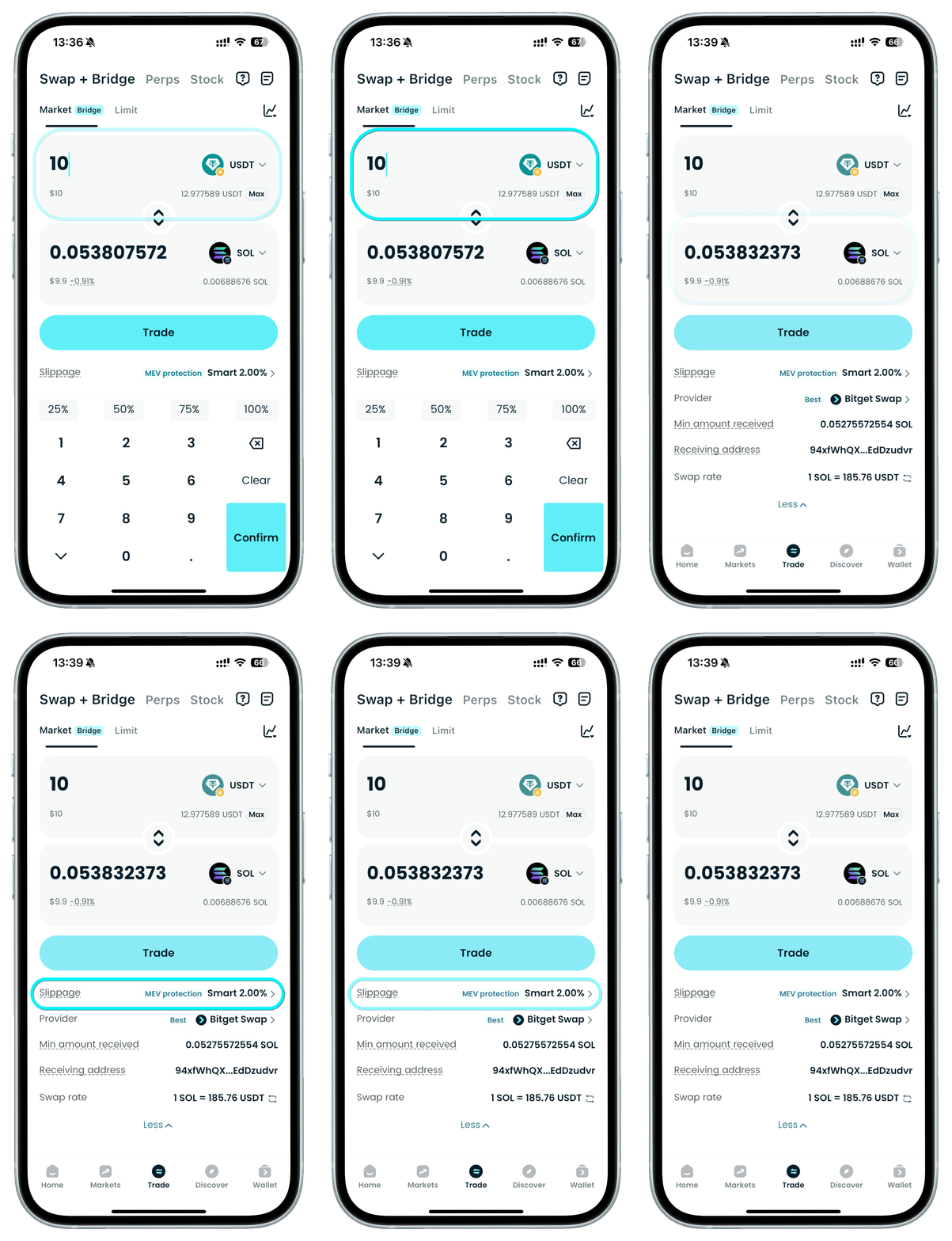
Market order
Here, you can place a market order: select the token to buy or sell, enter the amount, and adjust settings (slippage).
1
/
5
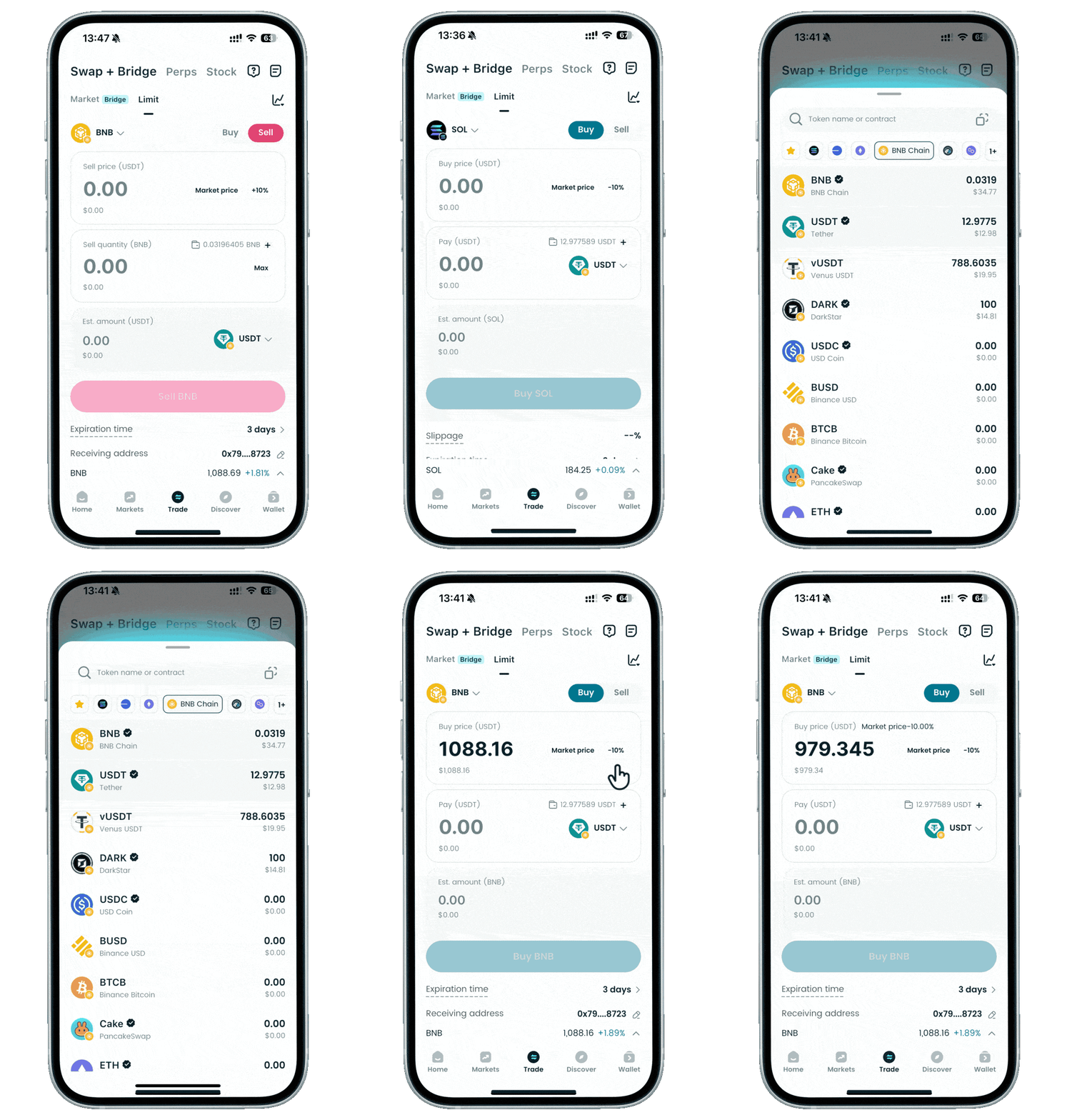
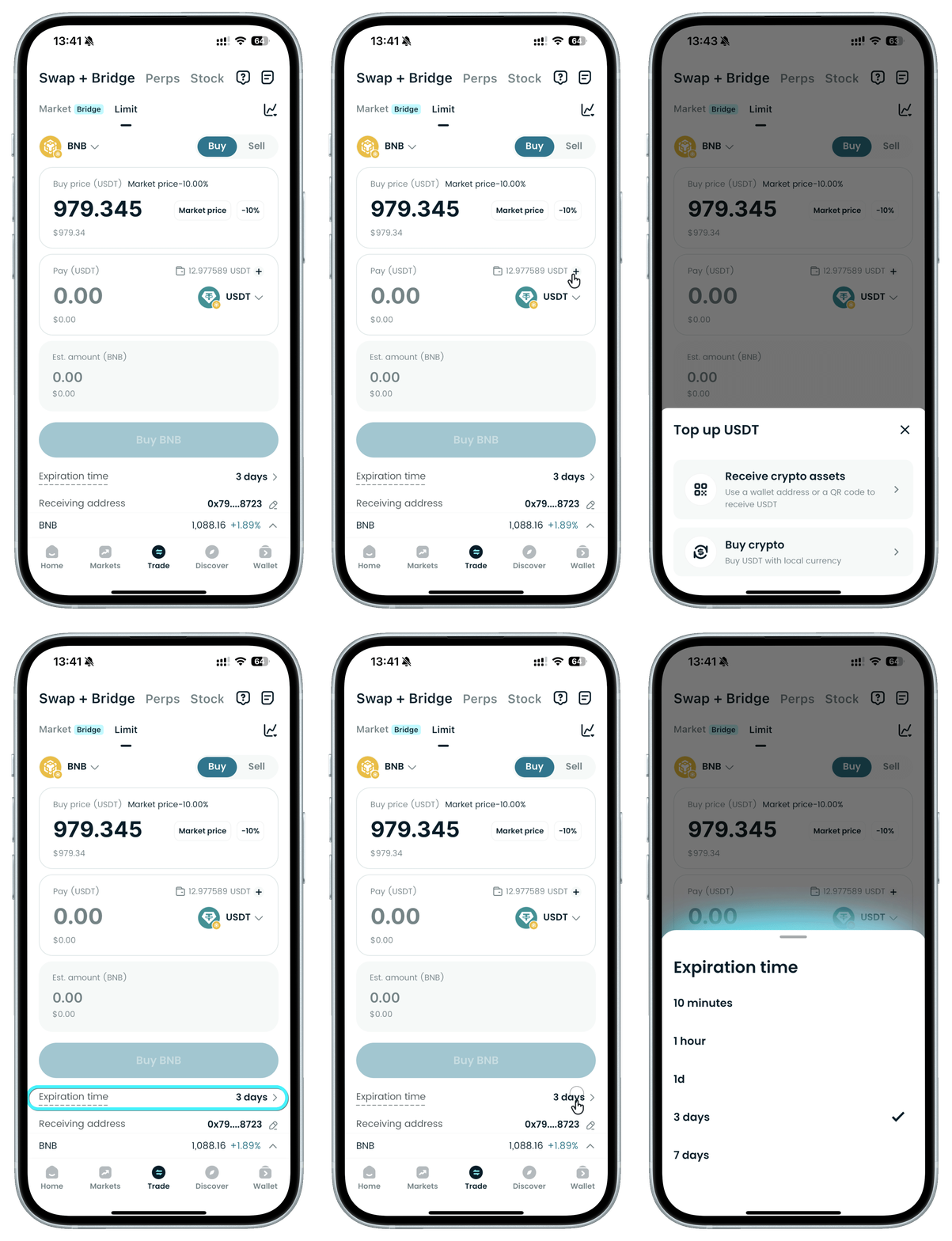
Limit order
Here, you can place a limit order: select the token, switch between buy or sell, and set the price.
1
/
5
Limit order
You can also directly top up your balance and adjust the order expiration time.
1
/
5
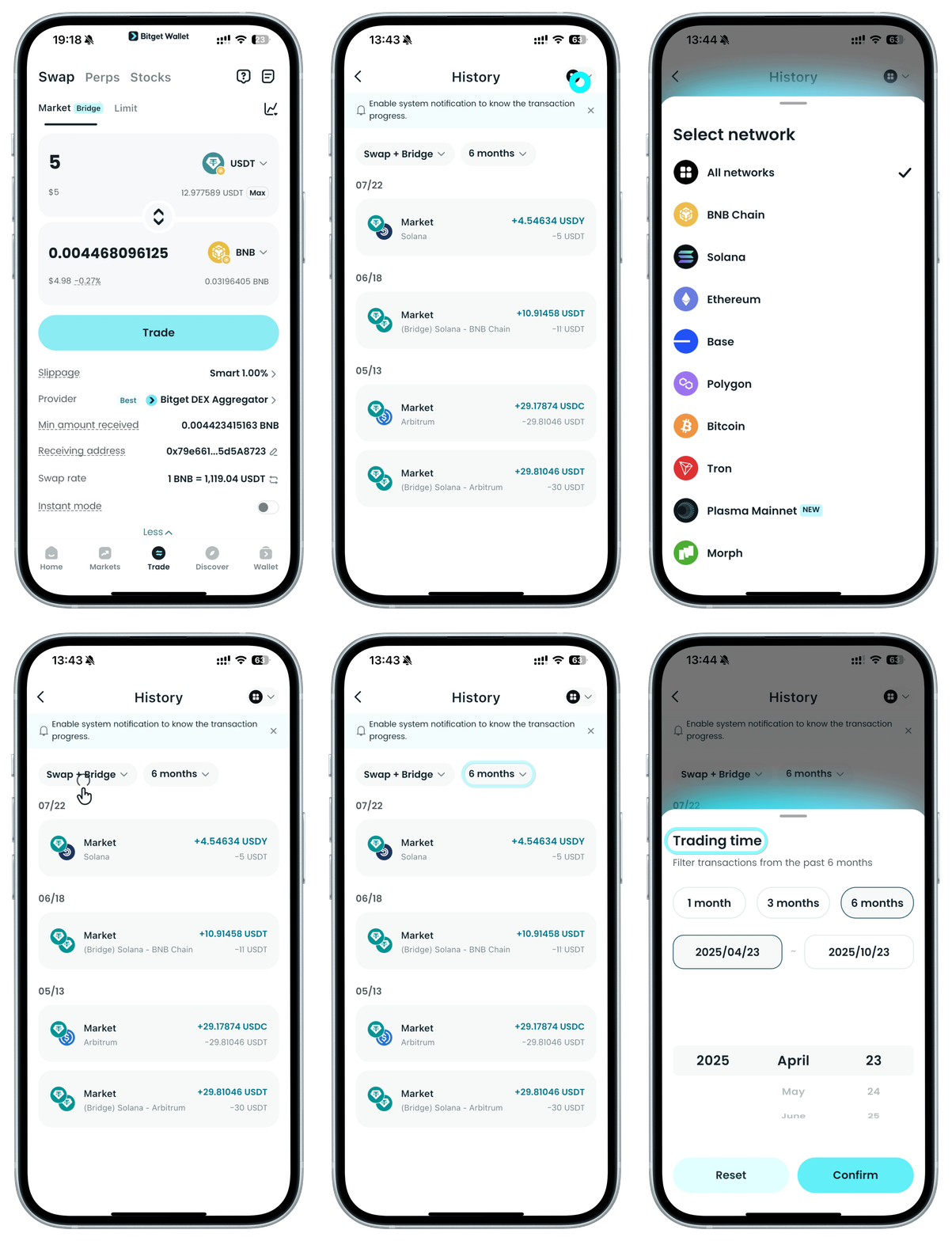
Viewing history
Tap "History" to filter by network, order type, and trading time.