



1
/
5
Linking payment methods
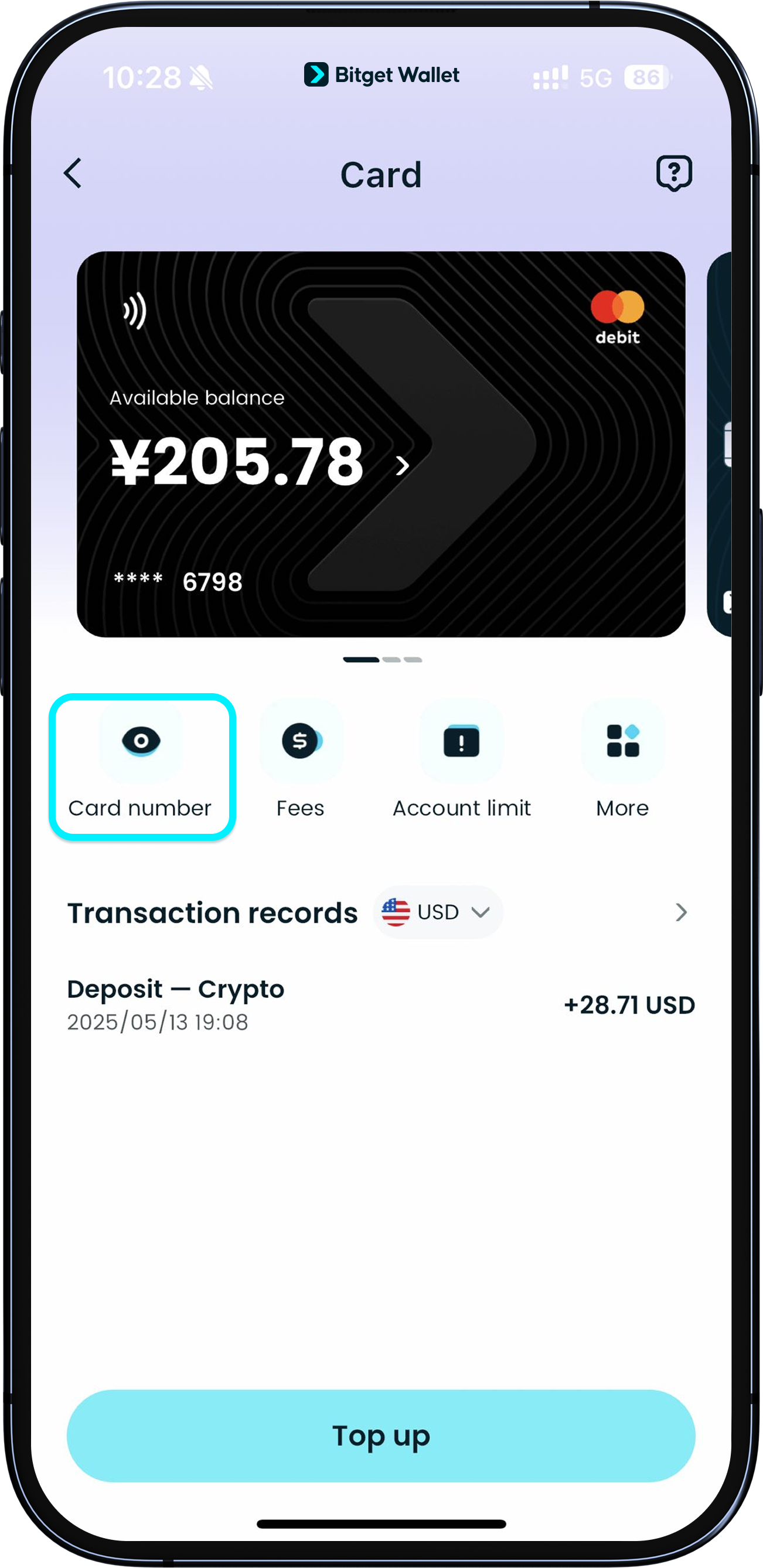
You can link your Bitget Wallet Card to major payment platforms, including Google Pay and Apple Pay. You can also use it for purchases on leading global e-commerce platforms and at 2M+ Mastercard merchants worldwide, such as Amazon, TikTok, ChatGPT, Grab, and more.
You can link your Bitget Wallet Card to major payment platforms, including Google Pay and Apple Pay. You can also use it for purchases on leading global e-commerce platforms and at 2M+ Mastercard merchants worldwide, such as Amazon, TikTok, ChatGPT, Grab, and more.
1
/
5
Linking payment methods
If you need to check your card details, just tap "View" on your card face and follow the quick authorization steps to view your card number, expiration date, and CVV/CVC.
<b>If you can't see the full card details, please reduce the font display size on your device and try again.
Please keep this information safe. If it is leaked, it cannot be reset or changed.</b>
1
/
5
Linking payment methods
<b>Adding your card to Google Pay:</b>
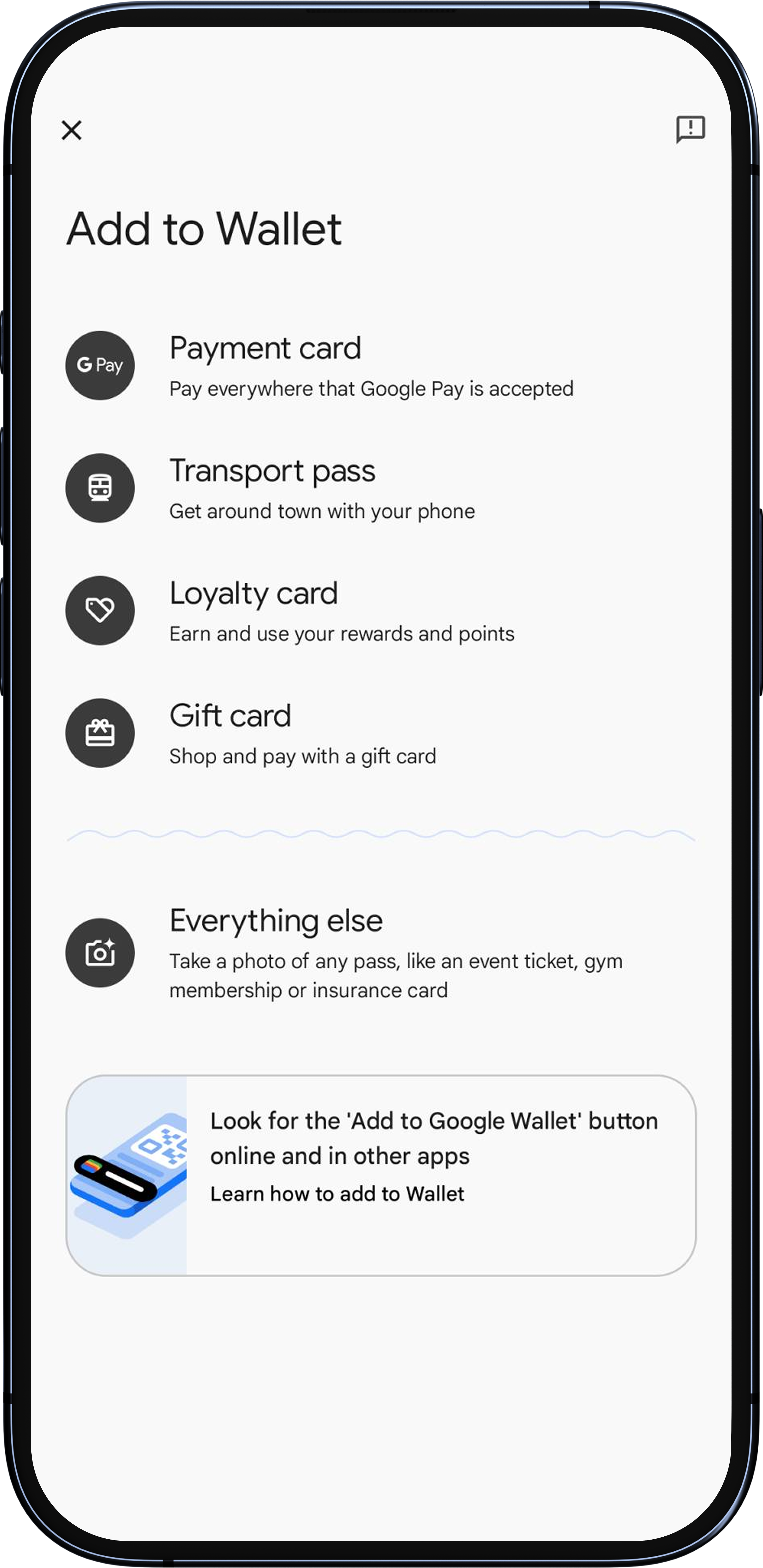
Open the Google Wallet app, tap "Add to Wallet", "Payment card", then enter your card details and follow the on-screen instructions.
<b>Adding your card to Apple Pay:</b>
On your iPhone, open the Wallet app, tap the "+" in the top right, select "Debit or Credit Card" and follow the prompts.
1
/
5
Having trouble adding your card?
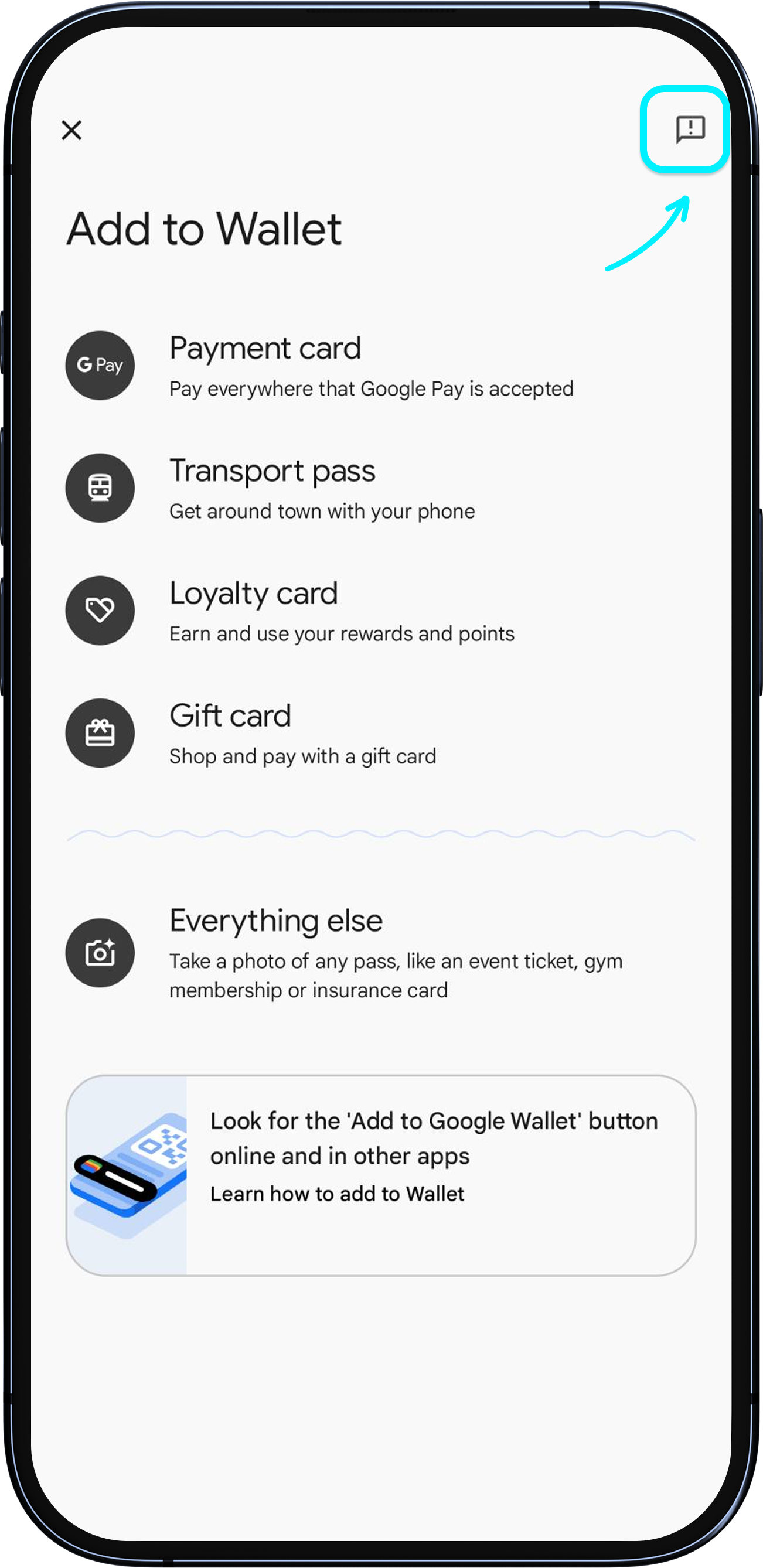
If you see an error when adding your card, first check that there are no spaces in the card number and that you have entered the complete card number (especially if your font is large). If everything is correct but you still see an error, tap the "Help" button in the top right corner of the screen to contact Google Pay or Apple Pay customer support.
1
/
5
Having trouble adding your card?
Please contact the third-party customer support channels, or try another payment method.
