


1
/
8
How to withdraw my assets
Bitget Wallet now supports fiat withdrawal by partnering with MoonPay, a secure and EU-licensed provider. You can easily convert USDT or USDC from multiple chains into over 25 fiat currencies, including USD, EUR, and GBP. Receive funds quickly via Apple Pay, Google Pay, or bank card – fast and simple!
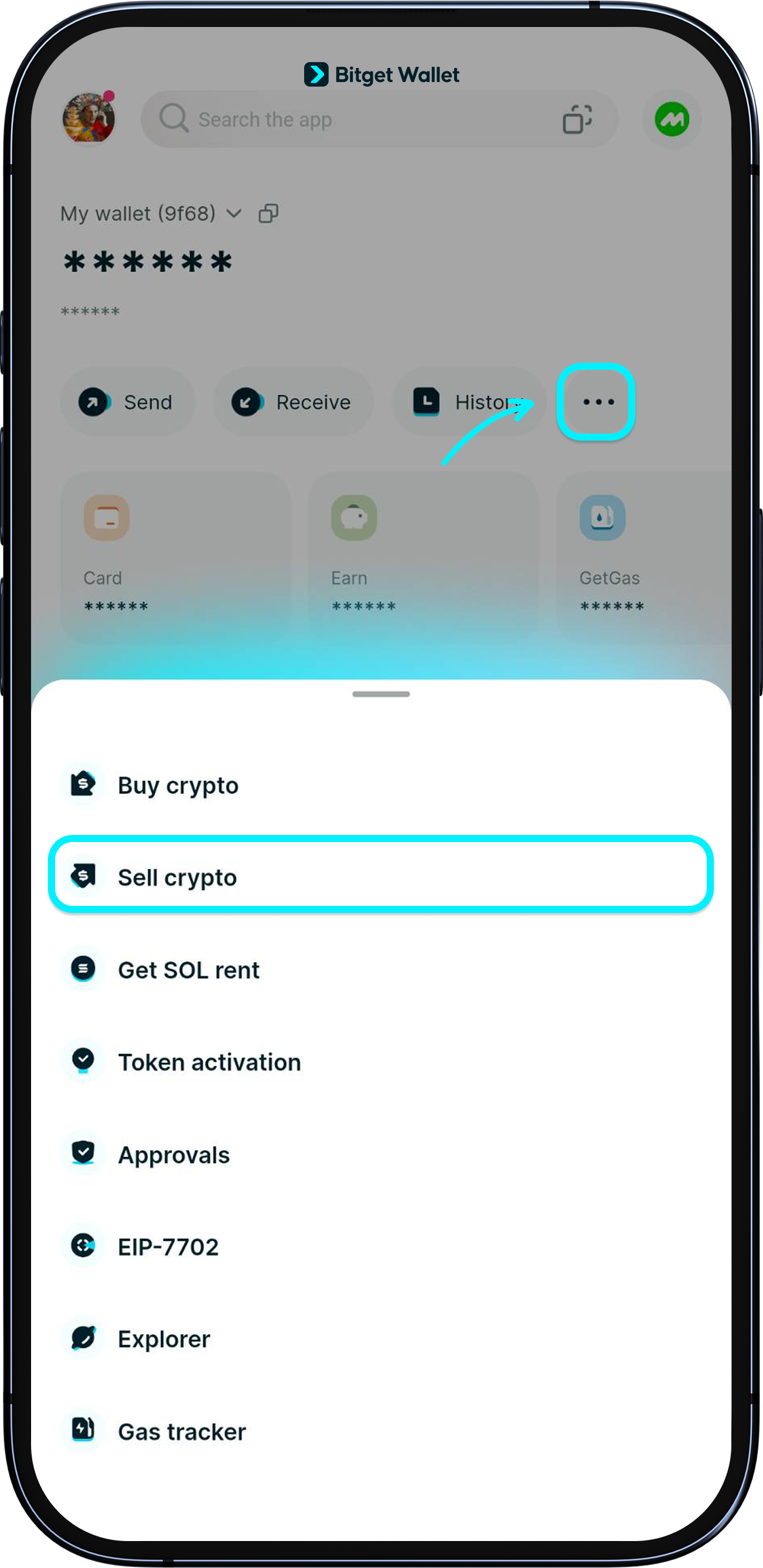
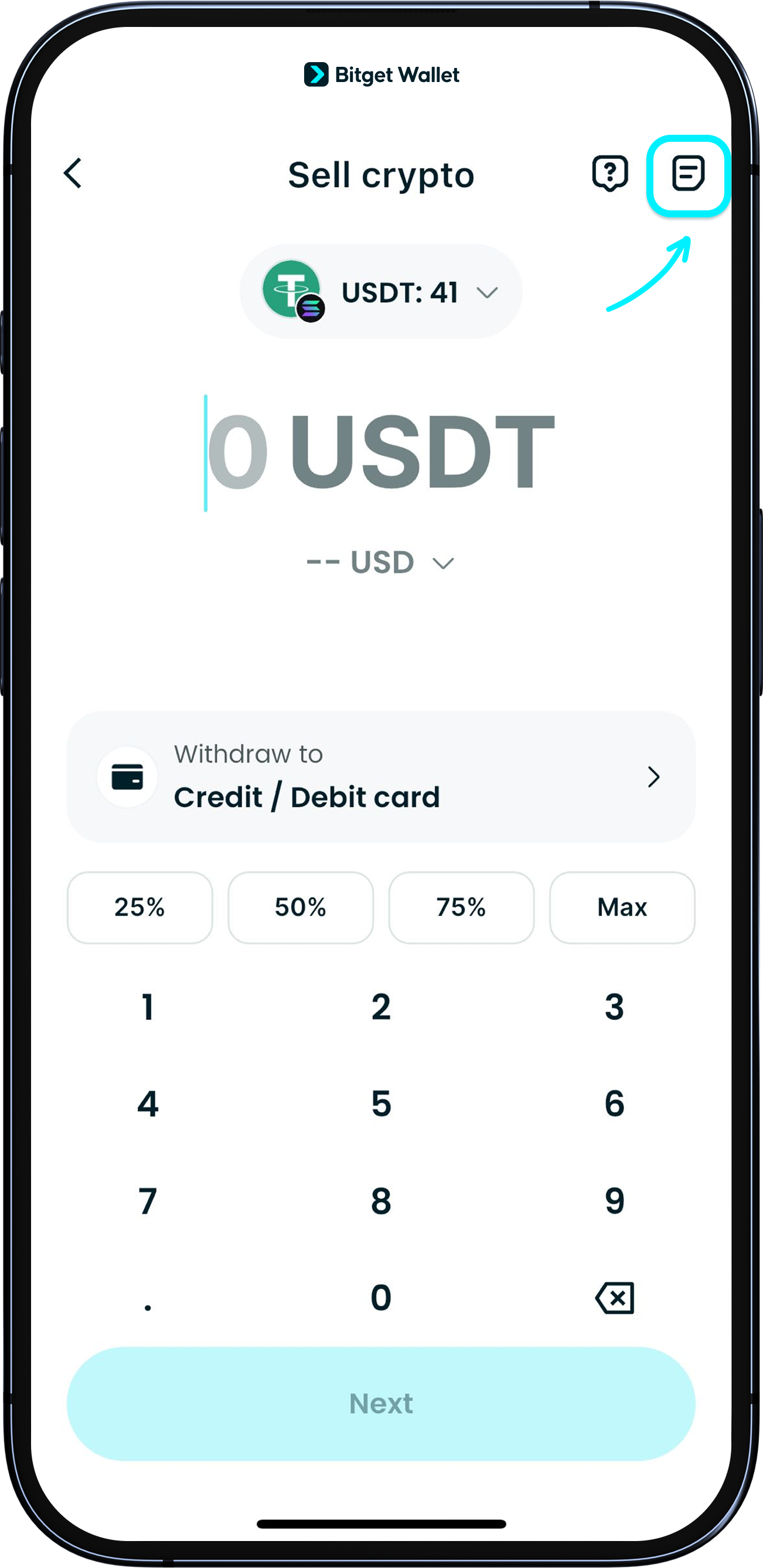
After updating your Bitget Wallet App to the latest version, go to "Wallet" > "..." > "Sell crypto".
Bitget Wallet now supports fiat withdrawal by partnering with MoonPay, a secure and EU-licensed provider. You can easily convert USDT or USDC from multiple chains into over 25 fiat currencies, including USD, EUR, and GBP. Receive funds quickly via Apple Pay, Google Pay, or bank card – fast and simple!
After updating your Bitget Wallet App to the latest version, go to "Wallet" > "..." > "Sell crypto".
1
/
8
How to withdraw my assets
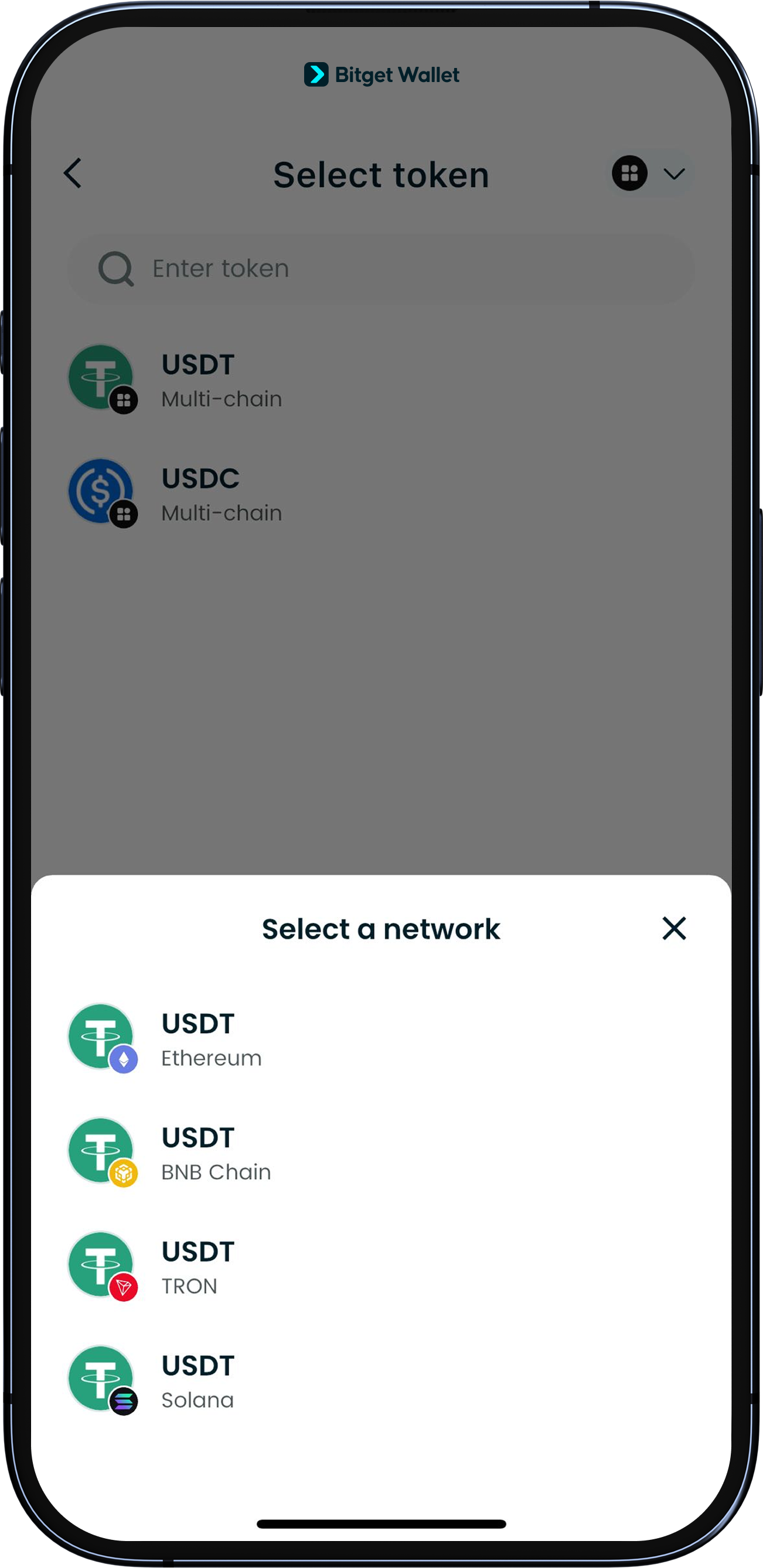
Choose the network and token you want to sell.
Currently, we support selling USDT and USDC on Ethereum, Solana, BNB Chain, Base, and Tron.
1
/
8
How to withdraw my assets
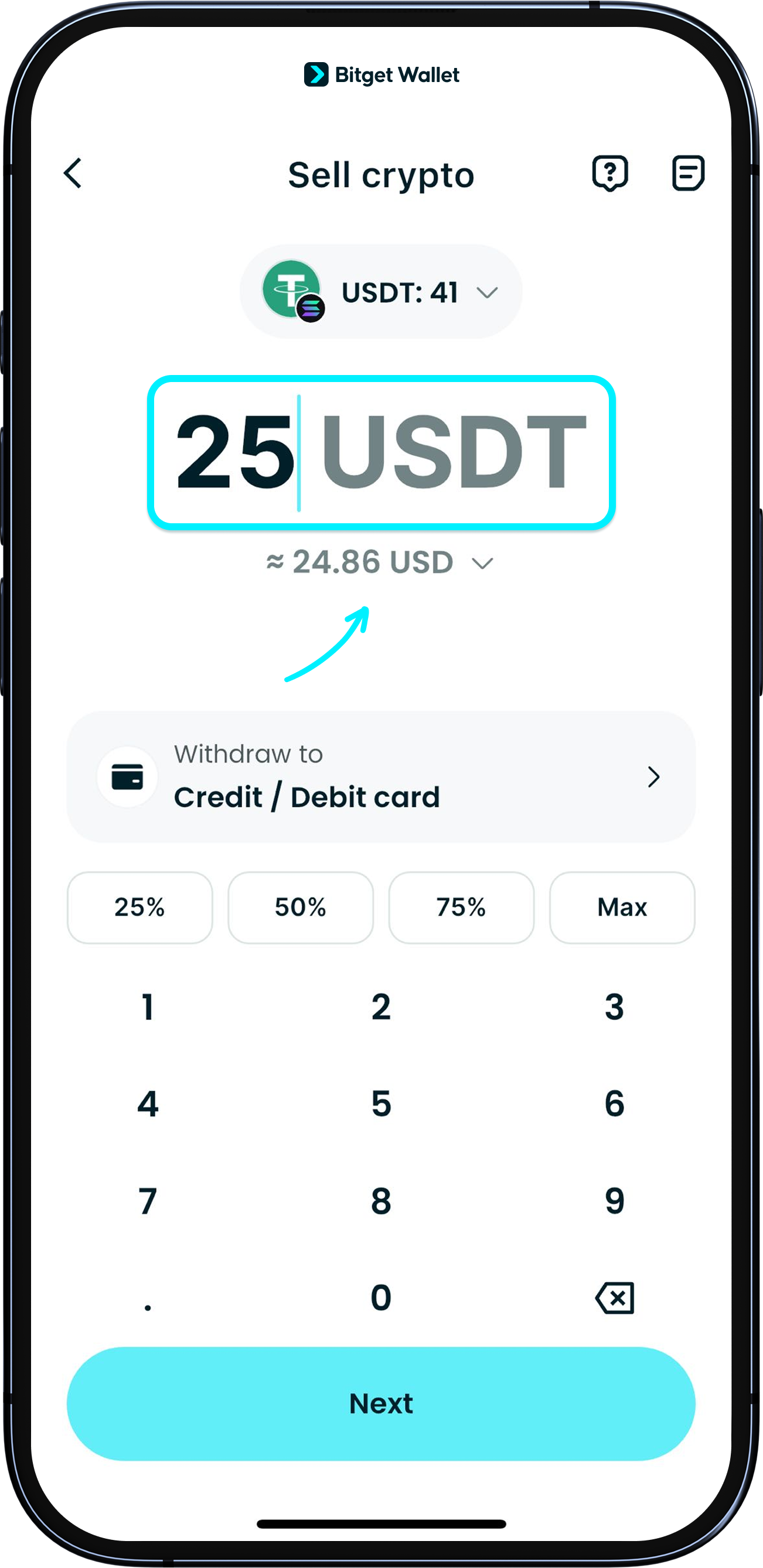
Enter the amount you’d like to sell and you’ll see an estimate of how much you’ll get in your chosen fiat currency. Tap to switch between different fiat options.
Right now, we support 25 major currencies such as GBP, EUR, USD, AUD, and MXN. We’re working on adding even more tokens, currencies, and coverage for more countries, so stay tuned!
1
/
8
How to withdraw my assets
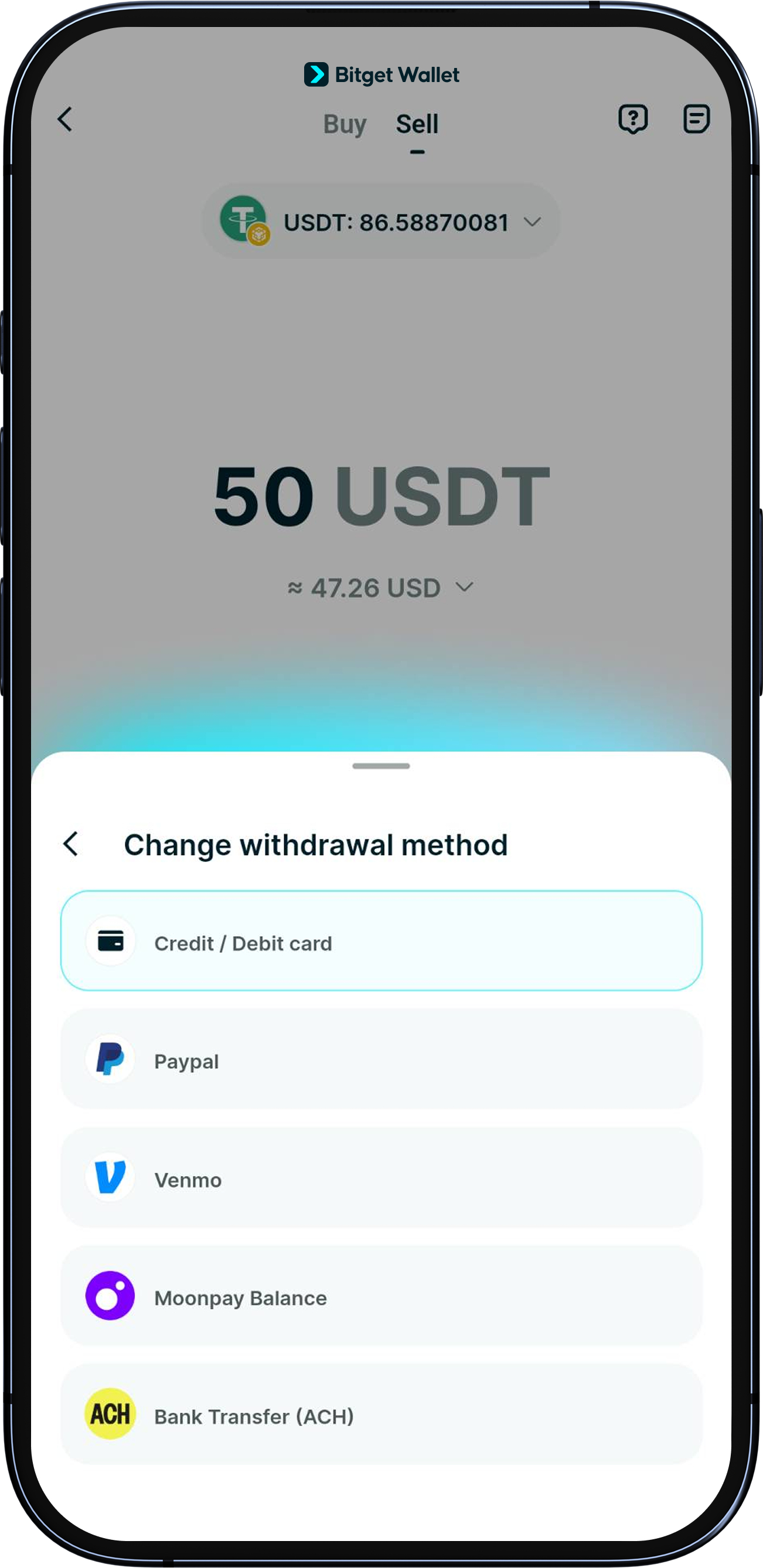
Once you've confirmed the withdrawal amount and your chosen fiat currency, select your payout method. You can withdraw to a Mastercard or Visa debit/credit card, PayPal, Venmo, MoonPay balance, and bank transfer (ACH).
1
/
8
How to withdraw my assets
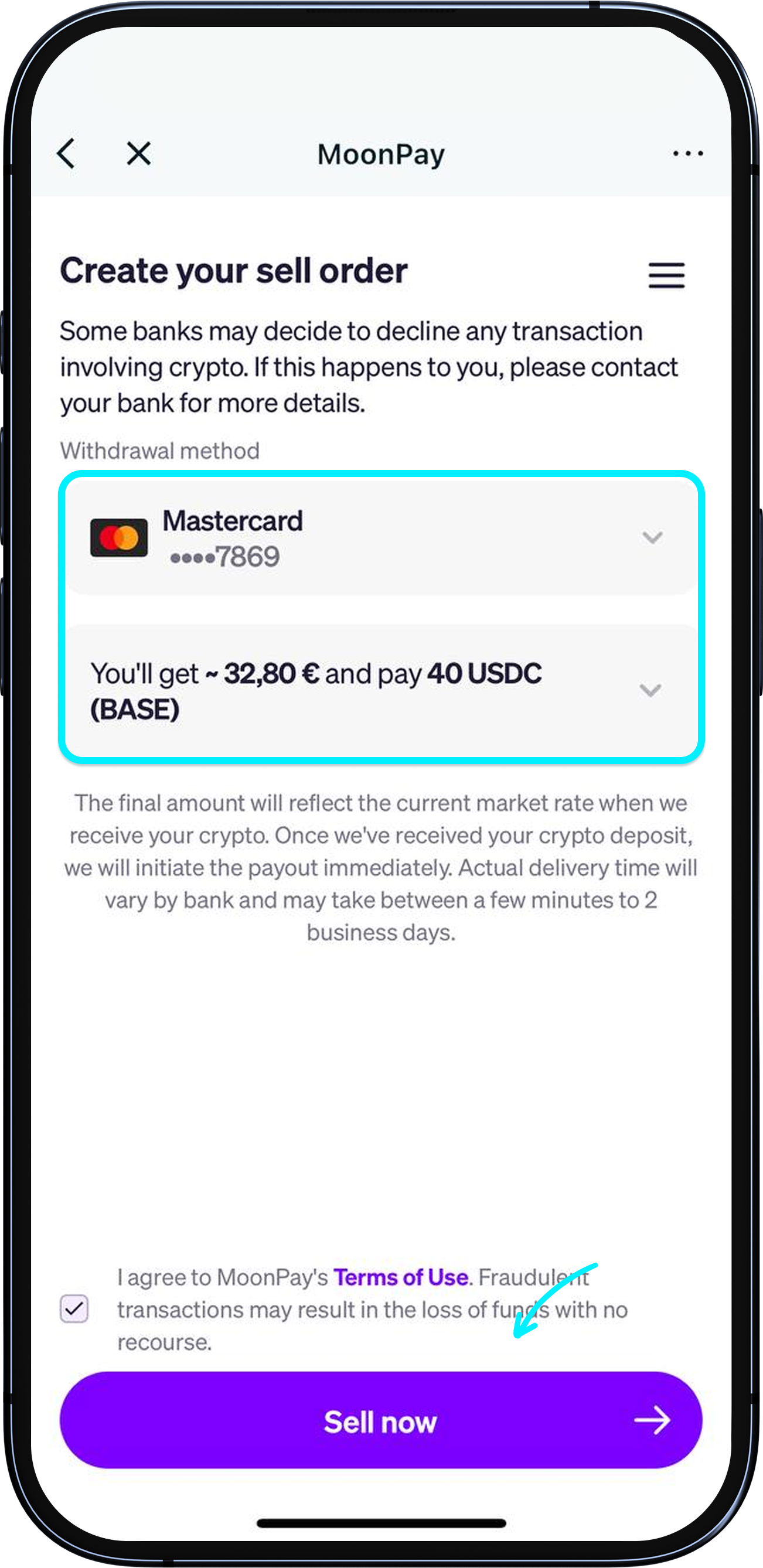
Tap "Next" to go to the MoonPay transaction page and double-check your withdrawal details.
If this is your first time using MoonPay, you’ll need to register and complete identity verification (KYC) by submitting your ID and doing a quick face scan – this is usually a quick process. Once verified, you can start using the withdrawal feature.
If your KYC takes longer than expected, please contact MoonPay support: https://support.moonpay.com/
1
/
8
How to withdraw my assets
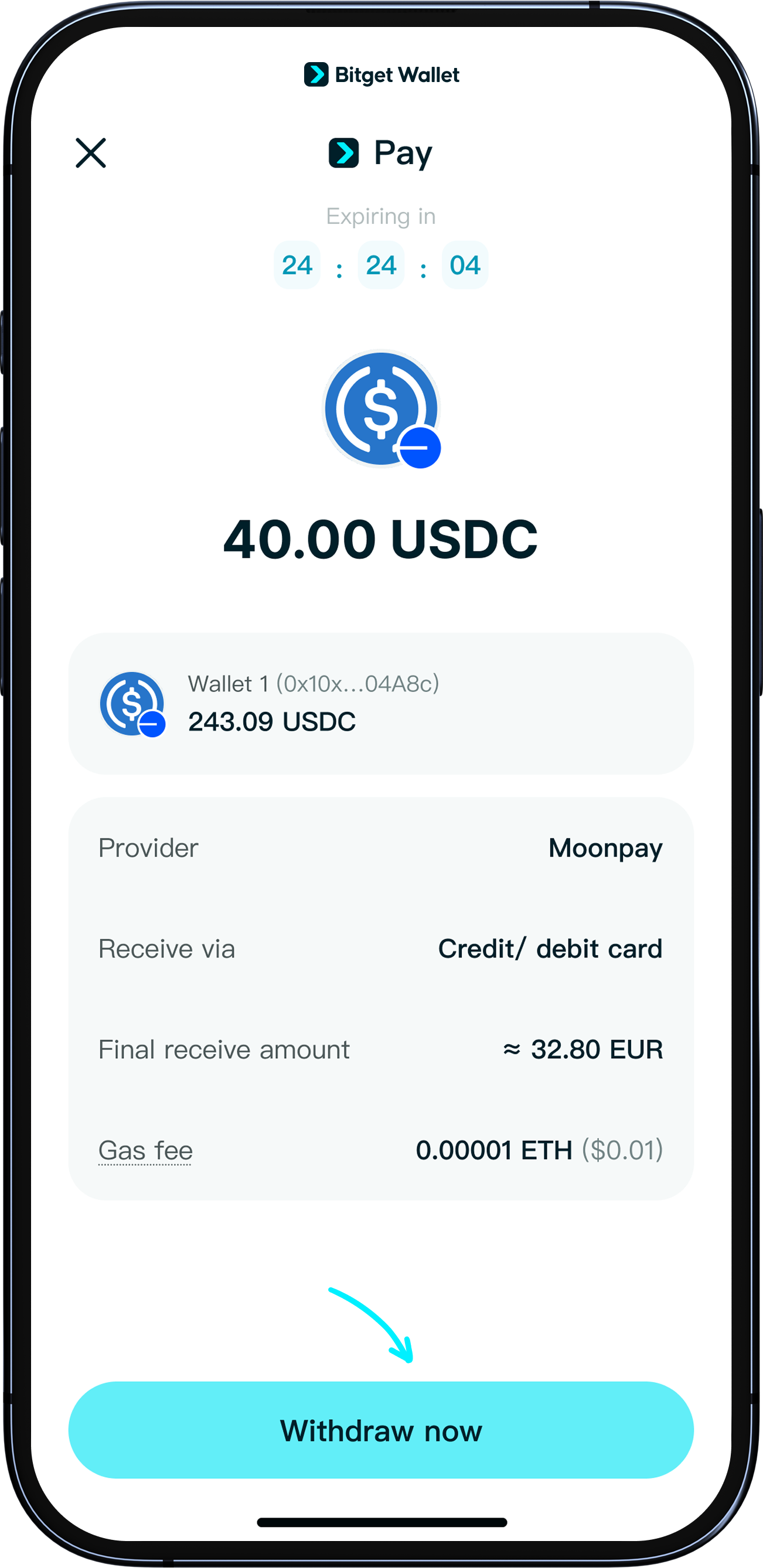
After confirming on the previous page, you'll return to Bitget Wallet app. Tap "Withdraw now" to submit your order.
Withdrawals are usually completed within a few minutes, but in some cases, it may take up to 1~3 business days. You can check your actual deposit status through your chosen payout method. <b>You’ll also receive real-time email notifications throughout the process and when your funds arrive.</b>
1
/
8
How can I track my withdrawal status?
To check your withdrawal status, go to "Home" > "More" > "Sell crypto", then tap the "History" icon. Here, you'll see detailed information and the current status of each withdrawal.
1
/
8
FAQ
If your withdrawal to a bank card fails, it may be because the card doesn’t support this service—please try a different card.
If your identity verification isn’t responding, try using a clearer photo or check your internet connection.
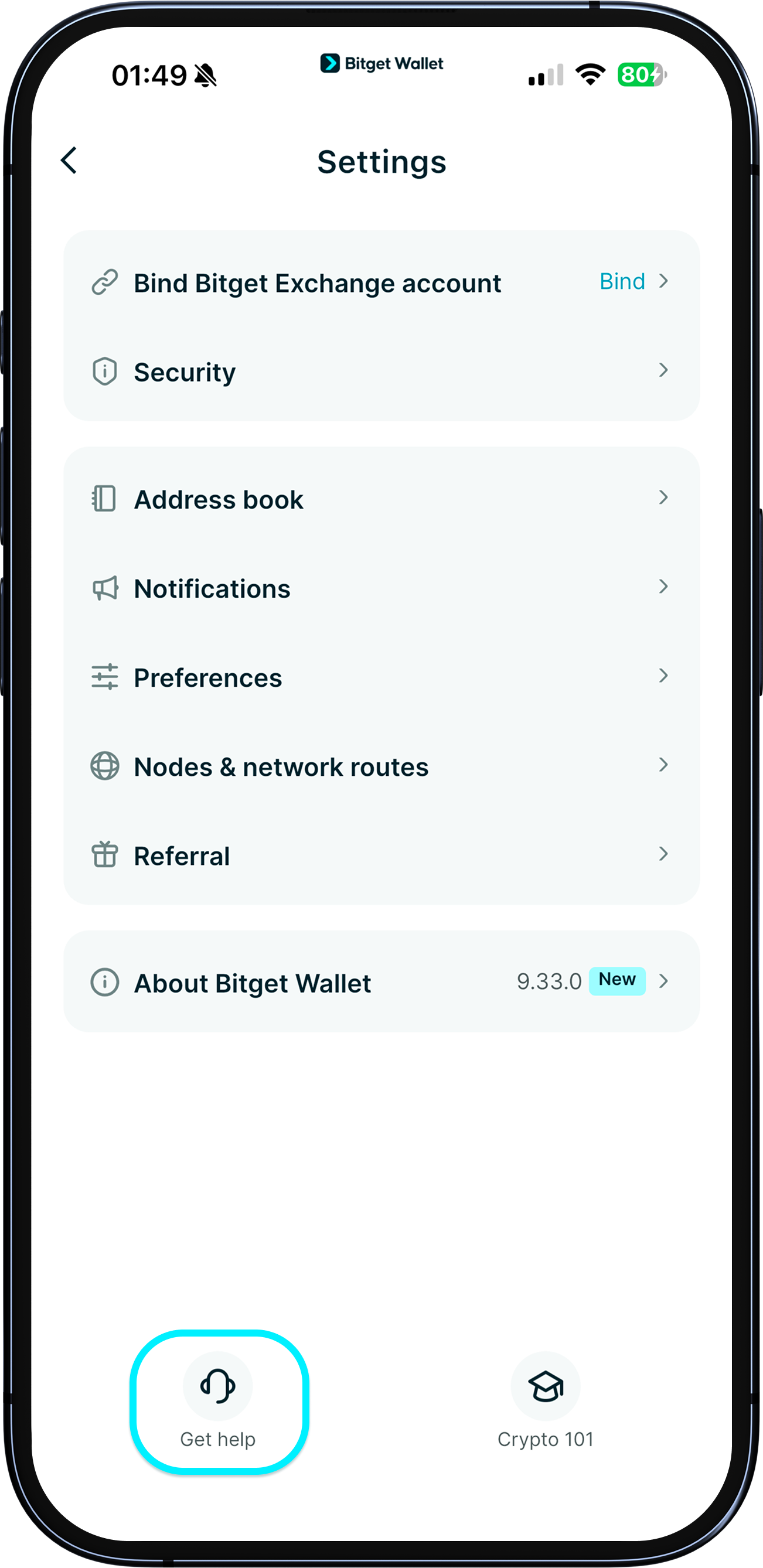
For other issues during the transaction, please have your order ID and MoonPay registered email ready, and submit your information at the official support site: https://support.moonpay.com/
<b>If you don’t receive a reply within 2 business days, please submit feedback to our support team via "Help Center".</b>
