


1
/
4
How to add your card to Google Pay on Android
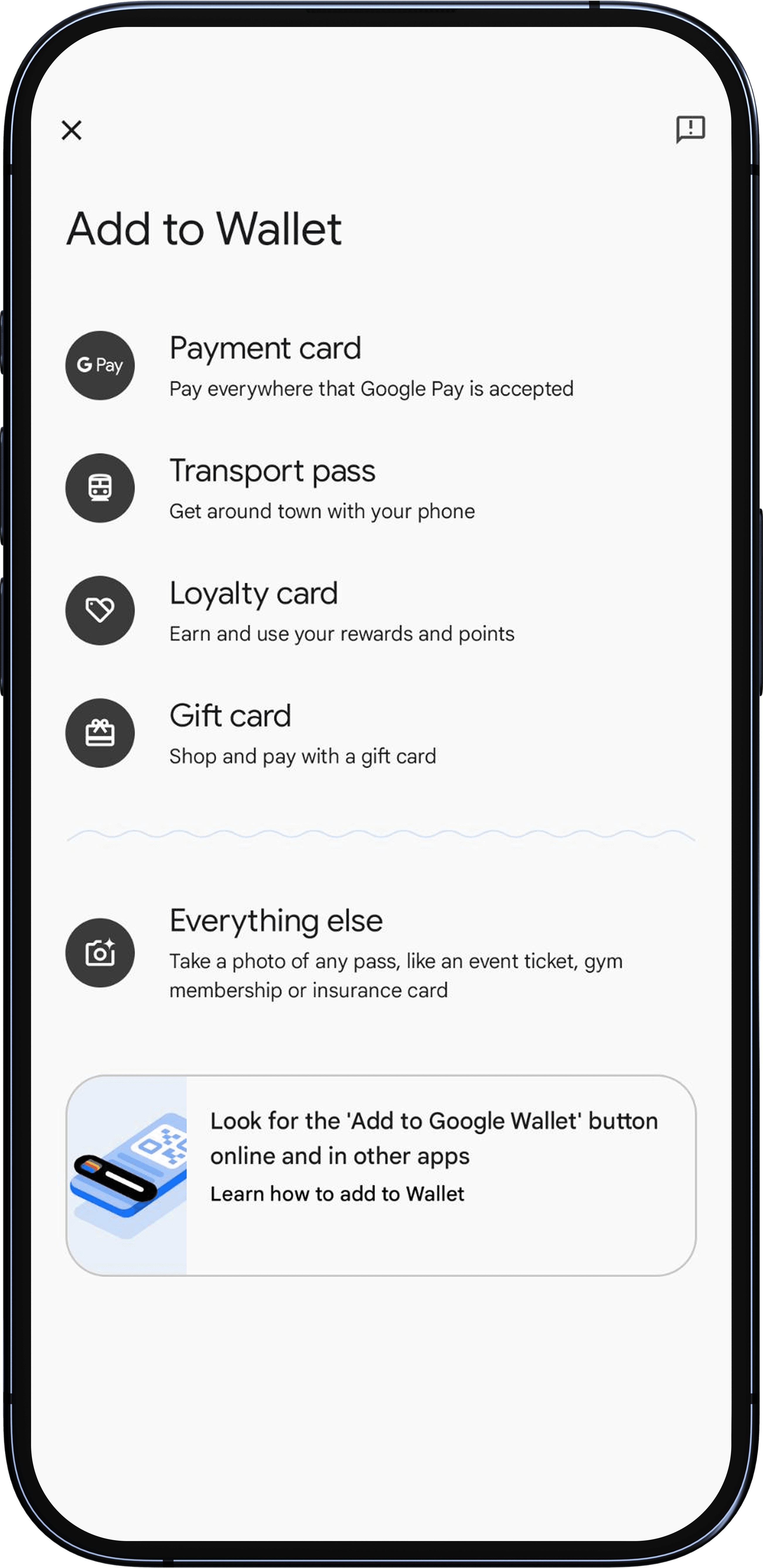
Open the Google Wallet app on your Android device.
Tap the "+ Add to Wallet" button.
Follow the steps to add your Bitget Wallet Card details, and read and agree to the terms and conditions.
For security reasons, you may receive a verification code via text to your registered mobile number to complete your identity verification.
Once your card has been successfully added and activated, you will see an on-screen confirmation, and receive a text on your registered mobile number.
You can add the same card to multiple Android devices.
Open the Google Wallet app on your Android device.
Tap the "+ Add to Wallet" button.
Follow the steps to add your Bitget Wallet Card details, and read and agree to the terms and conditions.
For security reasons, you may receive a verification code via text to your registered mobile number to complete your identity verification.
Once your card has been successfully added and activated, you will see an on-screen confirmation, and receive a text on your registered mobile number.
You can add the same card to multiple Android devices.
1
/
4
Having problems adding your card?
<b>"Couldn't finish card setup for tap to pay"</b>: An issue occurred during the setup. Please try again later.
1
/
4
Having problems adding your card?
<b>"This phone can't be set up to tap to pay"</b>. This may occur due to:
No NFC technology: Your phone must support NFC for contactless payments. Check if NFC is enabled.
Security standards not met: If your phone has technical modifications, it may not meet security requirements.
Rooted device: Modified software can compromise security and cause issues with Google Pay.
Custom ROM or unlocked bootloader: Modified operating systems or bootloaders may not meet Google Pay's security requirements.
Uncertified software: Software that isn't approved by the manufacturer or Google may prevent contactless payments.
1
/
4
Having problems adding your card?
If your card can't be set up for tap to pay, you can still use it to purchase Google products and services, and pay on apps or websites that support Google Pay or have a "Buy with GPay" button.
